

C0775 on 2011-2018 Chevrolet Camaro: TPMS Relearn Failure Causes and Fixes
Code C0775 on a Chevy Camaro almost always means the Tire Pressure Monitoring System (TPMS) sensor relearn procedure has failed or is incomplete. This often happens after a tire rotation or sensor replacement. The fix is to perform the TPMS relearn procedure correctly, which can often be done without special tools by adjusting tire pressure, though a dedicated tool is faster.
- C0775 means the TPMS relearn procedure failed. It's not a critical fault.
- The most common fix is to simply perform the TPMS relearn procedure correctly.
- If the relearn fails, you likely have one or more TPMS sensors with dead batteries, a common issue for cars of this age.
- You can perform the relearn yourself by letting air out of each tire in sequence (LF, RF, RR, LR) after starting the mode in the DIC.
- If replacing sensors, consider replacing all four at once to save on future labor costs, as they tend to fail around the same time.
What's Unique About the 2011-2018 Chevrolet CAMARO
For the 5th and 6th generation Camaro, the C0775 code is a direct consequence of how its TPMS system is designed. The system requires a specific relearn procedure after tire rotations or sensor replacements to know which sensor is in which wheel location. If this procedure is interrupted—for example, by turning off the ignition or taking more than two minutes to learn a sensor—the module's memory is wiped, triggering C0775. Given the age of this vehicle range, a common trigger is an old TPMS sensor with a dead battery failing to respond during the relearn attempt, causing the whole process to fail. Additionally, TSB PIC5650M highlights that aftermarket electronics (like phone chargers or LED lights) can cause radio frequency interference (RFI) that disrupts the relearn process, leading to this code.
Diagnostic Flowchart
Tap your situation to follow the diagnostic path that matches what you're seeing on this vehicle.
Generation note: This range covers the end of the fifth generation (2011-2015) on the Zeta platform and the beginning of the sixth generation (2016-2018) on the Alpha platform. While the C0775 code's meaning is the same, the specific TPMS sensor part numbers and radio frequencies differ. 5th Gen models use 315 MHz sensors, while 6th Gen models use 433 MHz sensors (RPO XL8). The relearn procedure is very similar across both generations.
Symptoms You May Notice
- Flashing TPMS warning light for about one minute after startup, which then stays on solid.
- "Service Tire Monitor System" message on the Driver Information Center (DIC).
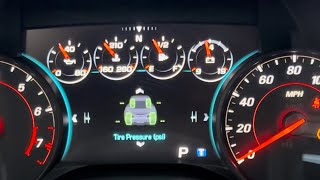
- Tire pressure readings on the DIC show dashes (--) instead of pressure values.
- Inability to complete the TPMS relearn procedure; the horn may not chirp at one or more wheels.
- Replacing the Body Control Module (BCM) unnecessarily. The issue is almost always with the sensors, the relearn procedure itself, or the RCDLR, not the main computer.
- Assuming a single bad sensor when the relearn procedure simply wasn't completed correctly or was interrupted by RFI.
- Replacing sensors with the incorrect frequency type. 5th Gen Camaros require 315 MHz sensors, while 6th Gen models use 433 MHz.
Most Likely Causes
- Incomplete or Failed TPMS Relearn Procedure 🔴 High Probability The system is designed to set this code if the relearn sequence is started but not successfully completed for all four wheels within the time limit (approx. 2 minutes per sensor, 5 minutes total). This is a common user error after tire rotations.
How to confirm: The code appears immediately after attempting a tire rotation, sensor replacement, or manual relearn procedure. The process times out or fails to register each wheel.
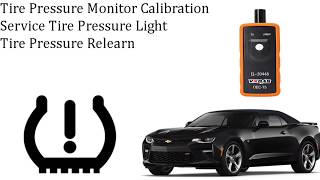
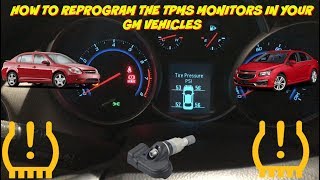
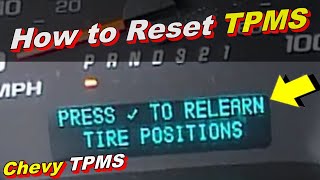
Typical fix: Perform the TPMS relearn procedure again from start to finish. 🎬 Watch: Step-by-step guide to reprogramming your Camaro tire sensors. This can be done via the DIC menu and may require a TPMS activation tool (like the EL-50448) or manually deflating/inflating each tire in sequence until the horn chirps. 🎬 See how to relearn TPMS without using a special tool.
Est. part cost: $0 - $20 for a basic relearn tool - Dead or Faulty TPMS Sensor 🟡 Medium Probability The batteries inside TPMS sensors have a finite lifespan of 5-10 years. Vehicles in the 2011-2018 range are at an age where original sensor batteries are likely failing, preventing them from transmitting during the relearn process and causing the entire procedure to fail.
How to confirm: Use a TPMS diagnostic tool to attempt to read the sensor's ID, battery status, and pressure. If the tool cannot get a response from a specific sensor during the relearn process (no horn chirp), it has failed.
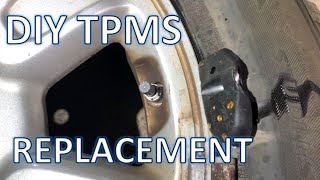
Typical fix: Replace the faulty TPMS sensor and then perform the relearn procedure. 🎬 Watch this easy DIY walkthrough for replacing your TPMS sensors. It is often recommended to replace all four sensors at once if they are original, especially on older models.
Est. part cost: $30-$80 per sensor - Radio Frequency Interference (RFI) ⚪ Low Probability As noted in GM TSB PIC5650, the RCDLR, which receives TPMS signals, is susceptible to interference from aftermarket devices like phone chargers, dash cams, and LED lighting. This interference can 'jam' the signal from the TPMS sensor during the relearn process, causing it to fail and set C0775.
How to confirm: Unplug ALL aftermarket devices from the vehicle's power ports. Remove other key fobs or access cards from the keychain. Move the vehicle away from other cars or sources of RF signals (like automatic doors) and attempt the relearn procedure again. If it succeeds, RFI was the cause.
Typical fix: Permanently remove the interfering device or avoid using it during vehicle operation. Ensure any added electronic accessories are high-quality and properly shielded.
Est. part cost: $0 - Faulty Remote Control Door Lock Receiver (RCDLR) ⚪ Low Probability The RCDLR is the module that receives signals from both the TPMS sensors and key fobs. An internal fault or a disconnected antenna coax cable can prevent it from learning new sensor IDs. TSB 16-NA-061 specifically addresses this possibility for platform mates.
How to confirm: This is a diagnosis of exclusion. If all sensors are confirmed working, RFI is eliminated, and the relearn procedure still fails repeatedly, the RCDLR is the likely suspect. Other symptoms may include poor key fob range. A professional scan tool can check for RCDLR-specific codes.
Typical fix: Inspect the RCDLR and its antenna connections, which are often located near the right rear of the vehicle. If connections are secure, the module itself may need replacement and programming by a dealership or a well-equipped independent shop.
Est. part cost: $100-$250
Rare But Worth Checking
- Body Control Module (BCM) or Electrical Issue: A GM Technical Service Bulletin (PIC5650M) has linked TPMS codes, including C0775, with seemingly unrelated issues like engine stalling and security lights. This suggests a rare possibility of a complex electrical or BCM communication fault that could manifest with this code among others.
- Aftermarket Wheels: Some owners on forums report issues after installing aftermarket wheels. The construction or finish of the wheel (e.g., thick metal or certain coatings) can potentially block or weaken the TPMS sensor's signal, preventing the RCDLR from receiving it during the relearn process.
Diagnosis Steps
- Verify the TPMS warning light behavior: Flashing for one minute, then solid.
- Use a basic OBD-II scanner to confirm C0775 is the active or stored code.
- Remove all aftermarket phone chargers, dash cams, and other non-factory electronics from the vehicle to eliminate Radio Frequency Interference (RFI).
- Attempt the TPMS relearn procedure. Put the car in ON/RUN mode (engine off). Use the DIC controls to navigate to the Tire Pressure screen and hold the set/clear button to begin. The horn will chirp twice.
- The driver's side front turn signal will illuminate, indicating the first wheel to learn.
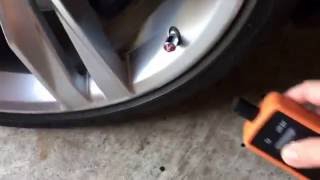
- Start at the Left Front tire. Use a TPMS activation tool (e.g., EL-50448) against the sidewall near the valve stem and press the button. The horn will chirp once when the sensor is learned.
- Alternatively, if you do not have a tool, you can let air out of the tire for 5-10 seconds until the horn chirps.
- Proceed in order: Left Front, Right Front, Right Rear, Left Rear, following the turn signal indicators. The horn will chirp once for each, and twice after the final (Left Rear) sensor is learned.
- If the procedure fails at a specific wheel (no horn chirp), that sensor is the primary suspect for being dead or faulty.
- Use a dedicated TPMS tool to check the battery status of the suspect sensor. If the battery is dead or the sensor is unresponsive, it must be replaced.
- After replacing any sensors, repeat the relearn procedure from the beginning.
- If all sensors are confirmed good but the relearn still fails (even with RFI sources removed), investigate the RCDLR module and its antenna connections for faults, per TSB 16-NA-061.
Parts You'll Likely Need
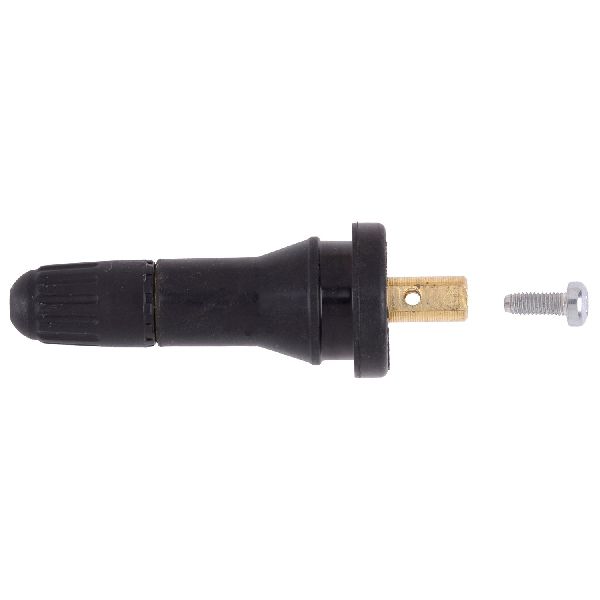
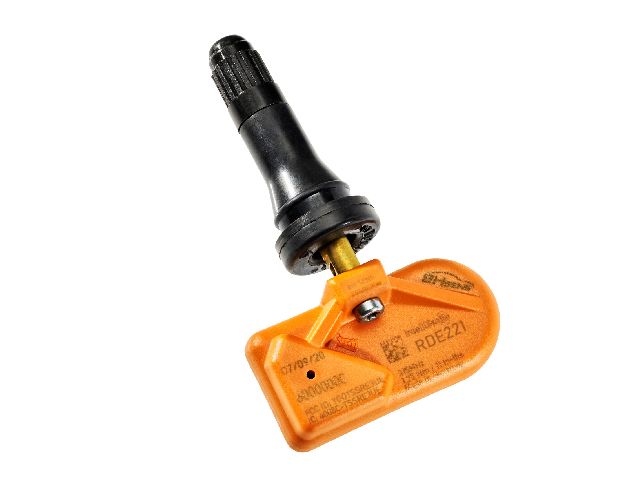
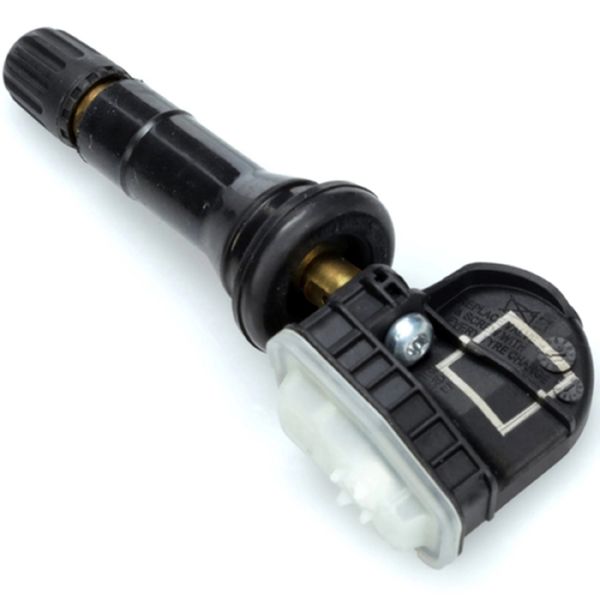
- Tire Pressure Monitoring System (TPMS) Sensor
(OEM #13586335 (315 MHz, for 2011-2015), 13598787 (433 MHz, for 2016-2018))— This is the most c
Related Codes That Often Appear With This One
- C0750 — Indicates a fault or low battery in the Left Front TPMS sensor, which can cause the relearn process to fail and trigger C0775.
- C0755 — Indicates a fault or low battery in the Right Front TPMS sensor, which can cause the relearn process to fail and trigger C0775.
- C0760 — Indicates a fault or low battery in the Left Rear TPMS sensor, which can cause the relearn process to fail and trigger C0775.
- C0765 — Indicates a fault or low battery in the Right Rear TPMS sensor, which can cause the relearn process to fail and trigger C0775.
- B3935 — This is a transponder authentication error. TSB PIC5650 links this code with TPMS codes, as both systems rely on RF communication to the BCM/RCDLR. Widespread RFI can trigger codes in both systems simultaneously.
Technical Service Bulletins (TSBs) & Recalls
- PIC5650M (and subsequent revisions): Links C0775 and other TPMS/security codes to Radio Frequency Interference (RFI) from aftermarket devices like chargers and LED lights. It advises removing these devices before starting diagnosis.
- 16-NA-061: Addresses symptoms like "Service Tire Monitor System" and dashes for tire pressures. It points to a poor or disconnected antenna connection for the Remote Control Door Lock Receiver (RCDLR) as a possible cause, affecting platform mates like the Cadillac ATS/CTS.
- 07-03-16-004D (and subsequent revisions): A general GM bulletin explaining TPMS operation, distinguishing between a low-pressure warning (solid light) and a system fault (flashing light), which is characteristic of a C0775 fault.
Platform-Specific Known Issues
- 5th Gen vs 6th Gen Frequency Difference: A critical point of failure is using the wrong sensor. The 2011-2015 models use a 315 MHz sensor (e.g., ACDelco 13586335), while the 2016-2018 models with RPO code XL8 use a 433 MHz sensor (e.g., ACDelco 13598787). The two are not interchangeable.
- Interference from Aftermarket Electronics: GM has issued multiple versions of TSB PIC5650, warning that aftermarket devices, especially those plugged into the 12V outlets (like phone chargers or dash cams), can cause significant radio frequency interference (RFI). This RFI can disrupt the TPMS relearn procedure and cause code C0775. Always unplug these devices as a first diagnostic step.
Mechanic-Grade Diagnostic Values
- RCDLR Connector X1 Pin 20 - Battery Positive Voltage — expected: System Voltage (12V). Failure: 0V or significantly lower than battery voltage indicates a power supply issue to the module.
- RCDLR Connector X1 Pin 13 - Low Reference (Ground) — expected: 0V (Good ground continuity). Failure: Any voltage reading above a few millivolts indicates a poor ground connection, which can cause module malfunction.
Scan Tool Commands That Help
- GDS2 (GM Dealer Software): Module Replacement and Setup > RCDLR > Programming and Setup — This function is required after replacing the Remote Control Door Lock Receiver (RCDLR). The new module must be programmed to the vehicle's BCM and existing key fobs to function correctly.
- GDS2 (GM Dealer Software): Tire Pressure Monitor Learn — This is the scan tool-initiated version of the relearn procedure. It's used when the DIC method fails or for a more controlled diagnostic process. The tool prompts the technician at each step.
Wiring & Ground Locations
- RCDLR (5th Gen) — For the 5th generation (2011-2015), the Remote Control Door Lock Receiver is typically located behind the rear passenger-side interior trim panel, often near the top of the shock tower.. This is the module that receives the TPMS sensor signals. A loose antenna connection or a fault in the module itself will prevent the relearn process from completing, triggering C0775.
- RCDLR (6th Gen) — For the 6th generation (2016-2018), the RCDLR is located in the trunk, bolted to the left-hand rear wheel well behind the trunk panel, often in a stack with other modules like the fuel pump controller.. As the central receiver for TPMS signals, its location and connections are critical. A fault here directly causes C0775. TSB 16-NA-396 addresses issues with this module causing no-start conditions, highlighting its importance.
- G103 — Located at the left rear of the engine compartment on the cowl, above the brake booster.. This is a major ground point that serves the BCM, Instrument Panel Cluster (IPC), and the RCDLR. A poor connection at G103 can cause intermittent communication issues with these modules, leading to failed relearn procedures and various codes, including C0775.
- G303 — Located in the cargo compartment, at the center of the rear end panel.. This is a primary rear body ground. Since the RCDLR is located in the rear of the vehicle, a corroded or loose G303 can cause a faulty ground for the module, leading to reception issues.
Real Owner Repair Stories
- Camaro5 Forums user 'trnsltr' (2010-2015 Camaro (5th Gen)) — Unable to complete the TPMS relearn procedure; the process would not initiate or complete successfully.
❌ Tried (didn't work) Following the standard DIC relearn procedure steps.
✅ What actually fixed it Setting the parking brake before initiating the relearn procedure. The system is designed to not enter learn mode unless the parking brake is engaged, a step that is easily missed. - Camaro6 Forums user (2016-2018 Camaro (6th Gen) with new wheels/sensors) — C0775 code appeared after installing new wheels and TPMS sensors. The relearn procedure would fail repeatedly.
❌ Tried (didn't work) Using a relearn tool with the valve stems in the 12 o'clock position.
✅ What actually fixed it The issue was resolved by repositioning the wheels so the valve stems were at the 3-to-5 o'clock or 7-to-9 o'clock position. This suggests that the signal from the sensor to the RCDLR can be blocked by the brake caliper or wheel spokes in certain orientations. After repositioning the wheels, the relearn procedure completed successfully.
OEM Part Supersession History
13586335 (315 MHz)→13540600— Standard part lifecycle update by GM.
Heads up: This part is often listed with many other interchangeable numbers like 13598771, 20922900, and 22854866. While functionally similar, using the latest official ACDelco part is recommended for best compatibility.13598787 (433 MHz)→13540598— Standard part lifecycle update by GM.
Heads up: This sensor requires programming/setup procedures as described in GM Service Information. While it may come pre-programmed, it still needs to be activated and learned to the vehicle using a TPMS tool.
Model Year Variations Within This Range
- 2011-2015: On some earlier GM models within this range, if the DIC menu option for relearn is not available, learn mode can be initiated by turning the key to 'ON' and then pressing and holding the Lock and Unlock buttons on the key fob simultaneously until the horn chirps. This is less common on Camaros with advanced DICs but can be a fallback method.
Helpful Videos
We Have This Part in Stock


The information in this article is provided for general reference and educational purposes only. Vehicle specifications, procedures, and part compatibility can vary by production date, trim level, and region. Always consult your vehicle's factory service manual and verify part numbers before purchasing or performing repairs. Safety-critical components such as airbags, seat belts, and braking systems should be installed by a qualified professional.
- Chevrolet CAMARO:
- 🎬 Helpful Videos
- 🛍️ Shop This Part
- What's Unique About the 2011-2018 Chevrolet CAMARO
- Diagnostic Flowchart
- Symptoms You May Notice
- Most Likely Causes
- Rare But Worth Checking
- Diagnosis Steps
- Parts You'll Likely Need
- Related Codes That Often Appear With This One
- Technical Service Bulletins (TSBs) & Recalls
- Platform-Specific Known Issues
- Mechanic-Grade Diagnostic Values
- Scan Tool Commands That Help
- Wiring & Ground Locations
- Real Owner Repair Stories
- OEM Part Supersession History
- Model Year Variations Within This Range
- 🎟️ Get 5% Off