

C0775 on 2013-2019 Cadillac XTS: TPMS Not Learned Causes and Fixes
Code C0775 on a Cadillac XTS means the Tire Pressure Monitoring System (TPMS) relearn procedure has failed. The fix is to re-run the TPMS relearn procedure using a TPMS activation tool, which is a simple DIY task with the right tool or a quick fix for any tire shop. In rare cases, it can point to a bad sensor or a module issue.
- C0775 means the TPMS relearn procedure failed; it is not a sensor failure code by itself.
- The most common fix is to simply perform the relearn procedure again correctly with a TPMS activation tool.
- If the relearn repeatedly fails, suspect a dead sensor battery (especially on older vehicles), a faulty relearn tool, or radio frequency interference from an aftermarket accessory.
- In very rare cases, persistent failure to learn can be caused by a corrupted RCDLR module that needs to be reprogrammed with a bidirectional scanner.
What's Unique About the 2013-2019 Cadillac XTS

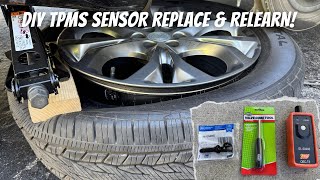
The Cadillac XTS, like most modern GM vehicles, uses a direct TPMS system that requires a specific relearn procedure after tire rotations or sensor replacement. Unlike some systems that can auto-learn, the XTS requires manual initiation via the dashboard menu or key fob 🎬 Watch: How to reset the Cadillac XTS TPMS light, followed by activation of each sensor with a tool. The code C0775 is the car's direct way of telling you this specific, required handshake between the sensors and the car failed. The system's reliance on radio frequency also makes it susceptible to interference from aftermarket electronics, a factor highlighted in GM service bulletins.
Diagnostic Flowchart
Tap your situation to follow the diagnostic path that matches what you're seeing on this vehicle.
Symptoms You May Notice

- The TPMS warning light on the instrument cluster flashes for approximately one minute after startup, then stays on solid.
- A "Service Tire Monitor System" message appears on the Driver Information Center (DIC).
- Tire pressure readings on the DIC show dashes ('--') instead of pressure values for one or more tires.
- Replacing the Body Control Module (BCM) without first attempting a simple TPMS relearn procedure.
- Assuming a sensor is bad when the relearn procedure itself was simply performed incorrectly, timed out, or being blocked by RFI.
- Replacing sensors when the relearn tool has a dead battery.
Most Likely Causes

- Failed or Incomplete TPMS Relearn Procedure 🔴 High Probability The procedure is required after every tire rotation or sensor replacement and can easily be interrupted, time out, or fail if not done correctly. The system allows two minutes to match the first sensor and five minutes total for all four.
How to confirm: The presence of code C0775 is the primary confirmation. This typically occurs immediately after attempting a relearn. If the learn mode is canceled after the first sensor is learned, the RCDLR invalidates all sensor IDs and sets C0775.
Typical fix: Perform the TPMS relearn procedure again correctly. This involves putting the car in 'learn mode' and using a TPMS activation tool to trigger each sensor in sequence: driver front, passenger front, passenger rear, driver rear.
Est. part cost: $0 - Dead or Faulty TPMS Sensor 🟡 Medium Probability TPMS sensor batteries have a finite lifespan of 5-10 years, making failures common on vehicles in this year range. Damage during tire service is also a frequent cause of failure.
How to confirm: During the relearn procedure, one wheel will fail to register (the horn will not chirp). A TPMS diagnostic tool can test the sensor's battery, temperature, pressure, and signal output directly to confirm it's bad.
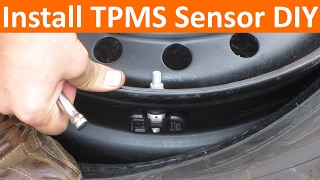
Typical fix: Replace the faulty TPMS sensor. It is best practice to replace all four sensors at once since their batteries fail around the same time. The tire must be unmounted to replace the sensor. 🎬 Watch: How to replace a TPMS sensor without a tire changer
Est. part cost: $100-$250 (for a set of 4 aftermarket sensors) - Weak or Dead Battery in TPMS Relearn Tool ⚪ Low Probability Inexpensive consumer-grade relearn tools may have weak batteries or internal defects (like a broken solder joint) that are unable to properly activate the TPMS sensor during the procedure.
How to confirm: If the relearn procedure fails with a tool, try replacing the tool's battery and performing the procedure again. If it still fails on a specific wheel, the sensor is likely the issue. If it fails on all wheels, the tool is the primary suspect.
Typical fix: Replace the battery in the TPMS relearn tool or repair/replace the tool itself.
Est. part cost: $5-$30 - Radio Frequency Interference (RFI) ⚪ Low Probability The TPMS and keyless entry systems operate on radio frequencies (315 MHz) that can be 'jammed' by aftermarket devices like phone chargers, LED lights, toll passes, or even other key fobs.
How to confirm: The issue is intermittent and may coincide with the use of a specific electronic device. Remove all non-essential aftermarket electronics from the car and attempt the relearn procedure again. TSB #PIC5650M details this issue extensively.
Typical fix: Identify and remove the source of the RFI. No parts are typically required.
Est. part cost: $0
Rare But Worth Checking
- Body Control Module (BCM) or Remote Control Door Lock Receiver (RCDLR) Fault: A failing BCM or RCDLR can cause widespread issues. TSB #PIC5650M notes that C0775 can appear alongside security system codes (like B3055) and a stall condition. If you have these other symptoms, the BCM/RCDLR may be the root cause, not just the TPMS system.
- RCDLR Memory Corruption: In some cases, the RCDLR module doesn't fail but its memory becomes corrupted, 'forgetting' the tire type and pressure settings. A user on a GM forum resolved a persistent C0775 issue by using a bidirectional scan tool to rewrite the tire type and placard pressure information to the RCDLR, after which the sensors learned and stored correctly. This is different from a complete module failure.
Diagnosis Steps

- Verify code C0775 is present using an OBD-II scanner capable of reading Chassis (C) codes.
- Initiate the TPMS relearn mode. This can be done in two ways: through the Driver Information Center (DIC) menu by navigating to the tire pressure screen and holding the select button, or by turning the key to 'ON' (engine off) and holding the Lock and Unlock buttons on the key fob until the horn chirps.
- The driver's front turn signal will illuminate, indicating the first tire to learn.
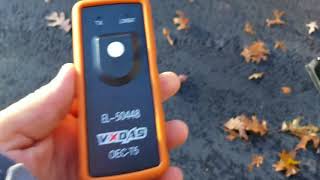
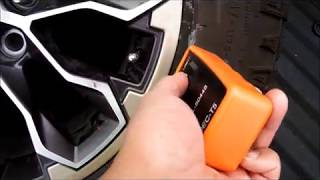
- Using a TPMS activation tool (like an EL-50448), place the tool against the tire sidewall near the valve stem and press the button. The horn 🎬 See how to use the EL-50448 relearn tool correctly will chirp once the sensor is learned.
- The vehicle's turn signal will indicate the next tire to be learned (passenger front, then passenger rear, then driver rear).
- Repeat the activation process for the remaining three tires in the correct order. A double-chirp after the final tire indicates a successful procedure.
- If the horn does not chirp for a specific tire, that TPMS sensor is likely faulty (dead battery or internal failure) and needs to be replaced.
- If the procedure fails and you do not have a tool, you can try the manual method of letting air out of the tire for about 5-10 seconds until the horn chirps, then move to the next tire. Be prepared to re-inflate all tires afterward.
- If you have other seemingly unrelated codes, especially for the security system (B-codes), and stalling issues, investigate for Radio Frequency Interference (RFI) from aftermarket devices or a potential BCM/RCDLR fault as per TSB #PIC5650M.
Parts You'll Likely Need
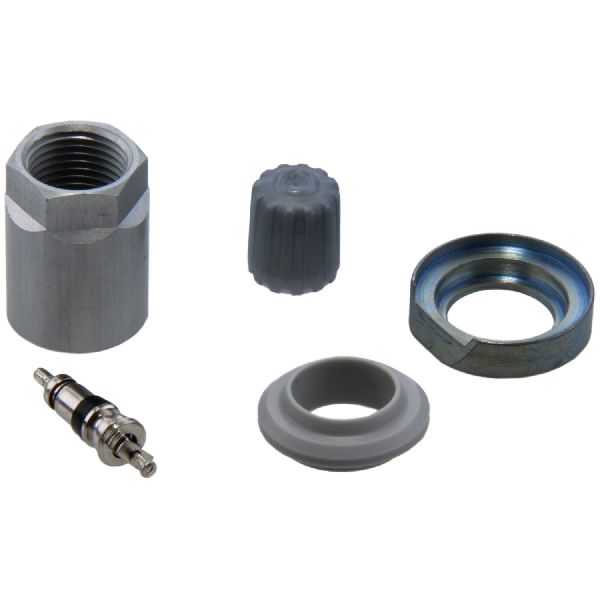
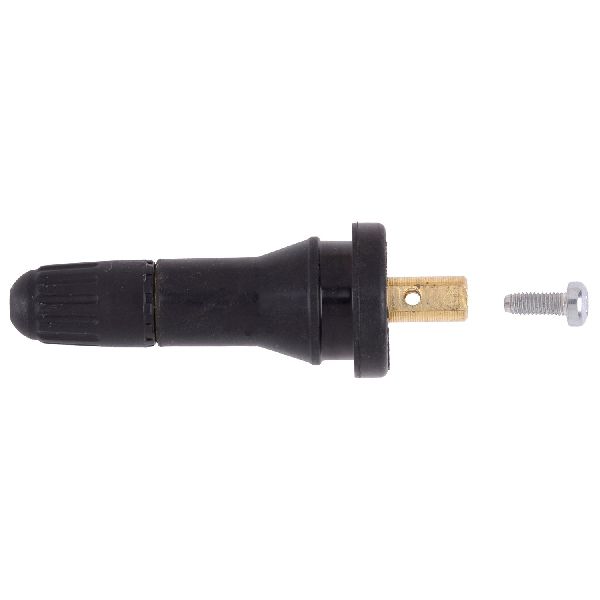
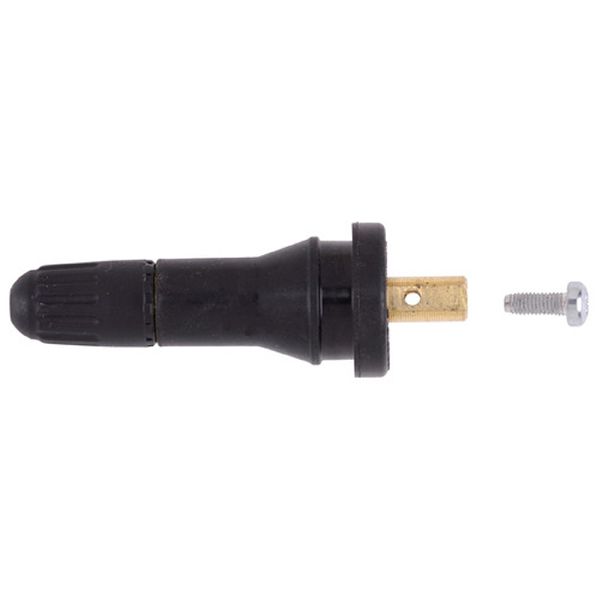
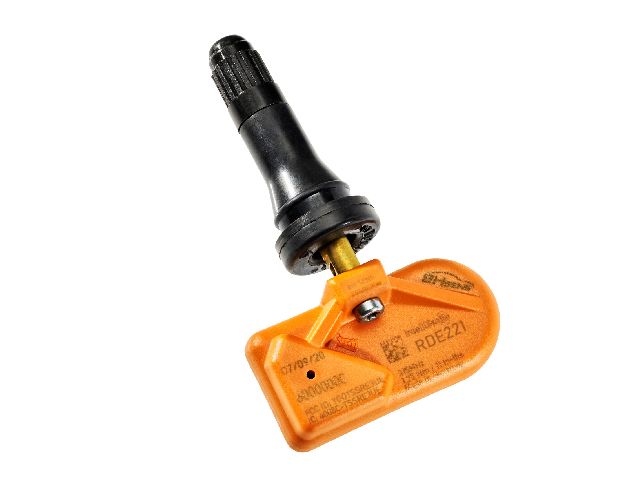
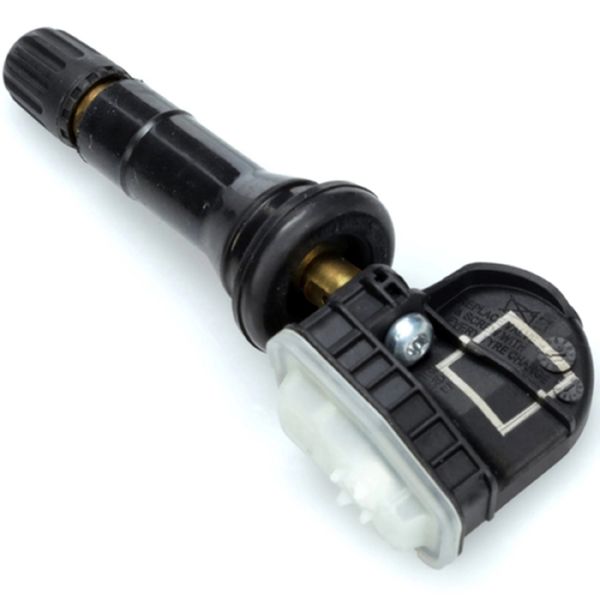
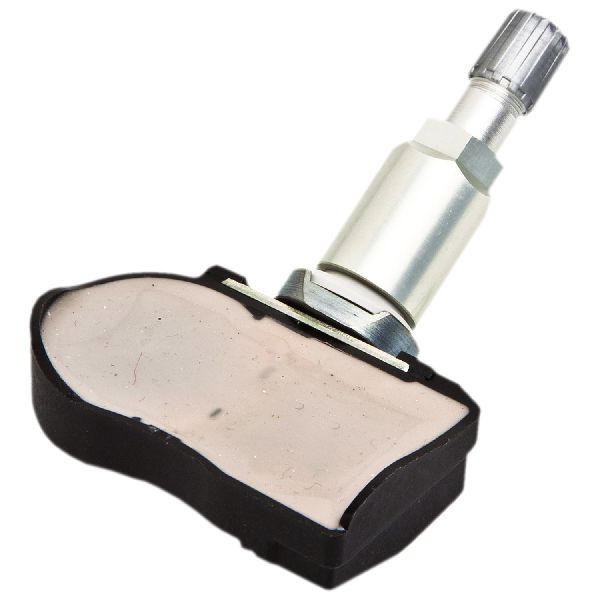
- Tire Pressure Monitoring System (TPMS) Sensor
(OEM #13540601)— This is the most common part to fail, usually due to a dead battery, which prevents the relearn procedure from completing and sets code C0775. The part number 13586335 is also a widely used and compatible GM sensor.
Trusted brands: ACDelco, Schrader, Bosch, Dorman, VDO
OEM price range: $50-$70 per sensor
Aftermarket price range: $25-$50 per sensor - TPMS Relearn Activation Tool
(OEM #EL-50448 (or equivalent))— Required to trigger the 315 MHz sensors during the manual relearn procedure. This is a one-time tool purchase for DIY repair.
Trusted brands: VXDAS, ATEQ
OEM price range: $15-$30
Aftermarket price range: $15-$30
Related Codes That Often Appear With This One
- C0750 — Relates to the Left Front TPMS sensor. Often appears with C0775 if that sensor is the one that failed to learn.
- C0755 — Relates to the Right Front TPMS sensor.
- C0760 — Relates to the Left Rear TPMS sensor.
- C0765 — Relates to the Right Rear TPMS sensor.
- B3055 — Relates to the vehicle security system (key not present). As per TSB #PIC5650M, this can appear with C0775 in cases of a broader module or radio frequency interference issue.
Technical Service Bulletins (TSBs) & Recalls
- PIC5650M: Mentions C0775 in a list of codes that may be found with a vehicle stall and security light concern, pointing to a possible BCM or complex electrical issue.
- PIC6255B: Details diagnosis for TPMS and key fob issues related to the RCDLR antenna coax cable being disconnected at the module or the rear glass antenna amplifier.
Platform-Specific Known Issues
- Radio Frequency Interference: The XTS, along with many other GM vehicles of this era, is noted in multiple TSBs (PIC5650 series) to be sensitive to RFI from aftermarket electronics like phone chargers, LED lights, and toll passes. This interference can disrupt the TPMS relearn process and keyless entry functions, triggering C0775 and other codes.
Mechanic-Grade Diagnostic Values
- TPMS Sensor Nut Torque (for aluminum valve stems) — expected: 11.5 in-lbs (1.3 Nm). Failure: An improperly torqued nut can lead to air leaks or damage to the sensor.
- TPMS Valve Core Torque — expected: 3.5 in-lbs (0.4 Nm). Failure: An improperly torqued valve core can cause slow air leaks.
- TPMS Sensor Signal Frequency (North America) — expected: 315 MHz. Failure: Using a sensor with the wrong frequency (e.g., 433 MHz) will prevent it from communicating with the RCDLR, making relearn impossible.
- Scan Tool - Sensor Status — expected: A professional scan tool should display each sensor's unique ID, pressure, temperature, and battery status (e.g., 'OK', 'Low').. Failure: A sensor showing 'Low' battery or not responding at all is faulty and must be replaced.
- Scan Tool - Received Signal Strength Indicator (RSSI) — expected: A strong, consistent dBm reading for each sensor.. Failure: A very low or absent RSSI reading for one or more sensors points to a faulty sensor, a disconnected RCDLR antenna coax cable, or a bad RCDLR module.
Scan Tool Commands That Help
- GDS2 (GM Dealer Tool): Module Diagnostics > RCDLR > Data Display — Use this to view live data from each TPMS sensor, including its ID, pressure, temperature, battery status, and signal strength (RSSI). This is the definitive way to confirm if a sensor is transmitting and if the module is receiving the signal.
- GDS2 (GM Dealer Tool): Module Setup > RCDLR — This function is required after replacing the Remote Control Door Lock Receiver (RCDLR). Failure to perform the module setup can result in the new module not functioning correctly, even if it's a brand new part.
Wiring & Ground Locations
- Remote Control Door Lock Receiver (RCDLR) — In the rear of the vehicle, connected via a coaxial cable to an antenna amplifier module located at the right rear glass.. The RCDLR is the brain of the TPMS system. It receives signals from all four tire sensors. A loose coaxial cable at the module itself will cause all sensors to stop communicating, while a loose connection at the rear glass antenna may only cause the front sensors to fail intermittently.
- G406 — At the base of the left 'C' pillar (the pillar behind the rear passenger doors).. This is a primary body ground point in the rear of the vehicle, near the likely location of the RCDLR. A poor connection here could cause intermittent or total failure of the RCDLR.
- G404 — At the right 'C' pillar.. This is another key ground point in the rear of the vehicle, near the RCDLR antenna amplifier. A bad ground here could affect the antenna's performance or the RCDLR itself.
- G203 / G302 — At the base of the left and right front kick panels, respectively.. These are major interior ground points for various modules. While less likely to be the primary cause for a TPMS-only issue, a corroded ground here could contribute to broader BCM communication problems mentioned in TSB #PIC5650M.
Real Owner Repair Stories
- Reddit user on r/Cadillac (Cadillac XT5 (similar platform)) — Replaced two TPMS sensors. A tire shop 'programmed' the new sensors, and the TPMS warning light went out, but the DIC still showed dashes ('--') for the new sensors.
❌ Tried (didn't work) Driving the vehicle for an hour, assuming it would auto-learn., Relying on the shop's initial 'programming' of the blank sensors.
✅ What actually fixed it The owner had to manually initiate the vehicle's own TPMS relearn mode through the dashboard menu. Then, using a simple TPMS activation tool, they triggered each of the four sensors in sequence (LF, RF, RR, LR). The car chirped to confirm each one, and the pressure readings appeared correctly on the dash.
OEM Part Supersession History
13586335, 13598771→13540600— Part consolidation and design updates.
Heads up: These parts are generally interchangeable for this platform, but always verify with the VIN.13581558, 13589597, 13598772, 20922900, 22854866→13540601— Multiple older part numbers have been consolidated into this single, newer part number.
Model Year Variations Within This Range
- 2017: There is conflicting information in some aftermarket parts catalogs for the 2017 model year. While the standard North American frequency is 315 MHz (RPO XL7), some suppliers list a 433 MHz sensor for 2017 models. Installing a 433 MHz sensor on a vehicle expecting 315 MHz will result in a complete failure to learn and will set code C0775. Always confirm the required frequency before purchasing.
Helpful Videos
We Have This Part in Stock

The information in this article is provided for general reference and educational purposes only. Vehicle specifications, procedures, and part compatibility can vary by production date, trim level, and region. Always consult your vehicle's factory service manual and verify part numbers before purchasing or performing repairs. Safety-critical components such as airbags, seat belts, and braking systems should be installed by a qualified professional.
- Cadillac XTS:
- 🎬 Helpful Videos
- 🛍️ Shop This Part
- What's Unique About the 2013-2019 Cadillac XTS
- Diagnostic Flowchart
- Symptoms You May Notice
- Most Likely Causes
- Rare But Worth Checking
- Diagnosis Steps
- Parts You'll Likely Need
- Related Codes That Often Appear With This One
- Technical Service Bulletins (TSBs) & Recalls
- Platform-Specific Known Issues
- Mechanic-Grade Diagnostic Values
- Scan Tool Commands That Help
- Wiring & Ground Locations
- Real Owner Repair Stories
- OEM Part Supersession History
- Model Year Variations Within This Range
- 🎟️ Get 5% Off