

C0775 on 2017-2024 Cadillac XT5: TPMS Sensor Relearn and Fixes
C0775 means your XT5's Tire Pressure Monitoring System (TPMS) sensors need to be 'relearned' by the vehicle's computer. This usually happens after a tire rotation or sensor replacement and is fixed by performing a simple relearn procedure with a TPMS tool.
- C0775 on your XT5 means the TPMS sensors need to be relearned, which is a required step after rotating tires.
- The easiest fix is to use a simple, inexpensive TPMS relearn tool (like an EL-50448) to reset the sensor positions.
- If the code appears with strange electrical issues like a security light or no-start, suspect Radio Frequency Interference from a phone charger or other aftermarket device before replacing expensive parts.
What's Unique About the 2017-2024 Cadillac XT5
For most GM vehicles, including the XT5, C0775 is a straightforward TPMS relearn issue. However, a specific Technical Service Bulletin (TSB PIC5650K) for GM platforms links this code with security system codes (like B3055) and issues like engine stalls or no-start conditions. This is unusual and points to a documented susceptibility to Radio Frequency Interference (RFI) from aftermarket devices like phone chargers or LED lights, which can 'jam' the signals used by both the TPMS and security systems. Furthermore, other GM TSBs indicate that identical symptoms can be caused by physical issues with the receiver module's antenna system, such as a disconnected coax cable, which can mimic sensor or interference problems. This means C0775 could be a symptom of external electronic interference rather than just a simple sensor issue.
Diagnostic Flowchart
Tap your situation to follow the diagnostic path that matches what you're seeing on this vehicle.
Symptoms You May Notice
- Flashing TPMS warning light, which may then stay on solid.
- "Service Tire Monitor System" message on the Driver Information Center (DIC).
- Dashes (---) shown for one or more tire pressure readings on the DIC.
- Tire pressure values shown in the wrong positions on the DIC after a tire rotation.
- In rare cases noted by a TSB, may be present alongside a security light, 'No Fob Detected' message, and engine stall or no-start concern.
- Poor range or inoperative key fob functions (lock/unlock/remote start).
- Replacing all TPMS sensors when only a relearn procedure is needed. Always attempt the relearn procedure first, as it costs almost nothing and is often the solution.
- Assuming a sensor is bad when the relearn procedure fails. The failure could be due to RFI or an incorrect procedure. Try moving the vehicle away from other electronics or removing aftermarket chargers before re-attempting.
- Overlooking a physical antenna connection issue. Per TSB 16-NA-061, a disconnected coax cable at the RCDLR or its antenna amplifier can prevent the system from receiving sensor signals, mimicking a failed sensor or RFI.
Most Likely Causes
- TPMS Relearn Procedure Not Performed or Incomplete 🔴 High Probability The system requires a relearn after tire rotation or sensor replacement to know the new position of each sensor. If this step is skipped or fails, the code is set. Many owners first encounter this after rotating tires and realizing the DIC shows incorrect pressure locations.
How to confirm: If the code appeared immediately after a tire service, this is the most likely cause. Attempting the relearn procedure will confirm; if it completes successfully, the problem is solved.
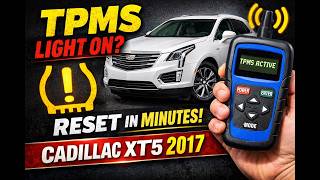
Typical fix: Perform the TPMS relearn procedure using the vehicle's DIC to enter learn mode and a TPMS activation tool (like the EL-50448) to trigger each sensor in sequence.
Est. part cost: $10-$20 for a basic GM TPMS relearn tool. - Failed TPMS Sensor 🟡 Medium Probability TPMS sensors have a finite battery life, typically 5-10 years. As the vehicle ages, sensor batteries will begin to fail, preventing the sensor from communicating with the vehicle during the relearn process.
How to confirm: During the relearn procedure, if one sensor repeatedly fails to trigger (the horn doesn't chirp), that sensor is likely faulty. A professional TPMS tool can also read the sensor's battery status directly. A Reddit user described replacing two sensors, but the pressure readings still showed as dashes, indicating the relearn procedure was not performed or failed after the physical replacement.
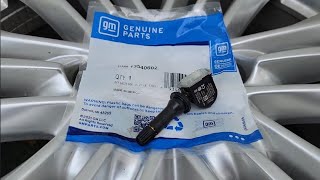
Typical fix: Replace the failed TPMS sensor. This requires breaking the tire bead and installing a new sensor. The relearn procedure must be performed after replacement. 🎬 See this walkthrough for replacing a physical TPMS sensor.
Est. part cost: $30-$80 per sensor.
Rare But Worth Checking
- Radio Frequency Interference (RFI): As detailed in TSB #PIC5650K, if C0775 appears with unrelated codes (like security code B3055) and drivability issues like stalling or 'No Fob Detected' messages, the root cause may be RFI. Aftermarket devices like phone chargers, USB power banks, and especially aftermarket LED bulbs can emit radio frequencies that 'jam' the 125 kHz, 315 MHz, or 433 MHz signals used by the TPMS and keyless entry systems. The fix involves identifying and removing the interfering device. A diagnostic tool like the EL-52545 can be used to sniff out stray RF signals.
- Body Control Module (BCM) or Receiver Fault: While RFI is a more specifically identified cause, a true internal fault in the BCM or the dedicated TPMS receiver (Remote Control Door Lock Receiver) can also prevent the system from learning sensors. TSB 16-NA-396 notes that an internal RCDLR failure can cause TPMS codes and key fob issues, requiring module replacement. This is rare and should only be considered after ruling out sensors, the relearn procedure, and RFI.
Diagnosis Steps
- Verify the TPMS warning light is flashing or on, and check for a 'Service Tire Monitor System' message.
- Use an OBD-II scanner to confirm C0775 is the active or stored code. Check for any accompanying sensor-specific codes (C0750, etc.) or security codes (B3055).
- Check the tire pressure display in the Driver Information Center (DIC). Note if any positions are showing dashes or if the pressures seem mismatched to their locations.
- Acquire a GM-compatible TPMS relearn/activation tool (e.g., EL-50448).
- Put the vehicle in TPMS learn mode. This is typically done through the DIC by navigating to the tire pressure screen and pressing and holding the select button.
- The vehicle will honk twice and the driver's front turn signal will illuminate, indicating it's ready to learn the first sensor.
- Place the TPMS tool against the front-left tire's sidewall near the valve stem and press the button. The horn will chirp once the sensor is learned.
- Follow the sequence indicated by the turn signals: Right Front, then Right Rear, then Left Rear. The horn will chirp at each successful step.
- After the final sensor is learned, the horn will chirp twice to signal the process is complete.
- If any sensor fails to register (no horn chirp), its battery is likely dead or the sensor has failed. Before replacing, try rolling the vehicle forward a few feet to change the wheel's orientation, as brake components can sometimes block the signal.
- If the relearn process fails for all sensors, suspect Radio Frequency Interference. Unplug all aftermarket devices (phone chargers, dash cams, LED lights) and try again.
- If relearn continues to fail, especially for the front tires, investigate the Remote Control Door Lock Receiver (RCDLR) antenna circuit. Per TSB 16-NA-061, inspect the coax cable connections at the RCDLR module (likely in the rear cargo area), the antenna amplifier, and the rear glass antenna for looseness or disconnection.
- On other GM platforms, persistent relearn failure has sometimes been resolved by temporarily pulling the fuse for the OnStar module (VCIM) to eliminate its signal as a source of interference.
- After the relearn, clear the codes and drive the vehicle for a few minutes to ensure the light and code do not return.
Parts You'll Likely Need
- TPMS Relearn Tool
(OEM #EL-50448)— Required to activate the sensors during the relearn procedure on most modern GM vehicles, including the XT5. Inexpensive aftermarket versions are widely available.
Trusted brands: VXDAS, JDIAG, ACDelco
OEM price range: $50-$70
Aftermarket price range: $10-$20 - Tire Pressure Monitoring System (TPMS) Sensor
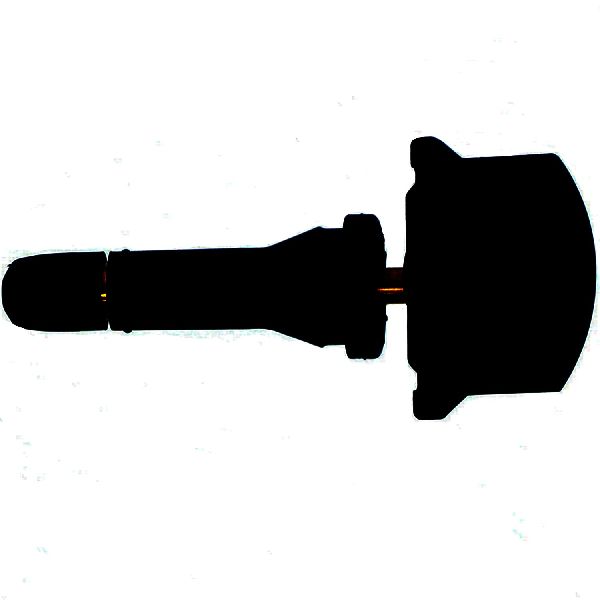
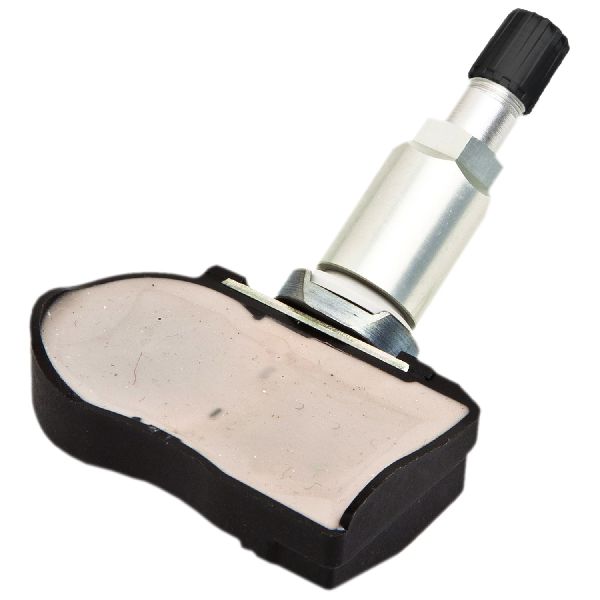
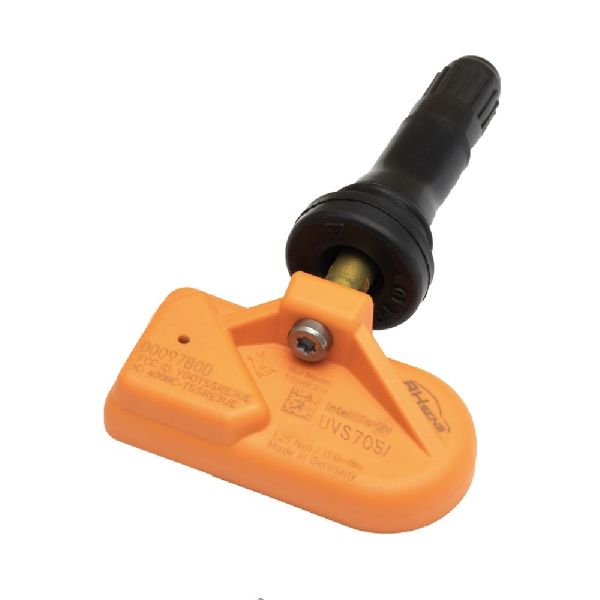
(OEM #13598773)— If a sensor's battery is dead, it cannot be 'learned' by the system and must be replaced. It's common to replace all four if they are original and over 7 years old. This is a 433MHz sensor.
Trusted brands: ACDelco, Schrader, Continental
OEM price range: $50-$90
Aftermarket price range: $30-$60
Related Codes That Often Appear With This One
- C0750 — Code for the Left Front TPMS sensor. Often appears with C0775 if a relearn fails or that specific sensor is bad.
- C0755 — Code for the Right Front TPMS sensor. Often appears with C0775 if a relearn fails.
- C0760 — Code for the Left Rear TPMS sensor. Often appears with C0775 if a relearn fails.
- C0765 — Code for the Right Rear TPMS sensor. Often appears with C0775 if a relearn fails.
- B3055 — A key-related security code. A GM TSB explicitly notes this can appear with C0775 in cases of Radio Frequency Interference (RFI) affecting multiple vehicle systems.
Technical Service Bulletins (TSBs) & Recalls
- PIC5650M: Notes that C0775 may be found with other DTCs in relation to a stall concern and security light illumination.
- PIC5650K: Supersedes earlier versions and specifies that Radio Frequency Interference (RFI) from aftermarket devices (phone chargers, LED lights, etc.) is a likely cause when C0775 appears with security codes (B3055) and no-start/stall conditions.
- 16-NA-061: Details how a disconnected coax cable for the Remote Control Door Lock Receiver (RCDLR) can cause TPMS communication failure (dashes on DIC, C07xx codes) and poor key fob range, mimicking other faults.
- 16-NA-396: Points to internal failure of the RCDLR module as a cause for TPMS codes appearing with a specific symptom byte (:29 - Too Few Pulses) and keyless entry problems.
Platform-Specific Known Issues
- TSB #PIC5650K documents a condition where C0775 can be found with security codes and an engine stall. This points towards Radio Frequency Interference from aftermarket accessories, a known sensitivity on this platform.
- Owners on forums and in videos confirm that after a simple tire rotation, the DIC will display pressure readings in the wrong corner of the vehicle diagram until a manual relearn is performed with a tool.
Hidden / Shadow Codes Worth Checking
- C0750, C0755, C0760, C0765 with Symptom Byte :29: Indicates that the Remote Control Door Lock Receiver (RCDLR) has received too few signal pulses from the respective TPMS sensor. This points towards a communication or module issue rather than just an unlearned sensor. (see via A professional scan tool (like GM's GDS2/Tech2) that can read manufacturer-specific symptom bytes associated with a DTC.)
Scan Tool Commands That Help
- Advanced TPMS Tool (e.g., XTOOL, Autel): Copy by OBD / Read ECU Copy ID — When replacing a dead or missing TPMS sensor. This function reads the sensor ID that the vehicle's ECU is expecting directly from the OBD-II port. The technician can then write this ID onto a new programmable sensor, potentially avoiding the need for a vehicle-wide relearn procedure.
- GM GDS2 / Tech2 or equivalent: RCDLR Setup / Programming — This service function is required after replacing the Remote Control Door Lock Receiver (RCDLR) module. The new module must be configured and programmed to the vehicle before it can communicate with the TPMS sensors and key fobs.
Wiring & Ground Locations
- K84 - Remote Control Door Lock Receiver (RCDLR) — The RCDLR is typically located in the rear of the vehicle. On similar GM SUVs, it is found in the left rear cargo area, behind the trim panel, near the D-pillar.. The RCDLR is the module that receives signals from all TPMS sensors. If the module itself fails, or its antenna connection is compromised, it cannot learn the sensor IDs, directly causing a C0775 code and often key fob communication issues.
- RCDLR Antenna Coax Cable — This cable runs from the RCDLR module to an antenna amplifier, which then connects to an antenna grid, often integrated into the right rear quarter glass.. A disconnected coax cable at the RCDLR, at the amplifier, or between the amplifier and the glass antenna is a known cause of TPMS signal loss. This can cause intermittent failure to read sensors (especially those furthest away, like the left front) and prevent the relearn procedure from completing, leading to code C0775.
Real Owner Repair Stories
- Reddit user in r/Cadillac (Cadillac XT5 (year not specified)) — Replaced two TPMS sensors, but the DIC still showed dashes (---) for the pressure readings, even though the warning light went away.
❌ Tried (didn't work) Physical replacement of two TPMS sensors., Driving the vehicle for an hour, assuming it would auto-learn.
✅ What actually fixed it The user was informed that the shop likely failed to perform the specific GM relearn procedure. The fix was to manually put the vehicle into 'learn mode' via the DIC and use a TPMS tool to activate each sensor in the correct sequence (LF, RF, RR, LR) until the car confirmed each one with a horn chirp.
OEM Part Supersession History
13598773→86363053— Standard part evolution and update by the manufacturer.
Heads up: The new part number is the current recommended replacement for the original. Always verify the correct part number for a specific VIN, as other numbers like 13540601 may be specified for certain trims or years.An older, unspecified sensor part number→84961888— Part update and consolidation by the manufacturer.
Helpful Videos
We Have This Part in Stock

The information in this article is provided for general reference and educational purposes only. Vehicle specifications, procedures, and part compatibility can vary by production date, trim level, and region. Always consult your vehicle's factory service manual and verify part numbers before purchasing or performing repairs. Safety-critical components such as airbags, seat belts, and braking systems should be installed by a qualified professional.
- Cadillac XT5:
- 🎬 Helpful Videos
- 🛍️ Shop This Part
- What's Unique About the 2017-2024 Cadillac XT5
- Diagnostic Flowchart
- Symptoms You May Notice
- Most Likely Causes
- Rare But Worth Checking
- Diagnosis Steps
- Parts You'll Likely Need
- Related Codes That Often Appear With This One
- Technical Service Bulletins (TSBs) & Recalls
- Platform-Specific Known Issues
- Hidden / Shadow Codes Worth Checking
- Scan Tool Commands That Help
- Wiring & Ground Locations
- Real Owner Repair Stories
- OEM Part Supersession History
- 🎟️ Get 5% Off