

C0765 on 2007-2014 Chevrolet Express 1500: TPMS Sensor vs. RCDLR Failure
Code C0765 means a problem with the right rear tire pressure (TPMS) sensor. If your key fob also stopped working, the issue is likely a failed Remote Control Door Lock Receiver (RCDLR) module. If the fob works, the TPMS sensor itself is bad, likely due to a dead battery.
- C0765 points to the right rear TPMS sensor.
- First, check your key fob. If it's dead or has poor range, the problem is likely the Remote Control Door Lock Receiver (RCDLR), not the sensor.
- If the key fob works fine, the TPMS sensor in the right rear tire has most likely failed due to a dead battery and needs to be replaced.
- Replacing the RCDLR module requires special programming by a dealer or qualified shop.
- Replacing a TPMS sensor requires tire removal and a 'relearn' procedure, which can often be done at home.
What's Unique About the 2007-2014 Chevrolet EXPRESS 1500
On this generation of Chevrolet Express and other GMT900 platform vehicles (like the Silverado, Sierra, and Tahoe), the TPMS sensors communicate with a module called the Remote Control Door Lock Receiver (RCDLR). This single module handles signals for both the tire pressure system and the keyless entry fobs. Consequently, a failure of the RCDLR can cause TPMS codes like C0765 to appear simultaneously with key fob malfunctions, a common point of misdiagnosis where a perfectly good TPMS sensor might be replaced in error.
Diagnostic Flowchart
Tap your situation to follow the diagnostic path that matches what you're seeing on this vehicle.
Symptoms You May Notice
- TPMS warning light flashes for 60-90 seconds at startup, then remains on solid.
- "Service Tire Monitor System" message appears on the Driver Information Center (DIC).
- Key fob does not work or has a very limited range (if the RCDLR module is the cause).
- "No Remote Detected" message on the DIC (if the RCDLR module is the cause).
- The pressure reading for the right rear tire shows as dashes ("---") on the DIC.
- Inability to enter TPMS relearn mode using the DIC or key fob method.
- Replacing the TPMS sensor when the key fobs are also dead. In this case, the RCDLR module is the more likely culprit.
- Replacing the Body Control Module (BCM). While the BCM receives data from the RCDLR, the RCDLR itself, its antenna, or the sensor is the far more common failure point for this specific code.
Most Likely Causes
- Failed Right Rear TPMS Sensor 🔴 High Probability The internal, non-replaceable batteries in TPMS sensors have a finite lifespan, typically 5-10 years. Vehicles in the 2007-2014 range are at an age where battery failure is the most common reason for a single sensor to fail.
How to confirm: If the key fobs are working normally, this is the most likely cause. Use a TPMS activation tool (like an EL-50448) to test the right rear sensor. If the tool cannot get a response, the sensor has failed.
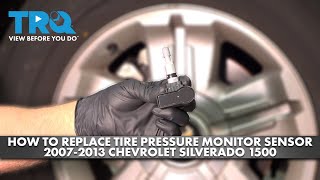
Typical fix: Replace the right rear TPMS sensor. The tire must be removed from the wheel for access. 🎬 See this walkthrough on how to replace the TPMS sensor. The new sensor must then be programmed to the vehicle using a TPMS relearn procedure.
Est. part cost: $25-$70 - Failed Remote Control Door Lock Receiver (RCDLR) 🟡 Medium Probability This module is a known failure point on many GM platforms from this era, as documented in TSB 16-NA-396. It is responsible for processing signals from both the TPMS sensors and key fobs, so its internal failure affects both systems.
How to confirm: This is the most likely cause if you have code C0765 (or other TPMS codes) AND your key fobs have stopped working or have a severely reduced range. A professional scan tool may show other related communication codes or an inability to communicate with the RCDLR.
Typical fix: Replace the RCDLR module. On the Express van, this module is typically located behind an interior trim panel in the rear of the vehicle. The new module MUST be programmed by a dealer or a shop with GM-specific diagnostic software (GDS2) to function with your vehicle and keys.
Est. part cost: $40-$80
Rare But Worth Checking
- RCDLR Antenna Connection: A disconnected or corroded coaxial antenna cable leading to the RCDLR can mimic a failed module, causing poor signal reception from TPMS sensors and key fobs. TSB 16-NA-061 specifically advises checking the connections at the RCDLR, the antenna amplifier module, and the antenna itself (often in the right rear glass) before replacing the module.
- Radio Frequency (RF) Interference: Strong signals from aftermarket electronics like power inverters, charging devices, DVD players, or CB radios can sometimes interfere with the low-power 315 MHz TPMS sensor transmissions. Try unplugging all aftermarket accessories to see if communication is restored.
- Failed Relearn Procedure: Sometimes the issue is not a failed part, but that the sensor positions were not correctly relearned after a tire rotation. If the 'Service TPMS' light appeared after a recent tire service, performing a relearn procedure should be the first step.
Diagnosis Steps
- Check Key Fob Function: Test the lock, unlock, and panic buttons on your key fob from a normal distance. If they do not work or only work from extremely close to the vehicle, the RCDLR is the primary suspect. Proceed to Step 4.
- Test TPMS Sensor: If the key fob works correctly, the TPMS sensor is the primary suspect. Use a TPMS activation tool (e.g., EL-50448) aimed at the right rear tire's valve stem. If the tool fails to get a reading (no horn chirp during relearn), the sensor is bad and needs replacement.
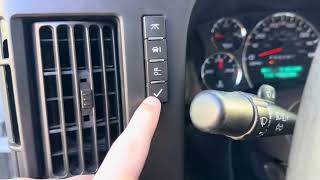
- Attempt Relearn Procedure: Even if the sensor seems bad, attempt a full TPMS relearn procedure. On an Express van, this is typically initiated by turning the key to 'ON', navigating the DIC to the 'RELEARN TIRE POSITIONS' message, and holding the trip reset stem or set button until the horn chirps. Then, use the activation tool at each tire, starting with the left front and going clockwise. A double-chirp at the end confirms success. 🎬 Watch: How to perform the TPMS relearn procedure on your Express. If the relearn fails at the right rear sensor, it confirms a fault with that sensor or its communication path.
- Inspect RCDLR and Antenna (RCDLR Suspected): If the RCDLR is suspected due to key fob failure, locate the module. In Express/Savana vans, it is typically located behind the interior trim panel on the driver's side, rear of the wheel well. Inspect its wiring and the coaxial antenna connection for damage or corrosion, as detailed in TSB 16-NA-061.
- Scan for Codes: Use an advanced scan tool to check for other DTCs in the BCM and RCDLR. TSB 16-NA-396 notes that TPMS codes may be accompanied by symptom code ":29" (Too Few Pulses), which strongly points to an internal RCDLR issue.
- Professional Programming: If the RCDLR is replaced, it is not a plug-and-play part. It must be programmed to the vehicle using professional diagnostic tools (like GM MDI with GDS2 software) for the TPMS and key fobs to function.
Parts You'll Likely Need
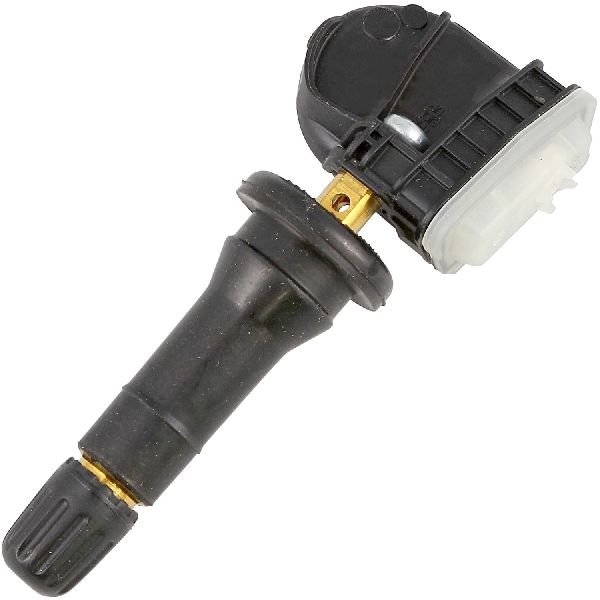
- Tire Pressure Monitoring System (TPMS) Sensor
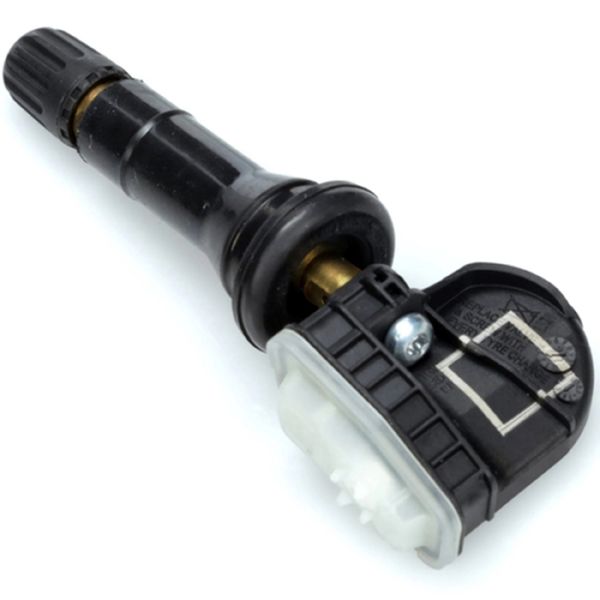
(OEM #13598771)— This is the most common fix when C0765 appears alone and the key fob works. The sensor's battery dies over time. Note: The original part number 15136883 has been superseded multiple times. 13598771 is a common replacement, but always verify with VIN. Other numbers include 13581558, 25920615, and 22854866.
Trusted brands: ACDelco, Schrader, Dorman, Bosch
OEM price range: $40-$70
Aftermarket price range: $25-$50 - Remote Control Door Lock Receiver (RCDLR)
(OEM #20803736)— This is the likely fix if C0765 is present and key fobs are also inoperative. This module processes signals for both systems. Note: This part requires professional programming after installation. This part number supersedes many previous versions like 15140676, 15807815, and 25896540.
Trusted brands: GM Genuine, ACDelco
OEM price range: $40-$80
Aftermarket price range: $30-$60
Related Codes That Often Appear With This One
- C0750 — This code indicates a fault with the Left Front TPMS sensor. Seeing multiple TPMS codes (C0750, C0755, C0760, C0765) together strongly points to a central issue like a failing RCDLR module or its antenna connection, as noted in TSB 16-NA-396 and 16-NA-061.
- C0755 — This code indicates a fault with the Right Front TPMS sensor. When seen with C0765 and other TPMS codes, it suggests a system-wide problem, likely the RCDLR.
- C0760 — This code indicates a fault with the Left Rear TPMS sensor. When seen with C0765 and other TPMS codes, it suggests a system-wide problem, likely the RCDLR.
Technical Service Bulletins (TSBs) & Recalls
- PIC5650M: Mentions that C0765 can be found along with other codes during a no-start or start-stall concern involving the vehicle security system.
- 16-NA-396: Directly links TPMS codes C0750, C0755, C0760, and C0765 to an internal failure of the Remote Control Door Lock Receiver (RCDLR), especially when key fob issues are also present. Recommends replacing the RCDLR.
- 16-NA-061: Describes how a disconnected RCDLR antenna or its coaxial cable can cause poor reception, mimicking a failed module.
Platform-Specific Known Issues
- RCDLR Location in Express/Savana: Unlike in GM SUVs and trucks where the RCDLR might be above the headliner or behind a C-pillar, in the Express and Savana vans, it is most commonly found behind the driver's side rear interior trim panel, aft of the wheel well.
- Immobilizer System Integration: The provided TSB #PIC5650M links C0765 to no-start or stalling conditions with the security light on. This occurs because the RCDLR, which handles TPMS, is also integrated with the vehicle's anti-theft immobilizer system. A failing RCDLR can therefore cause starting issues in addition to TPMS and key fob problems.
- Work Van vs. Passenger Van: Base model work vans ('WT' or cargo vans) may not have come with keyless entry from the factory. In these cases, a C0765 code is almost certainly a failed TPMS sensor, as there is no key fob function to test against. However, the RCDLR is still present to manage the TPMS system.
Hidden / Shadow Codes Worth Checking
- C0765 with symptom :03: Indicates Right Rear Tire Pressure Sensor Low Voltage. This points to a potential wiring or sensor electrical fault. (see via GM GDS2 or Tech2 scan tool in the RCDLR or BCM data.)
- C0765 with symptom :29: Indicates 'Too Few Pulses' from the right rear sensor. TSB 16-NA-396 explicitly states this points to an internal RCDLR failure, as the receiver is not processing the expected number of signals. (see via GM GDS2 or Tech2 scan tool in the RCDLR or BCM data.)
- C0765 with symptom :39: Indicates an 'Internal Malfunction' within the right rear TPMS sensor itself. (see via GM GDS2 or Tech2 scan tool in the RCDLR or BCM data.)
- B101D: A generic 'Electronic Control Unit Hardware' failure code. If this code is present in the RCDLR, especially with symptom byte :39 (Internal Malfunction) or :3C (Internal Communication Malfunction), it strongly suggests the RCDLR module has failed internally and needs replacement. (see via GM GDS2 or Tech2 scan tool; will be stored in the module that is failing (in this case, the RCDLR).)
Scan Tool Commands That Help
- GDS2: Module Diagnostics -> RCDLR -> Control Functions — To access bidirectional controls. For example, you can command the door locks to activate/deactivate. If the door locks work via the scan tool but not the key fob, it confirms the RCDLR has power and communication with the BCM, pointing the fault toward the RF reception side of the module.
- GDS2: TPM Learn Mode Enable with Simulated Sensor — This is an advanced diagnostic step. If a physical sensor won't learn but the scan tool can successfully learn a *simulated* sensor transmission into the RCDLR, it proves the RCDLR's processing logic is faulty, and the module needs replacement.
- GDS2 with SPS (Service Programming System): Module Replacement and Programming — After physically installing a new RCDLR, this function is required. It connects to GM's servers to download the correct firmware and vehicle-specific calibration, then flashes it to the new module. Without this step, the new RCDLR will not function.
Wiring & Ground Locations
- F22 (Body Fuse Block) — The body fuse block is located under the left front seat.. This 2A fuse, labeled 'IGN SW (DLIS)/PK3', provides ignition voltage to the RCDLR. A loss of power here will make the module completely inoperative.
- G302 — Behind the left kick panel, near the driver's feet.. This is a major ground point for multiple data line and control modules. While not the primary ground for the RCDLR, a poor connection here can cause a wide range of communication issues on the vehicle, potentially affecting the BCM's ability to interpret data from the RCDLR.
- G402 (Reference) — On many GM vehicles, this ground is located on the rear inner frame, often on the passenger's side behind the wheel well.. On other GM platforms, G402 is a common ground point for rear-mounted modules like the RCDLR. While its exact designator on the Express may vary, checking for a corroded or loose frame ground in the rear of the vehicle near the RCDLR's location is a critical step if power is confirmed but the module is inoperative.
- RCDLR Connector — At the RCDLR module, behind the driver's side rear interior trim panel.. Checking for battery voltage on the power pin and continuity to ground on the ground pin is the definitive way to confirm the module's basic electrical supply is intact before condemning the module itself.
Real Owner Repair Stories
- Chevrolet Forum user (2012 Chevrolet Express 2500) — After replacing a TPMS sensor, the user was unable to get the van into relearn mode. The 'RELEARN TIRE POSITIONS' option would not appear on the Driver Information Center (DIC).
❌ Tried (didn't work) Cycling through DIC options., Cycling parking lights on/off., Disconnecting the battery and touching the cables together.
✅ What actually fixed it The user noted their van did not have keyless entry fobs. This implies a potential issue with the RCDLR itself, as it is required for the relearn sequence to be initiated by the BCM, even on models without key fobs. The inability to even start the relearn process points away from a single bad sensor and toward a central module (RCDLR) or communication problem.
"I Checked Everything" — The Actual Cause
- A common diagnostic pattern for this code is when a TPMS activation tool successfully reads the sensor (confirming the sensor is transmitting), but the code C0765 persists and the sensor will not learn to the vehicle. In this scenario, the fault often lies with the RCDLR's receiver or processing circuits. A professional technician can confirm this using a GDS2 scan tool to attempt learning a 'simulated' sensor; if the simulated sensor learns but the real one does not, the RCDLR module is defective.
OEM Part Supersession History
15140676, 15807815, 25896540→20803736— Internal revisions to improve reliability and address known failure modes.
Heads up: A new RCDLR is not plug-and-play. It must be programmed to the vehicle using GM's Service Programming System (SPS) to learn the vehicle's VIN and key fob data. Failure to program will result in a non-functional part.
Model Year Variations Within This Range
- 2007-2013 vs 2014+: The factory diagnostic software shifted during this period. Earlier models are typically diagnosed with the Tech2 scan tool, while later models (fully implemented by 2014) require the laptop-based GDS2 (Global Diagnostic System 2) software. While both can diagnose C0765, the user interface, specific data lists, and available control functions may differ.
Helpful Videos
We Have This Part in Stock


The information in this article is provided for general reference and educational purposes only. Vehicle specifications, procedures, and part compatibility can vary by production date, trim level, and region. Always consult your vehicle's factory service manual and verify part numbers before purchasing or performing repairs. Safety-critical components such as airbags, seat belts, and braking systems should be installed by a qualified professional.
- Chevrolet EXPRESS 1500:
- 🎬 Helpful Videos
- 🛍️ Shop This Part
- What's Unique About the 2007-2014 Chevrolet EXPRESS 1500
- Diagnostic Flowchart
- Symptoms You May Notice
- Most Likely Causes
- Rare But Worth Checking
- Diagnosis Steps
- Parts You'll Likely Need
- Related Codes That Often Appear With This One
- Technical Service Bulletins (TSBs) & Recalls
- Platform-Specific Known Issues
- Hidden / Shadow Codes Worth Checking
- Scan Tool Commands That Help
- Wiring & Ground Locations
- Real Owner Repair Stories
- "I Checked Everything" — The Actual Cause
- OEM Part Supersession History
- Model Year Variations Within This Range
- 🎟️ Get 5% Off