

C0760 on 2015-2022 Chevrolet Silverado 1500: Left Rear TPMS Fault Explained
Code C0760 on a 2015-2022 Silverado means there's a problem with the left rear Tire Pressure Monitoring System (TPMS) sensor. The most common cause is a dead sensor battery, requiring replacement of the sensor itself. An aftermarket sensor costs about $25-$50, while an OEM part is closer to $50-$70. Always verify the correct frequency (315 MHz for pre-2019, 433 MHz for 2019+), as 2019 is a split year.
- C0760 points directly to a fault with the left rear TPMS sensor.
- The most common fix is replacing the sensor because its non-rechargeable battery has died, a common issue for vehicles 5+ years old.
- A 'Service Tire Monitor System' message and a flashing, then solid, TPMS light are the primary symptoms.
- You will need a TPMS relearn tool (or a willing tire shop) to program the new sensor to the truck.
- Crucially, verify the correct sensor frequency for your truck's specific model year before buying parts: 315 MHz for 2015-2018 and 433 MHz for 2020+, with 2019 being a transitional year requiring VIN verification.
What's Unique About the 2015-2022 Chevrolet SILVERADO 1500
The 2015-2022 Silverado spans two generations (K2XX and T1XX), but the function of the TPMS system is largely the same. The sensors communicate wirelessly with the Remote Control Door Lock Receiver (RCDLR), which then sends the information to the Body Control Module (BCM). Interestingly, a GM Technical Service Bulletin (PIC5650M and its revisions) has documented that TPMS codes like C0760 can appear alongside security and no-start trouble codes. This suggests that on these trucks, a broader electrical issue or Radio Frequency Interference (RFI) can trigger a TPMS fault as a secondary symptom.
Diagnostic Flowchart
Tap your situation to follow the diagnostic path that matches what you're seeing on this vehicle.
Generation note: This range covers the end of the third generation (K2XX, 2014-2019) and the start of the fourth generation (T1XX, 2019-present). While the TPMS systems are similar, the specific part numbers and frequencies for the sensors differ. 2015-2018 models use a 315 MHz sensor. 2020 and newer models use a 433 MHz sensor. The 2019 model year is a split year where both frequencies were used, making it critical to verify which system your specific truck has before purchasing parts. The 2019 'Silverado 1500 LD' was a carryover of the old K2XX body style and typically used the 315 MHz sensors. The electrical architecture also changed significantly starting with the 2020 T1XX models, which use GM's 'Next Generation Digital Vehicle Platform,' featuring a more secure network with a Serial Data Gateway Module.
Symptoms You May Notice
- TPMS warning light flashing for about a minute after startup, then staying on solid.
- "Service Tire Monitor System" message on the Driver Information Center (DIC).
- The pressure reading for the left rear tire shows as dashes (--) on the DIC.
- Replacing the tire when the issue is the sensor inside it.
- Assuming the Body Control Module (BCM) is bad when it's just a single dead sensor battery.
- Purchasing a new sensor with the wrong frequency (e.g., 315 MHz for a 2020 truck that requires 433 MHz).
Most Likely Causes
- Dead TPMS Sensor Battery 🔴 High Probability TPMS sensor batteries are not rechargeable and have a finite lifespan, typically lasting 5-10 years. Vehicles from the 2015-2017 model years are now commonly experiencing these failures due to age.
How to confirm: Use a TPMS diagnostic tool to attempt to activate the sensor. If the tool cannot get a reading or shows a 'low battery' status, the sensor is the culprit. A professional scan tool can also read the sensor's battery status directly from the RCDLR data list.
Typical fix: Replace the left rear TPMS sensor and perform the TPMS relearn procedure.
Est. part cost: $25 - $70 - Damaged TPMS Sensor 🟡 Medium Probability Sensors are located inside the tire and can be damaged during tire installation/removal, from hitting a large pothole, or by using unapproved tire sealants that can clog the sensor's pressure port.
How to confirm: Visual inspection after dismounting the tire is the only definitive way. Look for cracks in the plastic housing, a broken valve stem, or sealant residue.
Typical fix: Replace the damaged TPMS sensor and perform the relearn procedure.
Est. part cost: $25 - $70 - Radio Frequency (RF) Interference ⚪ Low Probability As noted in TSB PIC5650, aftermarket electronic devices can emit RF noise that interferes with the signal from the TPMS sensor to the RCDLR. Common culprits include cheap cell phone chargers, USB power banks, aftermarket LED dome lights, and dash cams plugged into the 12V outlets.
How to confirm: Unplug all aftermarket electronic devices from the power outlets. Clear the code if possible and drive the vehicle to see if the system begins to read the sensor again. If the problem disappears, plug devices back in one by one to isolate the source.
Typical fix: Remove or replace the interfering device. Use high-quality, well-shielded electronics.
Est. part cost: $0
Rare But Worth Checking
- Failing Remote Control Door Lock Receiver (RCDLR) or Body Control Module (BCM): While rare for a single code, a failing RCDLR or BCM can cause multiple TPMS codes (C0750, C0755, C0760, C0765) to appear simultaneously. The RCDLR is the receiver for the TPMS signals and is located on the interior of the rear cab wall, often behind the rear seat or C-pillar trim. If you have other strange electrical issues (key fob not working, security lights), this becomes a more likely possibility.
- Relearn Procedure Not Performed After Tire Rotation: While this won't typically cause a C0760 fault code by itself, it can lead to confusion. If tires are rotated and the relearn procedure isn't done, the DIC will display pressures in the old locations. A fault in the tire now at the left rear position will be reported as C0760, even if that tire was previously at a different corner. Some newer models feature an automatic relearn after driving for a period, but a manual relearn is often required. 🎬 Watch: A quick guide to relearning tires on GM vehicles
Diagnosis Steps
- Verify the TPMS warning light is on and the DIC shows a 'Service Tire Monitor System' message.
- Check the DIC for the left rear tire pressure reading. If it shows '--', the BCM is not receiving a signal.
- Use a TPMS activation tool aimed at the left rear valve stem. Attempt to trigger the sensor. If it fails to respond or shows a dead battery, the sensor is the most likely cause.
- If the sensor activates with the tool but the truck doesn't recognize it, attempt the TPMS relearn procedure via the DIC menu. This requires an activation tool 🎬 See this walkthrough on resetting your TPMS light to trigger each sensor in sequence (LF, RF, RR, LR).
- If the relearn procedure fails, or if multiple TPMS codes are present, investigate for RF interference by unplugging all aftermarket devices.
- If interference is ruled out and multiple sensors are faulting, suspect a problem with the Remote Control Door Lock Receiver (RCDLR) or its wiring.
- If the sensor is confirmed bad, the tire must be dismounted to replace it. There are some DIY 'hacks' shown online, but they carry risk of tire damage.
- After installing a new sensor, perform the TPMS relearn procedure to program the new sensor ID to the vehicle.
Parts You'll Likely Need
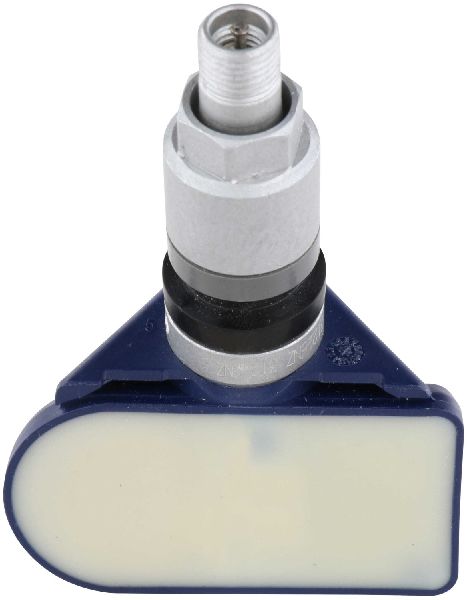
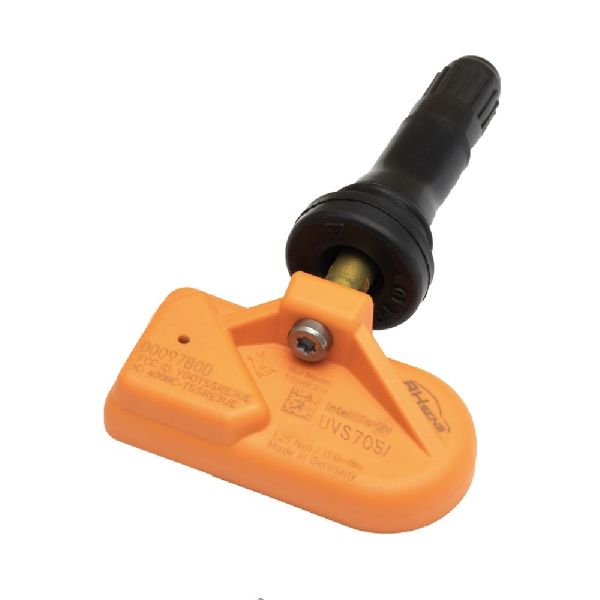
- Tire Pressure Monitoring System (TPMS) Sensor
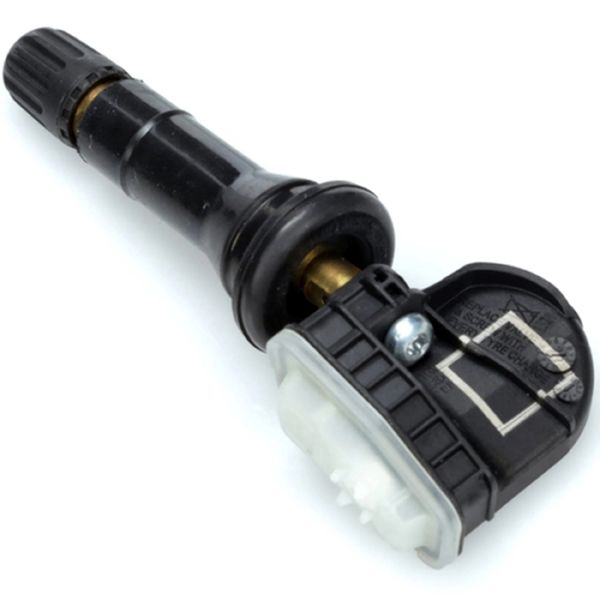
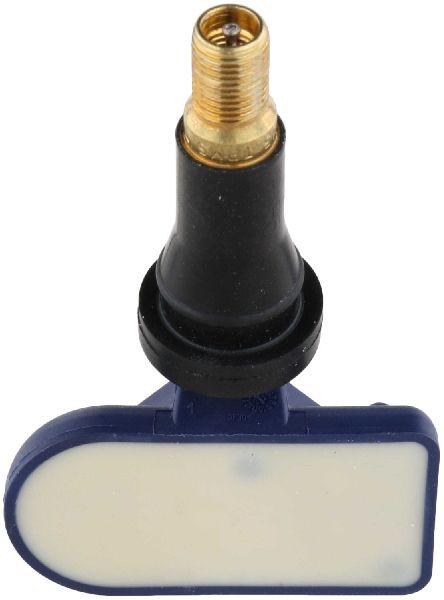
(OEM #13598772 (315 MHz, for 2015-2019 K2XX) or 13540603 (433 MHz, for 2019+ T1XX). Note: Part numbers are often superseded; 13528563 is replaced by 13540603. Always verify with VIN.)— This is the component that fails, most often due to its internal battery dying after 5-10 years. The entire sensor must be replaced.
Trusted brands: ACDelco (GM OE), Schrader (Often the OEM supplier), Continental, Huf, Bosch, Denso
OEM price range: $50 - $70
Aftermarket price range: $25 - $50
Related Codes That Often Appear With This One
- C0750 — Fault in the Left Front TPMS sensor. If seen with C0760, it could indicate multiple sensors failing due to age or a central receiver/interference issue.
- C0755 — Fault in the Right Front TPMS sensor. Seeing multiple TPMS codes together points away from a single sensor failure.
- C0765 — Fault in the Right Rear TPMS sensor. When all four sensor codes appear, the RCDLR module or significant RF interference is a more likely culprit than four simultaneously failed sensors.
Technical Service Bulletins (TSBs) & Recalls
- PIC5650M (and previous versions): Mentions that TPMS codes including C0760 can be present during no-start or security light issues, potentially pointing to a wider electrical problem or RF interference from aftermarket accessories.
Platform-Specific Known Issues
- TSB PIC5650 Series - RF Interference: TSB #PIC5650 and its revisions (C, G, M) note that on many GM trucks, code C0760 can be found along with security system codes (like B3055) during a no-start or start-and-stall condition. This is often caused by RF interference from aftermarket devices like phone chargers, LED lights, or even decorative trim around the ignition.
- Owner Repair Experience: A user on Reddit with a 2017 Silverado reported being quoted $125 for a single sensor from the dealership. Instead, they ordered four genuine GM sensors online for about $40 and paid a tire shop approximately $100 to install and program all four, highlighting a significant cost savings by sourcing parts independently.
Mechanic-Grade Diagnostic Values
- TPMS Sensor Signal Strength — expected: Greater than 1/4 of the signal strength graph displayed on a TPMS activation tool.. Failure: A weak or non-existent signal graph when activating the sensor, even if some data is received.
Hidden / Shadow Codes Worth Checking
- C0760 :29: Indicates 'Too Few Pulses.' The RCDLR is receiving a signal from the sensor, but the data packet is incomplete or corrupt. This often points to a weak sensor battery, significant RF interference, or a fault in the RCDLR antenna system, rather than a completely dead sensor. (see via GM GDS2 (Global Diagnostic System 2) or equivalent professional scan tool.)
- C0760 :08: Indicates 'Bus Signal/Message Failure.' This sub-type is used for communication failures that cannot be assigned to a more specific failure type, often pointing towards a wiring or module communication issue. (see via GM GDS2 (Global Diagnostic System 2) or equivalent professional scan tool.)
Scan Tool Commands That Help
- GDS2: Module Diagnostics -> RCDLR -> Data Display — To view live data from the TPMS sensors, including their unique ID, reported pressure, temperature, and crucially, the 'Sensor Battery Status' (OK/Low). This can confirm a dead battery without dismounting the tire.
- GDS2: Module Diagnostics -> RCDLR -> Control Functions — To perform bidirectional tests on related RCDLR functions, such as locking/unlocking doors. If these commands work, it confirms the BCM can command the RCDLR, helping to isolate the fault to the RF reception side (antenna, sensor).
- TPMS Tool with 'Simulate Mode': Simulate Sensor Transmissions — To test the RCDLR and its antenna circuit. The tool simulates a perfect sensor signal. If the GDS2 scan tool shows it received the simulated data correctly, but it cannot receive data from the actual tire sensor, the fault is with the sensor. If it cannot receive the simulated data, the fault is in the RCDLR or its antenna wiring.
Wiring & Ground Locations
- RCDLR Module — On the interior of the rear cab wall, typically behind the rear seat back or C-pillar trim panel.. This is the receiver for all TPMS sensor signals. A failure of the module, its power, ground, or antenna connection will cause TPMS codes. If key fob functions are also failing, this module is the primary suspect.
- RCDLR Antenna System — A multi-part system consisting of a coaxial cable from the RCDLR to an antenna amplifier, which then connects to an antenna integrated into the right rear window glass (per TSB 16-NA-061 for 2015-2018 models).. A disconnected or damaged coax cable at the RCDLR, at the amplifier, or at the glass can cause intermittent or total loss of signal from one or more TPMS sensors. A disconnect far from the module may only affect the farthest sensor (LF or LR).
- Driver's Door Sill Harness — In the wiring channel running along the floor under the plastic driver's side door sill plate.. This harness is a known chafe point. The power wire (often Red/White or Green/Yellow) for the RCDLR runs through this channel and can break from repeated stress, corrosion from water ingress, or abrasion, causing a loss of power to the module and resulting in TPMS and key fob failure.
Real Owner Repair Stories
- Phillip Bailey YouTube Channel (2017 GM 2500HD (similar K2XX platform)) — Keyless entry not working and a "Service Tire Monitor System" message on the dash. Multiple TPMS codes were stored.
❌ Tried (didn't work) Attempting to relearn key fobs via scan tool procedure failed., Initial check of RCDLR module showed it was not communicating.
✅ What actually fixed it A broken wire for the RCDLR was found under the driver's side door sill plate. The wiring channel was full of sand (work truck), which likely caused abrasion. The broken wire (green with yellow stripe) was soldered and repaired with heat shrink, which restored function to both the keyless entry and the TPMS system. - Raymond Beachy YouTube Channel (2011 Chevrolet Silverado (similar issue)) — Remote key fobs do not work. Scan tool shows 'No Communication' with the RCDLR module.
❌ Tried (didn't work) Initially suspected a bad RCDLR module and ordered a replacement.
✅ What actually fixed it Before installing the new module, a power and ground check at the RCDLR connector revealed no power on the Red/White wire. The break was traced to the wiring in the driver's side door sill area. Manually applying power to the wire restored communication, confirming the open circuit was the root cause, not a failed module.
When the Usual Fixes Don't Work
- In cases where multiple TPMS codes (C0750, C0755, C0760, C0765) appear at once, especially if accompanied by key fob issues, the root cause is very unlikely to be four simultaneously failed sensors. A more probable cause is a central system failure. A technician diagnosed a 2017 GM truck with these exact symptoms; the cause was not the sensors or even the RCDLR module itself, but a single broken power wire to the RCDLR module located in the driver's side door sill harness. Repairing this one wire fixed all TPMS codes and restored key fob function. This highlights the importance of checking for power, ground, and antenna connections at the RCDLR before replacing any sensors or the module itself.
OEM Part Supersession History
13598772 (315 MHz)→86363052— Part number consolidation and design updates.
Heads up: This part number is also cross-referenced with many others, including 13586335, 13516164, 20923680, and 22854866. Always verify the frequency is 315 MHz for pre-2019 K2XX models.13528563 (433 MHz)→13540603— Part number consolidation and design updates.
Heads up: This supersession chain also includes older numbers like 13516165, 13522631, and 13522955. This 433 MHz sensor is for 2019+ T1XX models. Using a 315 MHz sensor on a 433 MHz system (or vice-versa) will not work.
Model Year Variations Within This Range
- 2015-2018 (K2XX): These models use a 315 MHz TPMS sensor (PN 13598772 and its supersessions). They also use the RCDLR antenna system described in TSB 16-NA-061, which includes a coax cable, amplifier, and antenna in the rear glass.
- 2019 (Split Year): The new T1XX body style was introduced and requires 433 MHz sensors. However, the old K2XX body style was sold concurrently as the 'Silverado 1500 LD' and continued to use 315 MHz sensors. VIN verification is critical for this year.
- 2020-2022 (T1XX): These models exclusively use the 433 MHz TPMS sensor (PN 13540603 and its predecessors). They are built on GM's 'Next Generation Digital Vehicle Platform,' which has a more complex and secure CAN bus architecture involving a Serial Data Gateway Module, potentially altering some diagnostic pathways compared to earlier years.
Helpful Videos
We Have This Part in Stock

The information in this article is provided for general reference and educational purposes only. Vehicle specifications, procedures, and part compatibility can vary by production date, trim level, and region. Always consult your vehicle's factory service manual and verify part numbers before purchasing or performing repairs. Safety-critical components such as airbags, seat belts, and braking systems should be installed by a qualified professional.
- Chevrolet SILVERADO 1500:
- 🎬 Helpful Videos
- 🛍️ Shop This Part
- What's Unique About the 2015-2022 Chevrolet SILVERADO 1500
- Diagnostic Flowchart
- Symptoms You May Notice
- Most Likely Causes
- Rare But Worth Checking
- Diagnosis Steps
- Parts You'll Likely Need
- Related Codes That Often Appear With This One
- Technical Service Bulletins (TSBs) & Recalls
- Platform-Specific Known Issues
- Mechanic-Grade Diagnostic Values
- Hidden / Shadow Codes Worth Checking
- Scan Tool Commands That Help
- Wiring & Ground Locations
- Real Owner Repair Stories
- When the Usual Fixes Don't Work
- OEM Part Supersession History
- Model Year Variations Within This Range
- 🎟️ Get 5% Off