

C0760 on 2007-2014 Chevrolet Express 2500: Left Rear TPMS Fault Causes and Fixes
Code C0760 on a 2007-2014 Chevy Express 2500 means the system isn't receiving a signal from the left rear Tire Pressure Monitoring System (TPMS) sensor. This is most often due to a dead battery in the sensor itself, which requires replacing the sensor and performing a relearn procedure with a special tool. In rarer cases, especially if key fobs also malfunction, the issue could be the central Remote Control Door Lock Receiver (RCDLR) module.
- C0760 specifically points to a problem with the left rear TPMS sensor.
- The most common cause is a dead battery inside the sensor, which has a lifespan of 5-10 years.
- You can continue to drive the vehicle, but you should manually check your tire pressures until the issue is fixed.
- A special TPMS relearn tool (like the EL-50448) is required to program a new sensor to the vehicle.
- Before replacing parts, unplug any aftermarket phone chargers or dash cams to rule out radio frequency interference.
What's Unique About the 2007-2014 Chevrolet EXPRESS 2500
On the Chevrolet Express and other GM vehicles of this era, the Tire Pressure Monitoring System (TPMS) is integrated with the Remote Control Door Lock Receiver (RCDLR). This means the same module that receives signals from your key fob also listens for the TPMS sensors. A failure in this shared module can sometimes cause both TPMS codes and keyless entry problems. For a single code like C0760, the issue is far more likely to be isolated to the specific tire sensor mentioned. However, if multiple TPMS codes (C0750, C0755, C0765) appear together along with key fob issues, the RCDLR is the primary suspect.
Diagnostic Flowchart
Tap your situation to follow the diagnostic path that matches what you're seeing on this vehicle.
Symptoms You May Notice
- "SERVICE TIRE MONITOR SYSTEM" message on the Driver Information Center (DIC).
- TPMS warning light on the instrument cluster (may flash for about a minute at startup and then stay on solid).
- The tire pressure reading for the left rear tire shows as dashes ("--") on the DIC.
- Security light may be illuminated, potentially accompanied by a no-start or start-stall condition, as mentioned in TSB #PIC5650M.
- Poor or no response from the keyless entry (RKE) fobs, if the RCDLR module is the root cause.
- Replacing the Body Control Module (BCM) when the issue is a single sensor or the RCDLR. The RCDLR is the direct receiver, not the BCM.
- Replacing the wrong TPMS sensor because the tire positions were not correctly relearned after the last tire rotation.
- Assuming the relearn procedure can always be done without a tool. While some older GM models allowed relearning by letting air out of the tires, many vehicles in this range require a dedicated tool like the EL-50448 for a reliable relearn.
Most Likely Causes
- Failed Left Rear TPMS Sensor (Dead Battery) 🔴 High Probability TPMS sensors contain non-rechargeable batteries with a finite lifespan, typically 5-10 years. For vehicles in this 2007-2014 year range, it's very common for the original sensors to be failing due to age.
How to confirm: Use a TPMS diagnostic tool to attempt to activate the sensor. If the tool cannot get a reading (ID, pressure, temperature) from the left rear sensor but can from the others, the sensor has failed. A low battery status may also be reported by the tool or a scan tool connected to the RCDLR.
Typical fix: Replace the left rear TPMS sensor. The tire must be unmounted from the wheel to access it. A new sensor must be installed and then programmed to the vehicle using a TPMS relearn procedure.
Est. part cost: $30-$75 - Damaged TPMS Sensor 🟡 Medium Probability Sensors can be damaged during tire replacement, by hitting a large pothole, or from using unapproved tire sealants which can clog the sensor's pressure port.
How to confirm: Visual inspection after dismounting the tire may reveal physical damage. Like a dead battery, it will also fail to respond to a TPMS tool.
Typical fix: Replace the damaged TPMS sensor and perform the relearn procedure.
Est. part cost: $30-$75 - Faulty Remote Control Door Lock Receiver (RCDLR) ⚪ Low Probability The RCDLR is the single receiver for all TPMS and key fob signals. While module failure is less common than a single sensor failure, it's a known issue on this platform, sometimes detailed in TSBs like 16-NA-396. On the Express van, the RCDLR is located behind the center of the dash.
How to confirm: If multiple TPMS codes (e.g., C0750, C0755, C0765) are present simultaneously, and/or the key fobs are working poorly or not at all, the RCDLR is a strong suspect. A professional scan tool may show a 'No Communication' status with the RCDLR. Before replacement, check the 'DSM' fuse in the underhood fuse block, as a blown fuse will cut power to the module.
Typical fix: Replace the RCDLR module. This requires significant dash disassembly and the new module must be programmed by a dealer or a well-equipped independent shop with GM software (GDS2).
Est. part cost: $80-$150
Rare But Worth Checking
- Radio Frequency (RF) Interference: Aftermarket electronic devices, such as cell phone chargers, dash cams, power inverters, or even some LED replacement bulbs, can emit radio frequencies that interfere with the 315 MHz TPMS signals. TSB PIC5650K specifically calls this out as a cause for intermittent TPMS and key fob issues. Before replacing parts, unplug all such devices and see if the code clears.
- Incorrect Sensor Installation / Aftermarket Wheels: If the issue appeared after getting new wheels, the problem could be the wheels themselves. Some aftermarket wheels have valve stem holes located in a position that interferes with proper sensor transmission.
Diagnosis Steps
- Check for other DTCs. Use a scan tool to read all codes from all modules. Note any other TPMS, BCM, or RCDLR codes. Multiple TPMS codes or key-related codes point towards a central issue.
- Attempt to read sensors. Use a TPMS diagnostic tool to try and activate each of the four tire sensors. Verify that the tool can read the ID, pressure, and battery status from the other three sensors but not the left rear. This strongly indicates a failed sensor.
- Rule out RF interference. Unplug all aftermarket 12V accessories (phone chargers, dash cams, inverters, etc.) and remove any non-factory fobs or access cards from the vehicle. Clear the codes and drive to see if the code returns.
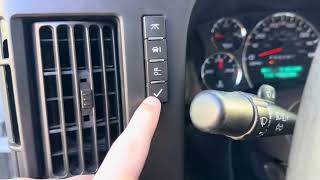
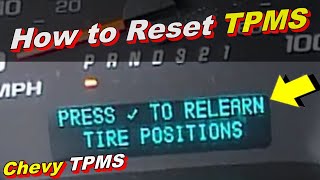
- Initiate TPMS Relearn Mode. On the Express van, turn the ignition ON (engine off), use the DIC buttons to scroll to the "RELEARN TIRE POSITIONS" message, and press and hold the set/reset button until the horn chirps. 🎬 Watch: Step-by-step Chevy Express tire position relearn tutorial
- Attempt Relearn. Using the TPMS tool (e.g., EL-50448), activate the sensors in the correct order (LF, RF, RR, LR), waiting for a horn chirp at each wheel. If the left rear sensor will not activate and allow the process to complete, it confirms the sensor is faulty.
- (Alternative Relearn) If no tool is available, you can *try* the manual method after initiating learn mode: let air out of the LF tire for 5-10 seconds until the horn chirps, then move to RF, RR, and finally LR. This method is less reliable on these models than using a tool.
- Inspect RCDLR Power. If multiple sensors are not responding or key fobs are also dead, locate the RCDLR behind the center of the dash. Check for power and ground at the module's connector and inspect the 'DSM' fuse in the underhood fuse box.
- Replace Faulty Component. If the sensor is confirmed bad, have a tire shop dismount the tire, replace the TPMS sensor, and remount/balance the tire. If the RCDLR is confirmed faulty, replace it.
- Perform Final Relearn Procedure. After the new sensor or module is installed, a successful relearn procedure must be performed to program the new sensor ID(s) to the vehicle's memory.
Parts You'll Likely Need
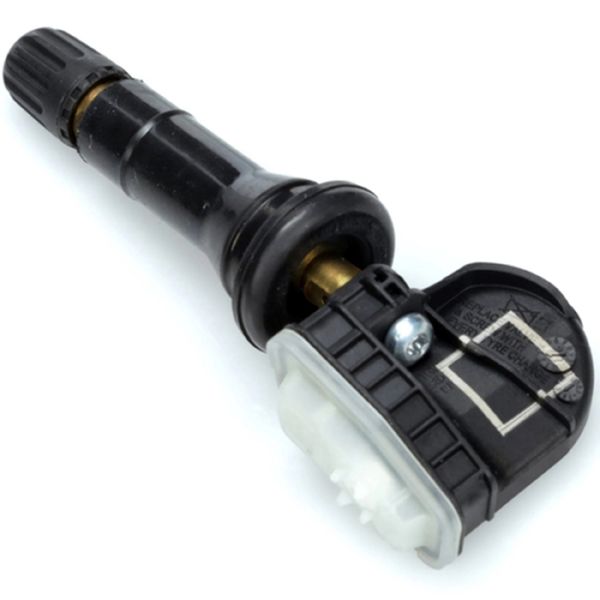
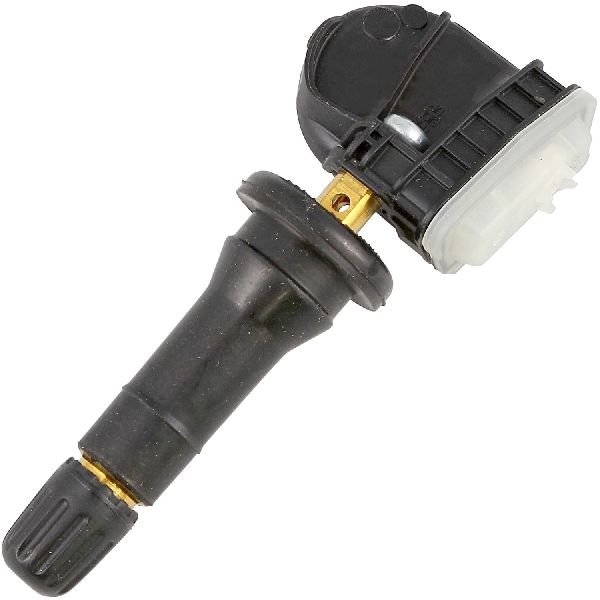
- Tire Pressure Monitoring System (TPMS) Sensor
(OEM #13598773)— This is the most common cause of failure for code C0760, usually due to the internal battery reaching the end of its 5-10 year life. This is a 315MHz sensor.
Trusted brands: ACDelco (OEM), Schrader, Autel
OEM price range: $50-$90
Aftermarket price range: $25-$60 - Remote Control Door Lock Receiver (RCDLR)
(OEM #25974999)— This module is the receiver for both the key fobs and all four TPMS sensors. It is the likely culprit if multiple TPMS codes are set and/or key fobs are inoperative. Requires programming after installation.
Trusted brands: ACDelco (OEM)
OEM price range: $80-$150
Aftermarket price range: $60-$120
Related Codes That Often Appear With This One
- C0750, C0755, C0765 — These codes relate to the other three TPMS sensors. If seen together, it strongly points to a central system failure, such as the RCDLR module or significant RF interference, rather than four individual sensors failing at once.
- B3055, B3060, B3935 — These codes are related to the vehicle's security and key recognition system. Their presence alongside C0760, as noted in TSB #PIC5650M, strongly suggests a problem with the shared RCDLR module or a broader electrical issue caused by RF interference.
- U0422 — Invalid Data Received From Body Control Module. This code can appear alongside a full set of TPMS codes (C0750, C0755, C0760, C0765) when the RCDLR fails, causing a communication breakdown that the BCM flags.
Technical Service Bulletins (TSBs) & Recalls
- PIC5650 (versions C, J, K, M): Repeatedly updated TSB that lists C0760 among a group of DTCs that can appear with a no-start, start-stall, or security light concern. It strongly points to Radio Frequency Interference (RFI) from aftermarket devices as a primary cause to investigate before replacing parts.
- 16-NA-396: This TSB addresses intermittent operation of key fobs and TPMS, including DTCs C0750, C0755, C0760, and C0765. It identifies the cause as an internal failure of the Remote Control Door Lock Receiver and instructs technicians to replace the module.
Platform-Specific Known Issues
- Per TSB #PIC5650M, code C0760 can be associated with a no-start or start-stall condition with the security light on, pointing to a potential link with the vehicle's immobilizer system, likely through the RCDLR module.
- The RCDLR module is located under the main dash pad, requiring removal of the A-pillar trim and dash bezel to access, making it a more labor-intensive repair than on some other GM vehicles where it's in the rear quarter panel.
Mechanic-Grade Diagnostic Values
- RCDLR Module Voltage Drop — expected: Less than 0.5V drop between the battery positive terminal and the RCDLR power feed pin.. Failure: A voltage drop greater than 0.5V indicates high resistance in the power supply circuit (corroded wires, poor connections) which can cause the module to malfunction even if the fuse is good.
- RCDLR Ground Circuit Voltage Drop — expected: Less than 0.2V between the RCDLR ground pin and the battery negative terminal.. Failure: A reading higher than 0.2V indicates a poor ground connection (e.g., at G301 or G303), which is a common cause of intermittent electronic module issues.
Hidden / Shadow Codes Worth Checking
- C0760 with Symptom Byte :08: Indicates an 'Invalid Signal' from the sensor. This is more specific than a simple loss of communication and can point to RF interference or an internal sensor fault rather than just a dead battery. (see via GM GDS2 (Global Diagnostic System 2) or equivalent professional scan tool.)
- C0760 with Symptom Byte :29: Translates to 'Too Few Pulses'. This means the RCDLR is hearing from the sensor, but the data transmission is incomplete or corrupt. This strongly suggests a weak sensor battery, significant RF interference, or a fault in the RCDLR's receiver circuitry, rather than a completely dead sensor. (see via GM GDS2 (Global Diagnostic System 2) or equivalent professional scan tool.)
Scan Tool Commands That Help
- GDS2 / Tech2Win: Module Diagnostics -> RCDLR -> Configuration/Reset Functions -> Add/Replace Key Fobs — This function is used to program new or existing key fobs to the RCDLR module. This is necessary after replacing the RCDLR or if you are adding a new remote.
- GDS2 / Tech2Win: Module Diagnostics -> RCDLR -> Data Display — Use this to view live data from the RCDLR, including the reported battery status of each TPMS sensor, the sensor IDs, and the module's input voltage. This can help confirm a low sensor battery or a power supply issue to the module itself without physical testing.
- GDS2 / Tech2Win: RCDLR Setup — After replacing the RCDLR module, a setup procedure must be performed with GDS2 to program the new module to the vehicle. The vehicle will not recognize TPMS sensors or key fobs until this is completed.
Wiring & Ground Locations
- RCDLR (Remote Control Door Lock Receiver) — Located behind the center of the instrument panel (dash), often above the radio.. This is the central module that receives the signal from the left rear TPMS sensor. All wiring for power, ground, and communication for the TPMS and keyless entry systems terminates here.
- G301 / G303 — G301 is located behind the left kick panel. G303 is on the left side B-pillar behind the trim panel.. These are primary body ground points for various interior modules. A loose or corroded ground at these locations can cause intermittent communication issues with the RCDLR, leading to TPMS faults.
- DSM Fuse — In the underhood fuse block.. This fuse provides power to the RCDLR (sometimes labeled as Driver Seat Module/DSM). If this fuse is blown, the RCDLR will be completely inoperative, causing all TPMS sensors and key fobs to stop working.
Real Owner Repair Stories
- YouTube user comments on key fob repair videos (Various early to late 2000s GM vehicles, including Chevrolet models) — Key fob buttons (especially lock/unlock) work intermittently or not at all, even after replacing the battery. This can sometimes be related to RCDLR issues that also manifest as TPMS codes.
❌ Tried (didn't work) Replacing the key fob battery multiple times.
✅ What actually fixed it The conductive paint on the back of the rubber button pads inside the key fob had worn away. The fix was to open the key fob and place a tiny piece of aluminum foil over the worn contact points on the rubber pad. This restored conductivity and made the buttons work again, resolving the communication issue.
OEM Part Supersession History
13598773→13540602, 86363053— Standard part evolution and consolidation. The newer part numbers replace a long list of older sensor numbers.
Heads up: While many part numbers are listed as replacements, always verify the correct frequency (315 MHz for North American Express vans) and compatibility by VIN, as some GM vehicles use 433 MHz sensors for different regions or models.
Model Year Variations Within This Range
- 2013-2014: Vehicles from 2013 onwards require the GDS2 diagnostic software for most module programming and setup, including the RCDLR. Earlier models (approx. 2007-2012) can often be fully diagnosed and programmed using the older Tech2Win software.
Helpful Videos
We Have This Part in Stock


The information in this article is provided for general reference and educational purposes only. Vehicle specifications, procedures, and part compatibility can vary by production date, trim level, and region. Always consult your vehicle's factory service manual and verify part numbers before purchasing or performing repairs. Safety-critical components such as airbags, seat belts, and braking systems should be installed by a qualified professional.
- Chevrolet EXPRESS 2500:
- 🎬 Helpful Videos
- 🛍️ Shop This Part
- What's Unique About the 2007-2014 Chevrolet EXPRESS 2500
- Diagnostic Flowchart
- Symptoms You May Notice
- Most Likely Causes
- Rare But Worth Checking
- Diagnosis Steps
- Parts You'll Likely Need
- Related Codes That Often Appear With This One
- Technical Service Bulletins (TSBs) & Recalls
- Platform-Specific Known Issues
- Mechanic-Grade Diagnostic Values
- Hidden / Shadow Codes Worth Checking
- Scan Tool Commands That Help
- Wiring & Ground Locations
- Real Owner Repair Stories
- OEM Part Supersession History
- Model Year Variations Within This Range
- 🎟️ Get 5% Off