

C0760 on 2007-2014 Cadillac CTS: Left Rear TPMS Fault Causes and Fixes
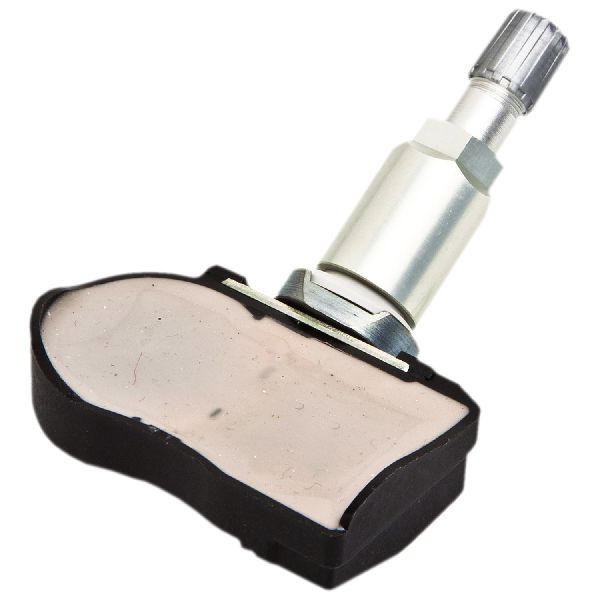
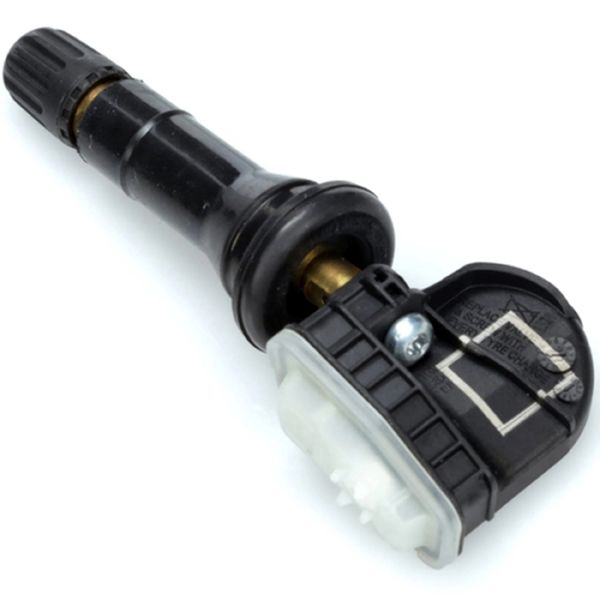
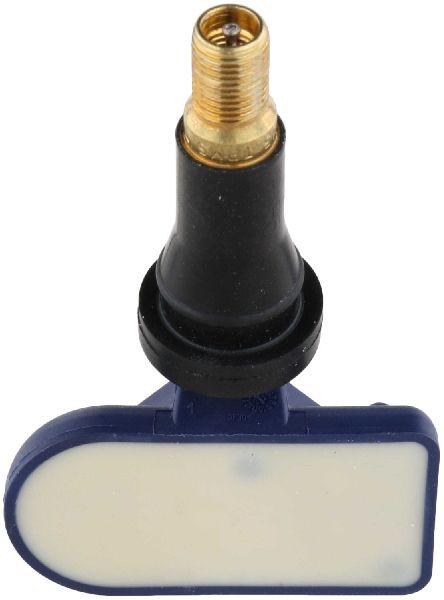
On a 2007-2014 Cadillac CTS, code C0760 almost always means the left rear tire pressure (TPMS) sensor has failed, usually due to a dead battery. Replacing the sensor costs about $40-$90 for the part and requires a special tool to program the new sensor to the vehicle. The correct OEM part number is typically ACDelco 13598773.
- C0760 points to a problem with your Left Rear TPMS sensor, not just low tire pressure.
- The most likely cause is a dead battery in the sensor, requiring replacement of the sensor (OEM P/N 13598773).
- A TPMS relearn tool is often necessary to program the new sensor to your car, though a manual procedure may work.
- While very rare, if you also have key fob or starting problems, the issue could be the RCDLR module or its antenna connection, not the sensor itself.
What's Unique About the 2007-2014 Cadillac CTS
On this generation of Cadillac CTS and other GM vehicles, the TPMS functions are handled by the Remote Control Door Lock Receiver (RCDLR)—the same module that manages the key fobs. While a simple dead TPMS sensor is the most common cause for C0760, a known issue documented in TSB #PIC5650M shows it can appear alongside other security-related codes in a rare but confusing no-start or start-stall scenario. This link between a tire pressure code and the vehicle's immobilizer system is a specific quirk of this platform's architecture. Other TSBs like 16-NA-061 and PIT5446A also document how a loose antenna connection at the RCDLR can cause TPMS codes for the sensors furthest from the receiver, like the left rear.
Diagnostic Flowchart
Tap your situation to follow the diagnostic path that matches what you're seeing on this vehicle.
Generation note: The 2007-2014 range covers the final year of the first-generation CTS (2007) and the entire second generation (2008-2014). Both generations use a direct TPMS system with 315 MHz sensors, and the causes for C0760 are identical. Relearn procedures are similar, with both manual (deflating tires) and tool-assisted options available.
Symptoms You May Notice
- TPMS warning light is illuminated on the instrument cluster (may flash for one minute then stay solid).
- "Service Tire Monitor System" message on the Driver Information Center (DIC).
- DIC displays dashes (---) instead of a pressure reading for the left rear tire.
- In rare cases, may be present with a no-start or start-stall condition and a security light, as noted in TSB #PIC5650M.
- In some instances of RCDLR failure, may be accompanied by poor key fob range or "No Remote Detected" messages.
- Replacing the Body Control Module (BCM) when the issue is a simple dead sensor. Always test the sensor first with a TPMS tool before suspecting more complex modules.
- Assuming the tire is low on air. While the TPMS system's job is to report low pressure, this specific code (C0760) indicates a fault with the sensor's communication, not necessarily the tire pressure itself.
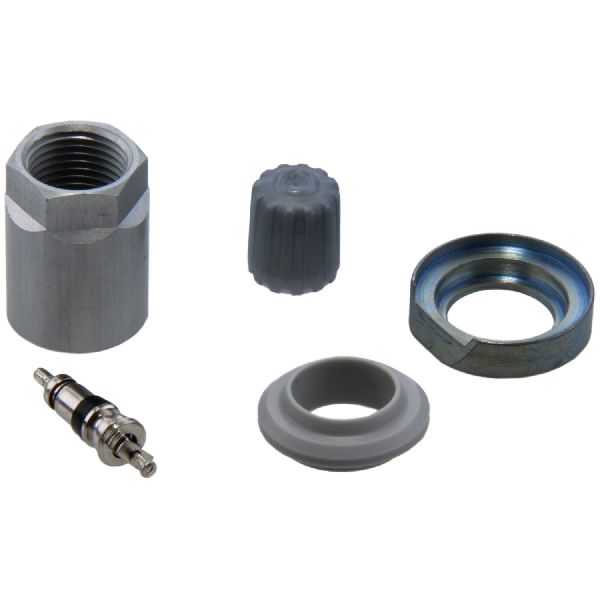
- Replacing the sensor when the actual fault is a corroded valve stem service kit causing a leak or a bad seal. The service kit (nut, grommet, core, cap) should be replaced whenever the tire is dismounted.
Most Likely Causes
- Failed Left Rear TPMS Sensor 🔴 High Probability TPMS sensors contain a non-replaceable battery with a finite lifespan of 7-10 years. Vehicles in this year range are now at an age where original sensor batteries are expected to fail.
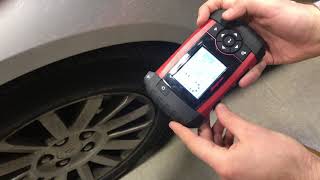
How to confirm: Use a TPMS activation tool aimed at the left rear valve stem. If the tool cannot get a reading (e.g., pressure, temperature, battery status), the sensor is dead and not transmitting. A working sensor will report its data to the tool.
Typical fix: Replace the left rear TPMS sensor. 🎬 Watch: Step-by-step guide to removing and installing a new sensor. The new sensor must then be 'relearned' to the vehicle using a TPMS programming tool 🎬 Watch: How to perform a manual relearn using a TPMS tool. or the manual relearn procedure. The most common OEM replacement part is ACDelco P/N 13598773.
Est. part cost: $40-$90
Rare But Worth Checking
- Faulty Remote Control Door Lock Receiver (RCDLR): This is a rare cause, but worth considering if you also experience issues with your key fobs (e.g., intermittent operation, 'No Remote Detected' messages) or if replacing the TPMS sensor does not fix the code. TSBs #PIC5650M and #16-NA-396 link C0760 to starting issues and key fob problems, which would point towards this module. A loose antenna connection to the RCDLR can also cause this code, often affecting the sensors furthest away first.
- Radio Frequency (RF) Interference: Strong RF interference from aftermarket electronics (like dash cams, phone chargers, or even some LED replacement bulbs) or external sources can sometimes block the signal from the TPMS sensor. This is unlikely to be a permanent fault but can cause intermittent issues. TSB #PIC5650G specifically calls out checking for these devices when diagnosing related codes.
Diagnosis Steps
- Verify the code with an OBD-II scanner capable of reading Chassis (C) codes.
- Use a TPMS activation tool to attempt to read the sensor data from the left rear wheel. Point the tool at the valve stem and trigger it.
- If the tool reads the sensor's pressure, temperature, and battery status, the sensor is working. The problem may be with the vehicle's receiver (RCDLR) or its antenna connection.
- If the tool gets no response from the sensor, the sensor has failed (most likely a dead battery) and needs to be replaced.
- Inspect the tire and wheel for any signs of damage near the valve stem that could have harmed the sensor. Check for heavy corrosion on the valve stem nut.
- If other TPMS sensors are also setting codes, especially those furthest from the right-rear of the car, inspect the RCDLR antenna connection per TSB 16-NA-061.
- If replacing the sensor, follow up with the vehicle's specific TPMS relearn procedure to register the new sensor ID. This can be done with a TPMS tool or, on many models, by entering the relearn mode via the DIC and deflating each tire in sequence. 🎬 See how to relearn your sensors without using any special tools.
Parts You'll Likely Need
- Tire Pressure Monitoring System (TPMS) Sensor
(OEM #ACDelco 13598773 (supersedes 13586335, 20923680))— This is the component that fails, usually due to its internal battery expiring after 7-10 years. The entire unit must be replaced. The 315 MHz frequency is used for North American market vehicles.
Trusted brands: ACDelco, Schrader, Standard Motor Products, Dorman, VDO
OEM price range: $70-$120
Aftermarket price range: $40-$90
Related Codes That Often Appear With This One
- C0750 — Fault in the Left Front TPMS sensor. It's common for multiple sensors to fail around the same time due to similar battery age.
- C0755 — Fault in the Right Front TPMS sensor. It's common for multiple sensors to fail around the same time due to similar battery age.
- C0765 — Fault in the Right Rear TPMS sensor. It's common for multiple sensors to fail around the same time due to similar battery age.
- B3055, B3060, B3935 — These are key and security-related codes. As per TSB #PIC5650M, they can appear with C0760 in rare cases of a no-start condition, likely pointing to an issue with the RCDLR or vehicle security system due to RF interference or module failure.
Technical Service Bulletins (TSBs) & Recalls
- PIC5650M: Discusses a potential no-start or start-stall concern where DTC C0760 may be present with other security system codes, often due to RF interference.
- 16-NA-061: Details how TPMS codes can result from a poor or disconnected antenna connection at the RCDLR.
- 16-NA-396: Links intermittent key fob operation and TPMS codes (including C0760) to internal failure of the RCDLR, recommending its replacement.
- PIT5446A: Predecessor to 16-NA-061, also explaining the link between RCDLR antenna issues and TPMS codes.
Platform-Specific Known Issues
- TSB #PIC5650M documents that this TPMS code can be found along with several security-related DTCs in vehicles experiencing a no-start or start-stall condition, pointing to a potential link via the Remote Control Door Lock Receiver (RCDLR).
- TSB #16-NA-061 and PIT5446A describe how a disconnected or faulty RCDLR antenna can cause intermittent loss of signal from TPMS sensors, often starting with those furthest from the receiver (located in the right rear of the vehicle).
- Owner Experience: A common repair story on forums involves a user replacing a single sensor for C0760, only to have another sensor fail (e.g., C0750) a few months later. Due to the similar battery lifespan, many owners recommend replacing all four sensors at once if they are original and over 7-8 years old to save on future labor costs.
Hidden / Shadow Codes Worth Checking
- C0760 00: Indicates the sensor has not transmitted for a set period (e.g., 18 minutes) or has a low battery. This is the most common general failure code. (see via GM Tech2 or GDS2 scan tool)
- C0760 03: Indicates the sensor has failed due to low voltage (a dead or dying internal battery). (see via GM Tech2 or GDS2 scan tool)
- C0760 08: Indicates the RCDLR is receiving an invalid or malformed signal from the left rear sensor. This could point to sensor failure or significant RF interference. (see via GM Tech2 or GDS2 scan tool)
- C0760 39: Indicates an internal malfunction within the sensor itself, beyond just a low battery. (see via GM Tech2 or GDS2 scan tool)
Scan Tool Commands That Help
- GM Tech2 / GDS2: TPM Special Functions > TPM Learn Mode Enable — This command puts the RCDLR into its relearn mode, which is required to program a new TPMS sensor's ID to the vehicle after replacement.
- GM Tech2 / GDS2: Module Diagnostics > RCDLR > Data Display — Allows a technician to view live data from the TPMS system, including individual sensor IDs, pressures, and the 'Pressure Sensor Mode' parameter to verify if a sensor is changing from 'Stationary' to 'Rolling' as expected.
- GM Tech2 / GDS2: RCDLR > Special Functions > Simulate Sensor — Using a TPMS tool (like the J-46079) in simulate mode, a technician can send a fake sensor signal to the RCDLR. If the scan tool shows the RCDLR received the simulated signal, it confirms the receiver is working, pointing the diagnosis back toward the actual tire sensor.
Wiring & Ground Locations
- RCDLR (Remote Control Door Lock Receiver) — For the first generation (2007), it is often integrated with the radio antenna module in the rear headliner. For the second generation (2008-2014), it is typically located in the right rear of the vehicle, behind the trunk trim panels or near the C-pillar.. This module receives the signals from all TPMS sensors. A loose power, ground, or antenna connection at this module can cause C0760 and other TPMS codes, often mimicking a failed sensor.
- RCDLR Antenna System — The system consists of the RCDLR, a coax cable, an antenna amplifier module, and the antenna itself, which is often integrated into the right rear quarter glass.. As per TSB 16-NA-061, a disconnect at the coax cable can cause loss of signal from the sensors furthest from the RCDLR, such as the left rear, leading directly to code C0760.
- G302 / G303 — These are common chassis ground points for rear body electronics. On similar GM platforms, a key ground stud is located under the trim on the front door sill, on the passenger side.. The RCDLR requires a solid ground connection to function. A corroded or loose ground at this location can cause intermittent RCDLR operation, leading to TPMS codes and key fob issues.
OEM Part Supersession History
13586335, 13589601, 20923680, 13516164→ACDelco 13598773— Standard part consolidation and minor design updates by the manufacturer.
Heads up: While 13598773 is the primary replacement, always verify fitment for the specific vehicle year. Note that some listings show a 433MHz frequency for this part number for export models, while North American vehicles use 315MHz. Ensure you are purchasing the correct frequency.
Model Year Variations Within This Range
- 2007 vs 2008-2014: The 2007 model is the first-generation CTS, while 2008-2014 is the second generation. While they both use a 315MHz direct TPMS system, the physical location of the RCDLR and related wiring harnesses may differ. The first-gen RCDLR is often cited as being in the rear headliner, while the second-gen is in the right rear quarter panel area.
Helpful Videos
We Have This Part in Stock


The information in this article is provided for general reference and educational purposes only. Vehicle specifications, procedures, and part compatibility can vary by production date, trim level, and region. Always consult your vehicle's factory service manual and verify part numbers before purchasing or performing repairs. Safety-critical components such as airbags, seat belts, and braking systems should be installed by a qualified professional.
- Cadillac CTS:
- 🎬 Helpful Videos
- 🛍️ Shop This Part
- What's Unique About the 2007-2014 Cadillac CTS
- Diagnostic Flowchart
- Symptoms You May Notice
- Most Likely Causes
- Rare But Worth Checking
- Diagnosis Steps
- Parts You'll Likely Need
- Related Codes That Often Appear With This One
- Technical Service Bulletins (TSBs) & Recalls
- Platform-Specific Known Issues
- Hidden / Shadow Codes Worth Checking
- Scan Tool Commands That Help
- Wiring & Ground Locations
- OEM Part Supersession History
- Model Year Variations Within This Range
- 🎟️ Get 5% Off