

C0750 on 2015-2022 Chevrolet Silverado 1500: TPMS Fault or Deeper Electrical Issue?
Code C0750 on a Silverado most often means the left front tire pressure (TPMS) sensor has a dead battery and needs replacement. However, if it appears with a 'No Start' condition and security light, it points to a more complex issue like a faulty Remote Control Door Lock Receiver (RCDLR) or Radio Frequency Interference from aftermarket accessories, as noted in multiple GM service bulletins.
- If C0750 appears alone, the left front TPMS sensor is the most likely problem, usually due to a dead battery.
- If C0750 appears with a no-start condition, security light, and key fob problems, do not immediately replace the sensor. The problem is likely central.
- Before replacing expensive modules like the RCDLR, check for simple causes: unplug all aftermarket chargers/lights (to rule out RFI) and inspect the RCDLR antenna cable.
- Replacing a TPMS sensor or the RCDLR requires special tools for relearning or programming.
What's Unique About the 2015-2022 Chevrolet SILVERADO 1500
On these Silverado trucks and their platform mates (Sierra, Tahoe, Yukon), C0750 isn't always just a simple sensor failure. GM has issued numerous Technical Service Bulletins (TSBs) acknowledging that this and other TPMS codes can appear alongside severe symptoms like a no-crank/no-start condition, a lit security warning, and key fobs failing to work. This happens because the same module, the RCDLR, processes signals from both the tire sensors and the keyless entry/immobilizer system. A failure in this shared system, its antenna, or even external radio interference can cause all these seemingly unrelated problems at once.
Diagnostic Flowchart
Tap your situation to follow the diagnostic path that matches what you're seeing on this vehicle.
Generation note: This range covers the end of the third generation (K2XX, 2014-2018) and the fourth generation (T1XX, 2019-2022). The core TPMS architecture is similar, but sensor frequencies and part numbers differ. K2XX models typically use a 315 MHz sensor, while T1XX models use a 433 MHz sensor. The underlying potential for a module (RCDLR), wiring, or RFI fault causing this code exists in both generations. The T1XX generation also introduced GM's Global B electrical architecture in later years (2022.5+), which can affect diagnostic and programming procedures.
Symptoms You May Notice
- "Service Tire Monitor System" message on the Driver Information Center (DIC).
- TPMS warning light illuminates, often blinking for one minute before staying solid.
- The pressure reading for the left front tire shows dashes (--) on the DIC.
- Intermittent no-crank, no-start, or engine stall, often with the security light on (per TSB PIC5650 series).
- Key fob (RKE) functions like lock/unlock work poorly or not at all.
- "No Remote Detected" message on the DIC.
- Push-button start fails to respond.
- Replacing the Body Control Module (BCM) when the issue is actually the RCDLR or its antenna.
- Replacing the TPMS sensor when the root cause is RFI from a phone charger.
- Replacing the battery or starter for a no-start condition without first checking for security-related DTCs and RFI sources.
Most Likely Causes

- Dead or Failing TPMS Sensor 🔴 High Probability TPMS sensors contain a non-replaceable battery with a typical lifespan of 7-10 years. Vehicles in this year range are reaching the end of that lifespan, making battery failure the most common cause.
How to confirm: Use a TPMS diagnostic tool to attempt to 'wake up' or read the sensor. If the tool cannot get a response, the sensor's battery is almost certainly dead.
Typical fix: Replace the left front TPMS sensor and perform the TPMS relearn procedure. 🎬 See how to reset and clear your TPMS warning light. This requires breaking the tire bead to access the sensor inside the wheel.
Est. part cost: $25-$75 - Faulty Remote Control Door Lock Receiver (RCDLR) 🟡 Medium Probability This is a widely documented issue in GM TSBs (like 16-NA-396). The RCDLR is a shared component for TPMS and keyless entry, and internal failure can cause both systems to malfunction simultaneously.
How to confirm: This is the likely cause if you have C0750 along with other TPMS codes (C0755, C0760, C0765) AND your key fobs are not working. A professional scan tool can check for communication with the module and may find related security codes.
Typical fix: Replace the RCDLR module, which is typically located behind the rear cabin trim panel on the passenger side. The new module must be programmed to the vehicle by a dealer or a properly equipped independent shop using GM's Service Programming System (SPS).
Est. part cost: $40-$120 - Radio Frequency Interference (RFI) ⚪ Low Probability As noted in the extensive TSB PIC5650 series, aftermarket electronics like LED light conversions, dash cams, or cheap USB phone chargers can emit radio frequencies that 'jam' the 315/433 MHz signals from the TPMS sensors and key fobs.
How to confirm: Unplug all aftermarket 12V accessories, especially phone chargers and dash cams. Remove any aftermarket LED bulbs. If the problem disappears, one of the devices was causing interference. Owners on forums frequently report cheap, unshielded USB chargers as the culprit.
Typical fix: Remove or replace the offending aftermarket device with a higher-quality, properly shielded version.
Est. part cost: $0 - Disconnected RCDLR Antenna Coax Cable ⚪ Low Probability GM TSB 16-NA-061 notes that the antenna system for the RCDLR has three key connection points that can become loose. The most common failure points are the coax cable connection at the RCDLR module itself or at the antenna amplifier, both located behind the right rear interior trim.
How to confirm: Inspect the coax cable connections. A disconnected cable at the RCDLR will cause all TPMS and key fob functions to fail completely. A disconnect at the amplifier may only cause issues with sensors farther away from the module (like the left front).
Typical fix: Securely reconnect the coax cable. This is a zero-cost fix if accessible.
Est. part cost: $0
Diagnosis Steps
- Scan for all DTCs in all modules. Note if C0750 appears alone or with other TPMS (C0755, etc.) and security (B3055, etc.) codes. Note any symptom bytes like :03, :08, or :29.
- Question the driver about any aftermarket accessories. Unplug ALL 12V devices (phone chargers, dash cams, etc.) and remove any aftermarket LED bulbs to rule out Radio Frequency Interference (RFI). This is a common cause noted in TSB PIC5650 and by many owners.
- Test all functions of the key fob (lock, unlock, remote start). If they are inoperative or have poor range, suspect a central receiver issue (RCDLR, antenna) rather than an individual sensor.
- If key fob issues are present, inspect the RCDLR antenna connections behind the right rear interior trim panels, per TSB 16-NA-061. Check the connection at the module and at the antenna amplifier.
- Using a TPMS diagnostic tool, attempt to activate the left front sensor. If it fails to respond, the sensor itself (or its battery) has failed. This is the most likely cause if C0750 appears alone.
- If the sensor responds to the tool but the truck cannot learn it, and other TPMS or key fob symptoms are present, the RCDLR module is the primary suspect.
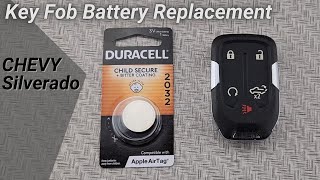
- If a no-start condition is present, place the key fob in the transmitter pocket 🎬 Watch: How to replace the battery in your key fob. and attempt to start the vehicle. If it starts, this confirms a communication issue between the fob and RCDLR, pointing to RFI or a module/antenna fault. The pocket is between the cupholders on bucket-seat models or in a slot under the center jump-seat cushion on bench-seat models.
Parts You'll Likely Need
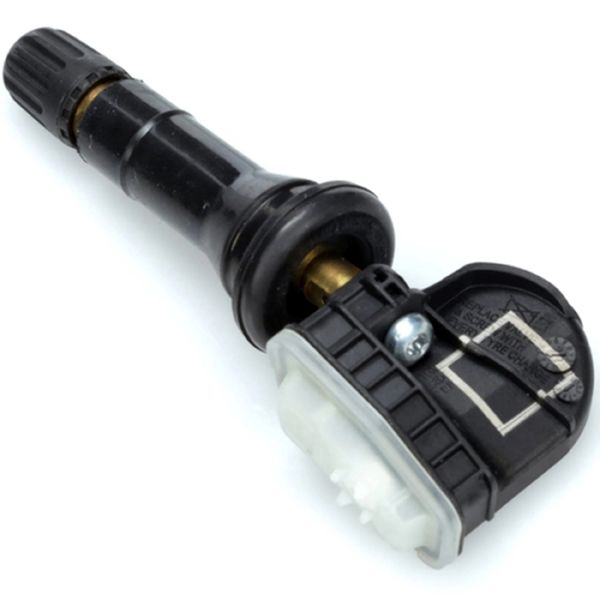
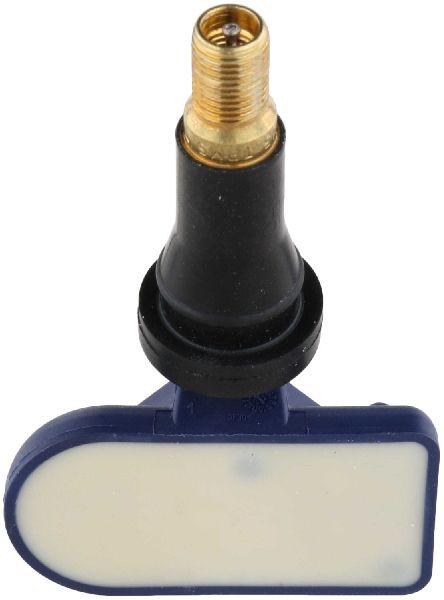
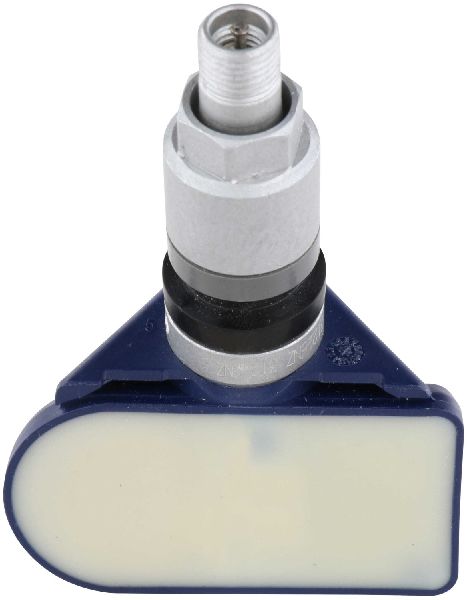
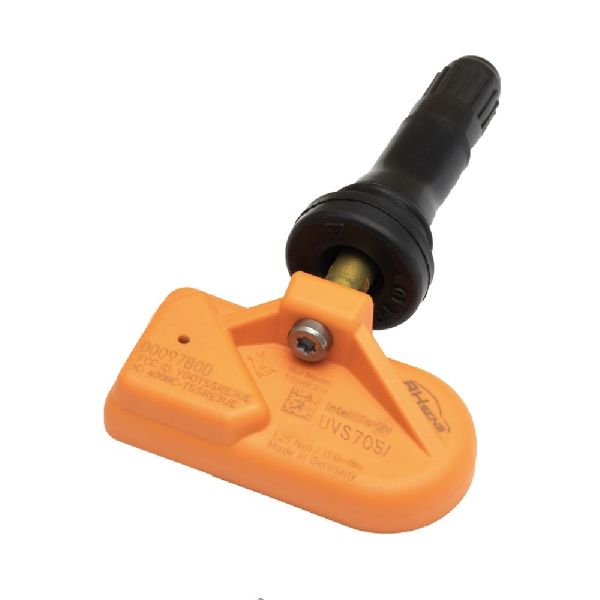
- Tire Pressure Monitoring System (TPMS) Sensor
(OEM #13598772 (315 MHz, typically for 2015-2018 K2XX models), 13540604 (433 MHz, typically for 2019+ T1XX models))— This is the most common failure point. The internal battery dies after 7-10 years, requiring replacement of the whole sensor unit.
Trusted brands: ACDelco, Schrader, Continental
OEM price range: $50-$90
Aftermarket price range: $25-$60 - Remote Control Door Lock Receiver (RCDLR)
(OEM #13595511 or 13597910 (Part number is model and frequency dependent, check with VIN).)— This module is the culprit when TPMS codes appear with key fob and starting issues, as documented in GM service bulletins. It requires programming after installation.
Trusted brands: ACDelco (GM Genuine)
OEM price range: $60-$120
Aftermarket price range: $40-$80
Related Codes That Often Appear With This One
- C0755, C0760, C0765 — These are the codes for the other three tire pressure sensors. When they all appear together, it strongly suggests a central problem with the receiver (RCDLR), its antenna, or widespread RFI, not four simultaneously failed sensors.
- B3055, B3935 — These are security system codes related to the key and immobilizer. Their presence with C0750 points directly to the scenarios described in TSB PIC5650, involving a shared system fault in the RCDLR or RFI.
Technical Service Bulletins (TSBs) & Recalls

- PIC5650M: Addresses intermittent no-crank/no-start conditions linked to RFI or RCDLR faults.
- 16-NA-396: Points to internal RCDLR failure when TPMS and key fob issues occur together, specifically citing symptom code :29.
- 16-NA-061: Details diagnosis of the RCDLR antenna system for signal loss issues.
- 23-NA-107: Warns of water leaks from roof seams potentially damaging the RCDLR.
- PIT5396: Provides general diagnostic tips for water leaks in the cab.
- 08-08-57-003E: Discusses water leaks from the A-pillar affecting electrical components.
Platform-Specific Known Issues
- TSB PIC5650 (multiple revisions K, J, G, C): This is a long-running bulletin that directly links C0750 with intermittent no-crank/no-start conditions and the security light. It repeatedly emphasizes that Radio Frequency Interference from aftermarket devices like phone chargers and LED lights is a primary cause and should be investigated before replacing any parts.
- TSB 16-NA-396: Identifies internal failure of the RCDLR as a cause for simultaneous TPMS and keyless entry system failures, specifically mentioning C0750 with symptom code :29 (Too Few Pulses). It provides specific replacement part numbers for the faulty modules.
- TSB 16-NA-061: Provides a detailed diagnostic path for checking the RCDLR antenna system, which consists of the receiver, a coax cable, an amplifier, and the antenna in the rear glass. It explains how a simple disconnected cable can mimic a failed RCDLR module.
Hidden / Shadow Codes Worth Checking
- C0750:03: Indicates 'Low Voltage'. A professional scan tool may show this, pointing towards a sensor battery issue or a wiring problem supplying power. (see via Professional scan tool with manufacturer-specific data stream capabilities (e.g., GM GDS2).)
- C0750:29: Indicates 'Too Few Pulses'. This symptom byte is specifically mentioned in GM TSB 16-NA-396 and strongly points to an internal failure of the Remote Control Door Lock Receiver (RCDLR) module rather than the sensor itself. (see via Professional scan tool with manufacturer-specific data stream capabilities (e.g., GM GDS2).)
- C0750:08: Indicates 'Signal Invalid'. This suggests the RCDLR is receiving a signal, but the data is corrupt or doesn't make sense, which could be caused by RFI or a failing sensor transmitter. (see via Professional scan tool with manufacturer-specific data stream capabilities (e.g., GM GDS2).)
Scan Tool Commands That Help
- GM GDS2 / Tech2Win: Remote Control Door Lock Receiver Replacement/Setup — This function is mandatory after replacing the RCDLR. It programs the new module to the vehicle's BCM, learns the existing key fob IDs, and configures the TPMS system. Without this step, the new module will not function.
- GM GDS2 / TPMS Tool: TPMS Relearn Procedure — This must be performed after replacing any TPMS sensor or rotating tires. The vehicle's on-board system can be put into learn mode via the DIC, and then a TPMS tool is used to activate each sensor in sequence, starting with the left front.
Wiring & Ground Locations

- RCDLR Module — Typically located behind the interior trim panel in the right rear of the cab (passenger side), near the D-pillar.. This is the central receiver for all TPMS and key fob signals. Access is required for replacement, checking its coaxial antenna connection, and inspecting for water damage.
- RCDLR Antenna System — Consists of the RCDLR, a coax cable, an antenna amplifier, and the antenna itself integrated into the right rear glass. The amplifier and its connections are also behind the right rear trim.. A loose coax connection at the RCDLR, amplifier, or glass antenna can cause intermittent or complete loss of signal from the TPMS sensors (especially those farthest away, like the left front) and poor key fob range, mimicking a failed RCDLR module.
- G101 — A ground stud located under the hood, often used when installing GM remote start accessories.. While not directly tied to the RCDLR, poor grounds are a known source of bizarre electrical issues on K2XX trucks. Verifying all major chassis and engine grounds are clean and tight is a crucial step when diagnosing intermittent electronic problems.
- X500 / X600 Connectors — Door harness-to-body connectors located in the lower 'A' hinge pillars (driver and passenger side).. GM TSBs note these areas are prone to water leaks past body plugs, leading to corrosion in these main connectors and causing a wide range of electrical faults. While not a direct cause of C0750, checking for water intrusion here is vital if other electrical symptoms are present.
Real Owner Repair Stories
- YouTube channel 'HouseCall Auto Repair' (2018 Chevrolet Silverado, 30,000 miles) — Intermittent no-crank, no-start condition. Owner had already taken it to the dealer twice where the starter was replaced both times without fixing the issue.
❌ Tried (didn't work) Replacing the starter motor (twice).
✅ What actually fixed it The signal wire connector on the starter solenoid was loose. The plastic locking tab had been broken off during a previous repair, preventing the connector from staying securely seated. Wiggling the wire would allow the truck to start. The final fix was securing the connection and recommending a new pigtail connector.
OEM Part Supersession History
13598772→86363052— Standard part lifecycle update.
Heads up: This is the 315 MHz sensor for K2XX models. It is not compatible with 2019+ T1XX models which require a 433 MHz sensor. Many aftermarket part numbers also cross-reference to 13598772.13509518→13595511— Internal design revision noted in TSB 16-NA-396 to address reliability issues.
Heads up: This RCDLR module requires programming with GM software (SPS) after installation. Failure to program will result in non-functional key fobs and persistent TPMS warnings.13509517→13595510— Internal design revision noted in TSB 16-NA-396 to address reliability issues.
Heads up: This is another common RCDLR part number, frequency-dependent. Always verify the correct part for the vehicle's VIN. Programming is required.13595511→13540045— Standard part lifecycle update.
Heads up: Always confirm the latest part number with a dealer using the VIN, as supersessions can occur frequently.
Model Year Variations Within This Range
- 2015-2018 (K2XX Platform): These models use the 315 MHz TPMS sensors (e.g., PN 13598772). The RCDLR is located behind the right rear cab trim. The electrical architecture is GM's standard pre-Global B system.
- 2019-2022 (T1XX Platform): These models switched to 433 MHz TPMS sensors (e.g., PN 13540604). The location of the 'transmitter pocket' for starting with a dead key fob is in the front cupholder (bucket seats) or under the center jump seat (bench seat). Later models (2022.5+) use the Global B electrical architecture, which changes module programming and diagnostic procedures.
Helpful Videos
We Have This Part in Stock

The information in this article is provided for general reference and educational purposes only. Vehicle specifications, procedures, and part compatibility can vary by production date, trim level, and region. Always consult your vehicle's factory service manual and verify part numbers before purchasing or performing repairs. Safety-critical components such as airbags, seat belts, and braking systems should be installed by a qualified professional.
- Chevrolet SILVERADO 1500:
- 🎬 Helpful Videos
- 🛍️ Shop This Part
- What's Unique About the 2015-2022 Chevrolet SILVERADO 1500
- Diagnostic Flowchart
- Symptoms You May Notice
- Most Likely Causes
- Diagnosis Steps
- Parts You'll Likely Need
- Related Codes That Often Appear With This One
- Technical Service Bulletins (TSBs) & Recalls
- Platform-Specific Known Issues
- Hidden / Shadow Codes Worth Checking
- Scan Tool Commands That Help
- Wiring & Ground Locations
- Real Owner Repair Stories
- OEM Part Supersession History
- Model Year Variations Within This Range
- 🎟️ Get 5% Off