

C0750 on 2007-2014 Chevrolet Express 2500: Causes and Fixes for the Left Front TPMS Fault
On a 2007-2014 Chevy Express 2500, code C0750 almost always means the left front tire pressure sensor (TPMS) has failed, usually due to a dead internal battery. The fix is to replace the sensor and perform a relearn procedure. Expect to pay $30-$60 for an aftermarket sensor and have a tire shop install it.
- C0750 means there is a problem with the left front tire pressure sensor.
- The most common cause on a 2007-2014 Express is the sensor's internal battery dying from old age.
- Diagnosis requires a TPMS activation tool to confirm if the sensor is transmitting.
- The fix involves replacing the sensor (which requires dismounting the tire) and performing a TPMS relearn procedure.
- While you can replace just the one failed sensor, it's wise to consider replacing all four if they are original, as the others will likely fail soon.
- If key fobs also malfunction, the problem is likely the shared Remote Control Door Lock Receiver (RCDLR) module, not the sensor.
What's Unique About the 2007-2014 Chevrolet EXPRESS 2500
The Chevrolet Express platform from this era uses a standard and widely-used GM TPMS system operating at 315MHz. The key factor for these vans is their age. The lithium batteries inside the original TPMS sensors have a finite lifespan of about 7-10 years. As the 2007-2014 model years are now well past that window, sensor failure due to a dead battery is not just a possibility, but an expectation. It's a common maintenance item rather than a sign of a deeper electrical problem. This is a frequently discussed issue in owner forums for fleets and individual owners alike.
Diagnostic Flowchart
Tap your situation to follow the diagnostic path that matches what you're seeing on this vehicle.
Symptoms You May Notice
- TPMS warning light on the dashboard (often flashes for a minute, then stays solid).
- "Service Tire Monitor System" message on the Driver Information Center (DIC).
- When checking individual tire pressures on the DIC (if equipped), the left front tire shows dashes (--) instead of a pressure reading.
- Inability to complete the TPMS relearn procedure; the process fails or stalls when it gets to the left front wheel.
- Replacing the Body Control Module (BCM) when the fault is with the sensor or RCDLR.
- Assuming the tire itself is faulty without checking the TPMS system first.
- Replacing only the valve stem when the entire sensor unit is the point of failure.
- Replacing a single sensor when the RCDLR is faulty, leading to the problem persisting with other wheels or the key fobs.
Most Likely Causes
- Dead TPMS Sensor Battery 🔴 High Probability The sensors' internal, non-replaceable batteries have a 7-10 year lifespan. All vehicles in this year range are at or beyond the expected end-of-life for their original sensors, making this the most frequent cause of failure.
How to confirm: Use a TPMS diagnostic tool (like a GM EL-50448 or an Autel unit) to attempt to activate the sensor. If the tool cannot get a reading (no ID, pressure, or temperature), the sensor is not transmitting, which almost always means the battery is dead or the sensor has failed internally.
Typical fix: Replace the left front TPMS sensor. It is often recommended to replace all four sensors if they are original, as the others are likely to fail soon. After replacement, a relearn procedure must be performed.
Est. part cost: $25-$70 - Failed TPMS Sensor 🟡 Medium Probability Sensors can be damaged by road impacts, corrosion (especially if a brass valve core was used on an aluminum stem), or improper tire service. The use of unapproved tire sealants can also clog the sensor's pressure port and cause it to fail.
How to confirm: The sensor will not respond to a TPMS activation tool. Visually inspect the sensor for physical damage, cracks, or corrosion when the tire is dismounted.
Typical fix: Replace the left front TPMS sensor and perform the relearn procedure.
Est. part cost: $25-$70
Rare But Worth Checking
- Faulty Remote Control Door Lock Receiver (RCDLR): The RCDLR is the module that receives signals from all TPMS sensors and key fobs. If it fails, you will likely have codes for multiple TPMS sensors (C0750, C0755, C0760, C0765) and may also experience issues with your key fobs not working or having very poor range. This is a less common but possible cause if more than just the LF sensor is acting up. In some cases, a power or ground issue to the RCDLR can mimic a failed module.
- Radio Frequency Interference (RFI): A GM Technical Service Bulletin (PIC5650M and its revisions) notes that in rare cases, code C0750 can appear alongside other security-related codes during a no-crank or no-start condition. This can be caused by RFI from aftermarket electronic devices like phone chargers, USB hubs, or even non-OEM LED lights, which can 'jam' the signals from the TPMS sensor and key fob to the RCDLR.
- Wiring or Antenna Issue for RCDLR: GM TSB 16-NA-061 describes how a disconnected or damaged coaxial antenna cable leading to the RCDLR can cause intermittent loss of signal from the sensors, particularly those furthest away (like the left front). This can result in a C0750 code while the closer sensors still report correctly. The issue could be at the RCDLR connection, the antenna amplifier, or the antenna itself.
Diagnosis Steps
- Verify tire pressure in the left front tire with a reliable manual gauge. Ensure it is inflated to the pressure listed on the door jamb sticker.
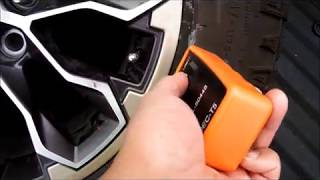
- Use a TPMS activation tool (like a GM EL-50448 or equivalent aftermarket tool) aimed at the left front tire's valve stem. Press the button to try and read the sensor. Some owners report better success aiming at the tire sidewall near the stem.
- If the tool successfully reads the sensor's ID, pressure, and temperature, the sensor is transmitting. The issue might be intermittent or with the vehicle's receiver (RCDLR) or its antenna wiring.
- If the tool fails to get any response from the sensor, the sensor's battery is dead or the sensor has failed. This is the most common outcome for vehicles of this age.
- Initiate the vehicle's TPMS relearn mode. This is typically done via the Driver Information Center (DIC) buttons until "RELEARN TIRE POSITIONS" is displayed, followed by a press of the set/reset button or trip odometer stem. 🎬 Watch: How to use the EL-50448 tool for GM relearn. The horn will chirp twice to indicate it's in learn mode.
- Starting with the left front wheel as indicated by the turn signal, use the TPMS tool to activate the sensor. A single horn chirp confirms the sensor is learned. If the process fails at the left front wheel (no chirp), it further confirms a bad sensor.
- If all four sensors fail to read or relearn, and you have issues with key fobs (poor range, not working), investigate the RCDLR module for power, ground, and antenna connections as a primary suspect.
Parts You'll Likely Need
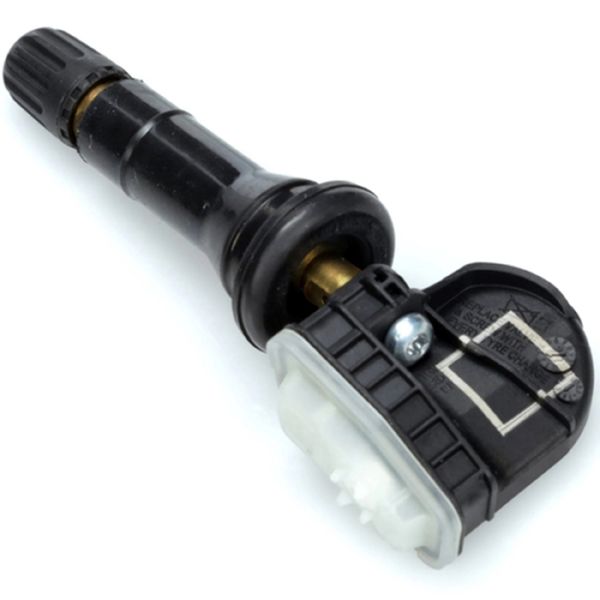
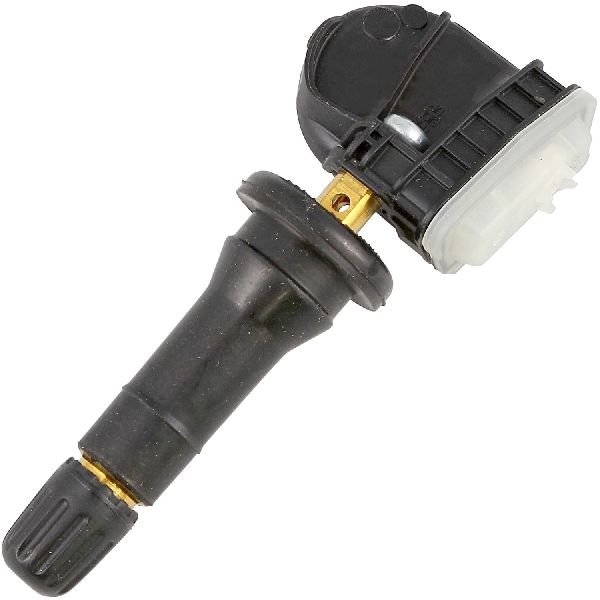
- Tire Pressure Monitoring System Sensor
(OEM #13581558)— This is the component that fails, usually due to its internal battery expiring after 7-10 years. The entire sensor must be replaced. The original part number 13581558 is widely cross-referenced and has been superseded by other numbers like 13598771 and 13516164.
Trusted brands: ACDelco (GM OE), Schrader (Often the OEM supplier), Continental, Dorman, Standard Motor Products
OEM price range: $50-$80
Aftermarket price range: $25-$60
Related Codes That Often Appear With This One
- C0755 — Right Front TPMS Sensor fault. Seeing multiple TPMS codes together (C0750, C0755, C0760, C0765) points towards a systemic issue, like a faulty RCDLR or RFI, rather than individual sensor failures.
- C0760 — Right Rear TPMS Sensor fault.
- C0765 — Left Rear TPMS Sensor fault.
- B3055 — In rare cases involving a no-start condition, this security system code may appear with C0750, indicating a complex electrical issue, often related to Radio Frequency Interference. (Per TSB PIC5650M)
Technical Service Bulletins (TSBs) & Recalls
- PIC5650M (and revisions): Mentions C0750 in a list of DTCs that may be found with an intermittent no crank, no start, or start/stall concern, pointing to Radio Frequency Interference as a potential cause affecting both TPMS and security systems.
- 16-NA-396: Details how an internal failure of the Remote Control Door Lock Receiver (RCDLR) can cause simultaneous failure of all TPMS sensors (C0750, C0755, etc.) and key fob functions.
- 16-NA-061: Explains that poor or disconnected antenna connections for the RCDLR can cause loss of communication with sensors, especially those furthest from the receiver like the left front.
Platform-Specific Known Issues
- The provided NHTSA TSB PIC5650M links C0750 to intermittent no-crank/no-start conditions, indicating a potential shared wiring or module issue with the security system in rare instances, often caused by Radio Frequency Interference.
- As these are often work vans, they are subject to heavy use, and sensor damage from tire service or road hazards is common. A forum for fleet owners highlights the constant battle with TPMS sensor failures.
Hidden / Shadow Codes Worth Checking
- C0750 03: Low Voltage. This symptom code indicates the RCDLR has specifically detected that the TPMS sensor's internal battery voltage is low. (see via GM Tech2 or GDS2 scan tool.)
- C0750 29: Too Few Pulses. This indicates the RCDLR is not receiving the expected number of data transmissions from the left front TPMS sensor. (see via GM Tech2 or GDS2 scan tool.)
- C0750 39: Internal Malfunction. This points to an internal failure within the TPMS sensor itself, rather than just a battery or communication issue. (see via GM Tech2 or GDS2 scan tool.)
Scan Tool Commands That Help
- GDS2 (GM Diagnostic Software): Module Diagnostics > RCDLR > Data Display — To view live data from each TPMS sensor, including sensor ID, pressure, temperature, and crucially, the 'Last Update Time'. A sensor that hasn't updated in a long time while the vehicle is in motion is the likely culprit.
- GDS2 (GM Diagnostic Software): Module Diagnostics > RCDLR > Configuration/Reset Functions > TPMS Learn Mode — To command the vehicle into the TPMS relearn mode without using the DIC buttons. This is a more direct way to initiate the process after replacing a sensor.
Wiring & Ground Locations
- RCDLR (Remote Control Door Lock Receiver) — On Express vans, the RCDLR is typically located under the top plate of the dashboard, behind and above the instrument gauge cluster. The A-pillar trim and the top dash panel must be removed for access.. This module is the central receiver for all TPMS signals. A failure, power/ground issue, or antenna problem at this module can cause C0750 and other TPMS codes, often accompanied by key fob issues.
- RCDLR Antenna — The RCDLR uses a coaxial cable that runs to an antenna, which on many GM vans and SUVs is integrated into the right rear quarter glass or a nearby pillar.. A disconnected or damaged antenna cable is a known cause for intermittent TPMS codes, especially for sensors far from the receiver, like the left front. TSB 16-NA-061 specifically notes that a disconnect can cause C0750 while closer sensors still work.
- G301 — Located behind the left kick panel.. This is a common body ground point. While not exclusively for the RCDLR, poor grounds in this area can cause a variety of difficult-to-diagnose electrical issues in dash-mounted modules. A user on a Chevrolet forum was advised to check grounds in this area for intermittent cluster issues.
Real Owner Repair Stories
- Tahoe Yukon Forum user 'Joseph Garcia' (2007 Yukon XL Denali (similar GMT900 platform)) — TPMS light on, unable to complete the relearn procedure. The process would not get past the first step (left front wheel). Scanners did not point to a specific wheel sensor.
❌ Tried (didn't work) Extensive scanning and troubleshooting assuming a central module (RCDLR) failure.
✅ What actually fixed it Replacing the right rear wheel sensor. The user noted the strange behavior that a fault in the right rear sensor prevented the entire relearn process from even starting at the left front wheel, mimicking a C0750 fault.
When the Usual Fixes Don't Work
- In one documented case on a similar GM platform, the inability to perform the relearn procedure starting at the left front wheel (a classic C0750 symptom) was ultimately caused by a failed sensor on a completely different wheel (the right rear). This highlights that a failure in one part of the sequential relearn system can manifest as a fault at the starting point.
OEM Part Supersession History
13581558→13598771, 13516164, 22854866, and others.— Standard part evolution and consolidation by GM.
Heads up: While many part numbers are interchangeable, it is critical to ensure the replacement sensor operates at 315 MHz, as this is the frequency used for this vehicle range. Aftermarket programmable sensors must be configured for the GM protocol.
Helpful Videos
We Have This Part in Stock


The information in this article is provided for general reference and educational purposes only. Vehicle specifications, procedures, and part compatibility can vary by production date, trim level, and region. Always consult your vehicle's factory service manual and verify part numbers before purchasing or performing repairs. Safety-critical components such as airbags, seat belts, and braking systems should be installed by a qualified professional.
- Chevrolet EXPRESS 2500:
- 🎬 Helpful Videos
- 🛍️ Shop This Part
- What's Unique About the 2007-2014 Chevrolet EXPRESS 2500
- Diagnostic Flowchart
- Symptoms You May Notice
- Most Likely Causes
- Rare But Worth Checking
- Diagnosis Steps
- Parts You'll Likely Need
- Related Codes That Often Appear With This One
- Technical Service Bulletins (TSBs) & Recalls
- Platform-Specific Known Issues
- Hidden / Shadow Codes Worth Checking
- Scan Tool Commands That Help
- Wiring & Ground Locations
- Real Owner Repair Stories
- When the Usual Fixes Don't Work
- OEM Part Supersession History
- 🎟️ Get 5% Off