

C0397 on 2014-2015 Chevrolet Silverado 2500: 4WD System Fault Guide
On 2014-2015 Silverado 2500s, code C0397 almost always points to a software issue in the Transfer Case Control Module (TCCM). The most common fix, outlined in GM Technical Service Bulletin #PIP5220B, is a software update performed by a dealer, which is much cheaper than replacing parts. Before any hardware replacement, verifying if this TSB applies is the critical first step.
- Before replacing any parts for a C0397 code on a 2014-2015 Silverado, check if TSB #PIP5220B applies by verifying the build date (pre-Sept 2014).
- The most common and cost-effective fix is often a software update to the Transfer Case Control Module (TCCM), which must be done by a shop with the right tools.
- Do not immediately assume the transfer case or shift motor is bad; this code is frequently caused by an electronic or software issue on this platform.
- Pay attention to the specific symptom byte (e.g., F3 for worn clutch) if available, as it can pinpoint the diagnosis between a software, electronic, or mechanical fault.
- If you experience a 'Service 4WD' message, have the vehicle scanned for codes before the problem potentially worsens or causes driveline binding.
What's Unique About the 2014-2015 Chevrolet SILVERADO 2500
For this specific generation of Silverado, the C0397 code is notoriously linked to a software glitch. GM acknowledged this by issuing Technical Service Bulletin #PIP5220B, which instructs technicians to reprogram the Transfer Case Control Module (TCCM) with updated software as the primary fix for vehicles built before September 7, 2014. This means that unlike many other vehicles where this code might immediately point to a mechanical failure, on the 2014-2015 Silverado, a simple and relatively inexpensive software update is often the correct solution, saving owners from unnecessary and costly hardware replacements. The TSB explicitly states the software was released to repair a known condition that would set these codes in error.
Diagnostic Flowchart
Tap your situation to follow the diagnostic path that matches what you're seeing on this vehicle.
Symptoms You May Notice
- "Service 4 Wheel Drive" message on the Driver Information Center (DIC)
- 4WD system is inoperative and cannot be shifted
- 4WD mode indicator lights may be off or flashing
- A noticeable binding, shuddering, or hopping sensation from the drivetrain during turns
- Audible whine from the transfer case area.
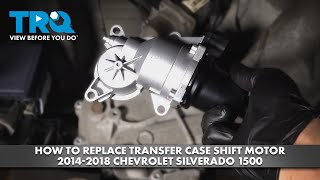
- Replacing the transfer case shift motor (encoder motor) when the issue is actually TCCM software.
- Replacing the 4WD selector switch on the dashboard, which rarely causes this specific code.
- Replacing the entire transfer case when only a TCCM reprogram or replacement was needed.
Most Likely Causes
- Transfer Case Control Module (TCCM) Software Requires Update 🔴 High Probability A known software issue was present on vehicles built before September 7, 2014, as documented by GM in TSB #PIP5220B. The software would erroneously set DTCs C0397 and C038D.
How to confirm: Check the vehicle's build date and service history. A GM dealer or a shop with a high-end scan tool can check the current software version on the TCCM and see if an update is available via TIS2Web.
Typical fix: Reprogram the TCCM with the latest software calibration. This is typically a dealer or specialized shop procedure that takes about 0.4 labor hours. After the reprogram, a 'high low clutch reset' procedure must be performed.
Est. part cost: $0 - Failed Transfer Case Control Module (TCCM) 🟡 Medium Probability Electronic modules can fail over time due to heat, vibration, or internal component degradation. This is the next logical step if a software update does not fix the issue on an applicable vehicle, or if the TSB does not apply.
How to confirm: If reprogramming the TCCM does not resolve the issue, if the module is unresponsive, or if the vehicle was built after 09/07/2014, the module itself is likely faulty.
Typical fix: Replace the Transfer Case Control Module. The new module will also require programming 🎬 See this walkthrough on installing a replacement control module to the vehicle's VIN. Some companies offer pre-programmed modules.
Est. part cost: $250-$450 - Worn Transfer Case Clutch Pack ⚪ Low Probability While durable, the clutch pack is a wear item and can fail after high mileage or severe use, especially if fluid has not been changed. This is a mechanical failure rather than electronic.
How to confirm: This is typically indicated by the specific symptom code C0397 F3 ('Worn Out Clutch'). A technician can also use a scan tool to monitor front and rear wheel speeds under acceleration in 4WD High; if the front wheel speed is significantly lower, it indicates a slipping/weak clutch.
Typical fix: The transfer case must be removed and either rebuilt with a new clutch pack or replaced entirely.
Est. part cost: $500-$2000 - Damaged Wiring or Connectors ⚪ Low Probability The wiring harness to the transfer case is exposed under the vehicle and can be susceptible to corrosion, road debris, or moisture intrusion. Another TSB for similar vehicles, #PIP5304, points to poor terminal tension in the TCCM X-1 connector as a known weak point, suggesting connector integrity is a known weak point.
How to confirm: Visually inspect the wiring harness and connectors at the TCCM and the transfer case actuator for any signs of damage, corrosion (green crust), or loose pins. A technician can test terminal tension using specific tools like the J-35616-2A probe.
Typical fix: Repair the damaged section of the wiring harness or replace the affected connector. If terminal tension is low, the terminal may need to be replaced or repaired.
Est. part cost: $20-$100
Diagnosis Steps
- Connect a professional-grade scan tool capable of reading chassis codes from the TCCM.
- Confirm the presence of C0397 and note any accompanying symptom bytes (e.g., 54, 58, 4B, F3, F4).
- Check for other related DTCs, especially C038D and C0398.
- Check the vehicle's build date. If it is prior to September 7, 2014, immediately reference TSB #PIP5220B as the most likely cause.
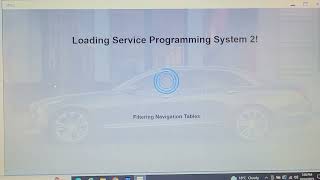
- Using a GM-compliant scan tool (like a Tech 2 or MDI with GDS2), attempt to reprogram the Transfer Case Control Module with the latest software calibration from TIS2Web. This is the primary fix recommended by the TSB.
- After reprogramming, perform the 'high low clutch reset' procedure as instructed by the TSB and test all 4WD ranges to ensure the code does not return.
- If reprogramming fails, the TSB does not apply, or the code returns, inspect the wiring and connectors for the TCCM and transfer case for damage, corrosion, or poor terminal tension.
- If wiring is confirmed to be good and the code persists, the TCCM is likely faulty and requires replacement, followed by programming to the vehicle's VIN.
- If the code is specifically C0397 F3 ('Worn Out Clutch'), diagnose the internal condition of the transfer case for mechanical wear, which may require disassembly or replacement.
Parts You'll Likely Need
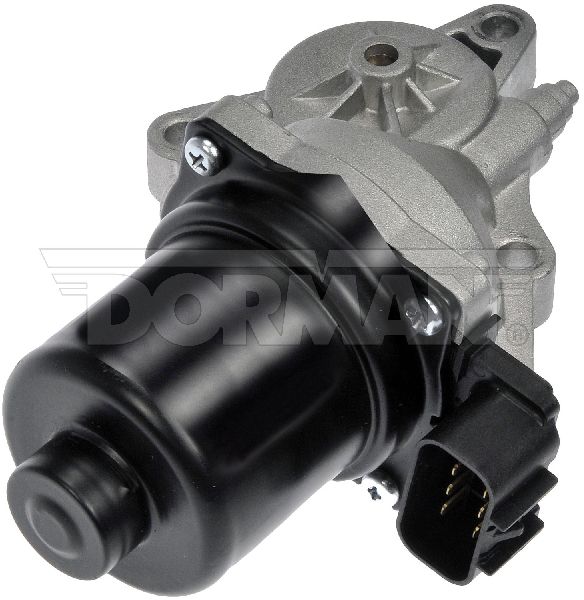
- Transfer Case Control Module (TCCM)
(OEM #ACDelco 23247709 (superceded by 84138719 and others))— This is the electronic brain of the 4WD system. If a software update doesn't fix the issue, the module itself is the next most likely point of failure. It is often sold as a genuine GM or ACDelco part.
Trusted brands: ACDelco (GM Genuine), Dorman
OEM price range: $350-$500
Aftermarket price range: $250-$400
Related Codes That Often Appear With This One
- C038D — This code, relating to the transfer case clutch, is frequently seen with C0397 and is specifically mentioned in TSB #PIP5220B as being part of the same software issue.
- C0398 — This code, relating to sensor correlation, is also mentioned in TSB #PIP5220B and can be set along with C0397 due to the same TCCM software problem.
Technical Service Bulletins (TSBs) & Recalls
- PIP5220B: Addresses a "Repeat Service 4 Wheel Drive Message" with DTCs C0397, C0398, or C038D, and recommends reprogramming the Transfer Case Control Module as the primary fix for vehicles built before September 7, 2014.
- PIP5304: While for different codes (C0392, C0396), this TSB is relevant as it identifies poor terminal tension in the TCCM connector as a known issue on these trucks, which could potentially cause a C0397 as well.
Platform-Specific Known Issues
- A software glitch in the TCCM on models built before 09/07/2014 is a well-documented cause for this code, per GM TSB #PIP5220B.
- When the fault occurs, the TCCM may default to applying the transfer case clutch, causing a binding condition on turns even when the dash switch is set to 2WD.
Scan Tool Commands That Help
- GDS2 (GM Global Diagnostic System 2): Transfer Case High/Low Clutch Reset — This procedure is required after reprogramming the TCCM or replacing the transfer case motor to relearn clutch positions. TSB #PIP5220B explicitly calls for this step after the software update.
- GDS2 (GM Global Diagnostic System 2): Range Actuator Learn — Used after replacing mechanical transfer case components or the actuator motor to calibrate the range positions. Failure to perform this can set a C0397 4B (Calibration Not Learned).
- GDS2 (GM Global Diagnostic System 2): Module Diagnostics > TCCM > Data Display — To monitor live data such as front and rear prop shaft speeds, clutch command percentage, and module temperature. This is critical for diagnosing a slipping clutch (C0397 F3) by comparing wheel speeds under load.
Wiring & Ground Locations
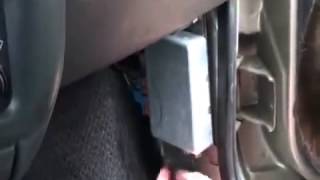
- K69 Transfer Case Control Module (TCCM) — Located under the driver's side of the dashboard, to the left of the steering column. It is typically held in by a few bolts and has three large electrical connectors.. This is the brain of the 4WD system. All sensor inputs, commands, and diagnostics for the transfer case pass through this module. It is the central point for software updates and electrical testing.
- G113 (and other chassis grounds) — There are multiple critical chassis grounds. A key ground location is on the driver's side frame rail, below the driver's door hinge area. Other important grounds are located on the engine block and near the radiator core support.. Poor grounds are a common source of erratic electronic behavior on these trucks. A corroded or loose ground connection for the TCCM or its related sensors can cause voltage drops and communication errors, potentially leading to a false C0397 code.
- TCCM Connectors (X1, X2, X3) — These are the three multi-pin connectors that plug into the Transfer Case Control Module under the driver's side dash.. TSB #PIP5304 for related codes points to poor terminal tension in these connectors as a known issue. A loose or corroded pin in one of these connectors can interrupt signals between the TCCM and the transfer case, causing faults.
Real Owner Repair Stories
- gm-trucks.com forum user (2015 Silverado 1500) — "Service 4x4" light on, 4WD inoperative, code C0397.
❌ Tried (didn't work) Replacing the 4WD selector switch., Checking fuses.
✅ What actually fixed it The user took the truck to a dealer who confirmed TSB #PIP5220B applied. The dealer reprogrammed the Transfer Case Control Module (TCCM) with the updated software. This resolved the code and restored 4WD function.
OEM Part Supersession History
23247709→84953426— Standard part evolution, likely incorporating hardware or firmware revisions to improve reliability.
Heads up: The new part number (84953426) is the correct replacement for the original (23247709). Using used modules is risky as they are VIN-locked and require programming.
Model Year Variations Within This Range
- Vehicles built before September 7, 2014: These vehicles are highly prone to the software glitch described in TSB #PIP5220B. The primary fix is a TCCM reprogram. For vehicles built on or after this date, the TSB states that reprogramming will not correct the issue, and standard diagnostics should be performed as a hardware or wiring fault is more likely.
Helpful Videos

Used OEM Parts in Stock


New Aftermarket Parts Available



The information in this article is provided for general reference and educational purposes only. Vehicle specifications, procedures, and part compatibility can vary by production date, trim level, and region. Always consult your vehicle's factory service manual and verify part numbers before purchasing or performing repairs. Safety-critical components such as airbags, seat belts, and braking systems should be installed by a qualified professional.
- Chevrolet SILVERADO 2500:
- 🎬 Helpful Videos
- 🛍️ Shop This Part
- What's Unique About the 2014-2015 Chevrolet SILVERADO 2500
- Diagnostic Flowchart
- Symptoms You May Notice
- Most Likely Causes
- Diagnosis Steps
- Parts You'll Likely Need
- Related Codes That Often Appear With This One
- Technical Service Bulletins (TSBs) & Recalls
- Platform-Specific Known Issues
- Scan Tool Commands That Help
- Wiring & Ground Locations
- Real Owner Repair Stories
- OEM Part Supersession History
- Model Year Variations Within This Range
- 🎟️ Get 5% Off