

C0050 on 2011-2017 Chevrolet Volt: Right Rear ABS, StabiliTrak & Steering Fault Causes and Fixes
On a 2011-2017 Chevy Volt, code C0050 is most often caused by metallic debris on the right rear wheel's magnetic hub encoder ring. The fix is often free—simply cleaning the hub resolves the issue. If that fails, the next most likely cause is a faulty wheel speed sensor. For Gen 2 Volts (2016+), a failing axle nut washer can also destroy the sensor, requiring sensor replacement and washer removal.
- Code C0050 on a Chevy Volt means there's a problem with the right rear wheel speed sensor signal.
- Before buying any parts, inspect and clean the magnetic ring on the right rear wheel hub; this is the most common fix and costs nothing.
- If cleaning doesn't work, the wheel speed sensor is the next most likely part to have failed.
- Do not ignore this code. It disables important safety features like ABS and StabiliTrak.
- This is a known issue for both Gen 1 (2011-2015) and Gen 2 (2016-2017) Volts.
What's Unique About the 2011-2017 Chevrolet VOLT
The Chevrolet Volt, across both its first (2011-2015) and second (2016-2019) generations, is highly susceptible to this code due to the design of its wheel bearing assembly. The magnetic encoder ring, which the sensor reads, is exposed and prone to collecting ferrous metallic debris. GM has issued multiple Technical Service Bulletins (TSBs) about this exact issue, confirming it's a widespread problem. A fault can also impact electric power steering, causing a 'Service Steering' message and heavier steering at low speeds, which is a normal default action when a wheel speed signal is lost. Additionally, on second-generation Volts, a problematic axle nut washer has been known to break apart and physically damage the wheel speed sensor, a defect addressed in TSB 19-NA-103.
Diagnostic Flowchart
Tap your situation to follow the diagnostic path that matches what you're seeing on this vehicle.
Generation note: This issue affects both the first generation (2011-2015) and the second generation (2016-2019) of the Chevrolet Volt. The official GM Technical Service Bulletin PIC5428G covers models up to 2017, indicating a similar hub and sensor design is used across the generation change. Early versions of the TSB explicitly list the 2011 Volt. A separate issue involving a failing axle nut washer that destroys the sensor is more common on Gen 2 models.
Symptoms You May Notice
- ABS warning light is on
- Service StabiliTrak warning light is on
- Traction Control warning light is on
- Service Steering message may appear on the driver information center
- Steering may feel heavier at low speeds
- ABS may not activate during hard braking
- Unwanted, brief ABS activation or grinding/ratcheting noises at low speeds
- Uncommanded braking or acceleration sensation as the traction system intervenes incorrectly
- Replacing the wheel speed sensor before checking for debris on the hub. The TSB clearly indicates that cleaning the hub is the first and most common fix, which costs nothing in parts. 🎬 Watch: How to properly clean the magnetic encoder ring.
- Replacing the wheel hub/bearing assembly before thoroughly testing the sensor and wiring.
- Ignoring a low 12V battery, which can cause a variety of unrelated electronic fault codes on the Volt.
Most Likely Causes
- Debris on Right Rear Hub Magnetic Encoder Ring 🔴 High Probability As documented in GM TSB #PIC5428G, the design of the wheel hub assembly leaves the magnetic encoder ring exposed to ferrous metallic debris, which disrupts the wheel speed sensor signal. This is the most common cause across many GM models, including the Volt.
How to confirm: Remove the right rear wheel and the wheel speed sensor. Visually inspect the magnetic ring on the inboard side of the hub for rust flakes or metallic shavings. The debris can be very small.
Typical fix: Gently clean the debris off the magnetic encoder ring using a dry, soft nylon bristle brush. If debris remains, use mild soap and water, then wipe dry. Do not use harsh chemicals or magnetic tools, as they can damage the encoder. Reinstall the sensor, clear the codes, and test drive.
Est. part cost: $0 - Failed Right Rear Wheel Speed Sensor 🟡 Medium Probability The sensor is exposed to water, salt, and road debris, which can cause it to fail electrically over time. On Gen 2 models, a known issue with the axle nut washer breaking can physically destroy the sensor.
How to confirm: If cleaning the hub doesn't work, use a scan tool to monitor live data. If the right rear wheel speed reads 0 MPH or is erratic while others read correctly, the sensor is likely bad. It can also be tested with a multimeter for proper resistance or scoped for a clean square wave signal.
Typical fix: Replace the right rear wheel speed sensor. It is typically held in by a single 10mm or Torx bolt. 🎬 See this step-by-step ABS sensor replacement walkthrough. On Gen 2 models, inspect for and discard the problematic axle nut washer per TSB 19-NA-103 if found to be the cause of damage.
Est. part cost: $25-$70 - Damaged Wiring or Connector ⚪ Low Probability The wiring harness runs near the suspension and wheel, where it can be damaged by road debris, improper service, or corrosion.
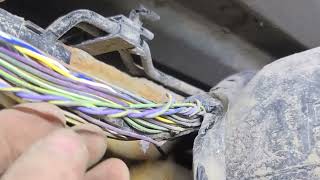
How to confirm: Visually inspect the wiring harness from the sensor to where it enters the main body loom. Check for chafing, breaks, or corrosion in the connector pins. Check for continuity with a multimeter.
Typical fix: Repair the damaged section of wire or replace the sensor pigtail connector. Ensure the harness is properly secured away from moving parts.
Est. part cost: $15-$40
Rare But Worth Checking
- Failed Wheel Hub/Bearing Assembly: If the magnetic encoder ring itself is cracked, damaged, or demagnetized, or if the bearing has excessive play, the entire hub assembly must be replaced. This is often the case if cleaning the ring doesn't solve the problem and the sensor is known to be good. A YouTube video on a 2012 Cruze with C0050 showed a damaged tone ring on the bearing was the ultimate cause.
- Faulty Electronic Brake Control Module (EBCM): This is the least likely cause. The EBCM should only be suspected if all other components (sensor, hub, wiring) have been tested and confirmed to be working correctly.
- Broken Axle Nut Washer (Gen 2): On 2016+ Volts, a specific TSB (19-NA-103) addresses an anti-click washer on the front axle that can break and damage the front wheel speed sensor. While this TSB is for the front wheels, owners have reported similar phenomena on the rear and it represents a known failure pattern for the platform. A Reddit user specifically mentioned this washer as a cause for Stabilitrak issues on a 2017 Volt. 🎬 Watch: Fixing ABS and Stabilitrak issues on 2nd Gen Volts.
Diagnosis Steps
- Connect a professional scan tool to read codes from the EBCM. Confirm C0050 is present, and note any symptom bytes (e.g., 18, 5A, 0F) as mentioned in TSBs, which point towards a mechanical fault like debris.
- Safely lift and support the vehicle and remove the right rear wheel.
- Locate the wheel speed sensor on the back of the wheel knuckle. Inspect its wiring and connector for any obvious damage, corrosion, or looseness.
- Remove the single bolt (often 10mm or Torx) holding the wheel speed sensor and gently pull it out of the knuckle. Be careful as they can seize.
- Shine a light into the sensor hole and inspect the magnetic encoder ring on the wheel hub. Look for any metallic debris or rust flakes stuck to its surface.
- If debris is present, use a soft, dry nylon brush to gently clean the entire surface of the ring. Do not use magnetic tools.
- Reinstall the sensor, mount the wheel, clear the codes, and perform a test drive to see if the code returns.
- If the code returns, use the scan tool's live data function to monitor all four wheel speeds while driving in a straight line. Confirm that the right rear sensor signal is erratic, shows dropouts, or reads zero compared to the others.
- If the signal is bad, replace the wheel speed sensor.
- If a new sensor does not fix the issue, the problem is likely a damaged magnetic ring (requiring hub replacement) or a wiring fault between the sensor and the EBCM.
- For Gen 2 models, if the sensor appears physically damaged, inspect the axle nut area for a broken 'anti-click' washer, which should be removed and not replaced per TSB 19-NA-103.
Parts You'll Likely Need
- Rear Wheel Speed Sensor
(OEM #22944232)— This is the second most likely failure point after debris on the hub. The sensor itself can fail from exposure to the elements or physical damage.
Trusted brands: ACDelco (GM Genuine), Delphi, Standard Motor Products (SMP), Carquest
OEM price range: $40-$70
Aftermarket price range: $25-$50 - Rear Wheel Bearing and Hub Assembly
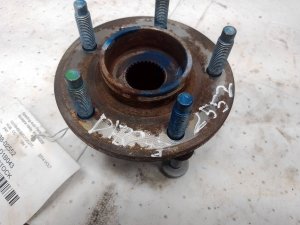
(OEM #13597428)— This part is replaced if the integrated magnetic encoder ring is physically damaged or if cleaning it does not resolve the signal issue. The bearing is replaced as a complete unit.
Trusted brands: ACDelco (GM Genuine), SKF, Timken, MOOG, TRQ
OEM price range: $120-$220
Aftermarket price range: $80-$150
Related Codes That Often Appear With This One
- C0035, C0040, C0045 — These are the codes for the other three wheel speed sensor circuits. They share the same common cause of debris on the hub encoder ring. The TSB PIC5428G applies to all these codes.
- U0415 — This code indicates 'Invalid Data Received From EBCM'. On Volts with electric power steering, it can be set as a secondary fault when the EBCM loses a wheel speed signal, resulting in a 'Service Steering' message. This is a normal default action.
Technical Service Bulletins (TSBs) & Recalls
- PIC5428G: EBCM Wheel Speed Sensor Diagnostic Aid for ABS Message. This TSB is the primary document confirming the debris-on-hub issue for codes C0035-C0050. It applies to a wide range of GM vehicles, including the Volt.
- 17-NA-047: This bulletin replaced PIC5428G, carrying over the same diagnostic advice. It specifies a labor time of 0.8 hours for the Volt to inspect and clean the encoder ring.
- 19-NA-103: While for the front wheels, this TSB describes a failing 'clinch washer' on the axle that breaks and damages the WSS, a failure pattern reported by Gen 2 Volt owners. The fix is to replace the sensor and discard the washer.
Platform-Specific Known Issues
- A GM Technical Service Bulletin (#PIC5428G) directly addresses this code on the 2011-2017 Volt, stating the primary cause is often metallic debris on the wheel hub's magnetic encoder ring, which can be fixed by cleaning.
- A later TSB, 17-NA-047, superseded PIC5428G, but contains the same core information about cleaning the encoder ring.
- On Gen 2 Volts, a failing axle nut washer can shear and destroy the wheel speed sensor, a known issue also seen on other GM platforms.
Mechanic-Grade Diagnostic Values
- Wheel Speed Sensor Resistance Comparison — expected: The resistance (in Ohms) of the right rear sensor should be nearly identical (within ~1-5%) to the resistance of the known-good left rear sensor.. Failure: A reading of OL (Open Loop/infinite resistance), 0 ohms (short circuit), or a resistance value that deviates significantly from the sensor on the other side of the axle indicates a faulty sensor.
Hidden / Shadow Codes Worth Checking
- C0050 18: Low Signal Amplitude. This indicates the signal from the sensor is weak or erratic, often caused by debris on the magnetic encoder, an excessive air gap, or a failing sensor. This is one of the specific symptom bytes mentioned in TSB PIC5428G. (see via GM-specific scan tool like GDS2/Tech2.)
- C0050 0F: Signal Erratic. The EBCM detected an illogical change in wheel speed, such as a signal dropout. This points to a mechanical issue like debris, a loose sensor, or a wiring problem. This is one of the specific symptom bytes mentioned in TSB PIC5428G. (see via GM-specific scan tool like GDS2/Tech2.)
- C0050 5A: Signal Not Plausible. The signal from this sensor is inconsistent when compared to the signals from the other wheel speed sensors. This is one of the specific symptom bytes mentioned in TSB PIC5428G. (see via GM-specific scan tool like GDS2/Tech2.)
- C0050 02: Right Rear Wheel Speed Sensor Circuit Short to Ground. (see via GM-specific scan tool like GDS2/Tech2.)
- C0050 05: Right Rear Wheel Speed Sensor Circuit High Voltage/Open. (see via GM-specific scan tool like GDS2/Tech2.)
Scan Tool Commands That Help
- GDS2 (Global Diagnostic System 2): Live Data > EBCM > Wheel Speed Sensor Parameter — This is the primary diagnostic step after reading the code. It allows a technician to view the speed readings from all four wheels simultaneously while driving. An erratic, lagging, or zero MPH reading from the right rear sensor while the others read correctly confirms the fault location.
- SPS2 (Service Programming System): Replace and Program ECU > Electronic Brake Control Module — This function is required if the EBCM itself is determined to be faulty and is replaced. The new module must be programmed with the vehicle's VIN and specific configuration using this software. It is not a plug-and-play part.
Wiring & Ground Locations
- EBCM Connector — The Electronic Brake Control Module (EBCM) is located in the engine bay. On the Volt, access can be constrained.. Advanced diagnosis involves testing the wheel speed sensor circuit continuity and resistance directly at the EBCM connector pins. For example, on some GM trucks, pins 3 and 4 correspond to the right rear sensor. This allows a technician to test the entire wiring harness from the module to the wheel, isolating the fault to the sensor, harness, or module.
- 12V Battery Location — In the trunk/cargo area, under the floor panel.. A weak or failing 12V battery can cause numerous, seemingly unrelated electronic faults on the Volt. Before extensive diagnosis of any electronic code, including C0050, the health of the 12V system should be verified.
Real Owner Repair Stories
- YouTube channel 'ScannerDanner' (2017 GM Truck (Similar GM architecture)) — ABS and Traction Control lights on, code C0050 set.
❌ Tried (didn't work) Visual inspection initially showed no damage.
✅ What actually fixed it Using a graphing ohmmeter connected to the EBCM pins for the right rear circuit, the technician found very high, fluctuating resistance when wiggling the harness. A pinhole from corrosion was found in the wiring harness near the wheel well. The fix was to repair the compromised section of wire. - Mitchell1 SureTrack Community Fix (2014 Chevrolet Tahoe LTZ 5.3L) — ABS light on, code C0050.
❌ Tried (didn't work) Visual inspection of wiring and connector found no faults.
✅ What actually fixed it A lab scope showed no signal from the sensor. After replacing the sensor, the new sensor also produced an erratic signal. This confirmed a dual failure. The final fix was replacing both the right rear ABS wheel speed sensor AND the Anti-Lock Brake Traction Control Module (EBCM).
Model Year Variations Within This Range
- 2011-2012 (Early Gen 1): Early model year Volts were equipped with two OBD-II diagnostic ports: one in the standard driver's side location and a second on the passenger side. Technicians and owners have reported that for software updates and module programming via the GM Service Programming System (SPS), only the driver's side port will work successfully.
Helpful Videos

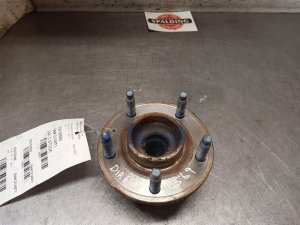
Used OEM Parts in Stock


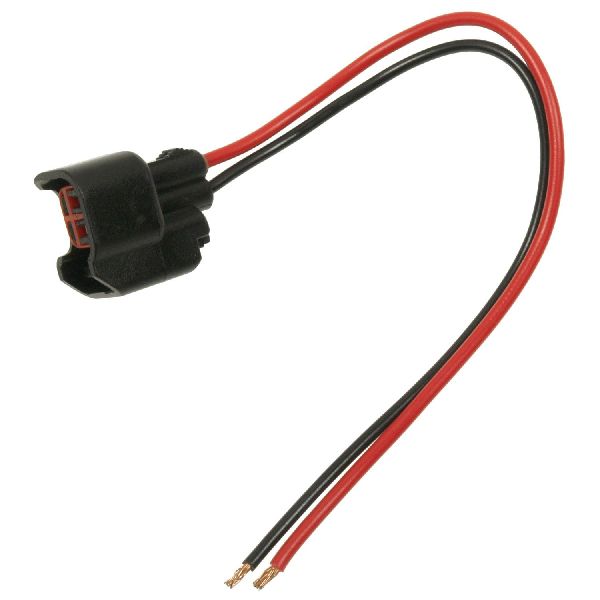
New Aftermarket Parts Available


The information in this article is provided for general reference and educational purposes only. Vehicle specifications, procedures, and part compatibility can vary by production date, trim level, and region. Always consult your vehicle's factory service manual and verify part numbers before purchasing or performing repairs. Safety-critical components such as airbags, seat belts, and braking systems should be installed by a qualified professional.
- Chevrolet VOLT:
- 🎬 Helpful Videos
- 🛍️ Shop This Part
- What's Unique About the 2011-2017 Chevrolet VOLT
- Diagnostic Flowchart
- Symptoms You May Notice
- Most Likely Causes
- Rare But Worth Checking
- Diagnosis Steps
- Parts You'll Likely Need
- Related Codes That Often Appear With This One
- Technical Service Bulletins (TSBs) & Recalls
- Platform-Specific Known Issues
- Mechanic-Grade Diagnostic Values
- Hidden / Shadow Codes Worth Checking
- Scan Tool Commands That Help
- Wiring & Ground Locations
- Real Owner Repair Stories
- Model Year Variations Within This Range
- 🎟️ Get 5% Off