

C0050 on 2009-2016 Chevrolet Traverse: Right Rear Wheel Speed Sensor Fault Causes and Fixes
On a 2009-2016 Traverse, code C0050 almost always points to a problem with the right rear wheel speed sensor circuit. The most common cause is an accumulation of metallic debris on the magnetic encoder ring of the wheel hub, a cracked/damaged encoder ring, or a complete failure of the wheel hub assembly itself. The primary fix is to clean the encoder ring or, for a more permanent solution, replace the entire right rear wheel hub assembly.
- C0050 on a 2009-2016 Traverse means there's a problem with the Right Rear wheel speed signal.
- Before buying parts, inspect the right rear wheel hub's magnetic ring for metallic debris; cleaning it may solve the problem per a GM service bulletin.
- The most likely and permanent repair is replacing the entire Right Rear Wheel Hub Assembly, as it contains the bearing and the sensor components.
- Driving with this code is possible, but your ABS and StabiliTrak safety systems will not work.
- A scan tool that can read ABS codes and display live wheel speed data is the most important diagnostic tool for this job.
What's Unique About the 2009-2016 Chevrolet TRAVERSE
The first-generation Chevrolet Traverse, along with its GM Lambda platform siblings (Buick Enclave, GMC Acadia, and Saturn Outlook), is particularly known for this issue. The design uses a magnetized nitrile rubber encoder ring on the inboard side of the wheel bearing hub assembly that the speed sensor reads. This ring is susceptible to accumulating ferrous metallic debris (a paste-like mix of rust and metal particles), which disrupts the sensor's magnetic signal and triggers the C0050 code. Over time, the ring can also become brittle, crack, and have pieces flake off, causing a total loss of signal. GM issued Technical Service Bulletin PIC5428G, later superseded by 17-NA-047, specifically addressing this common problem.
Diagnostic Flowchart
Tap your situation to follow the diagnostic path that matches what you're seeing on this vehicle.
Symptoms You May Notice
- ABS warning light is on
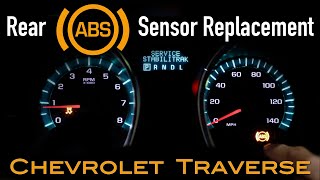
- "Service StabiliTrak" message on the driver information center
- "Service Traction Control" message
- Traction Control warning light is on
- ABS and Traction Control systems are non-functional
- A grinding, clicking, or ratchet-like noise from the ABS pump activating at low speeds
- "Service Steering" message and heavier steering feel at low speeds (if equipped with electric power steering)
- Cruise control may be disabled
- "AWD IS OFF" message on all-wheel-drive models
- Replacing the EBCM before thoroughly checking the wheel hub and wiring.
- Replacing only the wiring pigtail or the separate wheel speed sensor (if applicable) when the magnetic ring on the hub is the actual point of failure (cracked or contaminated).
- Replacing an ignition coil or cleaning the throttle body, which can sometimes cause StabiliTrak warnings but are unrelated to a C0050 code.
Most Likely Causes
- Debris on Wheel Bearing Magnetic Encoder Ring 🔴 High Probability The design of the hub assembly leaves the magnetic encoder ring exposed to the elements, allowing rust and metallic road debris to collect on it. This contamination disrupts the wheel speed sensor signal, a well-documented issue in GM TSBs PIC5428G and 17-NA-047.
How to confirm: Visually inspect the inboard side of the right rear wheel hub for a build-up of rust-colored 'paste' or metallic particles on the brown magnetic ring. This may require removing the hub to see clearly. The presence of this debris is a strong indicator.
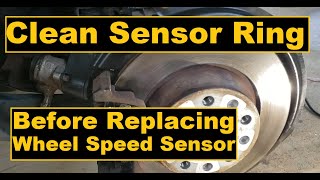
Typical fix: Gently clean the debris from the magnetic encoder ring using a dry, soft, non-magnetic nylon bristle brush and, if needed, a mild soap detergent. Do not use magnetic tools 🎬 See how to properly clean the magnetic encoder ring, as they can damage the encoder.
Est. part cost: $0 (if cleaning only) - Failed/Damaged Right Rear Wheel Hub & Bearing Assembly 🔴 High Probability The magnetic encoder ring is integrated into the hub assembly and is known to become brittle, crack, and flake apart over time, leading to a complete or erratic signal loss. Standard mechanical wear of the bearing can also produce metallic dust that contaminates the sensor ring or cause excessive play.
How to confirm: Use a scan tool to monitor live data; the right rear wheel speed will read 0 mph or be erratic while others read correctly. Visually inspect the encoder ring for missing chunks or cracks. Also, check for physical play (wobble) or a humming/growling noise from the bearing, which confirms mechanical failure.
Typical fix: Replace the entire right rear wheel hub and bearing assembly. This is the most definitive repair as it replaces the bearing, the magnetic encoder ring, and often includes a new sensor pigtail.
Est. part cost: $80-$250 - Damaged Wiring or Connector 🟡 Medium Probability The wiring harness leading to the wheel speed sensor is exposed to road debris, water, and ice, which can cause wires to fray, break, or corrode, especially at the connector or where the harness flexes.
How to confirm: Visually inspect the wiring harness from the wheel hub up into the wheel well for any signs of damage, chafing, or corrosion. Use a multimeter to check for continuity between the sensor connector and the EBCM connector and test for proper voltage (typically a 12V reference and ground). A graphing multimeter can be very effective at finding intermittent open circuits caused by corrosion.
Typical fix: Repair the broken wire using solder and heat shrink tubing or replace the pigtail connector.
Est. part cost: $15-$40
Rare But Worth Checking
- Faulty Electronic Brake Control Module (EBCM): This is rare. Before condemning the expensive EBCM, all other possibilities (hub, wiring) must be exhaustively ruled out. An EBCM failure often, but not always, presents with multiple wheel speed sensor codes or communication errors.
Diagnosis Steps
- Confirm the code: Use an OBD-II scanner capable of reading ABS/chassis codes to confirm C0050 is present. Note any symptom bytes like '18' (Low Signal Amplitude), '5A' (Plausibility Failure), or '0F' (Signal Erratic), as these point towards a mechanical fault like debris or a damaged ring per TSB 17-NA-047.
- Analyze live data: Use the scanner to monitor the speeds of all four wheels while driving in a straight line above 10 MPH. A C0050 fault will typically show the Right Rear wheel speed as 0 mph, fluctuating erratically, or lagging behind the others.
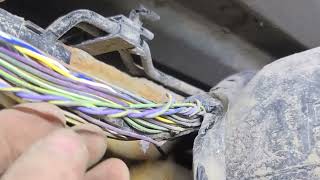
- Inspect wiring: Safely lift the vehicle and secure it on jack stands. Visually inspect the wiring harness from the right rear wheel hub up into the wheel well for any cuts, corrosion, or damage. Pay close attention to the connector and any points where the harness might rub against the frame or suspension components.
- Inspect the hub's magnetic encoder ring: Remove the right rear wheel. Look at the inboard side of the hub assembly. The magnetic encoder is a brown, metallic-looking ring. Check for a build-up of metallic 'sludge' or debris. Also, carefully inspect the entire circumference of the ring for cracks or missing pieces, which is a definitive sign of failure.
- Clean or Replace: If significant debris is found on an otherwise intact ring, clean it with a soft non-magnetic brush and brake cleaner or mild detergent, then wipe dry. If the encoder ring is physically damaged, the bearing has play (wobble), or makes a grinding noise when spun, the entire hub assembly must be replaced. 🎬 Watch this step-by-step rear wheel hub replacement guide
- Test the circuit (if visual inspection is inconclusive): Disconnect the sensor and EBCM connectors. Use a multimeter to check for continuity on the signal and reference wires between the two points. Check for shorts to ground or power. If the wiring is good, the fault is almost certainly the hub assembly.
- Clear codes and test drive: After cleaning or replacing parts, clear the codes with the scanner and perform a test drive, including speeds above 15 MPH, to allow the system to self-test and confirm the warning lights do not return.
Parts You'll Likely Need
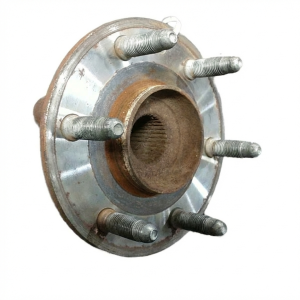
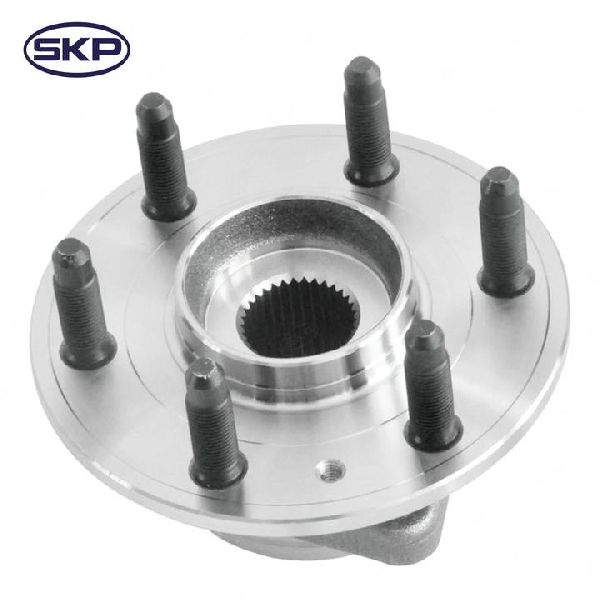
- Right Rear Wheel Bearing and Hub Assembly
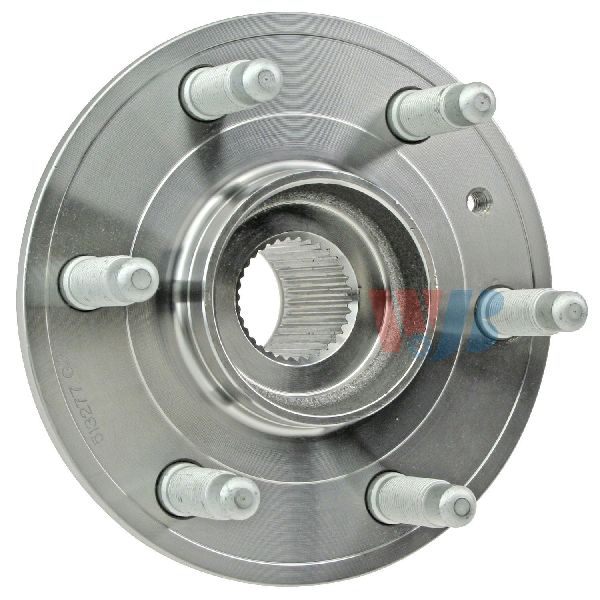
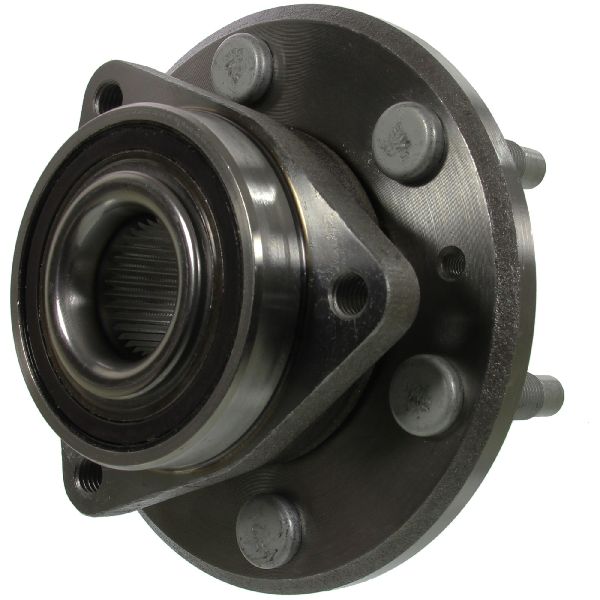
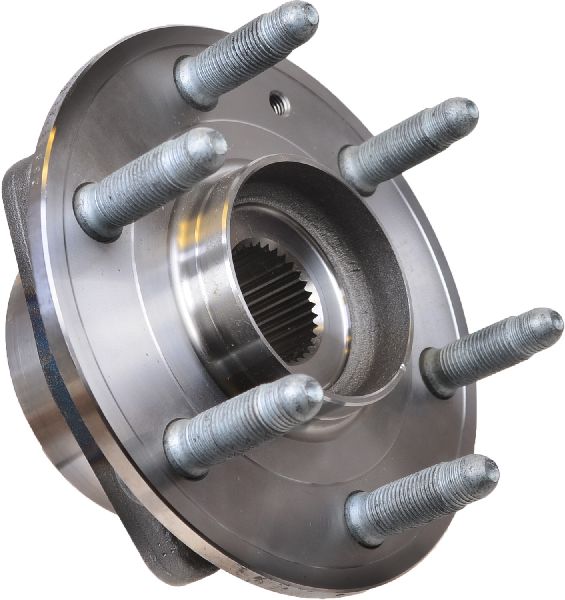
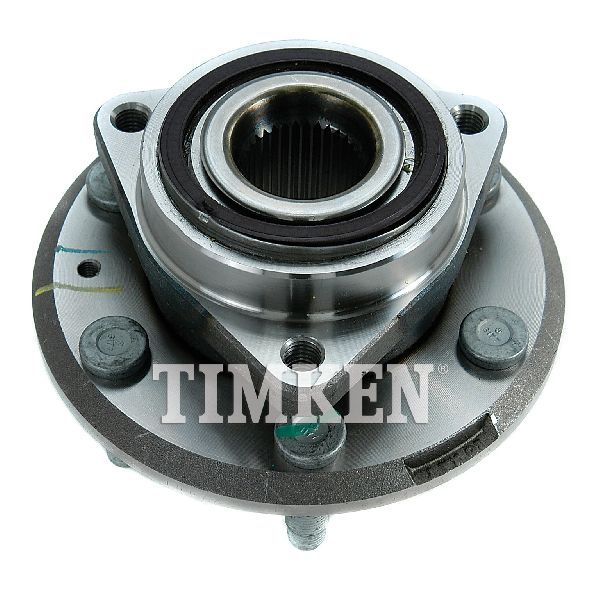
(OEM #25956210 (ACDelco FW403))— This is the most common and permanent fix. It replaces the mechanical bearing, the failure-prone magnetic encoder ring, and often includes a new sensor pigtail, addressing all high-probability failure points for code C0050.
Trusted brands: ACDelco (OEM), Timken, SKF, MOOG
OEM price range: $180-$280
Aftermarket price range: $80-$200
Related Codes That Often Appear With This One
- C0035 — Left Front Wheel Speed Sensor Circuit fault. Often caused by the same debris or hub failure issue on a different wheel.
- C0040 — Right Front Wheel Speed Sensor Circuit fault. Often caused by the same debris or hub failure issue on a different wheel.
- C0045 — Left Rear Wheel Speed Sensor Circuit fault. Often caused by the same debris or hub failure issue on a different wheel.
- U0415 — Invalid Data Received From EBCM. This code is often set in the Power Steering Control Module as a direct result of the lost wheel speed sensor signal, causing a 'Service Steering' message and increased steering effort at low speeds.
Technical Service Bulletins (TSBs) & Recalls
- PIC5428G: Details the common issue of debris on the wheel speed sensor magnetic encoder ring causing codes C0035-C0050 with symptom bytes 18, 5A, or 0F. This TSB was superseded.
- 17-NA-047: The successor to PIC5428G, this bulletin provides an updated model list and detailed diagnostic aid for the same wheel speed sensor codes. It emphasizes that cleaning the encoder ring is often a sufficient repair if it is not physically damaged.
Platform-Specific Known Issues
- GM Technical Service Bulletin 17-NA-047 (which supersedes PIC5428G) directly addresses codes C0035 through C0050 with symptom bytes 1
Mechanic-Grade Diagnostic Values
- Wheel Speed Sensor Supply Voltage — expected: Approximately 12V. Failure: Voltage is not present at the sensor connector with the key on.
- Wheel Speed Sensor Control Side Bias Voltage — expected: Approximately 1.0V. Failure: Voltage is not present, indicating a potential EBCM or wiring issue.
- Wheel Speed Sensor Resistance — expected: While no specific Ohm value is universally cited, the resistance should not be open (infinite) and should be very close to the reading from the opposing (left rear) sensor.. Failure: A reading of OL (open loop) or a significant deviation from the known-good sensor on the other side of the axle.
Hidden / Shadow Codes Worth Checking
- C0050 0F: Signal Erratic. The EBCM detects a wheel speed change greater than 12 mph (20 km/h) between two 10-millisecond samples. This often points to a cracked or debris-contaminated encoder ring. (see via Professional scan tool (like GM GDS2/Tech2) capable of reading ABS symptom bytes.)
- C0050 18: Low Signal Amplitude. This indicates a weak or erratic signal, often caused by an excessive air gap between the sensor and encoder ring, or debris interfering with the magnetic field. (see via Professional scan tool (like GM GDS2/Tech2) capable of reading ABS symptom bytes.)
- C0050 5A: Signal Not Plausible. The signal from this sensor is inconsistent with the signals from the other wheel speed sensors. (see via Professional scan tool (like GM GDS2/Tech2) capable of reading ABS symptom bytes.)
- C0050 06: Low Voltage/Open. The EBCM has detected low voltage or an open circuit on the sensor's power supply or signal wire. (see via Professional scan tool (like GM GDS2/Tech2) capable of reading ABS symptom bytes.)
Scan Tool Commands That Help
- GM GDS2/Tech2: Live Data - Wheel Speed Sensors — This is the primary diagnostic step. Monitor all four wheel speeds while driving in a straight line. The right rear sensor reading should be stable and match the others. A reading of 0, or one that is erratic or lagging, confirms the fault is active in that circuit.
- GM GDS2/Tech2: Clear DTCs — After a repair is completed, this function is used to clear the C0050 code. A test drive above 10 mph is required for the EBCM to self-test and confirm the fault is gone.
Wiring & Ground Locations
- EBCM Connector Pins 3 & 4 — On the Electronic Brake Control Module (EBCM), which is typically mounted to the ABS hydraulic unit in the engine bay.. These are the specific pins for the Right Rear Wheel Speed Sensor circuit. Pin 3 is the low reference and Pin 4 is the signal wire. Testing for continuity and voltage at these pins is essential for diagnosing a wiring fault versus a component failure.
- G110 — On the right front of the engine, mounted to the back of the cylinder head.. This is a major engine and component ground. While not directly for the wheel speed sensor, a loose or corroded G110 ground can cause a host of intermittent and bizarre electrical issues across multiple modules, including the EBCM, leading to communication errors and potentially false trouble codes.
- G302 — At the base of the right-side B-pillar, inside the vehicle.. This is a body ground point. A user on a forum found this ground to be loose and corroded due to water intrusion, causing widespread electrical faults that mimicked module failures. Checking major body grounds is a valid step when direct circuit testing is inconclusive.
Real Owner Repair Stories
- YouTube channel 'ScannerDanner' (2017 GM Sierra (similar ABS system)) — ABS and Traction Control lights on, code C0050 set immediately at key-on.
❌ Tried (didn't work) Clearing the code (it returned instantly).
✅ What actually fixed it The technician used a graphing multimeter to test the continuity of the two wires from the EBCM to the sensor connector. One wire showed high and fluctuating resistance (an intermittent open). The wire was found to be corroded and broken inside the insulation right near the wheel speed sensor connector. Repairing the wire fixed the issue. - Reddit user in r/AskMechanics (2011 Chevrolet Traverse) — Multiple communication loss DTCs, intermittent no-crank/no-start, along with other electrical issues.
❌ Tried (didn't work) Initial diagnosis pointed towards multiple module failures.
✅ What actually fixed it The root cause was a loose G110 ground bolt on the back of the cylinder head, which had been cross-threaded during a previous transmission replacement. Tightening the ground connection resolved all electrical issues.
OEM Part Supersession History
25956210→This part number is still referenced for the ACDelco FW403 assembly, but many aftermarket options exist. The key is ensuring the replacement hub is for the correct drivetrain (FWD vs AWD) and position (Front vs Rear).— N/A
Heads up: Front and Rear hub assemblies are not interchangeable. AWD and FWD front hubs are also different from each other. The rear hubs are generally the same for FWD and AWD models within this generation.
Model Year Variations Within This Range
- 2009-2017: While the fundamental cause (hub encoder ring failure) is consistent across the generation, there was a facelift in 2013. However, the wheel bearing and hub assembly design related to this code remained largely the same. The part numbers for the hub assembly generally cover the entire 2009-2017 generation.
Helpful Videos
Used OEM Parts in Stock
New Aftermarket Parts Available


The information in this article is provided for general reference and educational purposes only. Vehicle specifications, procedures, and part compatibility can vary by production date, trim level, and region. Always consult your vehicle's factory service manual and verify part numbers before purchasing or performing repairs. Safety-critical components such as airbags, seat belts, and braking systems should be installed by a qualified professional.
- Chevrolet TRAVERSE:
- 🎬 Helpful Videos
- 🛍️ Shop This Part
- What's Unique About the 2009-2016 Chevrolet TRAVERSE
- Diagnostic Flowchart
- Symptoms You May Notice
- Most Likely Causes
- Rare But Worth Checking
- Diagnosis Steps
- Parts You'll Likely Need
- Related Codes That Often Appear With This One
- Technical Service Bulletins (TSBs) & Recalls
- Platform-Specific Known Issues
- Mechanic-Grade Diagnostic Values
- Hidden / Shadow Codes Worth Checking
- Scan Tool Commands That Help
- Wiring & Ground Locations
- Real Owner Repair Stories
- OEM Part Supersession History
- Model Year Variations Within This Range
- 🎟️ Get 5% Off