

C0050 on 2013-2015 Chevrolet Malibu: Causes and Fixes for Right Rear Wheel Speed Fault
On a 2013-2015 Malibu, code C0050 points to a fault with the right rear wheel speed sensor circuit. The most common cause, cited in GM Technical Service Bulletin #PIC5428G, is metallic debris on the magnetic encoder ring of the wheel hub. If cleaning doesn't work, the next most common cause is a cracked or damaged magnetic ring, requiring replacement of the entire rear wheel hub assembly. An OEM hub costs about $140, with aftermarket options ranging from $80-$220.
- C0050 specifically refers to the Right Rear wheel speed sensor circuit.
- Before replacing parts, always follow TSB #PIC5428G: inspect and clean the magnetic ring on the back of the hub.
- The wheel speed sensor is part of the wheel hub assembly; if the sensor itself is bad, the entire hub must be replaced.
- This is a safety-critical repair. Driving without ABS and StabiliTrak is risky.
- Check the wiring harness in the wheel well for damage or corrosion before buying a new hub.
What's Unique About the 2013-2015 Chevrolet MALIBU

The 8th generation Malibu, built on the GM Epsilon II platform, is particularly susceptible to debris accumulation on the wheel bearing's magnetic encoder ring. GM issued TSB #PIC5428G specifically to address this issue across many of its vehicles, noting that ferrous metallic debris can stick to the ring and cause erratic signals, leading to codes like C0050. Another very common failure is the magnetic ring itself becoming brittle, cracking, and flaking off, which also causes a loss of signal. Therefore, a thorough inspection and cleaning should be the first step, followed by checking for physical damage to the ring before replacing any parts.
Diagnostic Flowchart
Tap your situation to follow the diagnostic path that matches what you're seeing on this vehicle.
Symptoms You May Notice
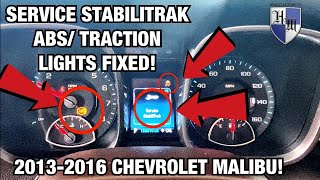
- "Service StabiliTrak" message on the driver information center
- ABS warning light illuminated
- Traction Control warning light illuminated
- Cruise control may be disabled
- Potential for ABS to not activate during hard braking
- "Service Brake Assist" message may appear.
- Heavier steering feel at low speeds if equipped with electric power steering. 🎬 Watch this video to see these common warning lights in action.
- Replacing the wheel hub assembly without first cleaning and inspecting the magnetic encoder ring for debris.
- Replacing the EBCM before thoroughly testing the sensor circuit and hub assembly.
- Replacing the wheel speed sensor itself, which is integrated into the hub on this model and not serviced separately.
Most Likely Causes

- Debris on Wheel Bearing Magnetic Encoder Ring 🔴 High Probability As documented in GM TSB #PIC5428G, ferrous metallic debris from brake dust and road grime can easily get stuck to the magnetic ring on the inboard side of the hub, causing an erratic or weak signal.
How to confirm: Remove the right rear wheel and visually inspect the magnetic ring on the back of the hub assembly for rust, dirt, or metallic shavings. The TSB advises using a dry, soft nylon bristle brush to clean the area.
Typical fix: Thoroughly clean the magnetic encoder ring with a soft brush and, if needed, mild soap and water. 🎬 See how to quickly clean the encoder ring to fix the code. Do not use a magnet to clean the ring, as it can damage the encoder. If cleaning resolves the issue, no parts are needed.
Est. part cost: $0 - Failed Rear Wheel Hub & Bearing Assembly (Cracked Ring) 🔴 High Probability The magnetic encoder ring integrated into the hub assembly is known to become brittle over time, crack, and have chunks flake off. This is a very common failure mode on this platform, occurring around 115,000 miles in one documented case. A bearing that feels fine when spun by hand can still have a failed sensor or damaged ring.
How to confirm: After ruling out debris, visually inspect the entire circumference of the magnetic ring for missing pieces or cracks. A YouTube video by 'dzlfreek' clearly shows a chunk missing from the ring on his 2013 Malibu. If the ring is damaged, the entire hub must be replaced.
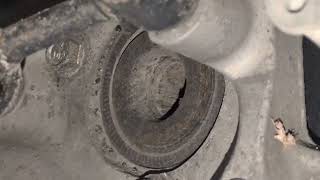
Typical fix: Replace the right rear wheel hub and bearing assembly. This requires removing the brake caliper, rotor, and several suspension arm bolts to access the three 18mm bolts holding the hub. 🎬 Watch this step-by-step walkthrough for replacing the rear hub assembly.
Est. part cost: $80-$220 - Damaged Wiring or Connector 🟡 Medium Probability The wiring harness is exposed in the wheel well and can be damaged by road debris, corrosion, or chafing against the frame or suspension components. Corrosion can build up inside the sensor connector itself, causing a poor connection.
How to confirm: Visually inspect the wiring harness from the right rear hub to the main body connection for any breaks, chafing, or green corrosion at the connector pins. A multimeter can be used to check for continuity and shorts to ground between the sensor connector and the EBCM.
Typical fix: Repair the broken wire or replace the pigtail connector. Ensure the repaired harness is properly routed and secured away from moving parts.
Est. part cost: $15-$40
Rare But Worth Checking
- Faulty Electronic Brake Control Module (EBCM): This is the least likely cause. The EBCM should only be considered after definitively ruling out the hub, wiring, and debris. It is an expensive part and rarely the point of failure for a single wheel speed sensor code.
Diagnosis Steps
- Read the fault codes with a scan tool capable of reading ABS/chassis codes. Confirm C0050 is present, and check for any symptom bytes (e.g., 0F, 18, 5A).
- Check for GM Technical Service Bulletins (TSBs) related to the code, specifically #PIC5428G.
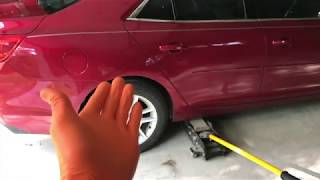
- Lift the vehicle and remove the right rear wheel.
- Visually inspect the wheel speed sensor wiring harness and connector for any signs of damage, corrosion, or looseness.
- Thoroughly inspect and clean the magnetic encoder ring on the inboard side of the wheel hub assembly. Use a soft nylon brush and brake cleaner to remove all metallic debris, rust, and dirt.
- While cleaning, carefully inspect the entire surface of the brown magnetic ring for cracks or missing chunks.
- If a scan tool with live data is available, monitor the right rear wheel speed signal while spinning the wheel by hand or driving. Compare its reading to the other wheels. A reading of zero or an erratic signal points to a bad sensor/hub.
- If the signal is still bad after cleaning, and the wiring appears intact, but the magnetic ring is visibly damaged, the wheel hub assembly needs to be replaced.
- If the hub is replaced and the code persists, perform circuit integrity tests (continuity, short to ground, short to power) on the wiring harness back to the EBCM.
- As a final step, if the hub and wiring are confirmed good, the EBCM may be at fault, but this is rare.
Parts You'll Likely Need

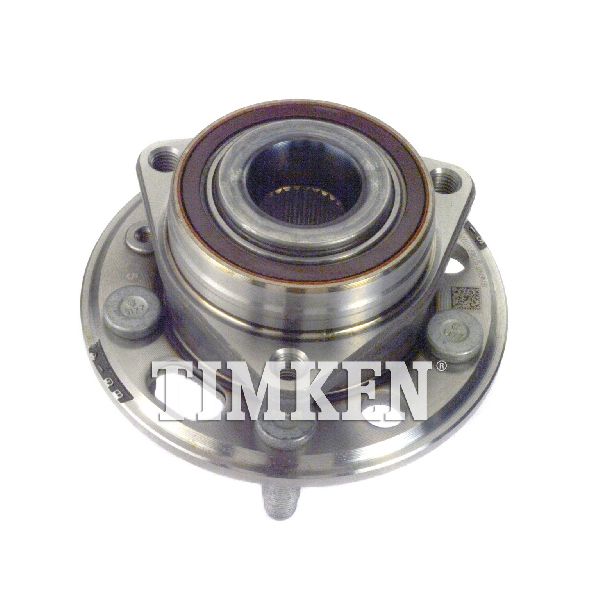
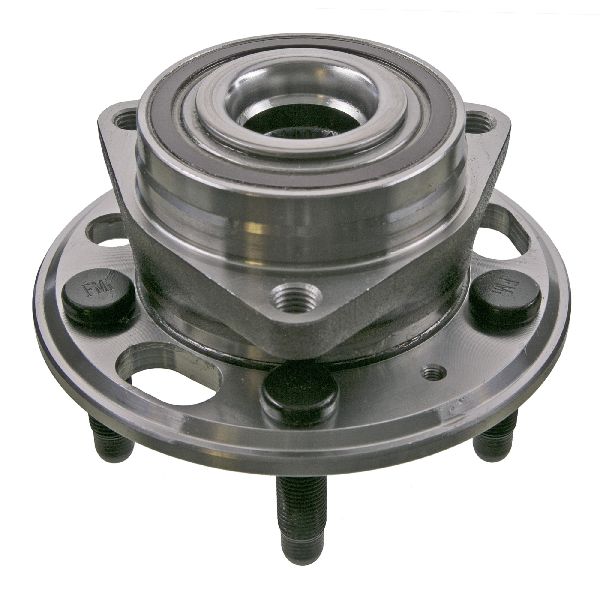
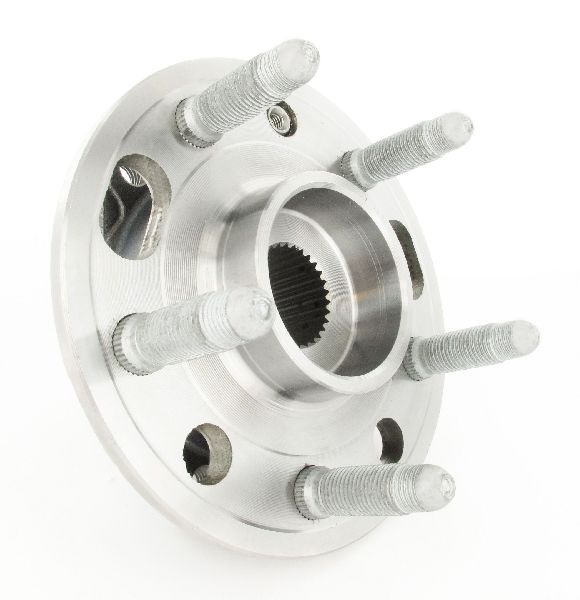
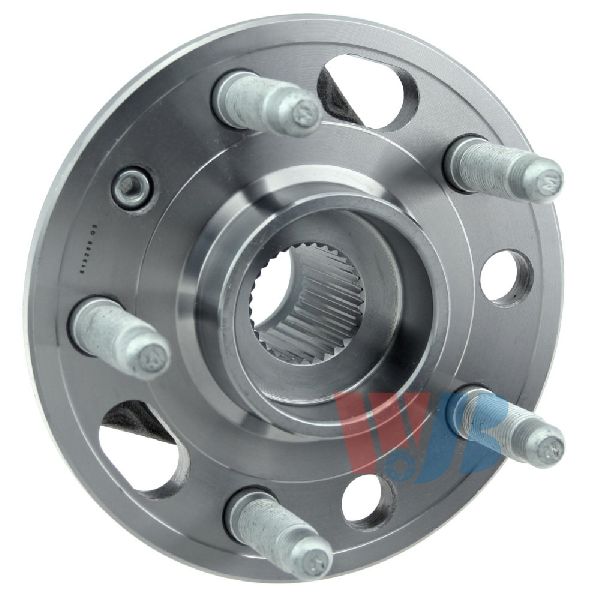
- Rear Wheel Hub and Bearing Assembly
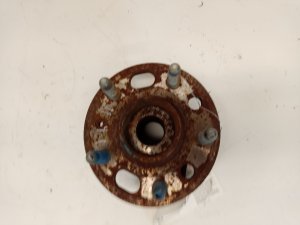
(OEM #22911588 (GM), FW429 (ACDelco Professional))— The wheel speed sensor and magnetic encoder ring are integrated into this assembly. Failure of either component, most commonly a cracked ring, requires replacement of the entire unit.
Trusted brands: ACDelco, MOOG, Timken, SKF, Duralast
OEM price range: $130-$160
Aftermarket price range: $80-$220
Related Codes That Often Appear With This One
- C0035 — Left Front Wheel Speed Sensor circuit fault. Often appears with other wheel speed codes if there is a systemic issue or multiple failures.
- C0040 — Right Front Wheel Speed Sensor circuit fault.
- C0045 — Left Rear Wheel Speed Sensor circuit fault. It's common for both rear hubs to fail around the same time, triggering C0045 and C0050 together.
- C0800 — As noted in TSB #PIC5837, this code for the Power Steering Control Module can be set as a consequence of the C0050 fault. The diagnostic procedure is to fix the C0050 code first.
- U0415 — Invalid Data Received From Electronic Brake Control Module. This code often appears in other modules (like the power steering or chassis control module) as a direct result of the EBCM losing a valid wheel speed signal. Fixing the C0050 code will resolve this secondary code.
Technical Service Bulletins (TSBs) & Recalls

- PIC5428G: Service Brakes, Electric - Details the issue of debris on the magnetic encoder ring causing wheel speed sensor codes. It also lists the specific symptom bytes (18, 5A, 0F) associated with this condition.
- PIC5837: Back Over Prevention - Mentions the diagnostic priority when C0050 is found with other stability system codes.
Platform-Specific Known Issues
- TSB #PIC5428G: Notes that for codes C0035-C0050, the cause is often ferrous metallic debris stuck to the wheel speed sensor magnetic encoder ring. The bulletin advises that cleaning the debris from the ring is the primary repair before part replacement.
- TSB #PIC5837: Confirms that when C0050 is present with a C0800 code and a "Service Stability" message, diagnostics for C0050 should be performed first.
- Cracked Magnetic Encoder Ring: A very common point of failure on this platform is for the magnetic ring on the hub to crack and break apart, causing an immediate and permanent C0050 code.
Mechanic-Grade Diagnostic Values
- Wheel Speed Sensor Circuit Voltage (at sensor connector, key on) — expected: Approximately 12V (battery voltage) on one pin, ground on the other.. Failure: No voltage suggests a wiring break or a problem with the EBCM supply.
- Wheel Speed Sensor Resistance (across sensor pins) — expected: These are active sensors, so a simple resistance check may not be definitive. However, comparing the reading from the faulty wheel to a known good wheel can be useful. Readings should be very close (e.g., 5.27 MΩ on one side vs 5.33 MΩ on the other).. Failure: An open circuit (OL) or a reading that is drastically different from the sensor on the opposite side indicates a failed sensor.
- EBCM Connector Pinout for Right Rear WSS — expected: The Right Rear Wheel Speed Sensor circuit connects to pins 3 and 4 of the EBCM connector.. Failure: These pins are used to test for continuity and shorts in the harness between the EBCM and the wheel sensor.
Hidden / Shadow Codes Worth Checking
- C0050 0F: Signal Erratic. This often points directly to debris on the magnetic encoder ring or a cracked/damaged ring causing an inconsistent signal. (see via Requires a professional scan tool capable of reading GM-specific symptom bytes, such as a GM Tech2 or GDS2.)
- C0050 18: Signal Amplitude Less Than Minimum. This indicates a weak or missing signal, often caused by a large air gap, a severely damaged encoder ring, or a failing sensor. (see via Requires a professional scan tool capable of reading GM-specific symptom bytes, such as a GM Tech2 or GDS2.)
- C0050 5A: Signal Not Plausible. The signal from the right rear sensor is illogical when compared to the other wheel speed sensors. (see via Requires a professional scan tool capable of reading GM-specific symptom bytes, such as a GM Tech2 or GDS2.)
- C0050 00: General Circuit Malfunction. This can indicate an open wire, a short to ground, or high resistance in the circuit. (see via Requires a professional scan tool capable of reading GM-specific symptom bytes, such as a GM Tech2 or GDS2.)
Scan Tool Commands That Help
- GDS2 / Tech2 (or equivalent): Live Data Monitoring — This is the primary diagnostic function. Use it to watch the speed signal (in km/h or mph) from all four wheels simultaneously while driving or spinning the wheel by hand. A reading from the right rear that is erratic, drops to zero, or doesn't match the others confirms the location of the fault.
- GDS2 / Tech2 (or equivalent): Clear DTCs — Used after the physical repair (e.g., cleaning the ring, replacing the hub) has been completed to clear the C0050 code from the EBCM's memory and turn off the warning lights. Note that some ABS faults will not clear until the vehicle is driven above a certain speed (e.g., 8 mph) to allow the system to re-verify the sensor signal.
Wiring & Ground Locations
- EBCM Connector — The Electronic Brake Control Module (EBCM) is typically part of the ABS pump assembly in the engine bay.. The right rear wheel speed sensor signal wires terminate at pins 3 and 4 of the EBCM connector. Checking for continuity and shorts between the wheel-end connector and these pins is a definitive test of the wiring harness.
- G303 / G304 — For the 2012 Malibu (similar generation), G303 is located at the left kick panel and G304 is at the right kick panel. For the 2014 Malibu, G303 is listed as being below the left front seat on the floor.. These are major chassis ground points for interior and body components. While not directly tied to the wheel speed sensor circuit itself, a poor body ground can cause a variety of difficult-to-diagnose electronic issues. The EBCM relies on a solid chassis ground (often G101 or similar in the engine bay) for proper operation.
Real Owner Repair Stories
- Chevy HHR Network Forum User (Chevrolet HHR (similar GM platform)) — ESC and traction control lights on, code C0050.
❌ Tried (didn't work) Replaced the right rear hub assembly with a new OEM part.
✅ What actually fixed it The code remained after hub replacement. The final diagnosis pointed to a bad pin or wire at the EBCM connector. The user was advised that the fault would not clear from history for 100 drive cycles but the light would only be on if the fault was current, indicating a persistent wiring or EBCM issue. - YouTube - EAD automotive (2013 Chevrolet Malibu) — ABS/StabiliTrak lights on, codes C0045 and C0050.
✅ What actually fixed it Visual inspection revealed that the magnetic reluctor rings on both rear wheel hubs had chunks missing. The fix required replacing both rear wheel hub assemblies.
Model Year Variations Within This Range
- 2013 vs 2014-2015: The Chevrolet Malibu received a facelift for the 2014 model year, which included revised front-end styling, interior updates, and some suspension tuning. However, the underlying Epsilon II platform and the rear wheel hub assembly design (and its associated failures) remained consistent, with the same parts being listed for the entire 2013-2015 range.
Helpful Videos

Used OEM Parts in Stock
New Aftermarket Parts Available


The information in this article is provided for general reference and educational purposes only. Vehicle specifications, procedures, and part compatibility can vary by production date, trim level, and region. Always consult your vehicle's factory service manual and verify part numbers before purchasing or performing repairs. Safety-critical components such as airbags, seat belts, and braking systems should be installed by a qualified professional.
- Chevrolet MALIBU:
- 🎬 Helpful Videos
- 🛍️ Shop This Part
- What's Unique About the 2013-2015 Chevrolet MALIBU
- Diagnostic Flowchart
- Symptoms You May Notice
- Most Likely Causes
- Rare But Worth Checking
- Diagnosis Steps
- Parts You'll Likely Need
- Related Codes That Often Appear With This One
- Technical Service Bulletins (TSBs) & Recalls
- Platform-Specific Known Issues
- Mechanic-Grade Diagnostic Values
- Hidden / Shadow Codes Worth Checking
- Scan Tool Commands That Help
- Wiring & Ground Locations
- Real Owner Repair Stories
- Model Year Variations Within This Range
- 🎟️ Get 5% Off