

C0050 on 2013-2017 Cadillac XTS: Causes and Fixes for the Right Rear Wheel Speed Sensor
Code C0050 on a Cadillac XTS indicates a problem with the right rear wheel speed sensor circuit. The most common cause is metallic debris on the magnetic encoder ring of the wheel hub, as noted in GM Technical Service Bulletin #PIC5428G. Cleaning the debris often fixes the issue without replacing parts. Otherwise, the wheel hub assembly, which includes the sensor and encoder ring, likely needs replacement.
- C0050 means there's a fault with the right rear wheel speed sensor circuit.
- Before buying any parts, inspect and thoroughly clean the magnetic encoder ring on the back of the right rear wheel hub, as per GM TSB #PIC5428G.
- If cleaning doesn't work, the most likely cause is a failed wheel hub assembly, either due to a damaged encoder ring or a bad bearing.
- A 'Service Steering' message may also appear, which is a normal side effect of the lost wheel speed signal.
What's Unique About the 2013-2017 Cadillac XTS

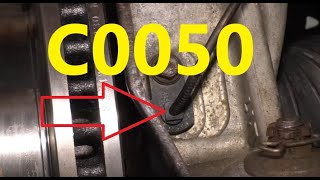
General Motors vehicles from this era, including the Cadillac XTS, are known for a specific issue outlined in Technical Service Bulletin (TSB) #PIC5428G and its successors. Ferrous metallic debris can accumulate on the magnetic encoder ring, which is integrated into the inboard side of the wheel hub assembly. This debris disrupts the sensor's reading, triggering codes like C0050, often with symptom bytes 18 (low signal amplitude), 5A (implausible signal), or 0F (erratic signal), before the hub 🎬 Watch: Understanding C0050 codes and common sensor circuit fixes. itself has mechanically failed. The TSB explicitly states that in most cases, the issue can be repaired by cleaning the debris, without replacing the hub or sensor.
Diagnostic Flowchart

Tap your situation to follow the diagnostic path that matches what you're seeing on this vehicle.
Symptoms You May Notice

- "Service StabiliTrak" message on the dashboard.
- ABS warning light is on.
- Traction Control System (TCS) warning light is on.
- "Service Steering" message and heavier steering feel at low speeds (on models with electric power steering).
- ABS and traction control are disabled.
- Potential grinding, clicking, or ratchet-like noises from the wheel area at low speeds, which may be the ABS pump motor activating inappropriately.
- Flashing Traction Control or StabiliTrak light at low speeds, sometimes without a DTC being set.
- Replacing the wheel hub assembly when the only issue was metallic debris on the magnetic encoder ring, which could have been cleaned off.
- Replacing the wheel speed sensor pigtail or wiring harness when the actual fault is a physically damaged (cracked, flaking) magnetic encoder on the hub assembly.
- Replacing the EBCM before thoroughly testing the sensor, hub, and wiring circuit.
Most Likely Causes

- Debris on Wheel Bearing Magnetic Encoder 🔴 High Probability As documented extensively in GM TSB #PIC5428G, these vehicles are susceptible to ferrous metal particles sticking to the magnetic encoder ring on the hub, causing an erratic signal. This is the most common and well-documented cause for this specific code and vehicle platform.
How to confirm: Remove the wheel and visually inspect the inboard side of the wheel hub assembly for metallic shavings or rust-like buildup on the brown magnetic ring. The TSB advises this inspection before any parts are replaced. In some cases, the hub may need to be removed for a clear view and proper cleaning.
Typical fix: Thoroughly clean the magnetic encoder ring with a dry, soft nylon bristle brush. If debris remains, use mild soap and water, then wipe dry. Do not use magnetic tools, as they can damage the encoder. Clear the DTCs and test drive. If the code returns, the hub assembly likely needs replacement.
Est. part cost: $0 - Failed Wheel Hub and Bearing Assembly 🟡 Medium Probability The wheel speed sensor's magnetic encoder ring is integrated into the hub assembly. Over time, this ring can become brittle, crack, and have pieces flake off, creating a gap that the sensor cannot read. This is a common failure mode on many GM vehicles sharing this design. Bearing failure can also cause excessive movement, leading to a bad signal.
How to confirm: After cleaning the hub and confirming the wiring is intact, if the code C0050 persists, the hub is the likely culprit. Visually inspect the magnetic ring for missing chunks or cracks. A worn bearing may also produce a humming or grinding noise that changes with speed. A scan tool showing an erratic or dropping signal from the right rear wheel during a test drive points to a bad hub.
Typical fix: Replace the right rear wheel hub and bearing assembly. It is often recommended to replace hubs in pairs on the same axle.
Est. part cost: $70-$280 - Damaged Wiring or Connector ⚪ Low Probability The wiring harness leading to the wheel speed sensor is exposed to the elements and can be damaged by road debris, corrosion, or chafing against the frame or suspension components. Corrosion can build up inside the connector, causing a poor connection (terminal fretting).
How to confirm: Visually inspect the wiring harness from the EBCM to the right rear wheel for any cuts, abrasions, or corrosion at the connector. Disconnect the sensor and check for corroded or loose-fitting pins. Use a multimeter to test for continuity and check for shorts to ground or power along the harness.
Typical fix: Repair the damaged section of wire or replace the pigtail connector. Clean corroded terminals with a dedicated electronic contact cleaner. In some cases, a new harness end may need to be spliced in.
Est. part cost: $15-$50
Rare But Worth Checking
- Faulty Electronic Brake Control Module (EBCM): This is rare. The EBCM should only be considered if all other possibilities, including the hub, wiring, and connectors, have been definitively ruled out. An EBCM failure typically sets multiple wheel speed sensor codes or other communication errors. Diagnosis involves checking for power output from the module to the sensor circuit.
Diagnosis Steps
- Read the codes with a scanner capable of reading ABS/chassis codes to confirm C0050 is present. Note any symptom bytes (e.g., 18, 5A, 0F), as these strongly suggest the debris issue mentioned in TSB #PIC5428G.
- Lift the vehicle and secure it on jack stands.
- Visually inspect the right rear wheel speed sensor wiring and connector for obvious damage, corrosion, or looseness. Check for chafing where the harness passes over the frame.
- Remove the right rear wheel.
- Inspect the magnetic encoder ring on the inboard side of the wheel hub assembly for metallic debris. It is a brown, rubber-like ring. If debris is found, clean it thoroughly with a soft nylon brush and/or mild soap and water. Do NOT use magnets for cleaning.
- While inspecting, also look for physical damage to the encoder ring itself, such as cracks or missing pieces. If damage is found, the hub must be replaced.
- Clear the codes and perform a test drive. If the light returns, proceed with further diagnosis.
- Using a scan tool with live data capability, monitor the speeds of all four wheels while driving. The right rear reading should be erratic, drop to zero, or fail to match the other sensors if the fault is still present.
- If the signal is bad and the encoder is clean and undamaged, test the wiring harness for continuity, shorts to ground, and shorts to power between the sensor connector and the EBCM connector.
- If the wiring and encoder ring are confirmed good, the wheel hub assembly is faulty and needs to be replaced.
Parts You'll Likely Need
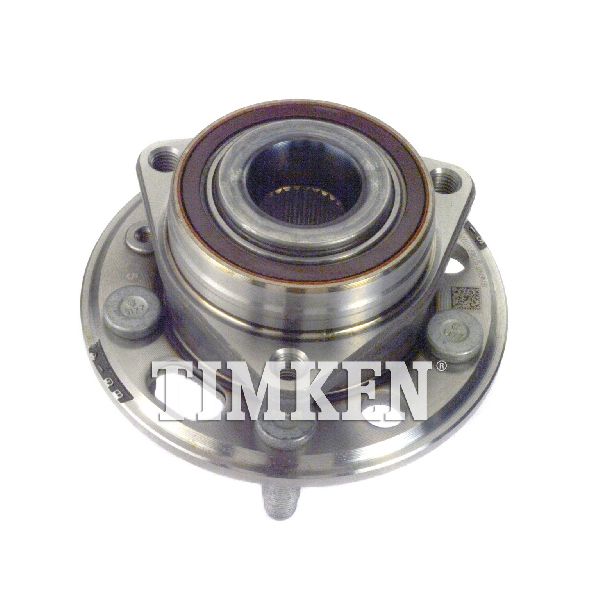
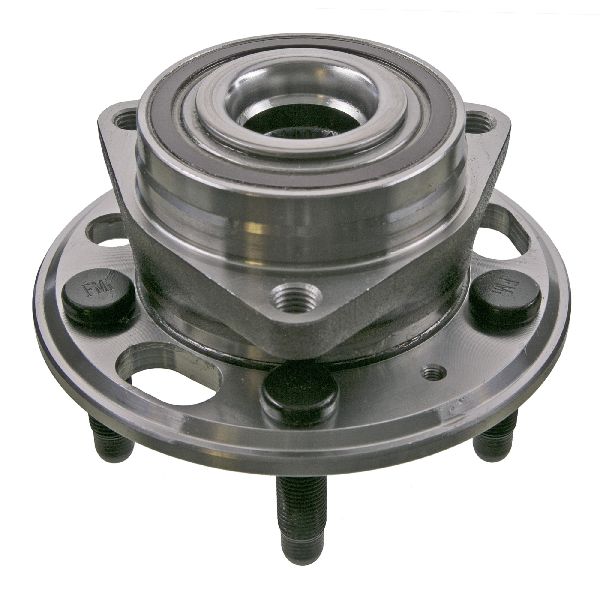
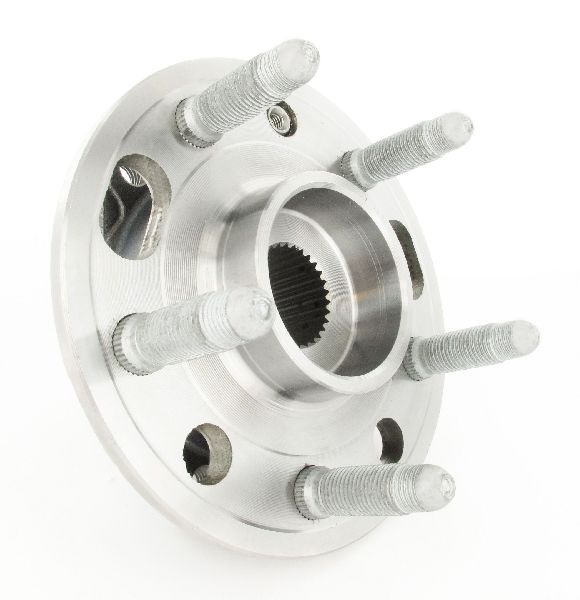
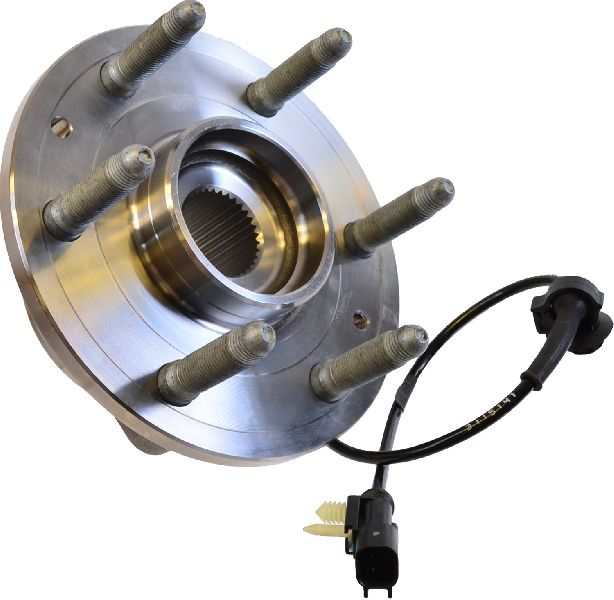
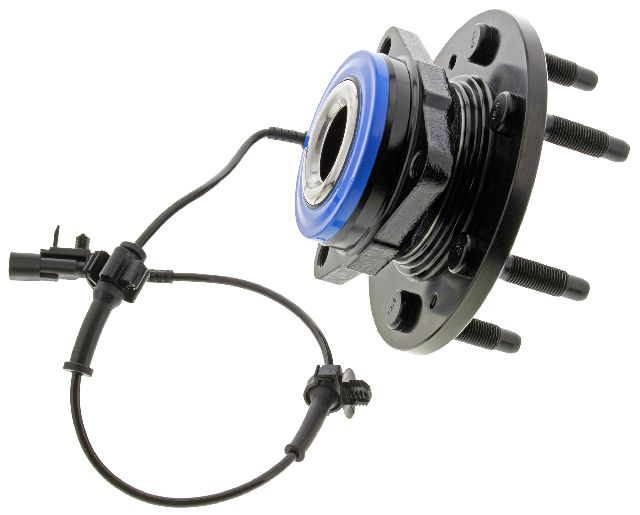
- Wheel Hub and Bearing Assembly
(OEM #13589509, 22859843, 13564982)— This is the most common repair if cleaning debris doesn't solve the problem, as the sensor's magnetic ring is integrated into this single unit. Damage to the ring requires replacement of the entire hub.
Trusted brands: ACDelco (OEM), Timken, MOOG, SKF, DuraGo, Detroit Axle
OEM price range: $125-$250
Aftermarket price range: $70-$150
Related Codes That Often Appear With This One
- C0035 — Left Front Wheel Speed Sensor code. The underlying cause (debris) is common to all wheels.
- C0040 — Right Front Wheel Speed Sensor code. The underlying cause (debris) is common to all wheels.
- C0045 — Left Rear Wheel Speed Sensor code. The underlying cause (debris) is common to all wheels.
- U0415 — Invalid Data Received From Electronic Brake Control Module. This is a normal secondary code set by the Power Steering Control Module when it loses a valid wheel speed signal, often resulting in a 'Service Steering' message and increased steering effort.
Technical Service Bulletins (TSBs) & Recalls
- PIC5428G: Addresses ABS/StabiliTrak lights with DTCs C0035-C0050 (symptom bytes 18, 5A, 0F) caused by metallic debris on the wheel speed sensor magnetic encoder ring. Recommends inspection and cleaning before parts replacement. This TSB has been superseded by newer versions like PIC5428H and 17-NA-047 but the diagnostic advice remains the same.
Platform-Specific Known Issues
- The primary vehicle-specific issue is the one documented in TSB #PIC5428G, where ferrous debris accumulates on the wheel bearing's magnetic encoder, causing an erratic signal and triggering wheel speed sensor codes. This often happens on the rear non-driven wheels of FWD models or the driven wheels of AWD models.
- On some platform-mate vehicles, a broken tab from an axle washer has been found stuck to the magnetic ring, causing the code. This happened after differential service.
Mechanic-Grade Diagnostic Values
- Wheel Speed Sensor Signal Current — expected: Switches between 7mA (Low) and 14mA (High) DC current.. Failure: Signal does not switch or is out of this range.
- Sensor Circuit Voltage Check (at EBCM connector, harness disconnected) — expected: Less than 1 V between the sensor's ignition/signal circuit pin and ground with key ON.. Failure: Voltage greater than 1 V indicates a short to voltage in the harness.
- Sensor Circuit Short to Ground Check (at EBCM connector) — expected: Infinite resistance between the sensor's ignition/signal circuit pin and ground with key OFF.. Failure: Resistance less than infinite indicates a short to ground in the harness.
- Sensor Harness Continuity Check — expected: Less than 2 ohms of resistance from end to end on both the signal and low reference wires.. Failure: Resistance greater than 2 ohms indicates an open or high resistance in the harness.
- EBCM Power Supply to Sensor (at sensor connector) — expected: Approximately 12 Volts (Ignition Voltage) at the power supply pin with key ON.. Failure: No voltage present indicates a wiring issue or a faulty EBCM that is not sending power.
Hidden / Shadow Codes Worth Checking
- C0050 0F: Signal Erratic. The EBCM detected a signal change that was not plausible, such as a speed change greater than 12 mph in 10 milliseconds. This often points to debris or a damaged encoder ring. (see via GM-specific scan tool like a Tech2 or software like GDS2.)
- C0050 18: Low Signal Amplitude. The signal from the sensor is weak. This is a primary indicator for the debris issue described in TSB PIC5428G. (see via GM-specific scan tool like a Tech2 or software like GDS2.)
- C0050 5A: Signal Not Plausible. The signal from this sensor is out of sync with the other wheel speed sensors. This is also a key indicator for the debris issue. (see via GM-specific scan tool like a Tech2 or software like GDS2.)
- C0050 02: Circuit Short to Ground. The EBCM has detected that the sensor's signal or power circuit is shorted to ground. (see via GM-specific scan tool like a Tech2 or software like GDS2.)
- C0050 05: Circuit High Voltage/Open. The EBCM has detected a short to voltage or an open/high resistance in the sensor circuit. (see via GM-specific scan tool like a Tech2 or software like GDS2.)
Scan Tool Commands That Help
- GDS2 (GM Global Diagnostic System 2): Module Diagnostics > EBCM > Live Data — To monitor and compare the signal from all four wheel speed sensors in real-time during a test drive. An erratic or zero reading from the right rear sensor while others are reporting speed confirms the fault location.
- GDS2 (GM Global Diagnostic System 2): Clear DTCs — Used after a repair attempt (like cleaning the encoder ring) to reset the module. The fault must be absent during the next drive cycle for the warning lights to stay off.
- Oscilloscope / Graphing Multimeter: Key-On Voltage Pulse Test — As a quick check of the EBCM and wiring. With the sensor unplugged and a scope connected to the harness connector, cycling the key ON should produce a brief 12V pulse from the EBCM. This confirms the module driver and wiring integrity up to that point.
Wiring & Ground Locations
- Right Rear WSS EBCM Pins — At the main connector for the Electronic Brake Control Module (EBCM).. For testing continuity or shorts, you need to know the specific pins. Based on similar GM platforms, the Right Rear WSS wires are typically Brown (Signal) and White (Low Reference). On a Corvette EBCM, these correspond to pins 9 and 23. This allows a technician to test the entire harness from the module without running wires from the wheel well.
- G303 / G304 — G303 is located under the driver's seat. Other major body grounds (G201, G404, G405) are located on door pillars and in the luggage compartment.. The EBCM relies on a clean and solid ground connection to function properly. A corroded or loose body ground can cause a variety of difficult-to-diagnose electronic issues, including ABS faults. Checking major grounds in the vehicle is a crucial step when direct circuit testing doesn't reveal a clear cause.
- Rear WSS Harness Connector — In the right rear wheel well, connecting the body harness to the sensor pigtail.. This connector is a common failure point due to exposure to water, salt, and road debris. Corrosion on the terminals or broken wires right at the connector can cause an open or high-resistance fault.
Real Owner Repair Stories
- GMTNation forum user (2006 GM SUV (similar ABS system)) — ABS activation at a crawl-to-stop, but no codes were being stored.
❌ Tried (didn't work) Replaced the right front wheel speed sensor., Replaced the entire right front wheel hub and sensor assembly.
✅ What actually fixed it The user created a 15-foot jumper harness to electronically 'swap' the left and right wheel speed sensors at the frame connectors. The problem moved with the harness connection, not the sensor, proving both hub/sensor assemblies were good. This definitively isolated the fault to the wiring harness between the frame connector and the EBCM, which was likely shorted or open.
"I Checked Everything" — The Actual Cause
- A 2014 Chevrolet Tahoe with code C0050 had the wiring and sensor visually inspected, and both appeared fine. A lab scope confirmed no signal was being produced by the sensor. However, the root cause was not the sensor. A multimeter test revealed that the 12-volt power supply from the EBCM to the sensor was missing. The actual failure was an internal fault in the EBCM. The fix was to replace and program the EBCM.
When the Usual Fixes Don't Work
- While the most common fix is cleaning the magnetic encoder ring, there are documented cases where this does not solve the problem. In one instance involving a similar GM vehicle, a technician confirmed the sensor and wiring were visually okay, but further testing with a multimeter found no 12V supply coming from the Electronic Brake Control Module (EBCM). The ultimate repair was to replace and program the EBCM, demonstrating that module failure, though rare, is a possible root cause that can be missed if diagnosis stops at the sensor and wiring.
OEM Part Supersession History
13589509→13564982— Standard part lifecycle replacement, likely for minor design revision or supplier change.
Model Year Variations Within This Range
- 2013-2017: No significant variations have been identified for this specific fault (C0050) within the 2013-2017 Cadillac XTS model years. The primary cause of debris on the magnetic encoder and the general diagnostic procedure are consistent across the entire range according to published TSBs.
Helpful Videos
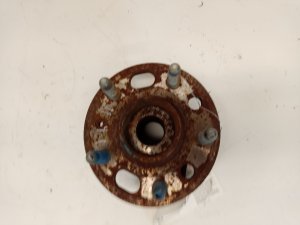
Used OEM Parts in Stock

New Aftermarket Parts Available


The information in this article is provided for general reference and educational purposes only. Vehicle specifications, procedures, and part compatibility can vary by production date, trim level, and region. Always consult your vehicle's factory service manual and verify part numbers before purchasing or performing repairs. Safety-critical components such as airbags, seat belts, and braking systems should be installed by a qualified professional.
- Cadillac XTS:
- 🎬 Helpful Videos
- 🛍️ Shop This Part
- What's Unique About the 2013-2017 Cadillac XTS
- Diagnostic Flowchart
- Symptoms You May Notice
- Most Likely Causes
- Rare But Worth Checking
- Diagnosis Steps
- Parts You'll Likely Need
- Related Codes That Often Appear With This One
- Technical Service Bulletins (TSBs) & Recalls
- Platform-Specific Known Issues
- Mechanic-Grade Diagnostic Values
- Hidden / Shadow Codes Worth Checking
- Scan Tool Commands That Help
- Wiring & Ground Locations
- Real Owner Repair Stories
- "I Checked Everything" — The Actual Cause
- When the Usual Fixes Don't Work
- OEM Part Supersession History
- Model Year Variations Within This Range
- 🎟️ Get 5% Off