

C0050 on 2011-2017 Buick Regal: Causes and Fixes for the Right Rear Wheel Speed Sensor Fault
Code C0050 on a 2011-2017 Buick Regal means there's a problem with the right rear wheel speed sensor circuit. The most common causes are metallic debris on the magnetic encoder ring of the hub, a failed wheel speed sensor, or a damaged/cracked encoder ring on the wheel bearing itself. Often, simply cleaning the hub's encoder ring can fix the issue, but hub replacement is also very common.
- C0050 points directly to a problem in the right rear wheel speed sensor circuit, which will disable your ABS and StabiliTrak systems.
- Before buying any parts, inspect and clean the magnetic ring on the back of the right rear wheel hub; metallic debris is a very common cause for this code on your Regal.
- If cleaning doesn't work, the most likely culprits are the wheel speed sensor itself or the entire wheel hub assembly, which contains the magnetic ring.
- Due to the location and design, it is often best to replace the wheel speed sensor and the wheel hub assembly at the same time to ensure a lasting repair.
What's Unique About the 2011-2017 Buick REGAL
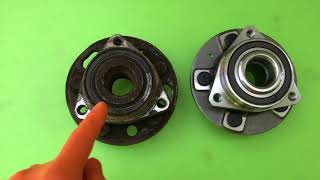
For this generation of Buick Regal and other similar GM Epsilon II platforms, a very common cause for wheel speed sensor codes like C0050 🎬 Watch: Why these specific codes appear on GM vehicles is the accumulation of ferrous metallic debris on the magnetic encoder ring, which is part of the wheel hub assembly. Buick issued a Technical Service Bulletin (PIC5428G) detailing this exact issue, noting that in many cases, a repair can be made by simply cleaning the debris off the encoder ring without replacing any parts. Additionally, the magnetic ring itself can become brittle, crack, and flake off, which also disrupts the signal and necessitates replacing the entire hub assembly.
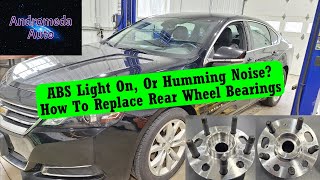
🎬 See this step-by-step guide to replacing the rear wheel hubDiagnostic Flowchart
Tap your situation to follow the diagnostic path that matches what you're seeing on this vehicle.
Symptoms You May Notice
- ABS warning light is on.
- StabiliTrak or Traction Control warning light is on.
- "Service StabiliTrak" or similar message on the driver information center.
- Cruise control may not work.
- "Service Steering" message may appear, with a heavier steering feel at low speeds (associated with DTC U0415).
- Replacing the wheel speed sensor when the actual problem is debris on the hub's magnetic encoder ring.
- Replacing the wheel speed sensor when the magnetic encoder ring on the hub is cracked or has pieces missing.
- Replacing the wheel hub bearing when the issue is only a faulty, and much cheaper, wheel speed sensor or a simple wiring break.
Most Likely Causes
- Debris on Wheel Hub Magnetic Encoder Ring 🔴 High Probability As documented in GM Technical Service Bulletin #PIC5428G, the design of the wheel bearing's exposed magnetic encoder ring makes it susceptible to attracting and accumulating metallic debris, which disrupts the wheel speed sensor signal. This is the first thing a technician is instructed to check.
How to confirm: Visually inspect the inboard side of the right rear wheel hub assembly for any metallic shavings or rust particles stuck to the brown magnetic ring. This may require removing the wheel speed sensor to get a clear view.
Typical fix: Carefully clean the debris from the encoder ring using a dry, soft nylon bristle brush and mild soap/detergent if necessary. Do not use a magnet or harsh solvents, as this can damage the encoder. If the code returns, the hub itself is likely damaged.
Est. part cost: $0 - Damaged or Worn Wheel Hub Bearing Assembly 🔴 High Probability The magnetic encoder ring is integrated into the wheel hub assembly. Over time, this ring can become brittle, crack, or have pieces flake off, creating gaps that the sensor cannot read correctly. This is as common as debris accumulation. A worn bearing can also introduce excessive play, altering the air gap and causing an erratic signal.
How to confirm: After cleaning the ring and testing the sensor, if the problem persists, the hub is the next likely culprit. A damaged encoder ring will have visible cracks or missing chunks upon close inspection. A worn bearing may also produce a humming or grinding noise that changes with vehicle speed.
Typical fix: Replace the entire right rear wheel hub bearing assembly. It is often difficult to remove the old speed sensor without damaging it, so replacing it along with the hub is a common and recommended practice.
Est. part cost: $100-$250 - Failed Right Rear Wheel Speed Sensor 🟡 Medium Probability Sensors are exposed to harsh conditions (water, salt, vibration) and can fail electrically over time. The wiring pigtail near the sensor is also a common failure point due to movement and exposure.
How to confirm: Using a scan tool that can read live ABS data, monitor the right rear wheel speed while driving. If the reading is erratic, zero, or doesn't match the other wheels, the sensor or its wiring is likely faulty. You can also test the sensor's circuit for proper voltage and resistance according to the service manual.
Typical fix: Replace the right rear wheel speed sensor. It is often recommended to apply dielectric grease to the new connector to prevent moisture intrusion.
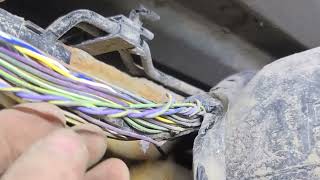
Est. part cost: $25-$70 - Wiring Harness or Connector Issue ⚪ Low Probability The wiring that runs along the suspension to the wheel hub can be damaged by road debris, improper servicing, or corrosion, causing an open or short in the circuit. Corrosion can build up inside the connector or within the wire itself, causing intermittent signal loss.
How to confirm: Visually inspect the wiring harness from the EBCM to the right rear wheel speed sensor for any signs of damage, chafing, or corrosion, paying close attention to the connector at the wheel hub. Perform a continuity and resistance test on the wires from the sensor connector to the EBCM connector.
Typical fix: Repair the damaged section of wire or replace the pigtail connector. Ensure the repair is sealed against moisture.
Est. part cost: $15-$50
Rare But Worth Checking
- Failed Electronic Brake Control Module (EBCM): This is the least likely cause. The EBCM is the computer that controls the ABS. It should only be considered after all other possibilities (sensor, hub, and wiring) have been thoroughly tested and ruled out. Failure of the EBCM often triggers multiple wheel speed sensor codes or other internal fault codes.
- Defective Replacement Parts: As documented in forum discussions, owners have chased this issue after installing a new sensor or hub, only to find the new part was defective out of the box. Using reputable brands like ACDelco or Timken from trusted suppliers is recommended.
Diagnosis Steps
- Connect a capable OBD-II scanner to confirm the C0050 code and check for any other related codes or specific symptom bytes (e.g., 0F, 18, 5A).
- Use the scanner's live data function to monitor the speeds of all four wheels while driving. Confirm that the Right Rear (RR) wheel speed is reading incorrectly (erratic, dropping to zero) or not at all compared to the other three wheels.
- Raise the vehicle and remove the right rear wheel.
- Disconnect the wheel speed sensor connector and inspect for corrosion or damage.
- Remove the wheel speed sensor (typically held by a single T30 or 10mm bolt).
- Thoroughly inspect the brown magnetic encoder ring on the inboard side of the wheel hub assembly. Look for two things: 1) Accumulated metallic debris stuck to the ring, and 2) Physical damage like cracks, brittleness, or missing chunks of the ring.
- If only debris is present, clean the encoder ring with a soft nylon brush and brake cleaner, then dry it completely. Do not use a magnetic tool.
- Reinstall the sensor, clear the codes, and test drive the vehicle. If the code does not return, the issue was debris.
- If the code returns, or if the encoder ring was visibly damaged, the wheel hub assembly needs to be replaced.
- If the encoder ring was clean and undamaged, test the wheel speed sensor's wiring for correct voltage, ground, and signal continuity back to the EBCM, per the factory service manual. Pay close attention to the harness section near the wheel well for hidden breaks or corrosion.
- If wiring is good, the fault is likely the wheel speed sensor itself. Replace the sensor.
Parts You'll Likely Need
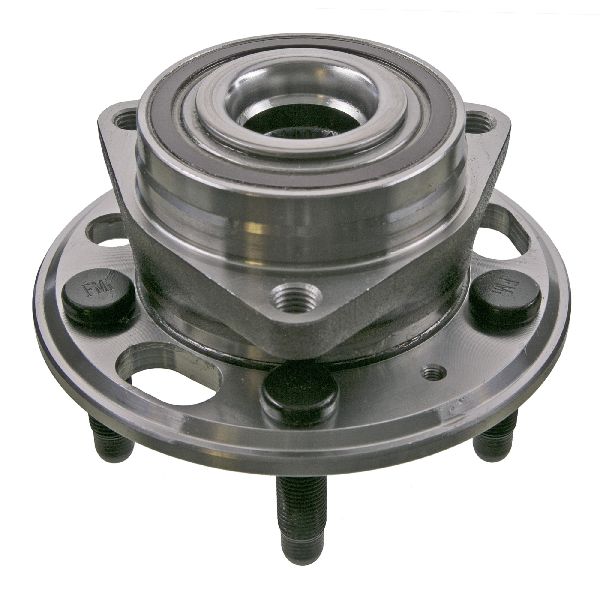
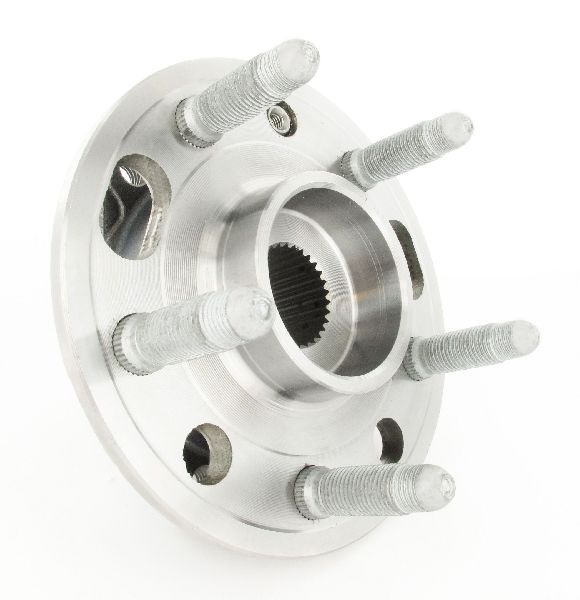
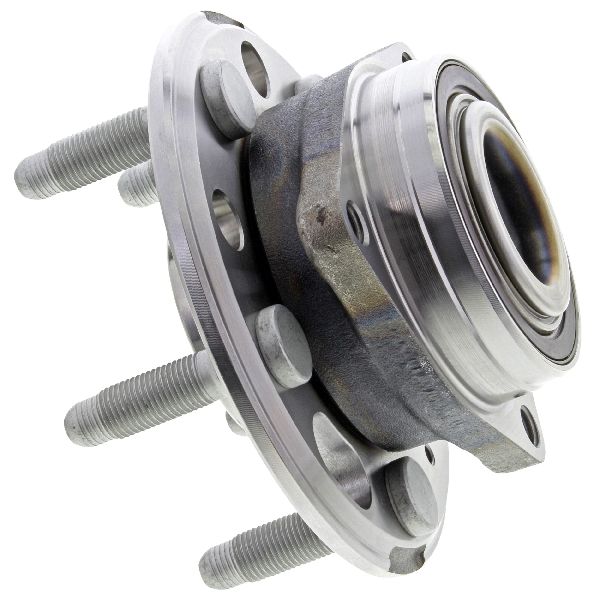
- Right Rear Wheel Hub Bearing Assembly
(OEM #13589507)— The integrated magnetic encoder ring is a primary failure point, either through damage (cracking/flaking) or debris accumulation. A worn bearing can also cause the fault.
Trusted brands: ACDelco (GM OE), Timken, MOOG, SKF, WJB (Aftermarket #WA513288)
OEM price range: $180-$250
Aftermarket price range: $80-$180
Related Codes That Often Appear With This One
- C0035, C0040, C0045 — These are the codes for the other three wheel speed sensors (Left Front, Right Front, Left Rear). Seeing them together could point to a systemic issue like a problem with the EBCM or widespread wiring damage.
- U0415 — As noted in TSB #PIC5428G, this code for 'Invalid Data Received From Electronic Brake Control Module' can be set in the Power Steering Control Module. This happens when the loss of a wheel speed signal causes the EBCM to enter a default state, which can result in a 'Service Steering' message and increased steering effort.
- C0800 — As noted in TSB #PIC5837, this code can appear with wheel speed sensor codes and relates to the EBCM receiving invalid data. The TSB advises diagnosing the wheel speed sensor codes first.
Technical Service Bulletins (TSBs) & Recalls
- PIC5428G: Addresses ABS/Stabilitrak lights with DTCs C0035-C0050 (symptom bytes 18, 5A, 0F), recommending inspection and cleaning of debris from the wheel bearing's magnetic encoder ring before parts replacement. Also notes the potential for a related U0415 power steering code.
- PIC5837: Mentions that DTC C0800 can be found alongside C0035, C0040, C0045, or C0050 and advises diagnosing the wheel speed sensor codes first.
- 17-NA-047: This bulletin supersedes PIC5428G, carrying over the same diagnostic advice and updating the model years. It re-emphasizes that most repairs can be done without replacing parts.
- 16-NA-348: For some 2013-2014 models, this TSB advises installing a new dust deflector shield on both rear wheels when one bearing is replaced to prolong bearing life.
Platform-Specific Known Issues
- A known issue, documented in TSB #PIC5428G, involves metallic debris accumulating on the magnetic encoder of the wheel bearing, causing erratic signals and setting codes C0035-C0050. Cleaning is the first recommended step.
- A secondary common failure is the magnetic encoder ring itself cracking, becoming brittle, and flaking off, which also causes an erratic signal and requires hub replacement.
- Another TSB, 16-NA-348, recommends installing a new dust deflector shield when replacing rear wheel bearings on some models to help prevent future debris contamination.
Mechanic-Grade Diagnostic Values
- Active Wheel Speed Sensor Signal (Current) — expected: The sensor is a two-wire sensor that generates a digital square wave by switching between 7mA (Low) and 14mA (High) DC current.. Failure: A signal that does not switch cleanly between 7mA and 14mA, or is stuck at one value, indicates a fault in the sensor or wiring.
- Wheel Speed Sensor Circuit Resistance (to EBCM) — expected: Less than 2.0 ohms between the sensor connector pin and the corresponding EBCM connector pin.. Failure: A reading greater than 2.0 ohms indicates high resistance or an open in the wiring harness.
- Wheel Speed Sensor Power Supply Voltage — expected: Ignition voltage should be greater than 9.5V for the EBCM to operate correctly. The EBCM supplies a reference voltage to the sensor.. Failure: The EBCM will set a fault if the sensor power supply is less than 7.6V.
Hidden / Shadow Codes Worth Checking
- C0050 00: General circuit malfunction, indicating a potential short to ground, open circuit, or high resistance. (see via A professional scan tool like a GM Tech2 or GDS2 that can read manufacturer-specific symptom bytes.)
- C0050 18: Low signal amplitude, indicating a weak, erratic, or intermittent signal. This is often caused by debris on the encoder or a large air gap. (see via A professional scan tool like a GM Tech2 or GDS2.)
- C0050 5A: Signal is not plausible. The EBCM is receiving a signal, but it doesn't make sense compared to the other wheel speed sensors (e.g., reading 5 mph while others read 60 mph). (see via A professional scan tool like a GM Tech2 or GDS2.)
Scan Tool Commands That Help
- GDS2/Tech2: Clear DTCs — After performing a repair (like cleaning the encoder ring or replacing a part), this function in the EBCM menu is used to erase the stored fault code. The repair cannot be verified until the code is cleared and the vehicle is test-driven.
- GDS2/Tech2: Wheel Speed Sensor Live Data — This is the primary diagnostic step. Observing the live data for all four wheels while driving allows a technician to confirm that the right rear sensor is the one providing an erratic, dropping, or absent signal compared to the others.
Wiring & Ground Locations
- EBCM (ABS Module) — Typically located in the engine bay, attached to the hydraulic ABS block where the brake lines connect. It's often found low down on the driver's side, sometimes under the coolant overflow bottle or near the firewall.. All wheel speed sensor wiring terminates at the EBCM. A poor connection at the main EBCM connector or a faulty ground for the module itself (though rare) can cause various ABS faults, including C0050.
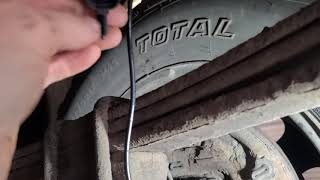
- Wheel Speed Sensor Connector — In the right rear wheel well, where the sensor pigtail connects to the main body harness.. This connector is a very common point for corrosion and wiring damage due to its exposure to water, salt, and road debris. An intermittent open or short here is a frequent cause of C0050.
Real Owner Repair Stories
- YouTube channel 'Diagnose Dan' (2017 GMC Sierra (platform with similar ABS system)) — ABS and Traction Control lights on, with an active C0050 code.
❌ Tried (didn't work) The previous mechanic had replaced the right rear wheel speed sensor, but the code returned immediately.
✅ What actually fixed it The technician found an open circuit in the wiring harness near the sensor connector. One of the wires had corroded internally, causing extremely high resistance. Repairing the single corroded wire and cleaning the connector resolved the fault.
OEM Part Supersession History
13502216, 13507374, 13580135→13589507— Standard part consolidation and potential minor revisions by the manufacturer over the vehicle's lifespan.
Heads up: Part 13589507 is the current primary replacement for the rear hub on this vehicle.
Model Year Variations Within This Range
- 2014-2017: For the 2014 model year refresh and later, different ABS control modules (EBCM) were used depending on whether the vehicle was equipped with adaptive cruise control. While this doesn't directly change the C0050 diagnosis, it's critical information if the EBCM itself is suspected and requires replacement.
Helpful Videos
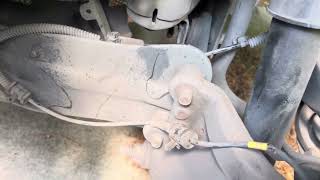
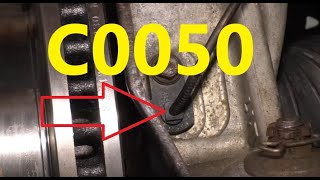
Used OEM Parts in Stock
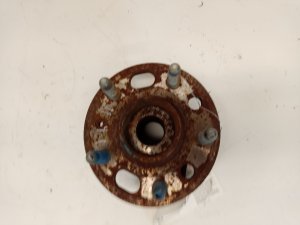
New Aftermarket Parts Available
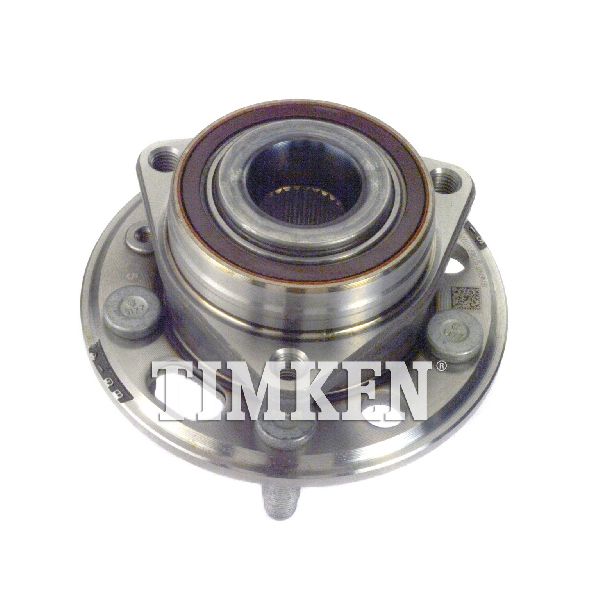


The information in this article is provided for general reference and educational purposes only. Vehicle specifications, procedures, and part compatibility can vary by production date, trim level, and region. Always consult your vehicle's factory service manual and verify part numbers before purchasing or performing repairs. Safety-critical components such as airbags, seat belts, and braking systems should be installed by a qualified professional.
- Buick REGAL:
- 🎬 Helpful Videos
- 🛍️ Shop This Part
- What's Unique About the 2011-2017 Buick REGAL
- Diagnostic Flowchart
- Symptoms You May Notice
- Most Likely Causes
- Rare But Worth Checking
- Diagnosis Steps
- Parts You'll Likely Need
- Related Codes That Often Appear With This One
- Technical Service Bulletins (TSBs) & Recalls
- Platform-Specific Known Issues
- Mechanic-Grade Diagnostic Values
- Hidden / Shadow Codes Worth Checking
- Scan Tool Commands That Help
- Wiring & Ground Locations
- Real Owner Repair Stories
- OEM Part Supersession History
- Model Year Variations Within This Range
- 🎟️ Get 5% Off