

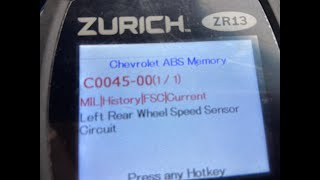
C0045 on 2018 Chevrolet Silverado 2500: Left Rear Wheel Speed Sensor Circuit Fault
On a 2018 Silverado 2500, code C0045 is most often caused by a faulty left rear wheel speed sensor or damaged wiring to the sensor. Expect to pay $70-$115 for a new sensor, with a DIY difficulty of 2/5. Wiring harness damage is a known issue on this platform.
- Code C0045 on your 2018 Silverado 2500 means the ABS and StabiliTrak systems are disabled due to a fault in the left rear wheel speed sensor circuit.
- Before buying any parts, thoroughly inspect the wiring harness and connector going to the left rear wheel speed sensor for damage or corrosion.
- The most common fixes are replacing the wheel speed sensor itself or repairing the wiring harness.
- If the sensor and wiring are good, inspect the magnetic ring on the wheel hub for damage or debris; if it's damaged, the entire hub assembly needs replacement.
- This is a known issue for this model year, as confirmed by a GM Technical Service Bulletin.
What's Unique About the 2018-2018 Chevrolet SILVERADO 2500
For the 2018 Silverado HD and its platform-mate, the GMC Sierra HD, this code is common enough that General Motors issued a Technical Service Bulletin (TSB #PIE0456A). This was an "Engineering Information" bulletin specifically to gather data on the root cause of C0045 (Left Rear) and C0050 (Right Rear). It directed technicians to inspect the wheel speed sensor terminals and harness connectors before performing any repairs, indicating that wiring and connector issues are a known point of failure on this specific truck platform, not just simple sensor failures. The harness is exposed and subject to damage from debris and suspension movement.
Diagnostic Flowchart
Tap your situation to follow the diagnostic path that matches what you're seeing on this vehicle.
Symptoms You May Notice
- ABS warning light is on
- "Service StabiliTrak" or traction control warning light is on
- "Service Trailer Brake" message may appear
- ABS and traction control are disabled
- Cruise control may be inoperative
- Immediately replacing the wheel hub assembly when the actual fault is only a bad sensor or a simple wiring issue.
- Replacing the wheel speed sensor without first inspecting the wiring harness and connector, which is a very common failure point specifically mentioned in TSBs for this truck.
- Replacing the sensor when the magnetic encoder ring on the hub is simply contaminated with metallic debris.
Most Likely Causes
- Damaged Wheel Speed Sensor Wiring or Connector 🔴 High Probability The wiring harness is exposed to the elements, road debris, and suspension movement, making it susceptible to chafing, corrosion, or broken wires. TSB #PIE0456A specifically calls for inspection of the harness and connectors. Forum users and repair videos frequently point to breaks in the harness where it flexes or is secured to the frame or axle housing.
How to confirm: Visually inspect the entire length of the wiring from the left rear wheel hub to the main harness. Check the connector for corrosion, moisture, or bent/damaged pins. A multimeter can be used to check for continuity and shorts to ground along the harness. A common failure point is where the harness is clipped to the frame above the axle.
Typical fix: Repair the damaged section of wire with solder and heat-shrink tubing or replace the pigtail connector if it is corroded or damaged. In severe cases, a new harness section may be needed.
Est. part cost: $15-$50 - Failed Left Rear Wheel Speed Sensor 🔴 High Probability The sensor operates in a harsh environment at the wheel hub and can fail internally from vibration, heat cycles, and moisture intrusion over time. It is a common replacement part for this code.
How to confirm: After confirming the wiring is good, use a scan tool to watch live data from all four wheels. If the left rear reads 0 mph or erratically while the others read correctly, the sensor is likely bad. The sensor can also be tested with a multimeter for proper resistance; compare the reading to the sensor on the right side to see if they are similar. An open circuit (OL) indicates a bad sensor.
Typical fix: Replace the left rear wheel speed sensor. This is typically held in by a single T30 Torx bolt. The mounting surface in the hub should be cleaned thoroughly before installing the new sensor to ensure proper seating.
Est. part cost: $45-$115 - Damaged or Contaminated Hub Bearing Encoder Ring 🟡 Medium Probability The wheel speed sensor reads a magnetic encoder ring integrated into the wheel hub assembly. This ring can crack, become brittle, or attract metallic debris (often looking like 'fuzz'), which interferes with the sensor's reading. This is a known issue on GM vehicles.
How to confirm: With the sensor removed, visually inspect the magnetic ring on the hub for any cracks, missing pieces, or a buildup of metallic debris. The ring should be clean and smooth.
Typical fix: If the encoder ring is damaged, the entire wheel hub assembly must be replaced. If it is just contaminated with debris, it can be carefully cleaned.
Est. part cost: $150-$300
Rare But Worth Checking
- Faulty Electronic Brake Control Module (EBCM): This is the least likely cause and should only be considered after all other possibilities 🎬 Watch: A quick hack to clear the C0045 code after repairs. (sensor, wiring, hub) have been exhaustively ruled out. An EBCM failure typically triggers multiple circuit codes or communication errors, not just a single sensor code.
Diagnosis Steps
- Connect a professional scan tool capable of reading ABS codes to confirm C0045 is the active or stored code.
- View the live data stream for all four wheel speed sensors. While driving slowly or spinning the wheel by hand, compare the reading from the left rear sensor to the others. An erratic, jumping, or zero reading confirms the fault is at that corner.
- Raise and safely support the rear of the vehicle. Remove the left rear wheel.
- Perform a thorough visual inspection of the wheel speed sensor wiring harness from the hub to where it joins the main vehicle harness. Look for any signs of chafing, melting, corrosion, or physical damage, paying close attention to clips and routing over the frame and axle.
- Unplug the sensor connector and inspect for corrosion, moisture, or damaged/spread pins. A poor connection here is a common cause.
- Remove the T30 Torx bolt holding the sensor in place and gently remove the sensor. It may be seized; gentle twisting with pliers may be necessary.
- Inspect the sensor tip for metallic debris. Also, inspect the magnetic encoder ring on the wheel hub for cracks, damage, or debris. Clean the ring if it is contaminated.
- If wiring and the encoder ring appear intact, test the sensor itself. With a multimeter set to Ohms, measure the resistance across the sensor's two pins. Compare this reading to the sensor on the right rear wheel; they should be very similar. An 'Open' or 'OL' reading indicates a failed sensor.
- If the sensor tests good, perform continuity and voltage checks on the harness back to the EBCM to rule out an open or shorted wire.
- If the code does not follow the sensor (if swapped with the other side) and the wiring and hub are confirmed good, the final step is to consider a fault with the EBCM itself, though this is rare.
Parts You'll Likely Need
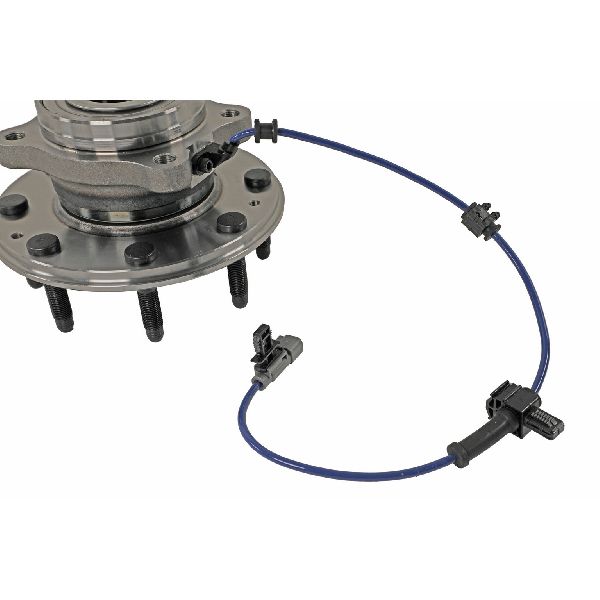
- Rear Wheel Speed Sensor
(OEM #84051224)— This is one of the most common failure points for code C0045. The sensor is exposed to harsh conditions and can fail electronically. Part number 84051224 supersedes the older part number 22871878.
Trusted brands: ACDelco (GM Original Equipment), Duralast, Bosch, Standard Motor Products
OEM price range: $45-$80
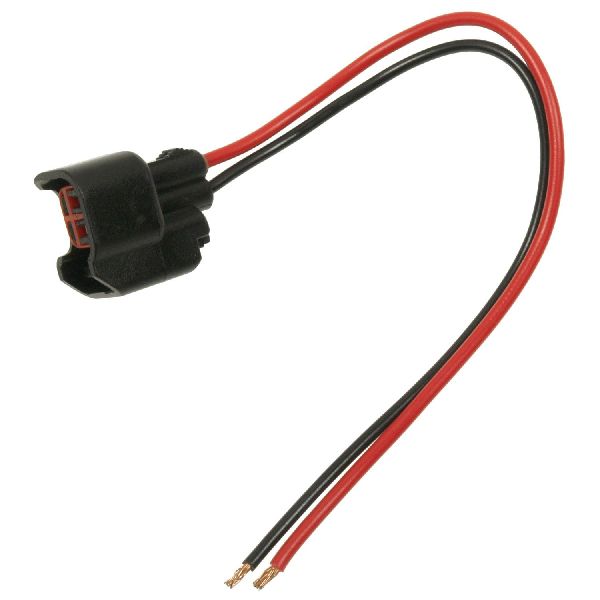
Aftermarket price range: $40-$70 - Rear Wheel Speed Sensor Connector Pigtail — If the connector at the sensor is corroded, melted, or has spread pins causing a poor connection, the pigtail will need to be spliced in.
Trusted brands: ACDelco Specialty, Dorman
OEM price range: $25-$40
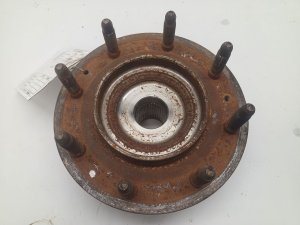
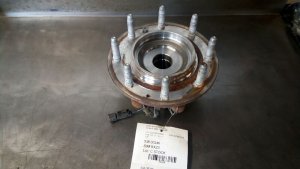
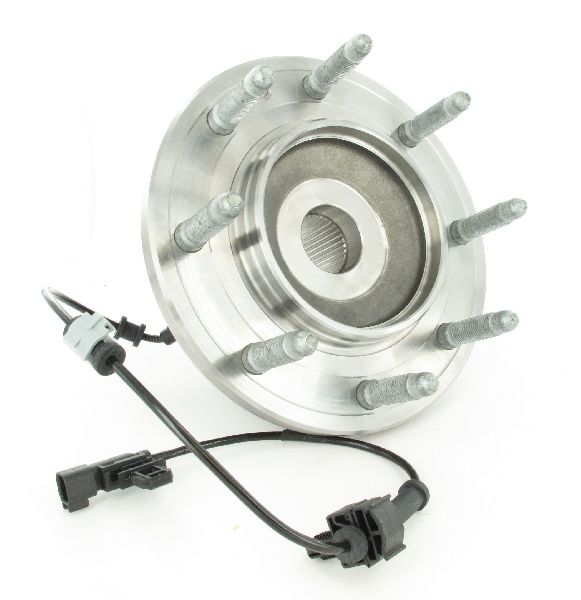
Aftermarket price range: $15-$30 - Rear Wheel Hub and Bearing Assembly
(OEM #20945052)— Required if the integrated magnetic encoder ring is found to be cracked, damaged, or contaminated, causing an incorrect signal.
Trusted brands: ACDelco, Timken, MOOG, SKF
OEM price range: $250-$350
Aftermarket price range: $150-$250
Related Codes That Often Appear With This One
- C0050 — This code is for the Right Rear Wheel Speed Sensor Circuit. TSB #PIE0456A groups C0045 and C0050 together, suggesting they share a common failure pattern on these trucks, often related to the wiring harness.
Technical Service Bulletins (TSBs) & Recalls
- PIE0456A: Engineering Information bulletin for Service Stabilitrak/ABS lights with DTC C0045 or C0050 Set. It directed technicians to inspect sensor terminals and harness connectors and report findings to GM engineering, confirming this was a known issue being investigated.
Platform-Specific Known Issues
- GM issued Technical Service Bulletin #PIE0456A specifically for the 2018 Silverado HD (and Sierra HD) to gather data on the root cause of C0045 and C0050 codes, pointing to a known issue with the rear wheel speed sensor circuits on these trucks.
- Owners frequently report that the wiring harness is the culprit, even after a sensor has been replaced. A thorough inspection of the harness for chafing or breaks, especially where it runs over the frame, is critical.
Mechanic-Grade Diagnostic Values
- Passive Wheel Speed Sensor Resistance — expected: Typically 850-1500 Ω, but the key is that both rear sensors should have readings within ~5% of each other.. Failure: An open circuit (OL), a short to ground (0 Ω), or a reading that is significantly different from the sensor on the opposite side.
- Passive Wheel Speed Sensor AC Voltage Output — expected: Greater than 100mV AC when spinning the wheel by hand; voltage should increase smoothly with wheel speed.. Failure: No AC voltage produced, or an erratic/jumpy voltage signal while spinning the wheel at a steady speed.
Hidden / Shadow Codes Worth Checking
- C0045 06: Indicates Left Rear Wheel Speed Sensor Circuit Low Voltage/Open. This points specifically to an open wire, poor connection, or a short to ground. (see via A professional scan tool like the GM GDS2 that can read ABS symptom bytes (sub-codes).)
- C0045 0F: Indicates Left Rear Wheel Speed Sensor Circuit Signal Erratic. This often points to a damaged magnetic encoder ring on the hub, debris on the sensor, or electrical interference. (see via A professional scan tool like the GM GDS2 that can read ABS symptom bytes (sub-codes).)
- C0045 18: Indicates Left Rear Wheel Speed Sensor Circuit Low Signal Amplitude. This suggests the signal is weak, possibly due to an excessive air gap or internal sensor fault. (see via A professional scan tool like the GM GDS2 that can read ABS symptom bytes (sub-codes).)
- C0045 5A: Indicates Left Rear Wheel Speed Sensor Circuit Not Plausible. The EBCM is receiving a signal that doesn't make sense compared to the other wheel speeds (e.g., three wheels at 30 mph, one at 0 mph). (see via A professional scan tool like the GM GDS2 that can read ABS symptom bytes (sub-codes).)
Scan Tool Commands That Help
- GM GDS2 (or equivalent professional scanner): Live Data - Wheel Speed Sensors — This is the first and most crucial diagnostic step. By viewing the live data from all four sensors while driving, a technician can instantly confirm if the left rear sensor is reading 0 MPH, erratically, or differently from the other three, confirming the fault location without any physical inspection.
Wiring & Ground Locations
- EBCM (Electronic Brake Control Module) — Located on the driver's side frame rail, generally below the driver's door.. This module receives and interprets the signals from all wheel speed sensors. The wiring harness from the left rear sensor terminates here. Advanced diagnostics require checking for signal continuity and voltage at the EBCM connector pins.
- EBCM Connector Pins (Left Rear WSS) — At the main connector for the EBCM.. For C0045, the Left Rear Wheel Speed Sensor Signal wire and Low Reference (ground) wire can be tested here to determine if a wiring break exists between the sensor and the module. On some similar GM platforms, these are pins 2 and 3. Verifying the specific pins for the 2018 Silverado 2500 with a service manual is critical before testing.
- Main Chassis Grounds — Multiple key ground points exist on the K2XX platform, including one from the negative battery cable to the frame near the body mount, and another from the chassis to the engine block.. While not a direct cause of a single sensor circuit code, poor or corroded main grounds on these trucks are known to cause a wide range of seemingly unrelated electrical issues, including flickering lights and random warning messages. Ensuring these grounds are clean and tight is a good preventative measure.
Real Owner Repair Stories
- Chevy HHR Network forum user (Chevrolet HHR (similar GM wiring design)) — ABS light on with code C0045.
❌ Tried (didn't work) Replacing the left rear hub bearing assembly.
✅ What actually fixed it The owner found a broken wire (orange wire) in the harness between the under-car connector and the ABS sensor. The break was located near a plastic clip attaching the harness to the rear suspension. Splicing the wire with solder and heat shrink resolved the code. - YouTube channel OldGuyDIY (2013 Chevrolet Impala) — Persistent C0045 code and ABS/Traction Control lights on.
❌ Tried (didn't work) Replacing the left rear hub assembly.
✅ What actually fixed it The code remained after replacing the hub. The cause was found to be a deformed pigtail connector that was damaged when the old hub failed. The internal spring contacts were no longer making a good connection. A temporary fix of inserting small strands of copper wire into the connector to ensure contact cleared the lights, confirming the connector was the fault.
OEM Part Supersession History
22871878→84051224— Standard part revision and update by the manufacturer.
Heads up: The new part number (84051224) is the correct and direct replacement for the original. There are no known incompatibility issues.
Helpful Videos
Used OEM Parts in Stock


New Aftermarket Parts Available


The information in this article is provided for general reference and educational purposes only. Vehicle specifications, procedures, and part compatibility can vary by production date, trim level, and region. Always consult your vehicle's factory service manual and verify part numbers before purchasing or performing repairs. Safety-critical components such as airbags, seat belts, and braking systems should be installed by a qualified professional.
- Chevrolet SILVERADO 2500:
- 🎬 Helpful Videos
- 🛍️ Shop This Part
- What's Unique About the 2018-2018 Chevrolet SILVERADO 2500
- Diagnostic Flowchart
- Symptoms You May Notice
- Most Likely Causes
- Rare But Worth Checking
- Diagnosis Steps
- Parts You'll Likely Need
- Related Codes That Often Appear With This One
- Technical Service Bulletins (TSBs) & Recalls
- Platform-Specific Known Issues
- Mechanic-Grade Diagnostic Values
- Hidden / Shadow Codes Worth Checking
- Scan Tool Commands That Help
- Wiring & Ground Locations
- Real Owner Repair Stories
- OEM Part Supersession History
- 🎟️ Get 5% Off