

C0040 on 2019-2024 GMC Sierra 1500: Right Front Wheel Speed Sensor Fixes
Code C0040 on a 2019-2024 GMC Sierra 1500 indicates a fault in the right front wheel speed sensor circuit. The most common fix is replacing a damaged wheel speed sensor wiring harness, often chafed by the wheel, especially on trucks with leveling kits. The second most common fix is replacing the entire wheel hub bearing assembly which includes the sensor. Expect to pay $40-$80 for an aftermarket harness or $150-$350 for a hub assembly.
- C0040 means there's a problem with the right front wheel speed sensor circuit, which will disable your ABS and StabiliTrak systems.
- Before buying any parts, perform a detailed visual inspection of the wiring harness between the wheel hub and the frame for signs of rubbing or damage.
- Use a scan tool that can read live ABS data. Watching the wheel speed data while driving is the fastest way to confirm which wheel is having a problem.
- If the wiring is good, the next most likely cause is a faulty wheel hub assembly, which contains the magnetic ring the sensor reads.
- Due to the critical safety function of the ABS and stability systems, professional diagnosis and repair are recommended if you are not experienced with automotive electrical systems.
What's Unique About the 2019-2024 GMC Sierra 1500
On these GM T1 platform trucks (Sierra, Silverado, Tahoe, etc.), the wiring harness for the front wheel speed sensors is a very common failure point. It is often routed in a way that it can be stretched or rub against the inner wheel barrel or suspension components, especially on trucks with suspension modifications like leveling kits, causing the wires to break. A technician on a GM truck forum specifically notes that when installing leveling kits, if the upper control arm is released from the knuckle, it can pull the sensor wire out of its bracket, leading to it rubbing on the wheel. While a recall for unintended braking due to a failed wheel speed sensor affected the previous generation (2014-2018), it highlights how critical these sensor signals are to the EBCM's software on the Sierra platform.
Symptoms You May Notice
- ABS warning light on
- StabiliTrak or Traction Control warning light on
- "Service Stabilitrak" message on the Driver Information Center (DIC)
- "Service Trailer Brake" message on the DIC.
- ABS system does not activate during hard braking (wheels may lock up)
- Traction control does not activate on slippery surfaces
- Replacing the EBCM when the fault is a simple wiring issue.
- Replacing only the wheel speed sensor when the actual problem is a damaged tone ring on the wheel hub assembly.
- Replacing the wheel hub assembly when the problem is only a chafed wiring harness.
Most Likely Causes
- Damaged Right Front Wheel Speed Sensor Wiring Harness 🔴 High Probability The wiring harness is routed in a way that it can be easily stretched or make contact with the rotating wheel/tire assembly, leading to chafing and broken wires. This is an extremely common issue on trucks with aftermarket suspension lifts or leveling kits, which can alter the geometry and pull the wire out of its retaining clips.
How to confirm: Visually inspect the entire length of the wiring harness from the back of the wheel hub to its connection point on the frame. Look for any signs of rubbing, stretching, or broken wires, paying close attention to the area where it passes the inner edge of the wheel. A continuity test with a multimeter can confirm an open circuit in one of the wires.
Typical fix: Replace the damaged wheel speed sensor harness. The harness is sold as a separate, replaceable pigtail. The ACDelco OE part is often integrated with the sensor itself.
Est. part cost: $40-$100 - Failed Right Front Wheel Hub Bearing Assembly 🟡 Medium Probability The magnetic encoder (tone ring) that the sensor reads is integrated into the wheel hub bearing assembly. This ring can become contaminated with metallic debris from bearing wear, or the bearing itself can develop excessive play (wobble), causing an erratic or lost signal.
How to confirm: With the sensor removed, inspect the magnetic encoder ring on the hub for cracks, debris, or damage. Check the wheel bearing for any play by trying to rock the wheel top-to-bottom and side-to-side with the vehicle raised. A scan tool showing erratic speed readings from the right front wheel while spinning it by hand also points to a hub issue.
Typical fix: Replace the entire wheel hub bearing assembly. The new hub will include a new tone ring.
Est. part cost: $150-$350 - Failed Right Front Wheel Speed Sensor 🟡 Medium Probability The sensor itself can fail electronically over time due to heat cycles and vibration. However, it's more common for the wiring to fail first. On many GM replacement parts for this platform, the sensor and wiring harness are sold as a single unit.
How to confirm: Use a scan tool to monitor live data from the right front wheel speed sensor while driving; if it reads 0 mph or is erratic while other wheels read correctly, and the wiring is confirmed to be good, the sensor is likely faulty. You can also test the sensor's internal resistance with a multimeter if specifications are available, though this is less reliable for modern active sensors.
Typical fix: Replace the wheel speed sensor. On these trucks, this is often done by replacing the sensor/harness assembly.
Est. part cost: $50-$100 - Corrosion or Water Intrusion in Connectors ⚪ Low Probability A GM Technical Service Bulletin (PIT5499B) points to the potential for water intrusion at the main Electronic Brake Control Module (EBCM) connector, which can cause various ABS codes, including C0040. This is a known issue on GM trucks and SUVs.
How to confirm: Disconnect and inspect the electrical connectors at both the wheel speed sensor and the EBCM on the frame rail. Look for green or white corrosion, moisture, or bent pins.
Typical fix: Clean the connectors with an electrical contact cleaner. If corrosion is severe, the connector or terminal pins may need to be replaced.
Est. part cost: $10-$50
Rare But Worth Checking
- Faulty Electronic Brake Control Module (EBCM): This is the least likely cause and should only be considered after all other possibilities (sensor, wiring, hub, connectors) have been thoroughly ruled out. An EBCM failure will typically present with multiple wheel speed sensor codes (e.g., C0035, C0040) or communication codes, not just one.
Diagnosis Steps
- Connect an OBD-II scanner capable of reading ABS codes to confirm C0040 is present.
- Use the scanner's live data function to monitor the speed of all four wheels while driving. Confirm that the right front wheel speed sensor reads 0 mph or is significantly different from the others.
- Raise and secure the front of the vehicle. Perform a thorough visual inspection of the right front wheel speed sensor wiring harness, looking for any signs of rubbing, chafing, or breaks, especially where it passes near the tire and suspension components. A common failure point is where the wire gets pulled tight or rubs on the inner wheel rim.
- Inspect the electrical connector at the sensor for dirt, moisture, or corrosion. Follow the harness to the main connector on the frame and inspect it as well.
- If wiring appears intact, remove the sensor (usually held by a small Allen or Torx bolt) and inspect the sensor tip and the magnetic tone ring inside the hub for metallic debris or physical damage.
- Check the wheel bearing for excessive play by grabbing the tire at the 12 and 6 o'clock positions and attempting to rock it. Any significant movement indicates a worn hub which can cause an erratic signal.
- If all other components check out, inspect the main connector at the Electronic Brake Control Module (EBCM) for any signs of water intrusion or corrosion, as suggested by TSB #PIT5499B.
Parts You'll Likely Need
- Front ABS Wheel Speed Sensor Harness
(OEM #84963590 (ACDelco GM Original Equipment))— This is the most common point of failure due to chafing or stretching, especially on the Sierra platform. This part number typically includes the sensor and the pigtail harness as one assembly.
Trusted brands: ACDelco, Duralast, Standard Motor Products
OEM price range: $70-$120
Aftermarket price range: $40-$80 - Front Wheel Hub and Bearing Assembly — Required if the integrated magnetic tone ring is damaged or the bearing has failed, causing an erratic signal. This is the second most likely repair.
Trusted brands: ACDelco, Timken, MOOG, Duralast
OEM price range: $250-$400
Aftermarket price range: $150-$250
Related Codes That Often Appear With This One
- C0035 — This is the code for the Left Front Wheel Speed Sensor. If seen with C0040, it could indicate a systemic issue like a problem at the EBCM, water intrusion in the main connector, or a common installation error if both sides were worked on (e.g., leveling kit install).
- U0121 — Indicates a loss of communication with the ABS Control Module. This can occur if there's a major electrical fault or water intrusion at the EBCM, as noted in TSB #PIT5499B.
Technical Service Bulletins (TSBs) & Recalls
- PIT5499B: Addresses various ABS/ESC codes, including C0040, that can be caused by water intrusion into the EBCM connector.
- 21-NA-149: Details multiple loca
Platform-Specific Known Issues
- A GM recall (N192261050) for the previous generation (2014-2018) Sierra highlights a software issue where a failed wheel speed sensor could cause unintended braking on the opposite wheel, underscoring the safety-critical nature of the system.
- TSB #PIT5499B notes that on some GM trucks, water can get into the EBCM connector, causing various ABS codes including C0040.
- A technician on GM-Trucks.com created a post and video specifically warning that installing leveling kits is a frequent cause of C0035 and C0040 codes, as the installation process can easily damage the sensor wiring if not done carefully.
Mechanic-Grade Diagnostic Values
- Sensor Connector Voltage (Key On, Engine Off, Connector Unplugged) — expected: 11-12 Volts DC (can be as low as 5V on some systems).. Failure: 0 Volts. This indicates a problem with the wiring from the EBCM or the EBCM itself. Note: The EBCM may cut power after a code is stored; clear codes before testing.
- Sensor Signal Voltage (Key On, Connector Plugged In, Multimeter Back-probed) — expected: A fluctuating DC voltage signal as the wheel is spun by hand. The voltage may toggle between two values (e.g., 0.7V and 1.8V) or show a small fluctuation of 0.1V to 1.0V.. Failure: No change in voltage while spinning the wheel. This points to a bad sensor or a damaged tone ring on the hub.
- Sensor Resistance (Ohms) — expected: Not a reliable test for modern magneto-resistive (active) sensors. Unlike older passive sensors, they do not have a simple coil to measure.. Failure: Any reading is inconclusive. An open circuit (O.L.) might indicate a failure, but comparing to the known-good sensor on the other side is the only minimally valid approach.
Hidden / Shadow Codes Worth Checking
- C0040 06: Right Front Wheel Speed Sensor Circuit Low Voltage/Open. This strongly suggests a broken wire or a disconnected/corroded connector. (see via Dealer-level scan tool (GM GDS2) or high-end professional scanner.)
- C0040 0F: Right Front Wheel Speed Sensor Circuit Signal Erratic. This often points to a damaged magnetic tone ring on the wheel hub or a failing sensor creating a choppy signal. (see via Dealer-level scan tool (GM GDS2) or high-end professional scanner.)
- C0040 18: Right Front Wheel Speed Sensor Circuit Low Signal Amplitude. This can be caused by an excessive air gap between the sensor and tone ring, or a weak sensor. (see via Dealer-level scan tool (GM GDS2) or high-end professional scanner.)
- C0040 5A: Right Front Wheel Speed Sensor Circuit Not Plausible. This indicates the signal doesn't make sense compared to other vehicle data, often caused by a physically damaged tone ring (missing teeth/magnets). (see via Dealer-level scan tool (GM GDS2) or high-end professional scanner.)
Scan Tool Commands That Help
- GM GDS2 / High-End Scanner: Live Data Monitoring — This is the primary first step. Monitor all four wheel speed sensor inputs simultaneously while driving or spinning the wheel by hand to confirm the right front sensor is the one providing no signal or an erratic signal compared to the others.
- GM GDS2 / High-End Scanner: Clear DTCs — Crucial to use before testing voltage at the sensor connector. GM EBCMs will often cut the 12V supply to the sensor circuit once a fault is detected. Clearing the code and cycling the ignition will momentarily restore power, allowing for a valid voltage test.
Wiring & Ground Locations
- Right Front WSS Connector — At the wheel hub, connecting the sensor pigtail to the main chassis harness inside the wheel well.. This is a primary point of failure due to chafing, stretching, or corrosion. The pigtail wires are often Dark Green (12V Power) and Tan (Signal/Low Reference).
- EBCM Connector — The Electronic Brake Control Module is typically located on the driver's side frame rail. The main connector is a large, 38-pin sealed connector.. This is the termination point for the sensor circuit. TSB #PIT5499B warns of water intrusion here causing corrosion and multiple ABS codes, including C0040.
- G103 / G104 — Common engine bay ground points. G103 is often on the front of the passenger side cylinder head, and G104 can be on the rear of the passenger side cylinder head.. While less likely to cause a single sensor code, a poor engine or chassis ground can cause a host of electrical issues, including erratic module behavior. Verifying these grounds are clean and tight is good practice if circuit tests are inconclusive.
Real Owner Repair Stories
- YouTube channel '2001 ROADKING' (2019+ GMC Sierra with a leveling kit installed.) — ABS and Stabilitrak lights on, code C0040 stored.
❌ Tried (didn't work) Initial diagnosis pointed directly to the cause.
✅ What actually fixed it The wiring harness for the wheel speed sensor was pulled out of its retaining clip during the leveling kit installation, causing it to rub against the inner barrel of the wheel. This chafed through the insulation and broke the wire. Replacing the entire wheel speed sensor and harness assembly (pigtail) resolved the issue. - YouTube channel 'south main auto repair llc' (2018 Chevrolet Silverado (same platform/issue)) — ABS light on, code C0040 04 (Open Circuit).
❌ Tried (didn't work) Plugging in a known-good wheel speed sensor at the wheel well connector did not fix the problem; the code would not clear, proving the fault was upstream in the wiring.
✅ What actually fixed it A visual inspection of the harness running along the frame rail revealed a section that had rubbed through against a bracket. The technician repaired the broken wire within the main harness, re-loomed it, and cleared the code successfully.
OEM Part Supersession History
84963590 (ACDelco)→85595801 (ACDelco)— Standard part lifecycle update, potentially for improved durability or material changes.
Heads up: The new part number (85595801) is the correct service replacement for the original. They are interchangeable.
Model Year Variations Within This Range
- 2022-2024: These model years received a significant interior and electrical architecture refresh. While the fundamental wheel speed sensor and hub assembly are likely identical or very similar to the 2019-2021 models, the EBCM part number, software, and some upstream wiring may differ. Diagnosis remains the same, but technicians should verify part numbers specifically for the vehicle's VIN, especially if considering replacing the EBCM.
Diagnostic Flowchart
Other Known Issues on This Vehicle
Issues unrelated to this code that are worth knowing about as an owner of this generation:
- AFM/DFM Lifter Failure (5.3L & 6.2L V8) 🔴 High — Widespread issue, particularly on 2019-2021 models. Can occur at various mileages, sometimes as low as 45,000 miles. Often presents as a ticking noise, misfire, and Check Engine Light. (Ref: Multiple TSBs exist. A recall (25V-274) was issued for 2021-2024 6.2L engines for related connecting rod/crankshaft defects.)
- Infotainment System Glitches (Freezing, Black Screen, Audio Loss) 🟠 Medium — Common complaint across all 2019+ trims. Screens may freeze, go black, lose audio, or fail to connect to phones. Often requires a system reboot or a dealer software update. (Ref: Multiple software-related TSBs, such as 21-NA-188 and 24-NA-048, have been issued to address these problems with firmware updates.)
- 8-Speed and 10-Speed Transmission Shudder/Harsh Shifting 🟠 Medium — Affects some trucks, particularly earlier in the generation. Can present as a shudder at certain speeds (torque converter issue) or harsh/delayed shifts. (Ref: TSBs like 20-NA-187 and 20-NA-142 address delayed engagement and shudder, often recommending updated transmission fluid or software reprogramming.)
- Engine Wiring Harness Chafing 🔴 High — A known issue where the main engine harness can rub against various components like the cylinder head or brackets, causing shorts that can lead to a no-start condition or various other electrical faults. (Ref: TSB 21-NA-149 specifically details inspection and repair procedures for multiple chafe points on various engines.)
Used vs. New Parts: Buying Guide for This Vehicle
When a used part is the smart pick: A used wiring harness pigtail from a junkyard can be a cost-effective option. It is a simple electrical part with no wear components.
Donor-vehicle mileage cap: roughly under 50000 miles for the part to have meaningful remaining life.
What to inspect on the donor part:
- Inspect the full length of the used harness for any signs of chafing, stretching, or previous repairs.
- Ensure the connector pins are straight and free of corrosion.
- Ideally, source from a vehicle that was not lifted or modified.
- Avoid harnesses from vehicles in salt-belt regions if possible, due to higher risk of corrosion.
OEM-only on this vehicle (don't cheap out):
- Electronic Brake Control Module (EBCM). Due to programming and software compatibility requirements, a new OEM module or a professionally remanufactured unit programmed to the vehicle's VIN is the only reliable option.
Aftermarket brands forum-validated for this vehicle:
- For Wheel Hub Assemblies: Timken, MOOG, SKF.
- For Sensor/Harness: Standard Motor Products (SMP), Duralast.
Brands owners have reported issues with on this vehicle:
- Unnamed, 'white-box' brands from online marketplaces often have poor quality control for both the sensor electronics and the hub bearing, leading to premature failure.
Real Owner Stories
Aggregated from forums and TSBs cited above. Mileages and costs reflect what owners reported in those sources.
2019 GMC Sierra 1500
Symptoms: The owner experienced three codes simultaneously: C0035, C0040, and C0245. This led to a discussion regarding whether the EBCM itself was failing or if there was a shared wiring/ground issue affecting the system.
What fixed it: The discussion focused on diagnosing the EBCM and checking for wiring/ground issues affecting the whole system.
Source hint: GM-Trucks.com thread titled '3 codes simultaneously (C0035,C0040,C0245)'
2020 GMC Sierra 1500
Symptoms: After installing a leveling kit, the ABS and StabiliTrak lights triggered. Investigation showed the wheel speed sensor harness was pulled tight and rubbing against the wheel.
What fixed it: Repairing or replacing the wheel speed sensor harness that had been damaged due to altered suspension geometry.
Source hint: GM-Trucks.com thread titled 'C0035 and C0040 on leveled trucks.'
Related OBD-II Codes
Frequently Asked Questions
I just installed a leveling kit on my 2022 GMC Sierra 1500 and now the ABS light is on. Is this a known issue?
Does GM Technical Service Bulletin PIT5499B apply to my C0040 code?
My DIC is displaying 'Service Trailer Brake' along with the ABS light. Is this related to the right front sensor?
Can I just replace the wiring pigtail, or do I need a whole new hub for my 2019 Sierra?
Is there a recall for wheel speed sensor failures causing braking issues on these trucks?
Helpful Videos

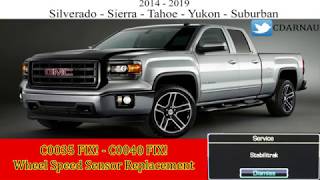
We Have This Part in Stock

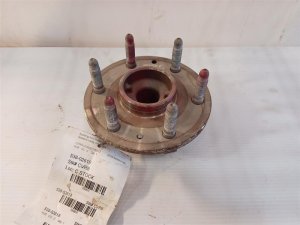
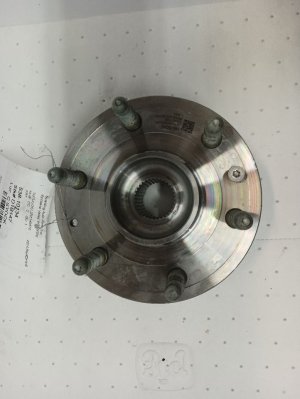
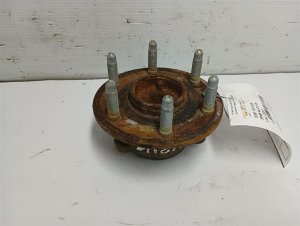

The information in this article is provided for general reference and educational purposes only. Vehicle specifications, procedures, and part compatibility can vary by production date, trim level, and region. Always consult your vehicle's factory service manual and verify part numbers before purchasing or performing repairs. Safety-critical components such as airbags, seat belts, and braking systems should be installed by a qualified professional.
- GMC Sierra 1500:
- 🎬 Helpful Videos
- 🛍️ Shop This Part
- What's Unique About the 2019-2024 GMC Sierra 1500
- Symptoms You May Notice
- Most Likely Causes
- Rare But Worth Checking
- Diagnosis Steps
- Parts You'll Likely Need
- Related Codes That Often Appear With This One
- Technical Service Bulletins (TSBs) & Recalls
- Platform-Specific Known Issues
- Mechanic-Grade Diagnostic Values
- Hidden / Shadow Codes Worth Checking
- Scan Tool Commands That Help
- Wiring & Ground Locations
- Real Owner Repair Stories
- OEM Part Supersession History
- Model Year Variations Within This Range
- Diagnostic Flowchart
- Other Known Issues on This Vehicle
- Used vs. New Parts: Buying Guide for This Vehicle
- Real Owner Stories
- 2019 GMC Sierra 1500
- 2020 GMC Sierra 1500
- Related OBD-II Codes
- Frequently Asked Questions
- 🎟️ Get 5% Off