

C0035 on 2011-2017 Chevrolet Volt: Left Front Wheel Speed Sensor Causes and Fixes
On a 2011-2017 Chevy Volt, code C0035 almost always points to a problem with the left front wheel speed sensor circuit. The most common fix is replacing the entire left front wheel bearing hub assembly, as the sensor's magnetic ring is integrated into it and prone to corrosion or damage. Cleaning metallic debris from the ring can sometimes be a no-cost fix. Expect to pay $150-$300 for a quality replacement hub part from brands like ACDelco or Timken.
- C0035 on a Chevy Volt means there's a problem with the left front wheel speed sensor circuit.
- The most likely cause is a failed wheel bearing hub assembly, which contains the sensor.
- Before replacing the hub, inspect and clean the magnetic ring on the back of the hub for debris, as per TSB PIC5428G.
- Also, check the wiring harness for any visible damage or corrosion before buying parts.
- Driving with this code is not recommended as critical safety systems (ABS, StabiliTrak) are inactive.
What's Unique About the 2011-2017 Chevrolet VOLT

The Chevrolet Volt, like many modern GM vehicles, uses a magnetic encoder ring built directly into the wheel bearing's seal instead of a traditional toothed reluctor ring. This design means the wheel speed sensor's target is not a separate component but is integrated with the wheel bearing hub assembly. As a result, a failure of the sensor or the magnetic ring often requires replacing the entire hub assembly. Additionally, GM TSBs PIC5428G and its successor 17-NA-047 specifically mention that ferrous metallic debris sticking to this magnetic ring can trigger the code, a common issue for this design that can sometimes be resolved by cleaning.
🎬 Watch: How to fix ABS and Traction Control issues.Diagnostic Flowchart

Tap your situation to follow the diagnostic path that matches what you're seeing on this vehicle.
Generation note: This guide covers the first generation (2011-2015) and the first two years of the second generation (2016-2017) Chevrolet Volt. The underlying technology of an integrated wheel speed sensor within the hub assembly is common to both generations, making the causes and fixes very similar. However, part numbers for the hub assembly and sensor wiring differ, so always verify with your vehicle's VIN. For example, Gen 1 hubs are often part number 13526966 (ACDelco FW428), while Gen 2 hubs are part number 13517459.
Symptoms You May Notice
- ABS warning light is on.
- Traction Control / StabiliTrak warning light is on (often says "Service StabiliTrak").
- Traction control system is disabled.
- ABS may not activate during hard braking, allowing wheels to lock up.
- Grinding, clicking, or ratchet-like noises from the front wheel area at low speeds.
- "Service Steering" message may appear on some models, accompanied by heavier steering feel at low speeds.
- A flashing Traction Control light at low speeds.
- Replacing only the external ABS sensor wire when the fault is internal to the hub assembly's magnetic ring.
- Replacing the EBCM before thoroughly checking the wiring and hub assembly.
- Replacing the wrong side wheel hub. Always confirm with a scan tool which wheel is showing the fault.
Most Likely Causes

- Failed Left Front Wheel Bearing Hub Assembly 🔴 High Probability The wheel speed sensor's magnetic encoder ring is integrated into the hub assembly's seal. This ring is exposed and can rust, delaminate, or break apart from corrosion, leading to a complete loss of signal. Internal bearing wear can also damage the sensitive magnetic ring. This is the most common failure mode reported by Volt owners.
How to confirm: With the vehicle raised, check for play in the left front wheel. Use a scan tool capable of reading live ABS data to monitor the left front wheel speed signal while spinning the wheel. If the signal is zero, erratic, or drops out compared to the other wheels, the hub assembly is the likely culprit. Visual inspection after removing the hub often reveals a missing or disintegrated brown magnetic ring.
Typical fix: Replace the entire left front wheel bearing and hub assembly. This is a DIY-able job for those with mechanical experience and the correct tools, including a 32mm (Gen 1) or 36mm (Gen 2) axle nut socket.
Est. part cost: $150 - $300 - Debris on the Magnetic Encoder Ring 🟡 Medium Probability Metallic debris from brakes or road grime can stick to the magnetic encoder ring on the inboard side of the hub, disrupting the wheel speed sensor's reading. GM issued TSB PIC5428G and later 17-NA-047 specifically addressing this issue across many models including the Volt.
How to confirm: Visually inspect the inboard side of the wheel hub assembly for any debris stuck to the brown, rubber-like magnetic ring. This may require removing the hub assembly for a clear view, though sometimes it can be seen after removing the brake rotor.
Typical fix: Gently clean the magnetic encoder ring with a soft, dry nylon brush or a rag with brake cleaner. If debris is the sole cause, this can restore function without replacing parts. After cleaning, clear the DTCs and perform a test drive to verify the fix.
Est. part cost: $0 - Damaged Wheel Speed Sensor Wiring or Connector ⚪ Low Probability The wiring harness leading to the wheel hub is exposed to the elements, road debris, and constant suspension movement, which can lead to chafing, corrosion, or broken wires. TSB 16-NA-090 specifically notes that mis-routing or twisting of the harness on 2016-2017 Volts can cause internal wire damage. A common failure point is an internal wire break inside the insulation, right where the harness flexes.
How to confirm: Visually inspect the wiring harness from the back of the wheel hub up into the wheel well. Check for any signs of physical damage, green corrosion in the connector, or loose pins. Use a multimeter to check for continuity and proper voltage at the sensor connector. Pull gently on the wires near the connector; if the wire stretches, it is broken internally.
Typical fix: Repair the damaged section of wire or replace the pigtail connector. Ensure the harness is properly secured away from moving parts. For the issue described in TSB 16-NA-090, the entire front wheel speed sensor harness must be replaced.
Est. part cost: $20 - $50
Rare But Worth Checking
- Failed Electronic Brake Control Module (EBCM): This is very rare. Before condemning the EBCM, exhaust all other possibilities (hub, wiring, debris). An EBCM failure will typically be accompanied by other trouble codes and communication issues.
- Damaged CV Axle Anti-Click Washer: TSB 19-NA-103, applicable to 2016-2019 Volts, notes that an 'anti-click' washer between the CV axle and the wheel bearing can fracture. The broken pieces can then damage the adjacent wheel speed sensor. The official GM fix is to remove the hub, discard the broken washer (and do not install a new one), and replace the wheel speed sensor if it was damaged.
Diagnosis Steps
- Connect a professional scan tool capable of reading ABS codes and live data. Confirm C0035 is present.
- Check for any associated symptom bytes like 18, 5A, or 0F, as mentioned in TSB PIC5428G, which strongly point to a mechanical fault at the wheel bearing like debris or a damaged encoder.
- Access the live data stream for all four wheel speed sensors on the scan tool.
- Safely raise the vehicle and spin the left front wheel by hand. Watch the data on the scan tool. The reading for the left front wheel should be smooth and consistent. Compare it to the other wheels which should read 0 km/h or mph.
- If the reading is zero, erratic, or drops out, the problem is with the sensor, its wiring, or the magnetic ring.
- Remove the wheel and visually inspect the wiring harness leading to the hub for any obvious damage, chafing, or corrosion at the connector. Check for twists in the harness on Gen 2 models per TSB 16-NA-090.
- If wiring appears intact, remove the brake caliper and rotor to get a clear view of the magnetic encoder ring on the back of the hub. Inspect for metallic debris or signs of the ring cracking or peeling off.
- If debris is found, clean it thoroughly, reassemble, clear codes, and test drive.
- If no debris is found, the ring is damaged, or cleaning does not resolve the issue, the wheel bearing/hub assembly has failed internally and requires replacement.
Parts You'll Likely Need
- Left Front Wheel Bearing and Hub Assembly
(OEM #13526966 (Gen 1: 2011-15), 13517459 (Gen 2: 2016-17))— This is the most common failure. The assembly includes the bearing, the integrated wheel speed sensor's magnetic encoder ring, and resolves the issue in one replacement.
Trusted brands: ACDelco (GM OE), Timken, MOOG, SKF
OEM price range: $200-$300
Aftermarket price range: $150-$250 - Front ABS Wheel Speed Sensor Harness
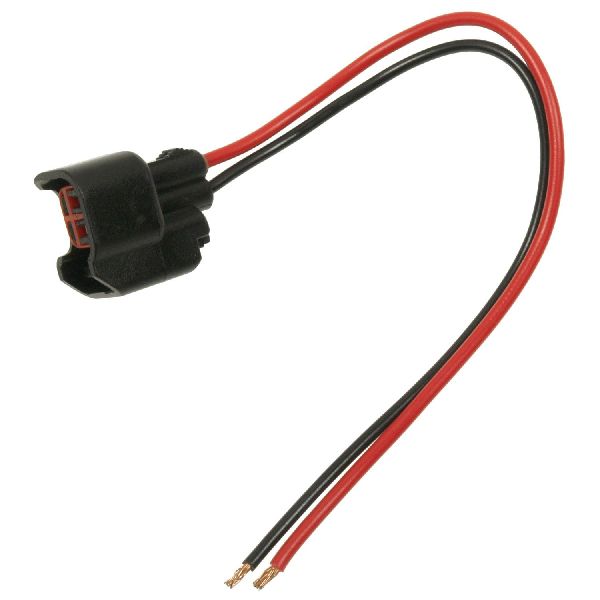
(OEM #39124497 (replaces 39002172 for Gen 2))— Needed if only the external wiring is found to be damaged, particularly on 2016-2017 models per TSB 16-NA-090. This part is separate from the hub assembly.
Trusted brands: ACDelco, Dorman
OEM price range: $40-$70
Aftermarket price range: $25-$50
Related Codes That Often Appear With This One
- U0415 — Invalid Data Received From Electronic Brake Control Module. This code often appears with a wheel speed sensor fault because the Power Steering Control Module loses the necessary speed data from the EBCM, sometimes resulting in heavier steering at low speeds. This is a normal default action per GM TSBs.
- C0040 — Right Front Wheel Speed Sensor Circuit. It is not uncommon for both front wheel bearings to wear at a similar rate, potentially causing codes for both sides to appear around the same time. Owners often replace both front hubs as a preventative measure.
Technical Service Bulletins (TSBs) & Recalls
- PIC5428G / 17-NA-047: Advises technicians to inspect for and clean debris from the magnetic encoder ring on the wheel bearing before replacing parts for codes C0035-C0050.
- 19-NA-103: Details an issue on 2016-2019 Volts where a fracturing CV axle washer can damage the wheel speed sensor, causing ABS/TCS faults.
- 16-NA-090: Addresses twisted or mis-routed front wheel speed sensor harnesses on 2016-2017 Volts that can lead to wire damage and ABS codes.
Platform-Specific Known Issues
- GM Technical Service Bulletin PIC5428G (and its successors like 17-NA-047) directly addresses codes C0035-C0050 on the Volt, pointing to debris accumulation on the magnetic encoder ring as a primary cause that should be investigated before parts replacement.
Mechanic-Grade Diagnostic Values

- Wheel Speed Sensor AC Voltage Output — expected: At least 0.2 VAC (200 millivolts) when spinning the wheel by hand at about one revolution every two seconds.. Failure: A reading of 0V or a significantly lower voltage than other wheels indicates a failed sensor or magnetic encoder ring.
- Wheel Speed Sensor Supply Voltage (at sensor connector) — expected: Approximately 4.5 - 5.5 V with the ignition on.. Failure: Voltage below 4.0 V points to a wiring issue or a problem with the EBCM's internal voltage regulator.
Hidden / Shadow Codes Worth Checking
- C0035 5A: Signal Rationality Failure / Not Plausible. The EBCM compares the signal from the left front sensor to the other wheel speed sensors and determines its reading is illogical (e.g., reading 0 mph while others read 30 mph). This often points to a failed hub/encoder ring rather than a simple wiring open/short. (see via A professional scan tool capable of reading GM-specific chassis codes and symptom bytes.)
- C0035 18: Low Signal Amplitude. The signal from the sensor is present but too weak for the EBCM to read reliably. This can be caused by excessive air gap, debris on the magnetic ring, or a failing sensor. (see via A professional scan tool capable of reading GM-specific chassis codes and symptom bytes.)
- C0035 0F: Signal Erratic. The sensor signal is inconsistent, jumping, or dropping out. This is often caused by a damaged magnetic encoder ring on the hub or an internal break in the sensor wiring that makes intermittent contact. (see via A professional scan tool capable of reading GM-specific chassis codes and symptom bytes.)
Wiring & Ground Locations
- EBCM Harness Connector — On Gen 2 (2016+) Volts, the EBCM harness branch runs down behind the radiator surge tank, near the brake pressure modulator valve (BPMV) and the driver's side frame/strut tower.. TSB 15-NA-062 indicates this harness can chafe on a transmission mounting bolt if not clipped correctly, potentially causing shorts or open circuits for any of the wheel speed sensors, leading to codes like C0035.
- Wheel Speed Sensor Connector — In the driver's side front wheel well, connected to the wiring harness leading from the back of the wheel hub assembly.. This is the primary connection point for testing the sensor and harness. It is a 2-wire connector. Corrosion or damage here will cause a C0035 fault.
Real Owner Repair Stories
- Reddit user on r/chevycolorado (similar GM platform) (Chevrolet Colorado (year not specified)) — ABS light on, C0035 code.
❌ Tried (didn't work) Replacing the external ABS sensor wire., Checking and replacing ABS-related fuses.
✅ What actually fixed it The user discovered the reluctor rings on the hubs were rusted out. Replacing the entire hub assembly on the affected side resolved the code. - Chevrolet Forum user 'srp204' (2011 Chevrolet Equinox (similar GM platform)) — ABS, Stabilitrak, and 4WD lights came on. Code C0035-5A appeared after reaching ~15 mph (25 kph).
❌ Tried (didn't work) Replacing only the ABS sensor cable.
✅ What actually fixed it The user suspected a broken reluctor ring inside the hub and was planning to replace the entire hub assembly as the next step, which is the confirmed fix for this symptom.
OEM Part Supersession History
13500572, 13502829, 13507016, 13580686, 13583479, 13585466, 13590795→13526966— Standard part consolidation and design updates by GM.
Heads up: 13526966 is the current primary replacement for Gen 1 (2011-2015) Volts.13580305, 13527694→13517459— Standard part consolidation and design updates by GM.
Heads up: 13517459 is the current primary replacement for Gen 2 (2016-2017) Volts.
Model Year Variations Within This Range
- 2016-2017: TSB 15-NA-062 identifies a potential for the EBCM body wiring harness to be mis-routed from the factory, allowing it to chafe against a transmission mounting bolt. This can cause various electrical issues, including wheel speed sensor faults.
Helpful Videos

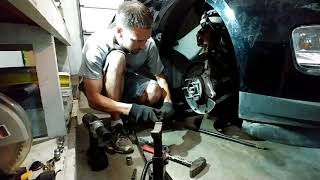

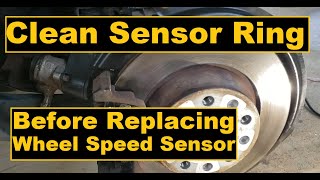
Used OEM Parts in Stock
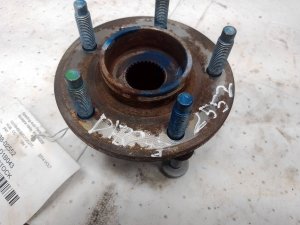
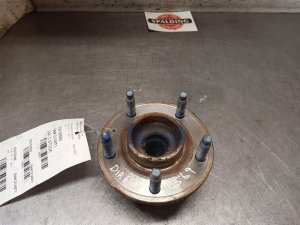


New Aftermarket Parts Available


The information in this article is provided for general reference and educational purposes only. Vehicle specifications, procedures, and part compatibility can vary by production date, trim level, and region. Always consult your vehicle's factory service manual and verify part numbers before purchasing or performing repairs. Safety-critical components such as airbags, seat belts, and braking systems should be installed by a qualified professional.
- Chevrolet VOLT:
- 🎬 Helpful Videos
- 🛍️ Shop This Part
- What's Unique About the 2011-2017 Chevrolet VOLT
- Diagnostic Flowchart
- Symptoms You May Notice
- Most Likely Causes
- Rare But Worth Checking
- Diagnosis Steps
- Parts You'll Likely Need
- Related Codes That Often Appear With This One
- Technical Service Bulletins (TSBs) & Recalls
- Platform-Specific Known Issues
- Mechanic-Grade Diagnostic Values
- Hidden / Shadow Codes Worth Checking
- Wiring & Ground Locations
- Real Owner Repair Stories
- OEM Part Supersession History
- Model Year Variations Within This Range
- 🎟️ Get 5% Off