

C0035 on 2010-2016 Cadillac SRX: Left Front Wheel Speed Sensor Causes and Fixes
Code C0035 on a 2010-2016 Cadillac SRX indicates a fault with the left front wheel speed sensor circuit. The most common cause is a failed wheel bearing and hub assembly, which contains the integrated sensor and magnetic encoder ring. The magnetic ring is prone to cracking or collecting debris. Expect to replace the entire hub assembly for a permanent fix.
- C0035 on your SRX means a problem with the Left Front wheel speed signal.
- The most likely cause is a failed wheel hub assembly, which contains the sensor and its magnetic ring.
- A visual inspection of the wiring and the back of the hub can often reveal the problem (corrosion, damage, or a broken ring).
- Do not drive aggressively or in poor weather, as your ABS and StabiliTrak safety systems are offline.
- The correct repair is almost always to replace the entire left front wheel bearing and hub assembly.
What's Unique About the 2010-2016 Cadillac SRX

While C0035 is a generic code number, its meaning varies by manufacturer. For Cadillac and many GM vehicles, C0035 is assigned to the left front wheel, whereas C0040 is for the right front. The critical issue on the 2010-2016 SRX is that the ABS sensor and its magnetic reluctor ring are integrated into the wheel bearing and hub assembly. This design means that a failure of the sensor or the magnetic ring—a very common problem—requires the replacement of the entire hub assembly, not just a simple sensor. The magnetic ring is a magnetized nitrile rubber ring with embedded north and south poles that the sensor reads as it spins.
Diagnostic Flowchart
Tap your situation to follow the diagnostic path that matches what you're seeing on this vehicle.
Symptoms You May Notice
- ABS warning light is on
- Service StabiliTrak warning message is displayed
- Traction Control (TC) warning light is on 🎬 Watch: See these warning messages and lights in action
- ABS and stability control systems are disabled
- Cruise control is inoperative.
- A 'Service Steering' message may appear, with a heavier steering feel at low speeds (on models with Electric Power Steering).
- Replacing only the ABS sensor pigtail/harness when the underlying fault is the magnetic ring on the hub assembly. A Reddit user reported this exact scenario for the C0040 code (right side), where replacing the sensor did not fix the code, which returned until the hub was addressed.
- Replacing the hub assembly when the only issue was metallic debris on the encoder ring. TSB PIC5428G explicitly states that in many cases, cleaning the ring can resolve the fault without replacing parts.
Most Likely Causes

- Failed Left Front Wheel Bearing / Hub Assembly 🔴 High Probability The magnetic encoder ring integrated into the hub's seal is exposed to the elements. Over time, it can rust, collect ferrous metallic debris, delaminate, or crack and break apart, leading to a corrupted or lost signal. This is a well-documented failure pattern for this platform, as noted in TSB PIC5428G.
How to confirm: With the wheel removed, visually inspect the magnetic ring on the inboard side of the hub assembly. Look for missing chunks, cracks, or significant rust and metallic debris buildup. A professional scan tool can graph the wheel speed sensor data while driving; a faulty hub will produce an erratic, dropping, or flat-lined signal from the left front wheel compared to the others.
Typical fix: Replace the entire left front wheel bearing and hub assembly. This part includes a new bearing, hub, and the integrated ABS sensor with its magnetic ring. While the TSB suggests cleaning may be possible, owner experiences show that if the ring is physically damaged, replacement is the only permanent solution. 🎬 See this step-by-step guide to replacing the wheel hub
Est. part cost: $100-$250 - Damaged Wiring or Corroded Connector 🟡 Medium Probability The wiring harness leading to the wheel hub is subject to constant movement from steering and suspension travel, vibration, and exposure to road salt and moisture. This can lead to chafing (especially near the lower control arm), broken wires internally, or corrosion inside the connector pins.
How to confirm: Visually inspect the entire length of the harness from the wheel well to the EBCM. Unplug the connector at the hub and check for green or white corrosion on the pins. Perform a continuity and resistance check on the wires with a multimeter. Wiggle the harness while testing to check for intermittent breaks.
Typical fix: If the connector is corroded, it may be cleaned, but replacement of the connector pigtail is often a more reliable repair. A common replacement pigtail is ACDelco PT2298. Damaged sections of wire must be professionally repaired with solder and heat-shrink tubing or the harness section replaced.
Est. part cost: $20-$60 for a connector pigtail - Debris on Magnetic Encoder Ring ⚪ Low Probability Because the magnetic encoder ring is exposed, it can attract and accumulate ferrous metallic debris (rust particles, brake dust, etc.). This buildup can interfere with the sensor's ability to read the magnetic poles, causing an erratic signal.
How to confirm: Visually inspect the magnetic ring on the back of the hub. If it appears to be covered in a layer of dark, fuzzy metallic particles but is not cracked, this is the likely cause.
Typical fix: As per TSB PIC5428G, clean the debris from the ring using a non-magnetic brush and a cloth. Do not use magnets to clean the ring, as this can damage the encoder. If the code returns, the ring may be damaged or the bearing seal may have failed, requiring hub replacement.
Est. part cost: $0
Rare But Worth Checking
- Faulty Electronic Brake Control Module (EBCM): This is rare. The EBCM is the computer that interprets sensor data. It should only be considered a cause after the hub assembly and all related wiring have been definitively ruled out as the problem. A failure here would typically require sending the module for repair or replacement and programming. A high-end scan tool can help diagnose EBCM internal faults.
Diagnosis Steps
- Connect an ABS-capable OBD-II scanner and confirm C0035 is the active or stored code. Check for specific symptom bytes like '18', '5A', or '0F' which are mentioned in TSB PIC5428G and point towards a mechanical/debris issue.
- Observe the live data stream for all four wheel speed sensors while driving slowly (if safe) or spinning the wheel by hand. Compare the Left Front (LF) reading to the other three. A faulty LF sensor will read 0, drop out intermittently, or show a wildly different speed.
- Raise and secure the front of the vehicle. Remove the left front wheel.
- Visually inspect the ABS wiring harness that runs down the suspension to the hub. Look for any signs of rubbing, stretching, cracking, or heat damage, paying close attention to points where it might chafe against suspension components.
- Disconnect the sensor's electrical connector. Inspect the pins on both the harness side and the sensor side for corrosion, moisture, or damage. The connector is located in the wheel well.
- Carefully inspect the magnetic encoder ring on the inboard side of the wheel hub. Rotate the hub slowly and look for any missing magnetic segments, delamination, cracks, or heavy rust/metallic debris buildup that could interfere with the sensor's reading.
- If the encoder ring is just covered in debris, clean it with a non-magnetic brush and re-test. If the ring is physically cracked or has missing pieces, the wheel hub assembly is faulty and must be replaced.
- If the encoder ring looks perfect and clean, the issue is likely a wiring problem between the connector and the EBCM or an internal failure of the sensor within the hub. At this point, testing the circuit with a multimeter for continuity and for shorts to power/ground is the next step before condemning the hub.
Parts You'll Likely Need
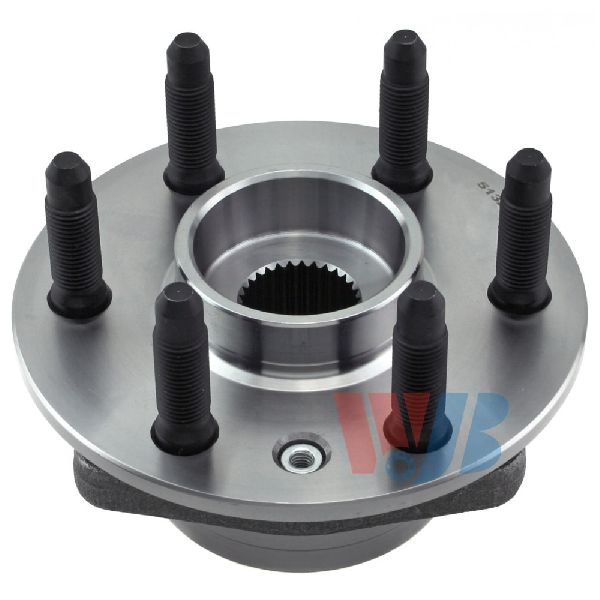
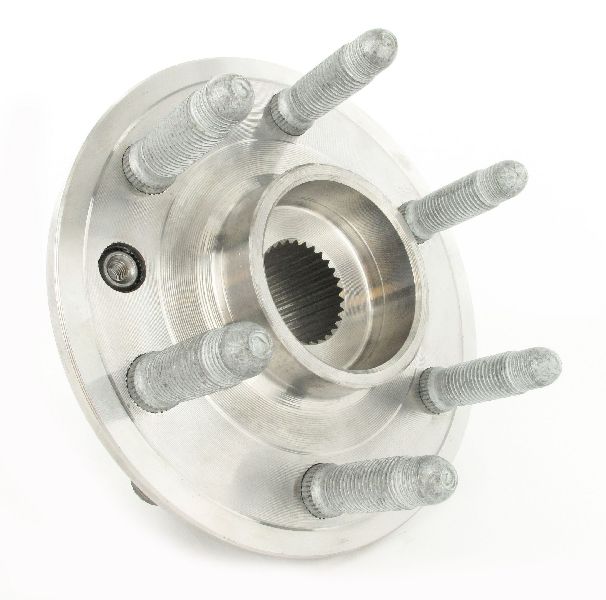
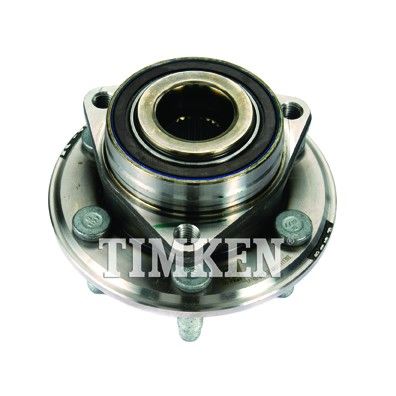
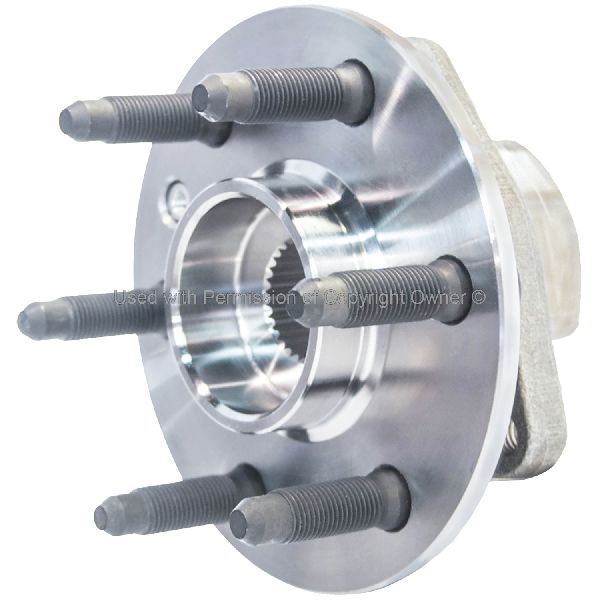
- Front Wheel Bearing and Hub Assembly
(OEM #ACDelco FW404 (GM 22864129))— This is the most common failure. The assembly includes the bearing, hub, and the non-serviceable ABS sensor and magnetic encoder ring which are the typical points of failure for code C0035. 🎬 Watch: A deep dive into C0035 causes and fixes
Trusted brands: ACDelco, MOOG, Timken, SKF, Driveworks
OEM price range: $200-$300
Aftermarket price range: $100-$220 - ABS Sensor Connector Pigtail
(OEM #ACDelco PT2298)— If the connector at the wheel well is corroded or damaged, replacing the pigtail is the standard repair to ensure a solid connection to the new or existing hub assembly.
Trusted brands: ACDelco, Dorman, Standard Motor Products (SMP)
OEM price range: $30-$50
Aftermarket price range: $15-$35
Related Codes That Often Appear With This One
- C0040 — This is the code for the Right Front Wheel Speed Sensor. It's common for wheel bearings to wear at similar rates, so seeing codes for both front wheels is not unusual. The failure mechanism is identical.
- C0045 — This is the code for the Left Rear Wheel Speed Sensor. A fault in one wheel speed sensor can sometimes cause the system to flag issues with others, or it may indicate multiple failing hubs, which is common on these vehicles.
- U0415 — Invalid Data Received From Electronic Brake Control Module. This code may be set by the Power Steering Control Module as a secondary fault when it loses a valid wheel speed signal from the EBCM, often resulting in a 'Service Steering' message.
Technical Service Bulletins (TSBs) & Recalls
- PIC5428G: Addresses DTCs C0035-C0050 with symptom bytes 18, 5A, or 0F. Points to ferrous debris on the magnetic encoder ring or a damaged ring on the wheel bearing assembly as the root cause. It advises cleaning before replacement.
Platform-Specific Known Issues
- The provided NHTSA Technical Service Bulletin #PIC5428G directly addresses codes C0035-C0050, instructing technicians to inspect the wheel bearing's magnetic encoder for accumulated ferrous debris as a primary diagnostic step before component replacement.
Mechanic-Grade Diagnostic Values
- Wheel Speed Sensor Supply Voltage — expected: 8-12 Volts DC. Failure: Voltage below 8V or absent indicates a problem with the EBCM or wiring.
- Wheel Speed Sensor Signal (using oscilloscope) — expected: A clean square wave that increases in frequency as the wheel is spun.. Failure: A missing, erratic, or distorted waveform indicates a faulty sensor, damaged encoder ring, or wiring issue.
- Live Data Wheel Speed Comparison — expected: All four wheel speed sensors should read within 4 km/h (2.5 MPH) of each other while driving straight.. Failure: The left front sensor reading 0, dropping out, or deviating significantly from the others points to a fault in that circuit.
Hidden / Shadow Codes Worth Checking
- C0035 18: Signal Amplitude Less Than Minimum. This points to a weak signal, often caused by an excessive air gap, debris on the encoder, or a cracked magnetic ring. (see via Professional scan tools like the GM GDS2/Tech2 will display the 2-digit symptom byte.)
- C0035 5A: Signal Plausibility Failure. The EBCM receives a signal, but it's irrational compared to other vehicle speed inputs, often caused by a damaged or delaminating encoder ring. (see via Professional scan tools like the GM GDS2/Tech2 will display the 2-digit symptom byte.)
- C0035 0F: Signal Erratic. This indicates a general signal integrity problem, such as intermittent dropouts from a loose connection or chafed wire. (see via Professional scan tools like the GM GDS2/Tech2 will display the 2-digit symptom byte.)
Scan Tool Commands That Help

- GM GDS2 / Tech2: Live Data > Wheel Speed Sensors — This is the primary diagnostic function. Graphing the output of all four sensors while driving is the fastest way to confirm a signal dropout or erratic reading from the left front wheel.
- GM Techline Connect (SPS2): Replace and Reprogram Electronic Brake Control Module — This function is only required if the EBCM itself is replaced. It is not needed for a hub or sensor replacement. It allows a new or used module to be programmed to the vehicle's VIN.
Wiring & Ground Locations
- EBCM (Electronic Brake Control Module) — Attached to the ABS hydraulic unit/pump assembly in the engine compartment, on the driver's side.. This module receives and interprets the signal from the left front wheel speed sensor. All wiring for the sensor terminates here.
- G103 — A primary chassis ground located on the frame rail in the front of the engine bay, near the EBCM.. A corroded or loose G103 ground can cause a floating reference for the EBCM, leading to multiple erratic ABS codes, including C0035, and communication faults.
- EBCM Connector (X1) — The main electrical connector plugging into the EBCM.. Technicians may need to test for power and signal directly at the EBCM pins. For example, on some schematics, the LF WSS signal is on pin 33 and the voltage supply is on pin 34. Verifying signal at these pins can rule out a wiring issue.
Real Owner Repair Stories
- cadillacforums.com user (2012 Cadillac SRX) — ABS and Stabilitrak lights on, code C0035.
❌ Tried (didn't work) Cleaning the sensor and magnetic ring.
✅ What actually fixed it Replacement of the entire front left wheel hub and bearing assembly. - YouTube video by 'Reggie's Motorworks' (2010 Cadillac SRX) — ABS light, stability control message, unwarranted ABS activation during normal braking.
❌ Tried (didn't work) Initial scan and data check.
✅ What actually fixed it Visual inspection revealed the magnetic reluctor ring on the back of the wheel bearing had physically flaked off and was missing large sections. The entire left front hub assembly was replaced to fix the issue.
OEM Part Supersession History
GM 22864129→GM 84406165— Standard part number update/revision.
Heads up: The new part number is a direct replacement for the old one across the 2010-2016 model years.
Helpful Videos
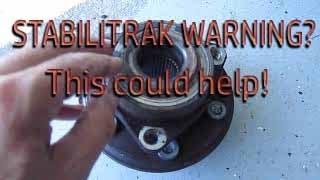
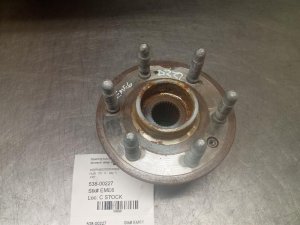
Used OEM Parts in Stock
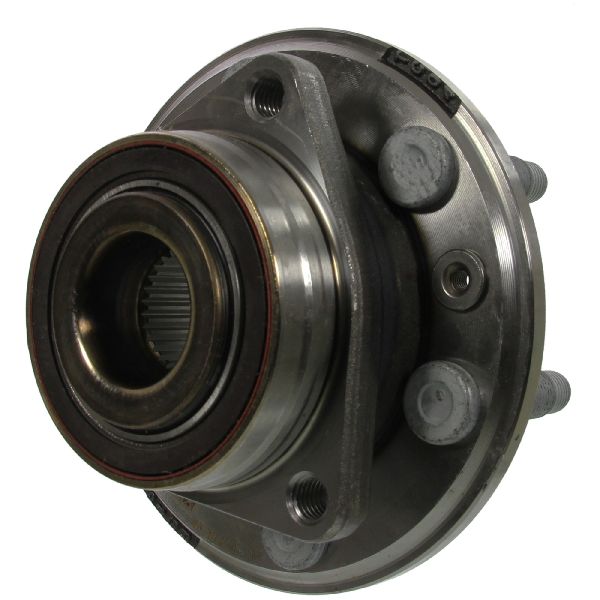
New Aftermarket Parts Available


The information in this article is provided for general reference and educational purposes only. Vehicle specifications, procedures, and part compatibility can vary by production date, trim level, and region. Always consult your vehicle's factory service manual and verify part numbers before purchasing or performing repairs. Safety-critical components such as airbags, seat belts, and braking systems should be installed by a qualified professional.
- Cadillac SRX:
- 🎬 Helpful Videos
- 🛍️ Shop This Part
- What's Unique About the 2010-2016 Cadillac SRX
- Diagnostic Flowchart
- Symptoms You May Notice
- Most Likely Causes
- Rare But Worth Checking
- Diagnosis Steps
- Parts You'll Likely Need
- Related Codes That Often Appear With This One
- Technical Service Bulletins (TSBs) & Recalls
- Platform-Specific Known Issues
- Mechanic-Grade Diagnostic Values
- Hidden / Shadow Codes Worth Checking
- Scan Tool Commands That Help
- Wiring & Ground Locations
- Real Owner Repair Stories
- OEM Part Supersession History
- 🎟️ Get 5% Off