

C0035 on 2008-2014 Cadillac CTS: Causes and Fixes for the Left Front Wheel Speed Fault
On a 2008-2014 Cadillac CTS, code C0035 almost always points to a problem with the front left wheel hub and bearing assembly, not just the sensor. The magnetic encoder ring integrated into the hub fails or accumulates debris, causing ABS and StabiliTrak warnings. Expect to replace the entire hub assembly for a permanent fix.
- C0035 on a 2008-2014 CTS means there's a problem with the left front wheel speed signal.
- The most likely cause is NOT the sensor, but the entire wheel bearing and hub assembly, due to a faulty or contaminated integrated magnetic ring.
- Do not simply replace the sensor without first inspecting the hub assembly and wiring, as this is the most common misdiagnosis.
- Driving with this code is possible, but unsafe, as critical safety systems like ABS and StabiliTrak are disabled.
- The 2010-2015 Chevy Camaro shares this exact problem due to its similar chassis design.
What's Unique About the 2008-2014 Cadillac CTS

For the second-generation Cadillac CTS, the magnetic encoder ring that the wheel speed sensor reads is integrated directly into the wheel bearing and hub assembly. As stated in GM Technical Service Bulletin PIC5428G and its successor 17-NA-047, this design makes the assembly highly susceptible to problems from ferrous metallic debris accumulating on the magnetic ring. This debris disrupts the magnetic field, leading to an erratic or lost signal. The TSB specifically calls out symptom bytes 18 (Signal Amplitude Not Plausible), 5A (Not Plausible), or 0F, which point directly to this debris issue. While the TSB advises cleaning as a first step, the ring can also become brittle and damaged, making hub replacement the only permanent solution.
Diagnostic Flowchart

Tap your situation to follow the diagnostic path that matches what you're seeing on this vehicle.
Symptoms You May Notice

- ABS warning light is on.
- "Service StabiliTrak" message on the driver information center (DIC).
- StabiliTrak/Traction Control warning light is on.
- Brakes may feel unusual or lock up during hard braking.
- Intermittent clicking, grinding, or ABS pump motor noise at low speeds, even before the warning lights stay on.
- Replacing only the wheel speed sensor when the actual fault lies with the magnetic encoder ring on the wheel bearing hub assembly. This is the most common mistake and results in the code returning quickly.
Most Likely Causes

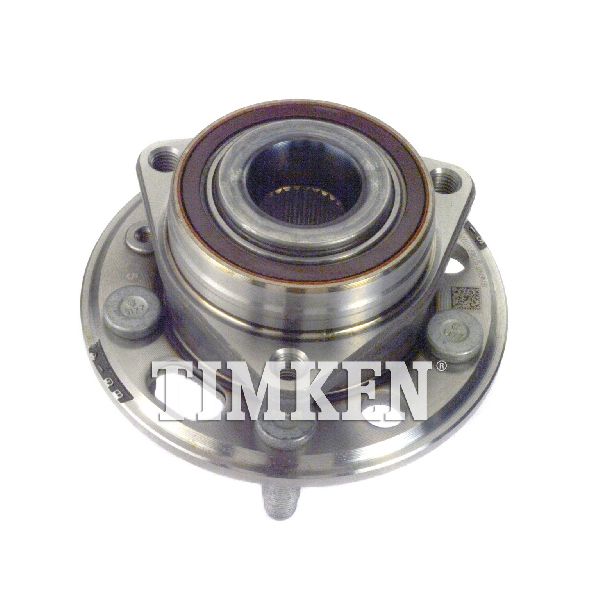
- Faulty Front Left Wheel Bearing and Hub Assembly 🔴 High Probability The magnetic encoder ring is integrated into the hub assembly and is exposed to the elements. Rust, swelling, or metallic debris can corrupt the signal the sensor reads, which is a well-documented issue (TSB PIC5428G and 17-NA-047). The ring itself can also become brittle and crack, causing a total signal loss. 🎬 See what happens when the magnetic ring fails on this hub.
How to confirm: After removing the wheel and brake caliper, visually inspect the inboard side of the hub for rust buildup, cracks, or metallic debris stuck to the brown magnetic ring. A scan tool capable of graphing live data will show the Left Front wheel speed as 0 or jumping erratically while the other three wheels show a smooth, corresponding speed.
Typical fix: Replace the entire front left wheel bearing and hub assembly. Cleaning the ring with a soft brush and brake cleaner is suggested by GM as a first step, but if the problem returns or the ring is damaged, replacement is necessary.
Est. part cost: $170-$260 - Damaged or Corroded Sensor Wiring or Connector 🟡 Medium Probability The wiring harness is located in the wheel well and is constantly exposed to moisture, road salt, and physical debris, which can lead to corrosion inside the connector or chafing/breaks in the wire itself. The harness flexes with every turn of the steering wheel, leading to internal wire fatigue and breakage over time, even if the insulation looks intact.
How to confirm: Visually inspect the entire length of the wiring from the sensor to where it enters the main loom. Unplug the connector and check the pins for green or white corrosion. A multimeter can be used to check for continuity between the sensor connector and the EBCM connector.
Typical fix: Repair the broken section of wire or replace the pigtail connector if corroded. Ensure the repaired section is sealed against moisture.
Est. part cost: $20-$50 - Failed Left Front Wheel Speed Sensor ⚪ Low Probability While the sensor itself can fail, it is far less common than hub or wiring issues on this platform. Owners and technicians frequently report replacing the sensor only to have the C0035 code return because the underlying hub issue was not addressed.
How to confirm: If the wiring and hub assembly are confirmed to be in good condition, the sensor is the next logical point of failure. A good diagnostic step is to swap the left and right front wheel speed sensors (they are often the same part). If the code changes to C0040 (Right Front), the sensor is confirmed bad.
Typical fix: Replace the wheel speed sensor. This often involves removing the brake rotor for access.
Est. part cost: $40-$80
Rare But Worth Checking
- Failed Electronic Brake Control Module (EBCM): This is very rare and should only be considered after all other possibilities (hub, sensor, wiring) have been definitively ruled out. An EBCM failure will typically be accompanied by other trouble codes, often communication codes, and may affect more than one wheel speed sensor circuit.
Diagnosis Steps
- Confirm the presence of code C0035 using an OBD-II scanner capable of reading ABS/chassis codes.
- Use the scanner's live data function to monitor and graph the speed of all four wheels while driving. Confirm that the Left Front (LF) wheel speed sensor reads 0 mph, drops out, or provides a noisy, erratic signal compared to the other three.
- Raise and secure the front of the vehicle. Remove the left front wheel.
- Visually inspect the wheel speed sensor wiring harness and connector for any signs of damage, chafing, corrosion, or loose connections. Pay close attention to where the harness flexes near the control arm and where it may rub on the axle.
- Remove the brake caliper and rotor to gain full access to the wheel hub assembly.
- Thoroughly inspect the inboard side of the wheel hub assembly. Look for metallic debris stuck to the brown magnetic encoder ring. Also check the ring for cracks or other physical damage.
- As per TSB 17-NA-047, attempt to clean the ring with a soft nylon brush and a mild detergent or brake cleaner. Do not use magnetic tools, as they can damage the encoder. After cleaning, clear the codes and re-test.
- If cleaning does not resolve the issue, or if the ring is visibly damaged, the hub assembly is the cause and must be replaced.
- If the hub and wiring appear perfect, consider swapping the left and right front sensors to see if the fault follows the sensor (moves to code C0040). If it does, replace the sensor.
Parts You'll Likely Need
- Front Wheel Bearing and Hub Assembly (Left)
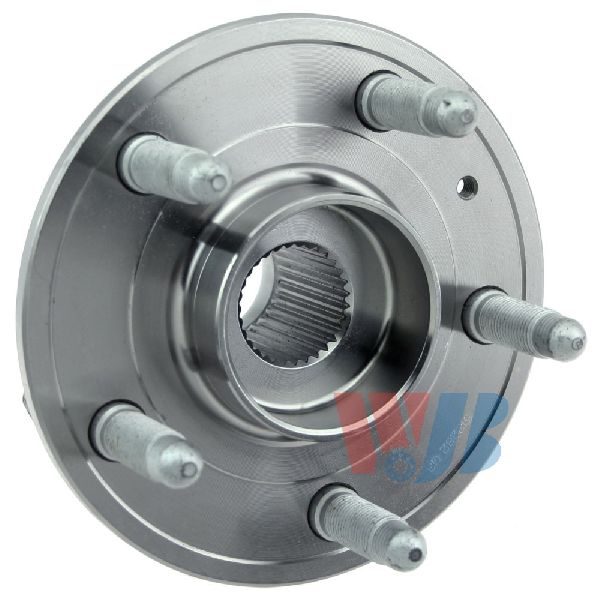
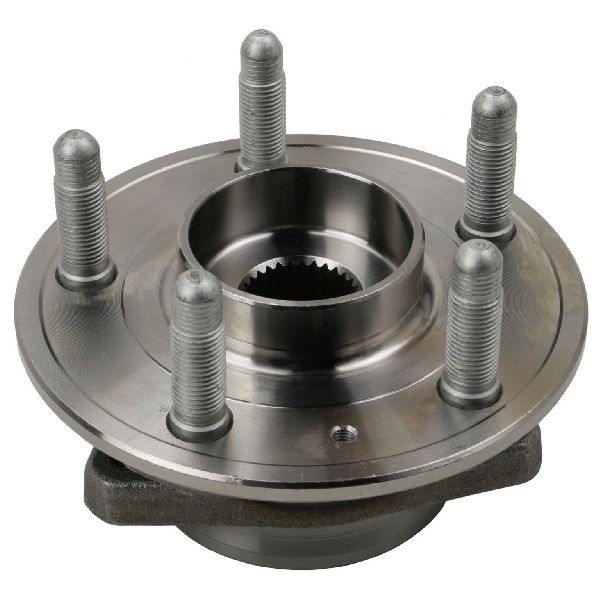
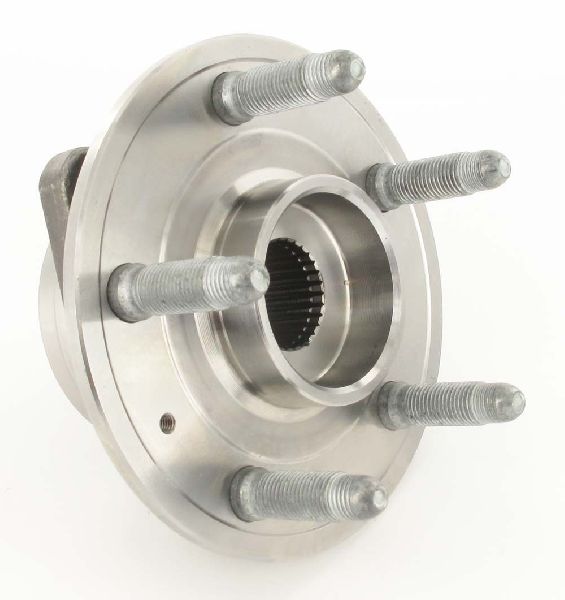
(OEM #13589508, 19370295 (superseded))— This is the most common failure for code C0035 on this vehicle, as the integrated magnetic reluctor ring becomes damaged or obstructed by rust/debris, per TSB PIC5428G and its successors.
Trusted brands: ACDelco (OEM), Timken (Often the OEM supplier), MOOG, SKF
OEM price range: $220-$280
Aftermarket price range: $170-$250
Related Codes That Often Appear With This One
- C0040 — This is the code for the Right Front Wheel Speed Sensor. Seeing both may indicate a common wiring issue, a problem with the EBCM, or simply that both front wheel bearings are failing around the same time due to similar age and exposure to the elements.
- U0415 — On vehicles with electric power steering, a loss of a wheel speed sensor signal can cause the Power Steering Control Module to set this code, resulting in a 'Service Steering' message and heavier steering feel at low speeds, as noted in GM TSBs.
Technical Service Bulletins (TSBs) & Recalls
- PIC5428G: The primary TSB that first identified the magnetic encoder ring debris as the root cause for C0035-C0050 codes on this platform.
- 17-NA-047: This bulletin supersedes PIC5428G, updating the model list and reiterating the diagnostic and cleaning procedure, while cautioning against using magnetic tools for cleaning.
Platform-Specific Known Issues
- As documented in GM TSB PIC5428G and its successor 17-NA-047, debris accumulation on the magnetic encoder ring on the inboard side of the bearing hub is a primary cause for C0035 with symptom bytes 18, 5A, or 0F. The bulletin advises inspection and cleaning, but owner experiences frequently show replacement is the only long-term solution.
Mechanic-Grade Diagnostic Values
- EBCM Voltage Pulse at Sensor Connector — expected: A brief pulse of ~12V immediately after turning the ignition key to ON.. Failure: No voltage pulse indicates a problem with the EBCM or the wiring between the EBCM and the sensor connector.
- Sensor Signal Waveform (Oscilloscope) — expected: A clean DC square wave that switches between a high state (e.g., ~1.4V) and a low state (e.g., ~0.7V). The frequency of the wave should increase smoothly with wheel speed.. Failure: A missing, noisy, or erratic waveform. Dropouts in the pattern or a flat line indicate a faulty hub encoder ring, a bad sensor, or a wiring issue.
- Wiring Continuity from EBCM to Sensor — expected: Less than 2.0 ohms of resistance on both the power and signal return wires.. Failure: High or infinite resistance (OL) indicates an open circuit (broken wire).
Hidden / Shadow Codes Worth Checking
- C0035 0F: Indicates the Left Front Wheel Speed Sensor signal is erratic. This often points directly to debris on the magnetic encoder ring or a failing ring, causing an inconsistent signal. (see via GM GDS2/Tech2 or other high-end scan tool capable of reading manufacturer-specific symptom bytes.)
- C0035 18: Indicates the signal amplitude from the Left Front Wheel Speed Sensor is too low. This can be caused by an excessive air gap between the sensor and the encoder ring (e.g., from rust jacking) or a weak magnetic ring. (see via GM GDS2/Tech2 or other high-end scan tool capable of reading manufacturer-specific symptom bytes.)
- C0035 5A: Indicates the signal from the Left Front Wheel Speed Sensor is not plausible compared to other vehicle sensors (like the other wheel speeds). This is a general rationality failure. (see via GM GDS2/Tech2 or other high-end scan tool capable of reading manufacturer-specific symptom bytes.)
- C0035 06: Indicates the Left Front Wheel Speed Sensor circuit has low voltage or is open. This points towards a wiring issue like a broken wire or corroded connector. (see via GM GDS2/Tech2 or other high-end scan tool capable of reading manufacturer-specific symptom bytes.)
Scan Tool Commands That Help
- GM GDS2/Tech2 or Oscilloscope: Key-On Voltage Pulse Test — Use this at the beginning of diagnosis with the sensor unplugged. Cycle the ignition key to 'ON' and watch for a brief ~12V pulse at the harness connector. This quickly verifies the EBCM and wiring are functional, pointing the diagnosis towards the sensor/hub assembly.
Wiring & Ground Locations
- G110 — In the engine compartment, near the ABS module on the driver's side frame rail.. This is a critical ground point. GM issued a TechLink bulletin warning that some aftermarket Cold Air Intakes use this ground stud as a mounting point, creating a poor connection. A bad G110 ground can cause multiple intermittent issues, including ABS/StabiliTrak warnings and communication codes with the EBCM.
- EBCM Connector — On the Electronic Brake Control Module, located on the driver's side of the engine bay, below the brake master cylinder.. This is the main connection point for all wheel speed sensors. Probing for power, ground, and signal here can determine if a fault is in the wiring harness or internal to the module. A technician found no voltage at the sensor but 12V at the EBCM, confirming a broken wire in between.
- Wheel Speed Sensor Harness Chafe Point — The harness section that runs along the front suspension control arm and flexes as the steering wheel is turned.. Constant flexing can cause the internal copper wires to fatigue and break, even if the outer insulation looks undamaged. This creates an open circuit, typically triggering a C0035 with symptom byte 06.
Real Owner Repair Stories
- Technician video on a similar GM platform (Chevy Silverado) (Chevy Silverado from a rust-belt region) — C0035, ABS pump activating at low speeds during braking.
❌ Tried (didn't work) Initial visual inspection showed no obvious wiring damage.
✅ What actually fixed it The technician noted that in '95% of cases' in his region, the cause is rust buildup on the hub mounting surface underneath the wheel speed sensor. This 'rust jacking' pushes the sensor slightly out, increasing the air gap to the magnetic encoder ring and causing the signal to drop out at low speeds. The sensor broke during removal due to the rust, necessitating a full hub assembly replacement. - Technician video on a 2012 Chevy Sonic (2012 Chevy Sonic) — C0035, erratic signal on oscilloscope, ABS module clicking.
❌ Tried (didn't work) Initial diagnosis pointed towards a bad sensor or wiring.
✅ What actually fixed it After replacing the sensor did not fix the issue, further disassembly revealed the true cause: a broken plastic spacer on the steering knuckle was partially covering the magnetic encoder ring on the wheel bearing. This physical obstruction created the erratic signal. Replacing the broken spacer resolved the code. - Technician video on a 2007 Buick Allure (2007 Buick Allure (similar active sensor design)) — C0035, intermittent signal loss on live data graph.
❌ Tried (didn't work) Visual inspection was initially inconclusive.
✅ What actually fixed it The technician found that the wiring harness retaining clip on the control arm had failed, allowing the harness to rub against the spinning CV axle. This wore through the insulation and damaged the wires. Repairing the chafed section of the wiring harness and securing it properly fixed the fault.
OEM Part Supersession History
13589508→13580489, 19370295 (among others)— Standard part evolution for design improvements, cost reduction, or supplier changes.
Heads up: Part number 19370295 also replaces older numbers like 12413071 and 25693148, indicating a long history of revisions. Always verify fitment with the vehicle's VIN.
Model Year Variations Within This Range
- 2008-2014: Aftermarket parts data suggests that the same wheel bearing and hub assembly (e.g., MOOG 513288, Timken HA590242) is often used for both RWD and AWD models (excluding V-Series), and in some cases, can be used on either the front or rear axle. This indicates high component commonality across the non-performance trims of this generation.
Helpful Videos
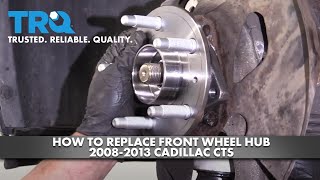
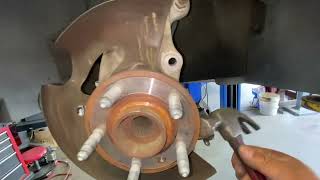

Used OEM Parts in Stock
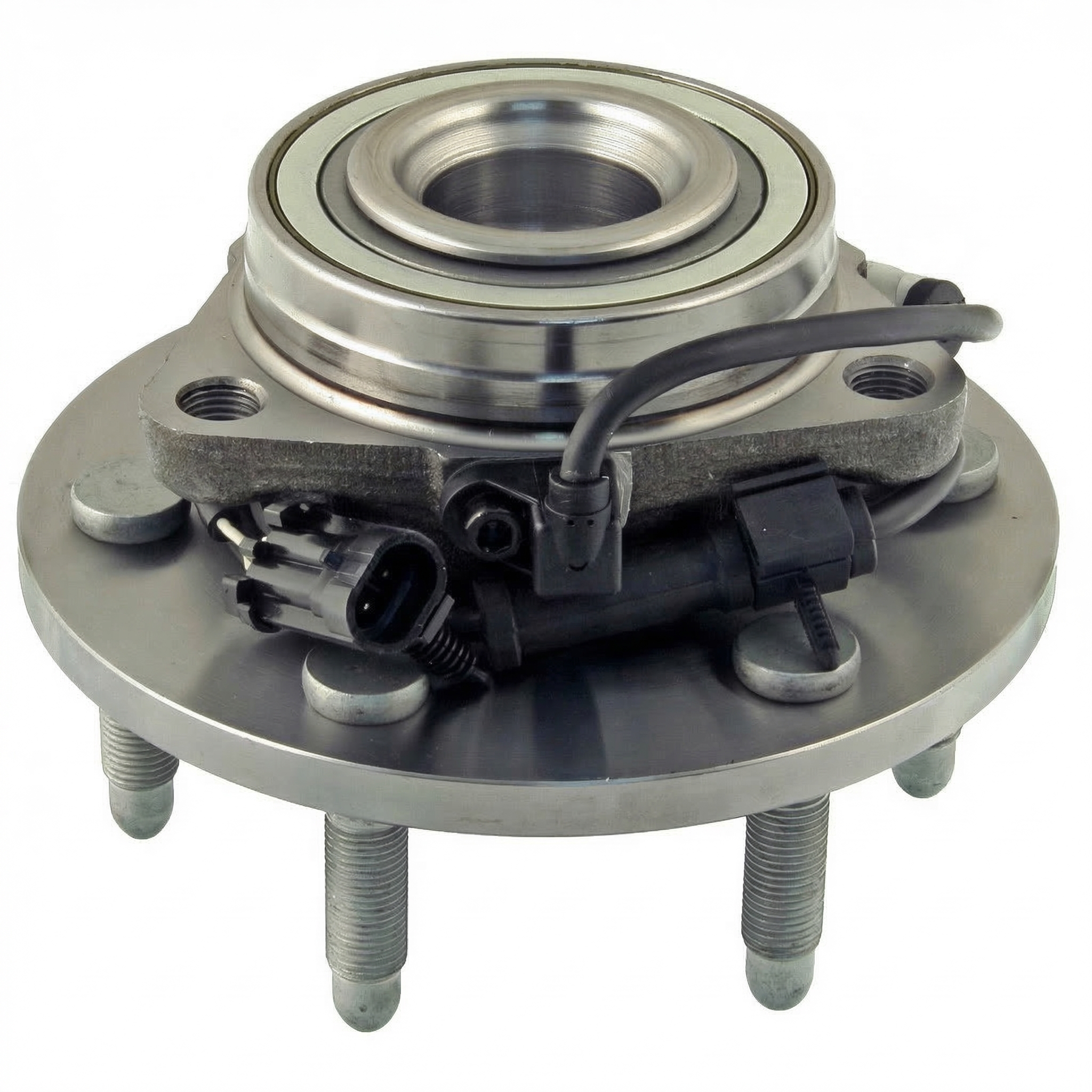


New Aftermarket Parts Available


The information in this article is provided for general reference and educational purposes only. Vehicle specifications, procedures, and part compatibility can vary by production date, trim level, and region. Always consult your vehicle's factory service manual and verify part numbers before purchasing or performing repairs. Safety-critical components such as airbags, seat belts, and braking systems should be installed by a qualified professional.
- Cadillac CTS:
- 🎬 Helpful Videos
- 🛍️ Shop This Part
- What's Unique About the 2008-2014 Cadillac CTS
- Diagnostic Flowchart
- Symptoms You May Notice
- Most Likely Causes
- Rare But Worth Checking
- Diagnosis Steps
- Parts You'll Likely Need
- Related Codes That Often Appear With This One
- Technical Service Bulletins (TSBs) & Recalls
- Platform-Specific Known Issues
- Mechanic-Grade Diagnostic Values
- Hidden / Shadow Codes Worth Checking
- Scan Tool Commands That Help
- Wiring & Ground Locations
- Real Owner Repair Stories
- OEM Part Supersession History
- Model Year Variations Within This Range
- 🎟️ Get 5% Off