

C0035 on 2011-2017 Buick Regal: Left Front Wheel Speed Sensor Causes and Fixes
Code C0035 on a 2011-2017 Buick Regal points to a fault in the left front wheel speed sensor circuit. This almost always requires replacing the entire front wheel hub and bearing assembly, which includes the non-serviceable sensor. Debris on the magnetic encoder ring is a known cause per GM TSB #PIC5428G, but cleaning is often a temporary fix. Expect to pay between $375 and $469 for a professional repair.
- C0035 on your Buick Regal means there's a problem with the left front wheel speed sensor circuit, which will disable your ABS and StabiliTrak systems.
- The most common cause is a faulty wheel hub assembly, which contains the integrated sensor ring.
- A damaged wiring harness is the second most likely cause.
- While cleaning the magnetic ring on the hub is suggested by a TSB, replacement of the entire hub is the most reliable long-term fix.
- Diagnosis requires a scan tool that can read ABS live data to confirm which wheel is at fault.
What's Unique About the 2011-2017 Buick REGAL
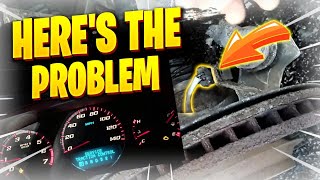
The 2011-2017 Buick Regal, like many other GM vehicles from this era built on the Epsilon II platform, has the wheel speed sensor's magnetic encoder ring integrated directly into the wheel hub and bearing assembly's seal. GM issued Technical Service Bulletin #PIC5428G specifically for this issue, noting that metallic debris accumulation on this magnetic ring is a common cause for codes C0035-C0050. 🎬 Watch: Understanding the causes and fixes for code C0035. While the TSB suggests cleaning may sometimes work, the design often leads to the entire hub assembly being replaced to resolve the fault, as the debris is a symptom of bearing wear or the seal failing.
Diagnostic Flowchart
Tap your situation to follow the diagnostic path that matches what you're seeing on this vehicle.
Symptoms You May Notice
- ABS warning light is on.
- StabiliTrak or Traction Control (TC) light is on.
- "Service StabiliTrak" or "Service ABS System" message in the driver information center.
- "Service Steering" message may appear on models with electric power steering.
- ABS system does not activate during hard braking, potentially causing wheels to lock up.
- Traction control does not engage on slippery surfaces.
- A clicking or ratcheting noise from the ABS pump motor at low speeds as it tries to interpret the faulty signal.
- Remote start may be disabled, as is common on GM vehicles when a chassis fault code is present.
- Replacing the EBCM before thoroughly inspecting the wheel hub and wiring. The fault is almost always at the wheel end of the circuit.
- Replacing only the sensor when it is integrated into the hub assembly. On this platform, the sensor and hub are one unit.
Most Likely Causes
- Faulty Front Wheel Hub & Bearing Assembly 🔴 High Probability The magnetic reluctor ring (tone ring) is integrated into the hub's seal. Corrosion or metallic debris from bearing wear can build up on this ring, disrupting the sensor's signal. This is a well-documented issue covered by GM TSB #PIC5428G. Forum users on Reddit have confirmed that rusted reluctors on the hub assembly were the root cause of their C0035 code.
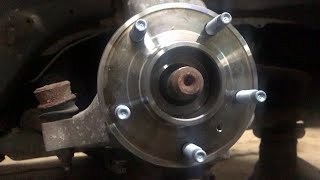
How to confirm: With the wheel removed, visually inspect the inboard side of the hub for rust, dirt, or metallic debris. A scan tool showing erratic or no speed reading from the left front wheel while spinning it also points to this. A graphing meter can show the signal breaking up intermittently.
Typical fix: While the TSB suggests cleaning the magnetic encoder ring is possible, replacement of the entire wheel hub and bearing assembly is the most common and reliable repair. This is because the debris is often a sign of a failing bearing seal.
Est. part cost: $110-$270 - Damaged Wheel Speed Sensor Wiring or Connector 🟡 Medium Probability The wiring harness is exposed to the elements, road debris, and constant movement from steering and suspension travel. This can lead to chafed wires, internal breaks at flex points, or corrosion in the connector pins. A common failure point is an internal wire break where the insulation looks intact but stretches.
How to confirm: Visually inspect the entire length of the sensor harness from the hub to the main body connector. Check for broken wires, damaged insulation, and corrosion inside the connector. Gently pull on the wires near the connector to see if the insulation stretches, indicating an internal break. Use a multimeter to test for continuity and proper voltage (typically a 5V reference).
Typical fix: Repair the damaged section of wiring or replace the pigtail connector. GM offers a repair harness for this common issue. Ensure the harness is properly secured away from moving parts.
Est. part cost: $25-$50 - Failed Electronic Brake Control Module (EBCM) ⚪ Low Probability
How to confirm: This should only be considered after a new wheel hub assembly and verified wiring have failed to resolve the code. A professional-grade scan tool is needed to test the module's inputs and outputs. This is an uncommon cause.
Typical fix: The EBCM must be replaced and programmed to the vehicle's VIN.
Est. part cost: $300-$600+
Diagnosis Steps
- Connect a scan tool capable of reading ABS codes to confirm C0035 is present and check for any related symptom bytes (e.g., 18, 5A, 0F as mentioned in TSBs).
- Use the scan tool's live data function to monitor all four wheel speed sensors while driving or spinning the wheels. Confirm that the left front sensor reads 0 mph or provides an erratic signal compared to the other three.
- Raise and secure the vehicle. Remove the left front wheel.
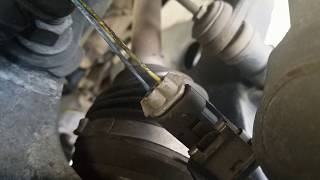
- Visually inspect the wheel speed sensor wiring harness for any signs of physical damage, chafing, or corrosion. Pay close attention to the area where the harness flexes with suspension travel. Ensure the connector is securely plugged in and free of corrosion.
- If wiring appears intact, disconnect the sensor and use a multimeter to check for the correct reference voltage from the EBCM (typically around 5V).
- Remove the brake caliper and rotor to gain access to the wheel hub assembly.
- Inspect the inboard side of the hub where the magnetic encoder ring is located. Clean away any rust, brake dust, or metallic debris with a soft brush or cloth, being careful not to use a magnetic tool or damage the seal.
- If cleaning does not resolve the issue or if the bearing shows signs of wear (noise, play), replace the entire wheel hub and bearing assembly. This is the most definitive repair.
- If the issue persists after replacing the hub, perform a continuity and resistance check on the wiring harness between the sensor connector and the EBCM to rule out an intermittent open or short.
- Clear the trouble codes with the scan tool and perform a test drive, turning the steering wheel lock-to-lock to ensure the repair was successful.
Parts You'll Likely Need
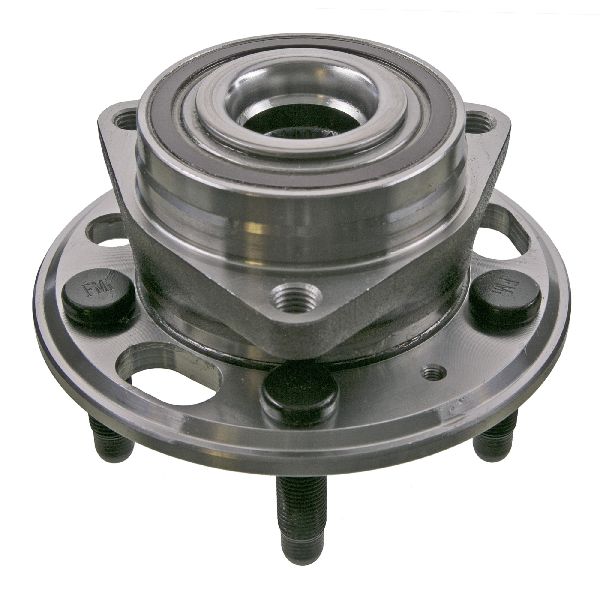
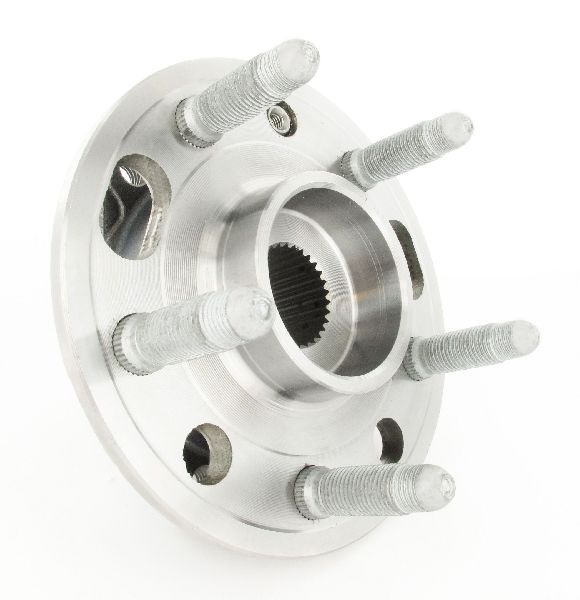
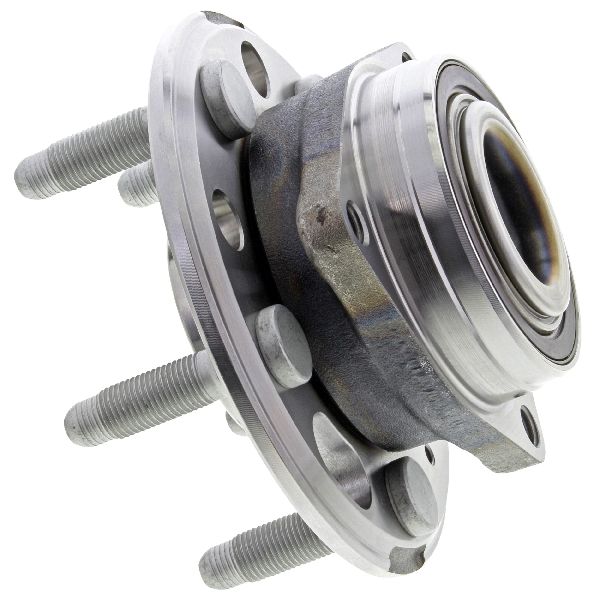
- Front Wheel Hub and Bearing Assembly
(OEM #13589601, 22807881 (ACDelco))— This is the most common failure point. The assembly includes the wheel bearing, hub, and the integrated magnetic tone ring that the ABS sensor reads. A failure of the bearing or contamination of the ring necessitates replacement of the whole unit.
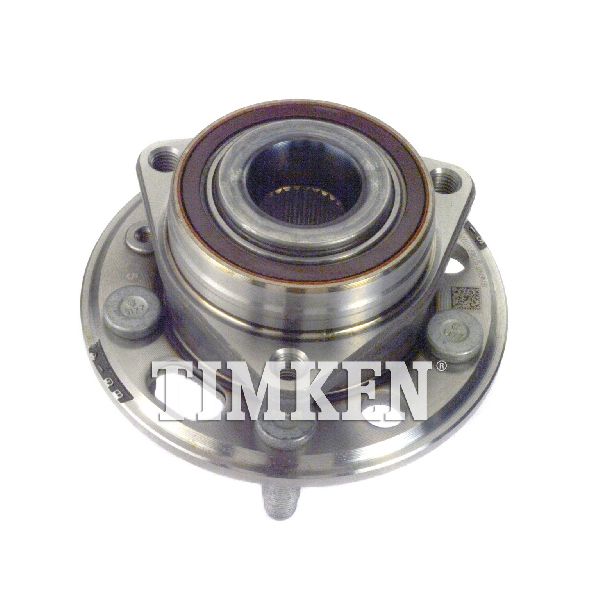
Trusted brands: ACDelco (GM Original Equipment), SKF, Timken, MOOG
OEM price range: $200-$270
Aftermarket price range: $110-$180
Related Codes That Often Appear With This One
- C0800 — TSB #PIC5837 notes that a C0800 (Device Power #1 Circuit Malfunction) can appear alongside wheel speed sensor codes like C0035.
- U0415 — TSB #PIC5428G states that on vehicles with electric power steering, a loss of wheel speed signal can cause the Power Steering Control Module to set a U0415 (Invalid Data Received From EBCM), resulting in heavier steering feel at low speeds.
Technical Service Bulletins (TSBs) & Recalls
- PIC5428G: Service Brakes, Air, and/or Service Stabilitrak Lights Are On. DTCs C0035-C0050 with symptom 18, 5A, or 0F.
- PIC5837: Back Over Prevention, Service Stability Message. DTC C0800 with C0035, C0040, C0045 or C0050.
- 17-NA-047: Supersedes PIC5428G, provides updated information and procedures for the same issue.
Platform-Specific Known Issues
- TSB PIC5428G: General Motors issued this bulletin for a wide range of vehicles, including the 2011-2017 Regal, for ABS/StabiliTrak lights with codes C0035-C0050. It specifically identifies debris on the magnetic encoder ring of the wheel bearing as a primary cause and provides a procedure for inspection and cleaning. It warns technicians not to use magnetic tools for cleaning. This TSB was later superseded by 17-NA-047 but contains the core diagnostic information.
- TSB PIC5837: This bulletin addresses a "Service Stability" message accompanied by code C0800 along with C0035, C0040, C0045, or C0050, directing technicians to follow standard diagnostics for the wheel speed sensor codes.
- Wiring Harness Fatigue: The wiring pigtail for the sensor is a known weak point. The wires can break internally from the constant flexing of the steering and suspension, even if the outer insulation looks undamaged.
Mechanic-Grade Diagnostic Values
- Wheel Speed Sensor Resistance — expected: 800 to 1,400 Ohms (typical for passive sensors). Failure: An open circuit (infinite resistance) or short circuit (zero resistance), or a value significantly different from the other wheel sensors.
- Wheel Speed Sensor AC Voltage Output — expected: 50 to 700 millivolts (mV) AC when spinning the wheel by hand at approximately one revolution per second.. Failure: A low or zero voltage reading indicates a faulty sensor, excessive air gap, or debris on the sensor tip.
- EBCM Power Output Pulse Check — expected: A brief 12V pulse from the EBCM to the sensor harness connector immediately after turning the ignition on.. Failure: Absence of the 12V pulse suggests a problem with the EBCM or the wiring between the module and the connector, as the module disables the driver when a fault is stored.
Hidden / Shadow Codes Worth Checking
- C0035 18: Low Signal Amplitude. The EBCM has detected that the signal from the wheel speed sensor is present but weaker than expected. (see via A professional scan tool capable of reading GM-specific symptom bytes, such as a Tech2 or GDS2.)
- C0035 5A: Not Plausible. The signal from the wheel speed sensor does not match the data from other vehicle sensors (e.g., other wheel speeds, vehicle speed). (see via A professional scan tool capable of reading GM-specific symptom bytes, such as a Tech2 or GDS2.)
- C0035 0F: Signal Erratic. The wheel speed sensor signal is intermittent, fluctuating, or dropping out. This is often caused by debris on the magnetic encoder or a failing bearing. (see via A professional scan tool capable of reading GM-specific symptom bytes, such as a Tech2 or GDS2.)
Scan Tool Commands That Help
- GDS2/Tech2 or equivalent professional scanner: Live Data - Wheel Speed Sensor Graph — This is the primary diagnostic step. Graphing the left front wheel speed sensor's output while driving or spinning the wheel will visually show dropouts, erratic signals, or a complete lack of signal compared to the other three sensors.
- GDS2/Tech2 or equivalent professional scanner: Clear All DTCs — After a repair is performed. It is also used during diagnosis; on some GM systems, the EBCM will shut off the 12V supply to a sensor circuit once a code is set. Clearing the code and cycling the ignition is necessary to re-test the circuit for power.
Wiring & Ground Locations
- G103 — Located at the left rear of the engine compartment on the cowl, above the brake booster.. This is a major ground point for the Body Control Module (BCM) and other critical interior electronics. While not the direct ground for the EBCM, a poor connection here can cause a wide range of difficult-to-diagnose electrical issues that could potentially mimic module problems.
- EBCM Main Ground — The Electronic Brake Control Module (EBCM) is typically grounded directly to the chassis near its mounting location, under the hood on the driver's side.. A corroded or loose main ground for the EBCM can cause a host of ABS-related codes, including C0035, and may lead to misdiagnosis of the module itself. This ground should be removed, cleaned, and secured before considering EBCM replacement.
- Wheel Speed Sensor Connector — At the wheel hub, connecting the non-serviceable sensor pigtail to the main chassis harness.. This connector is the most common point for wiring failures due to its exposure to weather, debris, and movement. Corrosion on the pins ('green crusties') or internal wire breaks near the connector are frequent causes of an intermittent or lost signal.
Real Owner Repair Stories
- YouTube - All American Automotive (GMT800 Truck (similar GM ABS system)) — Intermittent ABS light and unwanted pedal pulsation with codes C0035, C0040, C0055.
❌ Tried (didn't work) Initial diagnosis pointed to a bad wheel hub/sensor.
✅ What actually fixed it The root cause was severe corrosion ('green crusties') inside the main EBCM connector pins, not the wheel speed sensor itself. The fix involved depinning the connector, cutting off the corroded wire ends, crimping on new terminals, and reassembling the connector.
OEM Part Supersession History
22807881→13518366 (ACDelco FW428)— Part number consolidation and potential design updates.
Heads up: Always verify the correct part number by VIN. While many Epsilon II platform vehicles share hubs, there can be subtle differences. The part number 13589601, sometimes associated with this vehicle, is for a TPMS sensor, not a wheel hub.
Model Year Variations Within This Range
- 2011-2017: The Buick Regal had a significant facelift for the 2014 model year. While the fundamental ABS system design remained the same (integrated sensor in hub), some connector types or wiring harness routing may differ between pre-facelift (2011-2013) and post-facelift (2014-2017) models. Always confirm part compatibility for the specific model year.
Helpful Videos

Used OEM Parts in Stock
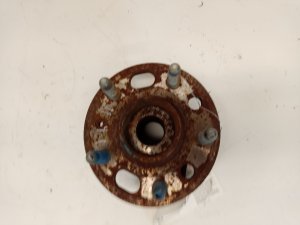
New Aftermarket Parts Available


The information in this article is provided for general reference and educational purposes only. Vehicle specifications, procedures, and part compatibility can vary by production date, trim level, and region. Always consult your vehicle's factory service manual and verify part numbers before purchasing or performing repairs. Safety-critical components such as airbags, seat belts, and braking systems should be installed by a qualified professional.
- Buick REGAL:
- 🎬 Helpful Videos
- 🛍️ Shop This Part
- What's Unique About the 2011-2017 Buick REGAL
- Diagnostic Flowchart
- Symptoms You May Notice
- Most Likely Causes
- Diagnosis Steps
- Parts You'll Likely Need
- Related Codes That Often Appear With This One
- Technical Service Bulletins (TSBs) & Recalls
- Platform-Specific Known Issues
- Mechanic-Grade Diagnostic Values
- Hidden / Shadow Codes Worth Checking
- Scan Tool Commands That Help
- Wiring & Ground Locations
- Real Owner Repair Stories
- OEM Part Supersession History
- Model Year Variations Within This Range
- 🎟️ Get 5% Off