

B3935 on 2015-2022 GMC Acadia: Security System No-Start Causes & Fixes
Code B3935 on a GMC Acadia indicates a security system error causing a no-start. This is frequently caused by Radio Frequency Interference (RFI) from devices like phone chargers, aftermarket LED lights, or other keys on the keychain. Before replacing parts, remove all electronics and RFID cards from near the key and try starting again. If that fails, try the spare key or replace the key fob battery.
- B3935 means your Acadia's security system is preventing it from starting because it can't verify your key.
- The most common cause is NOT a broken part, but interference from other electronics on your keychain or in your car. Remove these first.
- Before going to a shop, try your spare key and replace the battery in the key that isn't working.
- If the problem persists, a BCM software update might be needed, as noted in GM service bulletins.
- Do not replace expensive components like the BCM or starter until all simpler causes have been ruled out.
What's Unique About the 2015-2022 Gmc ACADIA

The GMC Acadia, along with many other GM vehicles from this era (like the Chevrolet Traverse and Buick Enclave), is notably sensitive to Radio Frequency Interference (RFI). GM has issued multiple Technical Service Bulletins (TSBs), such as PIC5650M, advising technicians that intermittent no-start conditions with code B3935 are often caused by aftermarket devices (like phone chargers, LED lights), building access cards, or even toll passes on the owner's keychain. The official advice is to investigate and remove these sources of interference before any parts are replaced, as module replacement rarely fixes the issue.
Diagnostic Flowchart
Tap your situation to follow the diagnostic path that matches what you're seeing on this vehicle.
Generation note: The 2015-2022 year range covers two generations of the GMC Acadia: the first generation (ending in 2016/2017 for the 'Limited' model) on the Lambda platform and the second generation (starting in 2017) on the C1XX platform. The provided TSBs from GM, specifically the PIC5650 series, cover models in both generations, indicating that the security system design and its sensitivity to interference are issues on both platforms.
Symptoms You May Notice
- Engine will not crank (no-crank, no-start).
- Engine starts and immediately stalls.
- Security indicator light is on or flashing on the dashboard.
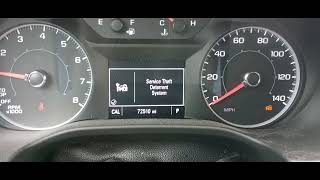
- Message on the driver information center like "Service Theft Deterrent System" or "No Remote Detected".
- Keyless entry (RKE) functions poorly or not at all.
- Replacing the starter motor. A starter issue will not typically set a security system code.
- Replacing the Body Control Module (BCM) without first ruling out RFI, key battery, and the key itself. TSB PIC5650L specifically advises against replacing parts for this concern until RFI is investigated.
- Replacing the vehicle's main battery. While a low main battery can cause various electrical issues and sometimes trigger a security lockout, B3935 points specifically to a key authentication problem, not general low voltage.
Most Likely Causes

- Radio Frequency Interference (RFI) 🔴 High Probability As documented in GM TSBs PIC5650L and PIC5650M, the immobilizer system is sensitive to interference from other electronic devices, including aftermarket LED lights, phone chargers, toll passes, and building access cards.
How to confirm: Remove all other keys, key fobs, RFID-enabled access cards (work badges, etc.), and any aftermarket electronics (especially phone chargers and USB power adapters) from the vehicle and the keychain. Try starting the vehicle with only the single ignition key present.
Typical fix: Keep RFID devices and aftermarket electronics away from the ignition key and ignition cylinder/start button while starting the vehicle. Owners on forums often report success after removing a work ID badge or a cheap USB charger.
Est. part cost: $0 - Weak or Dead Key Fob Battery 🟡 Medium Probability On push-to-start models, a weak fob battery can prevent the car from detecting the remote, triggering a 'No Remote Detected' message. On all models, low voltage can cause inconsistent communication during the security handshake.
How to confirm: Try the spare key. If the spare key works consistently, the battery in the primary key is the likely culprit. For push-to-start models, placing the fob in the designated transmitter pocket (often in the front cup holder or center console) may allow the vehicle to start.
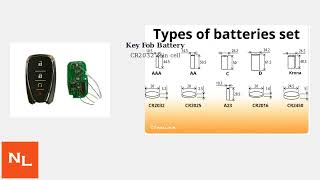
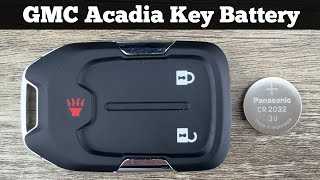
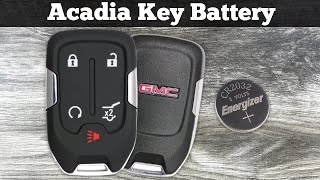
Typical fix: Replace the CR2032 coin cell battery inside the key fob.
Est. part cost: $1-$5 - Faulty Ignition Key Transponder ⚪ Low Probability The internal chip in the key can fail over time from being dropped or from internal defects.
How to confirm: If the spare key works perfectly and the primary key fails even with a new battery and no RFI, the key itself is faulty.
Typical fix: The key must be replaced and programmed to the vehicle by a dealer or an automotive locksmith with the proper tools.
Est. part cost: $75-$250 - Body Control Module (BCM) Software Glitch ⚪ Low Probability GM has released software updates for the BCM on some models to address intermittent no-start conditions. TSB PI1180A specifically addresses a no-start with B3935 and B2955 on some 2015 models, which can be fixed with a reflash.
How to confirm: This requires a dealer or qualified shop to check the current BCM software calibration against the latest version available on GM's TIS2WEB system.
Typical fix: Reprogram the BCM with the updated software calibration.
Est. part cost: $0 (if done under warranty) or $100-$200 for labor
Rare But Worth Checking
- Faulty Theft Deterrent Module (TDM) or BCM: This is rare and should only be considered after all other possibilities, especially RFI and key issues, have been exhausted. The TSBs specifically warn against replacing modules unnecessarily for this code.
- Damaged Wiring or Connectors: Corrosion or damage to the wiring for the BCM or the ignition switch's antenna ring can cause intermittent communication failures. A user on a forum reported fixing a similar radio issue by discovering a disconnected antenna plug behind the radio head unit.
Diagnosis Steps
- Verify the security light is illuminated on the dashboard when the no-start condition occurs.
- Remove ALL items from your keychain except the single ignition key. Also remove any cell phones, aftermarket chargers, toll passes, and RFID cards from the immediate vicinity of the ignition or start button.
- Attempt to start the vehicle. If it starts, the problem is RFI. Identify the offending device by re-introducing items one by one.
- If the vehicle still does not start, try using your spare key. If the spare key works, the first key is faulty (either the battery or the transponder chip).
- Replace the battery in the non-working key fob (typically a CR2032) and re-test.
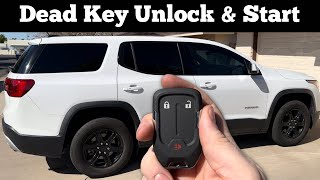
- For push-button start models, place the non-working fob in the designated transmitter pocket and try to start the vehicle. On 2nd-gen Acadias (2017+), this is often a slot inside the center console or one of the front cup holders.
- If the above steps fail, you can attempt a security system relearn. This typically involves turning the key to the 'ON' position for 10 minutes, off for 5 seconds, and repeating this cycle three times. This 30-minute procedure can sometimes resynchronize the key and BCM.
- If the problem persists, the vehicle should be scanned for all related trouble codes. A BCM software update (per TSB PI1180A for some 2015 models) or further diagnosis by a professional technician may be required.
Parts You'll Likely Need

- Key Fob Battery
(OEM #CR2032)— This is a common, inexpensive, and easy first step in troubleshooting a key communication issue.
Trusted brands: Energizer, Duracell, Panasonic
OEM price range: $5-$10
Aftermarket price range: $1-$5 - Ignition Key / Key Fob
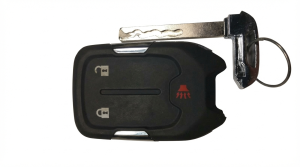
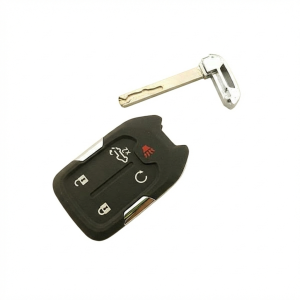
(OEM #ACDelco 13508280 (Gen 2, 6-button), ACDelco 13598538 (Gen 2, 5-button), GM 22756459 (Gen 1, 5-button))— If the transponder chip inside the key has failed, the entire key assembly must be replaced and programmed to the vehicle. Part numbers vary by year and options.
Trusted brands: ACDelco (OEM)
OEM price range: $150-$250
Aftermarket price range: $75-$150
Related Codes That Often Appear With This One
- B3055 — This code relates to a problem with the key transponder itself, often appearing with B3935 during an authentication failure as noted in TSB PIC5650M.
- B3060 — This indicates an issue with the transponder antenna circuit (the ring around the ignition), which is part of the same security handshake process. It is also mentioned alongside B3935 in GM bulletins.
- B2955 — This code is for the Security Sensor Data Circuit and is mentioned in a GM bulletin (PI1180A) alongside B3935 as indicating a condition that may be resolved with a BCM software update on certain 2015 models.
Technical Service Bulletins (TSBs) & Recalls

- PIC5650M: Intermittent no crank, no start, or start stall concern with the security light coming on.
- PIC5650L: Predecessor to PIC5650M, advising against part replacement until RFI is investigated.
- PI1180A: Intermittent No Start, Security Lamp Illuminated, DTCs B3935 and B2955 Set.
Platform-Specific Known Issues
- TSB PIC5650M & PIC5650L: RFI Interference: These bulletins directly address intermittent no-crank/no-start or start/stall conditions with code B3935. They strongly emphasize that Radio Frequency Identification devices (toll passes, work badges) and aftermarket electronics (especially USB chargers and LED lights) can interfere with the immobilizer system and should be investigated as the primary cause before replacing any parts.
- TSB PI1180A: BCM Software Update: For some 2015 models (including Acadia platform-mates like the Yukon and Suburban), this bulletin notes that a no-start condition with codes
Hidden / Shadow Codes Worth Checking
- B3935 57: Transponder Authentication Error with symptom byte 57 indicates the transponder's challenge calculation does not match the calculation performed by the Theft Deterrent Module (TDM). This points to a cryptographic handshake failure rather than a simple non-reading of the key. (see via A professional GM-specific scan tool like a Tech 2 or GDS2 is required to view symptom bytes.)
Scan Tool Commands That Help

- GDS2/Tech2: Immobilizer/Theft Deterrent Data Display — Use this function to monitor the status of the theft deterrent system in real-time. Look for parameters like 'Key Status,' 'Transponder State,' and 'Security Light Status' to see what the BCM/TDM is reporting during a no-start event. This can confirm if the module is failing to read the key or if it's receiving an invalid signal.
- GDS2/Tech2: BCM Reprogramming (SPS) — As per TSB PI1180A, this is used specifically on some 2015 models when both B3935 and B2955 are set. This command updates the BCM software to correct a known logic flaw that causes a no-start.
- GDS2/Tech2: Program Keys — This function is required after replacing an ignition key, key fob, or the Body Control Module (BCM). It guides the technician through the process of teaching the vehicle to recognize the new component's unique transponder value.
Wiring & Ground Locations
- BCM (Body Control Module) — Located under the driver's side of the dashboard, often to the left of the steering column.. The BCM is the central module for the theft deterrent system. It processes the key's signal (or receives it from the TDM) and decides whether to allow the vehicle to start. Poor connections or a bad ground at the BCM can cause a host of electrical issues, including a no-start with code B3935.
- G303 — Located near the base of the left (driver's side) 'B' pillar.. This is a major interior ground point. While not directly for the BCM in all diagrams, a poor connection at G303 can introduce electrical noise and intermittent issues for various interior modules that share data lines with the BCM, potentially interfering with the security system.
- Keyless Entry Antennas (Gen 2) — Second generation (2017+) Acadias have multiple antennas. One is commonly located in the rear cargo area near the spare tire, between the tire and the 3rd-row seat. Others are located in the doors and center console.. For push-button start models, these antennas are responsible for detecting the key fob's presence. A faulty antenna can prevent the vehicle from detecting the key, leading to a 'No Remote Detected' message and preventing the start sequence, which can be related to B3935.
Real Owner Repair Stories
- YouTube user 'GMC Won't Crank...No Start on 2017 Acadia....Battery good...just Clicks...Fixed...' (2017 GMC Acadia) — No-crank, no-start condition. All electronics worked, but the engine would not turn over. Just a click was heard.
❌ Tried (didn't work) Checked the battery, which was fully charged., Swapped relays in the fuse box., Tested all fuses., Cleaned battery terminals and ground connections.
✅ What actually fixed it The starter motor was faulty. The owner confirmed this by attempting to jump the starter solenoid directly from the battery, which produced no result. Replacing the starter motor resolved the no-crank condition.
OEM Part Supersession History
Varies by location→13592781— This is a common part number for the keyless entry antenna module used in 2018-2021 models. There are multiple antennas in the vehicle, and part numbers can vary based on placement (front, rear, console).
Heads up: Using the wrong antenna for a specific location may result in poor or no signal detection for that area of the vehicle.
Model Year Variations Within This Range
- 2015-2016 (Gen 1): These models typically use a traditional turn-key ignition system. The transponder authentication happens via an antenna ring around the ignition lock cylinder. The emergency start procedure for a dead key fob battery is not applicable as the physical key can still be used to turn the ignition.
- 2017-2022 (Gen 2): These models primarily use a push-button start system. Authentication relies on multiple low-frequency antennas inside and outside the vehicle to detect the key fob. If the fob battery is dead, the vehicle will not start unless the fob is placed in a specific transmitter pocket, usually located in the front cup holder or inside the center console storage bin, to allow a low-power transfer.
Helpful Videos


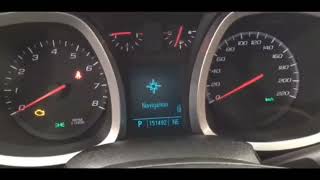
Used OEM Parts in Stock


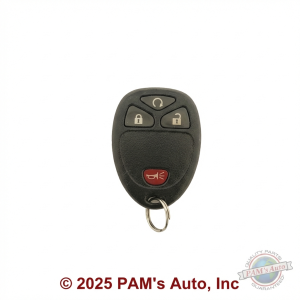
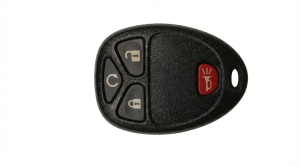
New Aftermarket Parts Available

The information in this article is provided for general reference and educational purposes only. Vehicle specifications, procedures, and part compatibility can vary by production date, trim level, and region. Always consult your vehicle's factory service manual and verify part numbers before purchasing or performing repairs. Safety-critical components such as airbags, seat belts, and braking systems should be installed by a qualified professional.
- Gmc ACADIA:
- 🎬 Helpful Videos
- 🛍️ Shop This Part
- What's Unique About the 2015-2022 Gmc ACADIA
- Diagnostic Flowchart
- Symptoms You May Notice
- Most Likely Causes
- Rare But Worth Checking
- Diagnosis Steps
- Parts You'll Likely Need
- Related Codes That Often Appear With This One
- Technical Service Bulletins (TSBs) & Recalls
- Platform-Specific Known Issues
- Hidden / Shadow Codes Worth Checking
- Scan Tool Commands That Help
- Wiring & Ground Locations
- Real Owner Repair Stories
- OEM Part Supersession History
- Model Year Variations Within This Range
- 🎟️ Get 5% Off