

B3935 on 2014-2017 Chevrolet Spark EV: No-Start Causes and Fixes
On a 2014-2017 Spark EV, code B3935 almost always means the car's anti-theft system is preventing it from starting due to radio frequency (RF) interference. The fix is usually free: remove all other keys, fobs, and electronics from near the ignition and try again before replacing any parts. This is a well-documented issue across the GM lineup.
- B3935 on your Spark EV means the anti-theft system has failed to authenticate the key, preventing the car from starting.
- The most common cause is Radio Frequency (RF) interference. Before paying for any repair, remove all other keys, fobs, and electronics from near the ignition and try again.
- Do not replace expensive components like the Body Control Module (BCM) unless RF interference, a weak key fob battery, and a faulty key have all been definitively ruled out.
- Trying your spare key is a fast and free way to diagnose if your primary key has failed.
- This code indicates a security issue, not a mechanical or high-voltage battery failure.
What's Unique About the 2014-2017 Chevrolet SPARK EV
The Chevrolet Spark EV, like many modern GM vehicles, has an immobilizer system that is particularly sensitive to Radio Frequency (RF) interference. General Motors has issued multiple Technical Service Bulletins (TSBs) for this exact issue across its lineup, including the Spark EV. These bulletins, like #PIC5650M, explicitly warn technicians that a no-start condition with code B3935 is often caused by external interference from items like aftermarket phone chargers, LED lights, and other keys on the same keychain. The official advice is that parts should not be replaced until this possibility is eliminated.
Diagnostic Flowchart
Tap your situation to follow the diagnostic path that matches what you're seeing on this vehicle.
Symptoms You May Notice
- Vehicle will not crank or start
- Vehicle starts and then immediately stalls
- Security warning light is illuminated or flashing on the dashboard.
- "No Fob Detected" message may appear on the dash (more common on push-to-start models but related).
- Replacing the Body Control Module (BCM) without ruling out RF interference.
- Replacing the ignition switch or lock cylinder.
- Assuming the key fob is bad before trying a simple battery replacement or using the spare key.
Most Likely Causes
- Radio Frequency (RF) Interference 🔴 High Probability As documented in GM TSBs PIC5650J and PIC5650M, the immobilizer system (operating at 125 kHz) is sensitive to external radio frequencies. Common culprits include other key fobs, office access cards, toll passes, aftermarket phone chargers (especially USB adapters), dash cams, and even some aftermarket LED interior lights.
How to confirm: Remove all other keys, fobs, and electronic devices from the keychain and the area around the ignition. Unplug any aftermarket devices from the 12V outlets. Attempt to start the vehicle with only the Spark EV key. If it starts reliably, RF interference was the cause.
Typical fix: Isolate the Spark EV key from other electronic devices. Avoid keeping multiple RFID-enabled cards or fobs on the same keychain. Remove any low-quality aftermarket chargers or electronics.
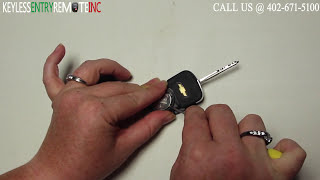
Est. part cost: $0 - Weak or Defective Key Fob 🟡 Medium Probability The internal battery (typically a CR2032) in the key fob 🎬 Watch: How to replace the battery in 2013-2015 key fobs. can weaken over time, providing an insufficient signal for authentication. The transponder chip itself can also fail if the key is dropped or exposed to moisture.
How to confirm: First, try replacing the battery in the key fob. If that doesn't work, try starting the vehicle with your spare key. If the spare key works consistently, the primary key fob is faulty.
Typical fix: Replace the key fob battery. If the fob itself is faulty, a new key must be purchased and programmed to the vehicle by a dealer or an automotive locksmith.
Est. part cost: $5-$15 for a battery, $150-$400 for a new key fob and programming. - Weak 12V Vehicle Battery ⚪ Low Probability Even in an EV, a weak 12-volt auxiliary battery can cause widespread electronic issues. Low system voltage during the startup sequence can cause communication errors between modules, including the BCM, leading to erroneous security codes. An owner on the Chevy Spark EV Forum detailed numerous electronic gremlins, including charging problems and incorrect dash readouts, that were ultimately traced back to a failing 12V battery. A fully charged battery is required for security relearn procedures to complete successfully.
How to confirm: Test the 12V battery with a multimeter. A healthy, fully charged battery should read approximately 12.6 volts with the vehicle off. The 12V AGM battery is located under the hood on the left (driver's) side.
Typical fix: Recharge or replace the 12V auxiliary battery.
Est. part cost: $150-$250
Rare But Worth Checking
- Body Control Module (BCM) Software Glitch: On other GM models of the same era (specifically 2014-2015 trucks and SUVs), TSB PI1180A was issued for a no-start condition with B3935 accompanied by code B2955. The fix was a BCM software reprogram. While not specific to the Spark EV, it establishes a known possibility within the GM family that a software issue, not a hardware failure, could be the cause. This should only be considered by a professional after all other causes are ruled out.
- Faulty Body Control Module (BCM) or Wiring: A hardware failure in the BCM or damage to the wiring for the immobilizer antenna is possible but very rare. TSB PIC5650J explicitly advises against replacing any parts for this concern unless all other diagnostic paths, especially RF interference, have been exhausted.
Diagnosis Steps
- Verify that the security light is on or flashing when the no-start condition occurs.
- Remove all other keys, access cards, toll passes, and electronic devices from your keychain and from the area around the ignition. Unplug any USB chargers or dash cams.
- Attempt to start the car with only the Spark EV key. If the vehicle starts, the problem is RF interference.
- If the issue persists, try using your spare key. If the spare key works, the original key is likely defective or has a dead battery.
- Replace the battery in the non-working key fob (typically a CR2032) and test again.
- If neither key works and RF interference has been ruled out, check the vehicle's 12V battery voltage to ensure it is fully charged (should be ~12.6V).
- If the issue persists, attempt the '30-minute security relearn procedure'. Turn the key to the 'ON' position (not start) and wait 10-15 minutes until the security light stops flashing and turns off. Turn the key off for 10 seconds. Repeat this cycle two more times for a total of three cycles. After the third cycle, the system should be reset.
- If all the above steps fail, the vehicle requires professional diagnosis with a GM-specific scan tool to check for BCM software updates (per TSB PI1180A on other models) and analyze immobilizer data.
Parts You'll Likely Need
- Key Fob Battery
(OEM #CR2032)— A weak battery is a common cause for the key fob to fail authentication, after RF interference is ruled out.
Trusted brands: Energizer, Duracell, Panasonic
OEM price range: $5-$15
Aftermarket price range: $2-$10 - Keyless Entry Remote Flip Key
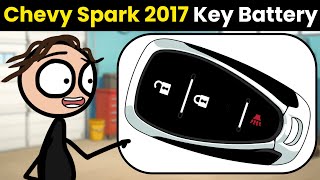
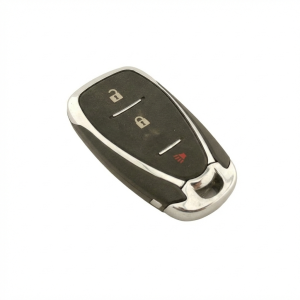
(OEM #94543198 (FCC ID: A2GM3AFUS04) or 42695007 / 95233524 (FCC ID: A2GM3AFUS03) for 2014-2016 models. 13529650 for 2017 models. Verify by VIN.)🎬 See this step-by-step battery replacement guide for 2017 models. — If the internal transponder chip in the key has failed, the entire key fob must be replaced and programmed.
Trusted brands: ACDelco (OEM)
OEM price range: $100-$200 (plus programming)
Aftermarket price range: $40-$80 (plus programming)
Related Codes That Often Appear With This One
- B3055 — This code means 'No Transponder Modulation or No Transponder,' indicating the BCM couldn't detect a key at all. It often appears with B3935 when RF interference is severe or the key is failing.
- B3060 — This code means 'Unprogrammed Transponder.' It can be set if interference corrupts the signal, making the BCM think an unprogrammed key is being used.
- C0750, C0755, C0760, C0765, C0775 — These are Tire Pressure Monitor (TPM) sensor codes. TSB PIC5650M notes these can appear with B3935 because the TPM system also uses radio frequency (315/433 MHz) and can be disrupted by the same RFI source that is blocking the key transponder signal.
Technical Service Bulletins (TSBs) & Recalls
- PIC5650M: The most recent version of the TSB, which covers a wide range of GM vehicles. It details intermittent no-start/stall concerns with security light and DTCs B3935, B3055, B3060, and TPMS codes, linking them to RFI from sources like LED lights, USB chargers, and other fobs.
- PIC5650J: An earlier version of the same bulletin that specifically lists the 2014-2017 Spark EV and strongly advises against replacing parts, pointing toward RF identification devices as the primary cause.
- PI1180A: A TSB for 2014-2015 GM Trucks/SUVs, not the Spark EV, which details a fix for B3935 and B2955 via a BCM software update. This establishes a precedent for software-related fixes for this code within GM.
Platform-Specific Known Issues
- GM Technical Service Bulletin #PIC5650M notes that an intermittent no-crank or start-stall condition with code B3935 can occur and advises investigating sources of Radio Frequency Interference before replacing parts. Specific sources mentioned include aftermarket LED lights, cell phone chargers, and toll passes.
- An earlier version of the bulletin, #PIC5650J, which explicitly lists the 2014-2017 Spark EV, states, "Technician should not replace any parts for this concern. If unable to duplicate the concern ask if the customer uses any Radio Frequency Identification..." devices.
- Owners on the Chevy Spark EV Forum (MyGreenCar.com) have reported that a failing 12V auxiliary battery can cause a cascade of seemingly unrelated electronic problems, which could potentially include setting security codes like B3935.
Mechanic-Grade Diagnostic Values
- Immobilizer Data Parameters (Live Data) — expected: The 'Immobilizer Identifier' status should show 'Learned' or 'Valid'. The 'Key In Ignition' status should accurately reflect the key's presence.. Failure: If the 'Immobilizer Identifier' status shows 'Unknown' or 'Invalid', it indicates a failure in the authentication process between the key and the BCM.
Hidden / Shadow Codes Worth Checking
- B3935 57: The '57' is a symptom byte indicating 'Invalid Key' or 'Transponder Authentication Error'. It specifies that the key's transponder was successfully read by the BCM, but the security challenge calculation failed. This confirms the issue is with authentication, not key detection. (see via A professional GM-specific scan tool like a Tech2 or GDS2 is required to view symptom bytes.)
Scan Tool Commands That Help
- GDS2: Module Diagnostics > Remote Control Door Lock Receiver > Configure/Reset Functions > Add or Replace Key Fobs — This function is used to program new or additional key fobs to the vehicle after a key has been replaced.
- GDS2: Immobilizer Learn — This is a more comprehensive security function required when replacing the Body Control Module (BCM) or other theft-related components to teach all security identifiers to the new module.
- GDS2: Module Diagnostics > BCM > Data Display — Use this to monitor live data parameters like 'Immobilizer Key Status' and 'Transponder Key Present' to see exactly what the BCM is detecting (or failing to detect) during a no-start event.
- GDS2 with SPS (Service Programming System): BCM Programming and Setup — This is used to flash the BCM with updated software from GM. It would be required if a Technical Service Bulletin (like PI1180A on other models) called for a software update to fix a logic error causing B3935.
Wiring & Ground Locations
- Body Control Module (BCM) — Located in the driver's side footwell, positioned high up behind the fuse box and attached to the vehicle frame.. The BCM is the central module that manages the Passkey III+ immobilizer system. It reads the key's transponder via the exciter coil and performs the security authentication. All related wiring terminates here.
- G213 / G214 — G213 is located above the steering column. G214 is located below the center console. These are primary instrument panel grounds.. A poor ground connection at these locations could cause intermittent communication issues for the BCM or other modules involved in the startup sequence, potentially leading to erroneous security codes like B3935.
- Immobilizer Exciter Coil — This is an antenna ring integrated into the ignition lock cylinder housing.. This coil energizes the passive transponder chip in the key fob and reads its returned signal. A break in the wiring to this coil would typically set a B3055 (No Transponder Detected) code but could contribute to intermittent B3935 issues.
Real Owner Repair Stories
- Chevy Spark EV Forum (MyGreenCar.com) (2016 Chevrolet Spark EV) — Owner purchased a new key (PN 94543206) as the vehicle only came with one. After having the key cut, they attempted to program it to the car.
❌ Tried (didn't work) Following the key programming procedure listed in the 2015 owner's manual (inserting the original key, turning to ON then OFF, then inserting the new key and turning to ON). The procedure did not work and the new key was not learned.
✅ What actually fixed it The owner was informed by the dealer that the owner-facing programming procedure does not work and that programming must be done by the dealer using their diagnostic tools (GDS2). Another user suggested purchasing a VCX Nano GM tool to use the GDS2 software independently to program the key. The final resolution required professional tools.
OEM Part Supersession History
94543198, 95074386, 94543206→N/A - Multiple PNs used for the same model years— These part numbers, all with FCC ID A2GM3AFUS04, were used for the 2014-2016 Spark EV flip key. They appear to be interchangeable for these model years.13529650, 13584498→N/A— These part numbers, with FCC ID HYQ4AA, are listed for the 2017 Spark EV smart key. This indicates a change in the key and potentially the immobilizer system for the 2017 model year.
Heads up: Keys for 2014-2016 models are not compatible with 2017 models, and vice-versa, due to different FCC IDs and system designs.
Model Year Variations Within This Range
- 2014-2016: These years use a traditional flip key with a transponder chip (Passkey III+ system). The FCC ID for the remote is A2GM3AFUS04.
- 2017: The 2017 model appears to have transitioned to a different key system, possibly a smart key, with FCC ID HYQ4AA. This implies differences in the BCM and immobilizer logic compared to earlier years.
Helpful Videos
We Have This Part in Stock

The information in this article is provided for general reference and educational purposes only. Vehicle specifications, procedures, and part compatibility can vary by production date, trim level, and region. Always consult your vehicle's factory service manual and verify part numbers before purchasing or performing repairs. Safety-critical components such as airbags, seat belts, and braking systems should be installed by a qualified professional.
- Chevrolet SPARK EV:
- 🎬 Helpful Videos
- 🛍️ Shop This Part
- What's Unique About the 2014-2017 Chevrolet SPARK EV
- Diagnostic Flowchart
- Symptoms You May Notice
- Most Likely Causes
- Rare But Worth Checking
- Diagnosis Steps
- Parts You'll Likely Need
- Related Codes That Often Appear With This One
- Technical Service Bulletins (TSBs) & Recalls
- Platform-Specific Known Issues
- Mechanic-Grade Diagnostic Values
- Hidden / Shadow Codes Worth Checking
- Scan Tool Commands That Help
- Wiring & Ground Locations
- Real Owner Repair Stories
- OEM Part Supersession History
- Model Year Variations Within This Range
- 🎟️ Get 5% Off