

B3935 on 2022-2024 Chevrolet Bolt EV: Security Fault and No-Start Guide
On a 2022-2024 Bolt EV, code B3935 almost always indicates a no-start condition caused by radio frequency (RF) interference. The fix is usually free and simple: remove aftermarket phone chargers, dash cams, or RFID cards from near the key fob or start button. No parts are typically required.
- B3935 on a 2022-2024 Bolt EV is a security code that will prevent the vehicle from starting.
- The most common cause is Radio Frequency (RF) interference from aftermarket electronics like phone chargers, dash cams, or even other RFID cards on your keychain.
- The first and most effective diagnostic step is to remove all other electronics and fobs from the car and try to start it with the Bolt key alone. This fix is free.
- Do not replace expensive parts like the Body Control Module (BCM) unless RF interference and a bad key fob battery have been definitively ruled out, as per GM's own service bulletins.
What's Unique About the 2022-2024 Chevrolet BOLT EV
For the Chevrolet Bolt EV, this code is overwhelmingly linked to external factors rather than a component failure. General Motors has issued specific Technical Service Bulletins (TSBs), including #PIC5650L and #PIC5650M, explicitly warning technicians *not* to replace parts for this code initially. The primary diagnostic step is to investigate and eliminate sources of Radio Frequency (RF) interference, a known sensitivity for this platform. While the RFI issue is common across many modern GM vehicles, owner forums for the Bolt EV contain numerous reports of intermittent no-start conditions that resolve on their own, which is characteristic of temporary RFI.
🎬 Watch: Expert tips for identifying and stopping RF interferenceDiagnostic Flowchart
Tap your situation to follow the diagnostic path that matches what you're seeing on this vehicle.
Symptoms You May Notice
- Intermittent no crank or no start condition.
- Vehicle stalls immediately after starting.
- Security indicator light is illuminated on the dashboard.
- "Conditions not correct for shift" message may appear on the Driver Information Center (DIC).
- Remote start from the MyChevrolet app may fail even when lock/unlock works.
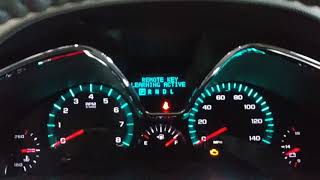
- "No Remote Detected" message on the Driver Information Center (DIC), even with the fob in the car.
- Replacing the Body Control Module (BCM)
- Replacing the key fob receiver/antenna
- Replacing the start/stop button
- Replacing the 12V battery (while a bad 12V battery can cause a no-start, it typically presents with different symptoms or codes and is not the primary cause for B3935 specifically)
Most Likely Causes
- Radio Frequency Interference (RFI) 🔴 High Probability GM TSBs #PIC5650L and #PIC5650M directly cite this as the primary cause for this code on modern GM vehicles, including the Bolt EV. The vehicle's security system is sensitive to external electronic signals. Specific documented sources of interference include cheap/low-quality 12V USB phone chargers, dash cams, aftermarket LED interior lights, and even other RFID cards (office badges, gas station fobs) stacked with the key fob.
How to confirm: Remove all aftermarket electronic devices (phone chargers, dash cams, USB adapters) and all other keys or RFID cards (office badges, gas station fobs) from the vehicle. Try starting the car with only the Bolt EV key fob present. If the car starts, RFI was the cause.
Typical fix: Identify the interfering device by reintroducing items one by one until the no-start condition returns. Avoid using the identified device, particularly low-quality aftermarket electronics, in the vehicle. Ensure the key fob is not on a key ring with other vehicle fobs or access cards.
Est. part cost: $0 - Weak or Dead Key Fob Battery 🟡 Medium Probability
How to confirm: Try using the vehicle's spare key fob. If the spare key works reliably, the battery in the primary key is the likely issue. You can also try placing the non-working key fob in the vehicle's transmitter pocket, which is specifically designed to allow the car to start with a weak or dead fob battery. On the Bolt EV, this pocket is located in the center console storage area, beneath the removable upper tray.
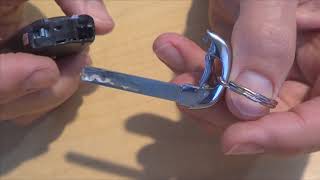
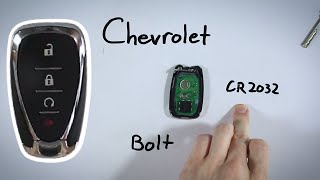
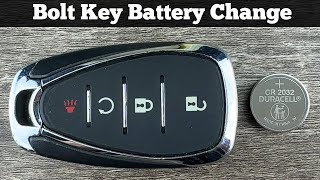
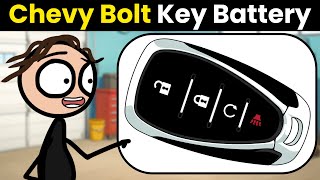
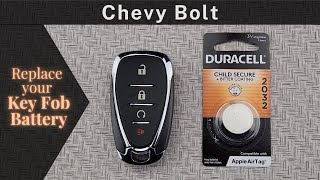
Typical fix: Replace the CR2032 coin battery inside the key fob.
Est. part cost: $2-$10
Rare But Worth Checking
- Faulty Key Fob: If a new battery doesn't fix the primary key fob and the spare key works perfectly, the transponder chip in the primary key itself may have failed.
- Body Control Module (BCM) Software Glitch: On other GM vehicles, TSB #PI1180A has been issued for a BCM software update to correct this code when seen with B2955. While not specifically documented for the Bolt EV, it's a known possibility within GM that should be considered if interference and key fob issues are ruled out by a professional.
Diagnosis Steps
- Verify the symptoms: a no-crank/no-start condition with the security light on or a 'Conditions not correct for shift' message.
- Question the driver about any new electronics in the car (phone chargers, dash cams, gate openers, etc.).
- Remove ALL non-essential items from the vehicle: unplug everything from 12V/USB ports and remove all other keys and RFID cards from the key ring and cabin.
- Attempt to start the vehicle with the key fob isolated from other devices.
- If the vehicle starts, the issue is RFI. Re-introduce items one by one to identify the culprit.
- If the vehicle still does not start, try the spare key fob.
- If the spare fob works, replace the battery (CR2032) in the primary fob. If that fails, the primary fob itself is likely faulty.
- If the vehicle still does not start with either key, place the key fob in the dedicated transmitter pocket located in the center console storage area (under the small tray) and attempt to start the vehicle. This can overcome both a weak fob battery and strong RFI.
- If none of the above steps work, the vehicle requires professional diagnosis to check for potential BCM software updates or wiring issues.
Parts You'll Likely Need
- No Parts Typically Required — As per GM Technical Service Bulletin #PIC5650L and #PIC5650M, this code is most often caused by external interference, not a faulty part. The primary fix is removing the source of interference.
OEM price range: $0
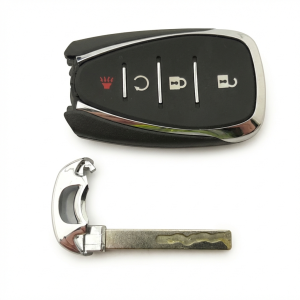
Aftermarket price range: $0 - Key Fob Battery
(OEM #CR2032)— If the key fob's battery is weak, it can fail the authentication challenge. This is the second most likely cause after RF interference.
Trusted brands: Energizer, Duracell, Panasonic
OEM price range: $5-$10
Aftermarket price range: $2-$8
Related Codes That Often Appear With This One
- B3055 — Related to the key transponder system ('Key Not Present'). TSB #PIC5650M lists it as a code that can appear with B3935 during a no-start event caused by RFI.
- B3060 — Another key transponder system code ('Unprogrammed Key'). TSB #PIC5650M lists it as a code that can appear with B3935.
- C0750, C0755, C0760, C0765, C0775 — These are tire pressure monitor sensor codes. TSB #PIC5650M notes they can appear alongside B3935, possibly due to widespread RF interference affecting multiple vehicle systems that operate on similar frequencies.
Technical Service Bulletins (TSBs) & Recalls
- PIC5650M: Notes intermittent no crank/start/stall with security light on, listing B3935 with several other potential DTCs. Explicitly warns against replacing parts before investigating RFI from aftermarket devices.
- PIC5650L: Directly links B3935 with a no-start condition and advises against part replacement, pointing to Radio Frequency Identification interference as the cause.
Platform-Specific Known Issues
- GM Technical Service Bulletin #PIC5650L specifically addresses this code, noting a no-start concern with the security light on. It explicitly advises technicians *not* to replace any parts before investigating Radio Frequency Identification interference.
- GM TSB #PIC5650M expands on this, linking B3935 and other codes to intermittent no-start or stall issues, again pointing towards interference as a likely cause.
- Owners on the r/BoltEV subreddit describe experiences that perfectly match the symptoms of B3935, such as a car that won't start but then works normally 30 minutes later, or a 'conditions not correct for shift' message that appears intermittently. These real-world stories almost always point to a temporary issue like RFI rather than a hard part failure.
Hidden / Shadow Codes Worth Checking
- B3935 57: Transponder Authentication Error. This symptom byte specifies that the BCM recognized a learned key, but the cryptographic challenge-and-response calculation failed. This points more specifically to RFI or a faulty transponder chip rather than an unknown key. (see via A professional scan tool like the GM GDS2 (Global Diagnostic System 2) is required to view manufacturer-specific symptom bytes.)
Scan Tool Commands That Help
- GDS2 (GM Global Diagnostic System 2): Module Diagnostics > BCM > Data Display > Immobilizer Data — Use this to monitor live data parameters like 'Transponder Key State' (e.g., Present, Not Present, Invalid Key). This helps confirm if the BCM is detecting the key at all, which can differentiate between RFI, a bad key, or a faulty antenna.
- GDS2 (GM Global Diagnostic System 2): Immobilizer Learn / Key Learn — This function is required after replacing a key fob or the Body Control Module (BCM). It guides the user through the process of programming new security information into the vehicle.
- SPS (Service Programming System): Body Control Module Reprogramming — Used with GDS2 to flash the BCM with updated software from GM. This is a valid diagnostic step if a specific TSB calls for a software update to fix a persistent B3935 code after RFI and key issues are ruled out.
Wiring & Ground Locations
- K9 Body Control Module (BCM) — Located inside the vehicle, typically at the left end of the dashboard, accessible from the driver's footwell area.. The BCM is the central module that manages the immobilizer system. All key authentication signals are processed here. A loose connection or water intrusion at the BCM could potentially cause this code, though it is a rare cause.
- Keyless Entry Antennas — The Bolt EV has multiple low-frequency antennas for the keyless entry system. Common locations include the center console (near the transmitter pocket), within the door handles, and in the rear bumper/cargo area.. These antennas transmit the challenge signal to the key fob and receive its response. While antenna failure is uncommon, a damaged wire or connector to one of these antennas could prevent the BCM from communicating with the fob.
- Chassis Ground Stud — A common and accessible ground point is a stud on the vehicle body located below the instrument panel fuse box in the driver's footwell.. A poor ground connection for the BCM can cause a wide range of unpredictable electronic faults, including communication errors that could lead to a B3935 code. Verifying this ground is tight and corrosion-free is a valid step in advanced diagnosis.
Real Owner Repair Stories
- Reddit user @Namuori on r/BoltEV (2017 Chevrolet Bolt EV (behavior is identical on 2022-2024 models)) — Car would not start and displayed a 'No Remote Detected' message, but the key fob could still lock and unlock the doors. The car recognized the fob was present if left inside, but would not authorize the start sequence.
❌ Tried (didn't work) Moving the key fob to different locations in the car.
✅ What actually fixed it Placing the key fob in the dedicated transmitter pocket at the bottom of the center console one time. After starting the vehicle this way once, the system reset, and the car started detecting the fob normally again without needing the pocket. - Chevy Bolt forum user (Chevrolet Bolt EV) — Intermittent no-start condition, matching the symptoms of B3935.
❌ Tried (didn't work) Initial attempts to start the vehicle were unsuccessful.
✅ What actually fixed it The owner walked about 50 feet away from the car with both key fobs, used the fob to lock and unlock the doors from a distance, and then re-entered the car. The vehicle then started without a problem, suggesting a full reset of the key's communication with the vehicle.
OEM Part Supersession History
13518593, 13532662→13534192— Standard part revision and consolidation by the manufacturer.
Heads up: A replacement BCM, whether new or used, absolutely requires online programming via GM's Service Programming System (SPS) to learn the vehicle's specific configuration and security information. It is not a plug-and-play part.N/A→13534193, 13543436— Part numbers used for the BCM in the 2022-2024 Bolt EV/EUV platform.
Heads up: Part numbers must be matched exactly when sourcing a replacement. A used module must be reprogrammed to the vehicle.
Model Year Variations Within This Range
- 2022-2024: The 2022-2024 Bolt EV and EUV are part of the same generation (post-refresh). There are no significant documented variations in the immobilizer system, BCM, or the causes of code B3935 within this specific model year range. The primary cause remains RFI across all years.
Helpful Videos
![Stop RF "Radio Frequency" Interference! [Ways To Solve Noise Issues]](https://img.youtube.com/vi/tS7SvoT8Ivw/mqdefault.jpg)
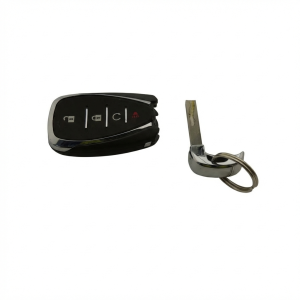
We Have This Part in Stock


The information in this article is provided for general reference and educational purposes only. Vehicle specifications, procedures, and part compatibility can vary by production date, trim level, and region. Always consult your vehicle's factory service manual and verify part numbers before purchasing or performing repairs. Safety-critical components such as airbags, seat belts, and braking systems should be installed by a qualified professional.
- Chevrolet BOLT EV:
- 🎬 Helpful Videos
- 🛍️ Shop This Part
- What's Unique About the 2022-2024 Chevrolet BOLT EV
- Diagnostic Flowchart
- Symptoms You May Notice
- Most Likely Causes
- Rare But Worth Checking
- Diagnosis Steps
- Parts You'll Likely Need
- Related Codes That Often Appear With This One
- Technical Service Bulletins (TSBs) & Recalls
- Platform-Specific Known Issues
- Hidden / Shadow Codes Worth Checking
- Scan Tool Commands That Help
- Wiring & Ground Locations
- Real Owner Repair Stories
- OEM Part Supersession History
- Model Year Variations Within This Range
- 🎟️ Get 5% Off