

B3928 on 2019-2023 GMC Acadia: 'No FOB Detected' Causes and Fixes
This code indicates a fault with the keyless entry system, often causing 'No FOB Detected' messages. While it can be a faulty antenna, a more common cause on this platform is a Body Control Module (BCM) memory corruption issue triggered by a low-voltage event (like a jump-start). The primary fix is a specific BCM reprogram outlined in GM's Technical Service Bulletin #23-NA-163, not necessarily antenna replacement.
- Code B3928 on a 2019-2023 GMC Acadia often points to a BCM software glitch, not a failed antenna or key fob battery.
- This issue is covered by GM TSB #23-NA-163 and is often triggered by a jump-start or battery change.
- Symptoms include a 'No FOB Detected' message and a no-start condition.
- The primary fix is a dealer-level BCM reprogram, not hardware replacement.
- Before seeking service, try starting the car by placing the key fob in the backup slot inside the center console.
What's Unique About the 2019-2023 Gmc ACADIA
The 2019-2023 GMC Acadia and its platform mates are subject to Technical Service Bulletin #23-NA-163, which addresses a specific software vulnerability in the GEN3R Body Control Module. The issue is often not a hardware failure of an antenna, but a BCM memory glitch that requires a specific dealer-level reprogramming procedure to fix. This makes diagnosis different from a simple component failure, as replacing the antenna will not solve the problem if the BCM memory is corrupt.
Diagnostic Flowchart
Tap your situation to follow the diagnostic path that matches what you're seeing on this vehicle.
Symptoms You May Notice
- "No FOB Detected" or "Key Fob Not Detected" message on the driver information center
- Vehicle will not crank or start
- Engine starts and immediately stalls
- Keyless entry functions (e.g., door unlocking) are inoperative
- Push-to-start button is unresponsive
- Alarm may sound when opening the door with the emergency key
- Replacing the key fob battery. While a weak battery can cause similar issues, it typically presents more intermittently and doesn't usually set a specific antenna fault code.
- Replacing the key fob itself. This is expensive and unnecessary unless the fob has been physically damaged. The fault code points to a vehicle-side issue.
- Replacing the main 12V vehicle battery without proper diagnosis.
- Replacing the keyless entry antenna without first attempting the BCM reprogram as per TSB 23-NA-163.
Most Likely Causes
- Body Control Module (BCM) Memory Corruption 🔴 High Probability TSB #23-NA-163 identifies a condition where low-voltage events (jump-start, battery replacement, battery disconnect/reconnect) can cause a memory corruption event in specific 'GEN3R' BCMs used in this platform.
How to confirm: A technician must use a scan tool (like GDS2) to verify the vehicle has an eligible GEN3R BCM part number. The presence of B3928 along with three or more other antenna codes (B3924-B3927) is a strong indicator of this cause.
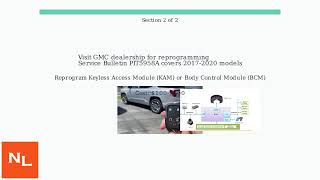
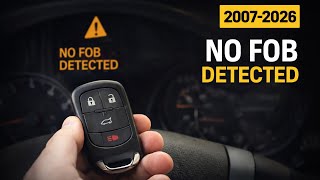
Typical fix: Reprogram the BCM using GM's Service Programming System (SPS) with the specific procedure outlined in TSB #23-NA-163. This is a software fix and does not involve replacing the BCM or antennas. 🎬 See this guide on fixing the 'No Fob Detected' error.
Est. part cost: $0 - Faulty Keyless Entry Antenna 🟡 Medium Probability While the TSB points to the BCM, individual antenna failure is still possible due to their location and exposure to stress or moisture.
How to confirm: If BCM reprogramming does not resolve the issue, a technician can use a GM-specific scan tool to view data from each keyless entry antenna. The antenna associated with the specific DTC will show no signal or erratic behavior.
Typical fix: Replace the faulty keyless entry antenna. The location varies (e.g., center console, rear bumper, door handles).
Est. part cost: $35-$90 - Damaged Wiring or Loose Connector ⚪ Low Probability Antennas are often located in areas where wiring can be stressed or damaged, such as under the center console or in the rear cargo area.
How to confirm: Visually inspect the wiring harness and connector for the specific antenna. Check for breaks, corrosion, or a loose connection at both the antenna and the Body Control Module (BCM).
Typical fix: Repair the damaged wire or secure the loose connector. Dielectric grease can be used to protect the connection.
Est. part cost: $5-$20
Rare But Worth Checking
- Faulty Body Control Module (BCM): This is rare. This refers to a true hardware failure of the BCM, 🎬 Watch: How to replace and relearn a new GM BCM. which should only be considered after the reprogramming procedure has failed and all antennas/wiring have been confirmed to be good.
- Radio Frequency Interference (RFI): Extremely rare, but strong radio signals from aftermarket devices (chargers, dash cams) or external sources can sometimes interfere with the key fob signal. Try removing such devices before further diagnosis.
Diagnosis Steps
- Confirm the presence of code B3928 and multiple other antenna codes (B3924-B3927) using a scan tool that can read GM body codes.
- As a preliminary step, try the vehicle's key fob backup procedure. 🎬 Watch: How to use the dead fob bypass to start your Acadia. Place the fob in the designated transmitter pocket (usually in the center console storage area) and attempt to start the vehicle. If it starts, this confirms the issue is with the passive detection system.
- Using a GM-capable scan tool (GDS2), navigate to the BCM Identification Information to verify if the module is a 'GEN3R' BCM and if its part number is on the eligible list in TSB #23-NA-163.
- If the BCM is eligible, follow the specific reprogramming steps in the TSB ('Programming A' or 'Programming B') using the GM Service Programming System (SPS). Do NOT replace modules before attempting this.
- After reprogramming, perform the 'Body Control Module IMMO Learn with Existing Transponder or Remote Key' procedure.
- Clear all DTCs and test all key fobs for proper start and keyless entry functions. If the issue is resolved, the repair is complete.
- If codes return after the reprogram, proceed with standard diagnostics. Use the scan tool to identify which specific antenna is still faulting.
- Locate and visually inspect the corresponding antenna's wiring and connector for damage.
- If wiring is intact, replace the suspect antenna.
Parts You'll Likely Need
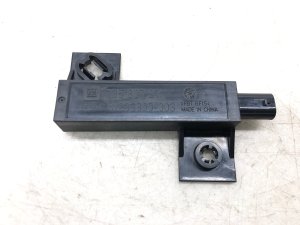
- Keyless Entry Antenna
(OEM #13592781)— This part may be needed if the BCM reprogram does not fix the issue and a specific antenna is diagnosed as faulty. Part number 13592781 is the low-frequency antenna for the rear bumper.
Trusted brands: ACDelco, GM Genuine Parts
OEM price range: $35-$60
Aftermarket price range: $25-$50
Related Codes That Often Appear With This One
- B389A 00 — According to TSB 23-NA-163, this DTC may be set in the BCM when the memory corruption event occurs.
- B3924, B3925, B3926, B3927 — These codes correspond to the other keyless entry antennas. TSB 23-NA-163 states that having three or more of these codes set along with B3928 is the condition for performing the BCM reprogram.
Technical Service Bulletins (TSBs) & Recalls
- 23-NA-163: Corrects a 'No Crank, No Start, Quick Start/Stall, No FOB Detected' condition where codes B3924, B3925, B3926, B3927, and B3928 are set. The bulletin states the cause is likely a BCM memory corruption event from a low-voltage condition and provides a specific BCM reprogramming procedure as the fix.
Platform-Specific Known Issues
- GM issued Technical Service Bulletin #23-NA-163 to address a BCM memory corruption that occurs after a low-voltage event (e.g., jump-start, battery change). This is the most common cause for a group of antenna codes (B3924-B3928) appearing at once, causing a 'No FOB Detected' no-start condition. The fix is a specific BCM reprogram, not antenna replacement.
Mechanic-Grade Diagnostic Values
- Voltage at BCM B+ circuit (terminal 4) — expected: > 11.5 V. Failure: Lower voltage indicates a power supply issue to the module.
- Voltage at BCM serial data circuit (terminal 2) — expected: 1-6 V. Failure: Voltage outside this range suggests a communication line fault.
- Resistance between antenna signal circuit and ground — expected: Infinite resistance (or >30k Ohms). Failure: Resistance below 30k Ohms indicates a short to ground in the antenna circuit.
Hidden / Shadow Codes Worth Checking
- B3928 00: The '00' is a symptom byte indicating 'No Additional Symptom Information'. TSB 23-NA-163 specifically calls out this symptom byte for B3928 and its companion codes (B3924-B3927) as the condition for the BCM reprogram. (see via GM GDS2 or equivalent professional scan tool.)
- B389A 00: Environment Identification. TSB 23-NA-163 states this DTC may be set and current in the BCM along with the antenna codes, further confirming the memory corruption event. (see via GM GDS2 or equivalent professional scan tool.)
Scan Tool Commands That Help
- GM SPS (Service Programming System): K9 Body Control Module “Programming A Per Bulletin 23-NA-163 and 23-NA-165 Only” — This is the primary software fix for the BCM memory corruption issue. It should be the first attempt at a fix when the TSB conditions are met.
- GM SPS (Service Programming System): K9 Body Control Module “Programming B Per Bulletin 23-NA-163 Only” — This secondary procedure should only be used if an immobilizer learn was already performed before consulting the TSB and the issue was not corrected.
- GM SPS (Service Programming System): Body Control Module IMMO Learn with Existing Transponder or Remote Key — This immobilizer relearn procedure must be performed immediately after running 'Programming A' to sync the keys to the newly reprogrammed BCM.
- GDS2: Module Diagnostics > [K9] Body Control Module > Identification Information — Used to view the BCM's Base Model Part Number (BMPN) to confirm it is a 'GEN3R' module and is on the list of part numbers eligible for the TSB reprogram.
Wiring & Ground Locations
- G103 — Located at the left rear of the engine compartment on the cowl, above the brake booster.. This is a major ground point for the Body Control Module (BCM) and the Remote Door Lock Receiver. A poor connection here can cause a wide range of electrical issues, including communication faults that could mimic a module failure.
- G304 — Located below the floor console.. This is another ground point listed for the BCM on Acadia platforms. A loose or corroded G304 can interrupt BCM function and potentially trigger various fault codes.
- Antenna Connector — At each keyless entry antenna (locations vary: door handles, center console, rear bumper).. The antennas use a 2-pin connector. Checking for corrosion or a loose connection at the specific antenna flagged by the DTC is a critical step if the BCM reprogram does not solve the issue.
Real Owner Repair Stories
- Reddit user in r/gmc (2017 GMC Acadia) — Getting a "keyless system service" error message when starting the vehicle.
❌ Tried (didn't work) Initial diagnosis at the dealership.
✅ What actually fixed it The dealership identified a bad keyless entry antenna (Position 6) and quoted $500 for the repair. Another user pointed out that this specific antenna is located near the spare tire, is easily accessible, and is a simple plug-in part costing around $20. The owner located the part and questioned the high labor cost, implying a DIY replacement was feasible and much cheaper. This highlights that while the TSB is common, individual antenna failures do occur and may be simple to fix if diagnosed correctly.
OEM Part Supersession History
42787537→13592781— Part has been updated or replaced by the manufacturer.
Model Year Variations Within This Range
- 2019-2023: The BCM memory corruption issue and the TSB 23-NA-163 fix only apply to vehicles equipped with a specific 'GEN3R' BCM. A technician must verify the BCM's Base Model Part Number (BMPN) against the list in the bulletin. Eligible BMPNs include: 13518569, 13518570, 13518602, 13518603, 13519619, 13519620, 13519648, 13527252, 13527260, 13527261, 13527297, 13527298, 13527827, 13529492, 13529493, 13533809, 13533813, 13533814, 13533817, 13533821. If the BCM is not on this list, the TSB does not apply.
Helpful Videos
We Have This Part in Stock

The information in this article is provided for general reference and educational purposes only. Vehicle specifications, procedures, and part compatibility can vary by production date, trim level, and region. Always consult your vehicle's factory service manual and verify part numbers before purchasing or performing repairs. Safety-critical components such as airbags, seat belts, and braking systems should be installed by a qualified professional.
- Gmc ACADIA:
- 🎬 Helpful Videos
- 🛍️ Shop This Part
- What's Unique About the 2019-2023 Gmc ACADIA
- Diagnostic Flowchart
- Symptoms You May Notice
- Most Likely Causes
- Rare But Worth Checking
- Diagnosis Steps
- Parts You'll Likely Need
- Related Codes That Often Appear With This One
- Technical Service Bulletins (TSBs) & Recalls
- Platform-Specific Known Issues
- Mechanic-Grade Diagnostic Values
- Hidden / Shadow Codes Worth Checking
- Scan Tool Commands That Help
- Wiring & Ground Locations
- Real Owner Repair Stories
- OEM Part Supersession History
- Model Year Variations Within This Range
- 🎟️ Get 5% Off