

B3927 on 2018-2024 GMC Terrain: No Start, Key Not Detected Causes & Fixes
On a 2018-2024 GMC Terrain, code B3927 typically means one of the keyless entry antennas has failed, causing a 'No Start' or 'Key FOB Not Detected' condition. The most common fix is to identify and replace the faulty antenna, which costs around $40-$110 for the part. Alternatively, it can indicate a software glitch after a low-battery event, requiring a dealer reprogram instead of parts.
- B3927 on your Terrain almost always means a 'No Start' or 'Key Not Detected' problem due to a failed keyless entry antenna.
- Before panicking, try the emergency start procedure: place your key fob in the front cup holder and press the start button. If it works, the fob is okay.
- Check for other codes. If B3927 appears with a cluster of other 'B39xx' codes after a battery change or jump-start, it's likely a software glitch that a dealer must fix by reprogramming, not by replacing parts.
- If B3927 appears alone, it's most likely a single failed antenna or its wiring, which needs to be identified with a professional scan tool and replaced.
What's Unique About the 2018-2024 Gmc TERRAIN
This code on the GMC Terrain and its platform-mate, the Chevrolet Equinox, can be confusing. While it most often points to a failed keyless entry antenna causing a no-start condition, it can also be triggered as an 'Incorrect Environmental Identifier' after a low battery event or jump-start. This second scenario is a software glitch between modules and, according to GM TSB 21-NA-277, requires a dealer-level re-program, not new parts. It's crucial to diagnose the context in which the code appeared, as a cluster of similar codes (B3925, B3926, etc.) strongly suggests the software issue.
Diagnostic Flowchart
Tap your situation to follow the diagnostic path that matches what you're seeing on this vehicle.
Symptoms You May Notice
- Vehicle will not crank or start ('No Crank, No Start')
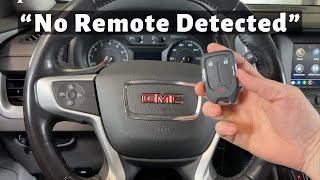
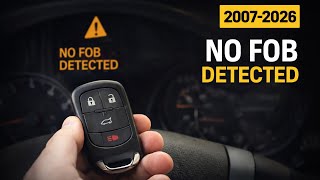
- Message on dash: 'No FOB Detected' or 'Place Key in Transmitter Pocket'
- Engine starts but immediately stalls
- Keyless entry buttons on door handles do not work
- Remote functions (lock/unlock) may work, but the vehicle won't start passively
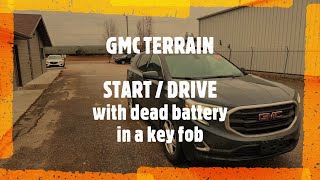
- Replacing the key fob battery. While a weak fob battery can cause starting issues, it usually won't set a specific vehicle-side circuit code like B3927. If the 'No Fob Detected' message appears, try the emergency start procedure by placing the fob in the driver's side cup holder before replacing parts.
- Replacing the starter motor. A no-crank condition with this code is due to the security system not authorizing the start, not a failure of the starter itself.
Most Likely Causes
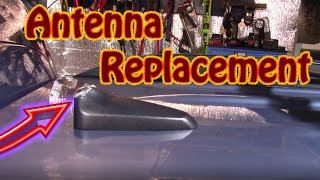
- Failed Passive Entry (PEPS) Antenna 🔴 High Probability These antennas are electronic components exposed to vibrations and temperature changes within body panels, leading to eventual failure. GM has issued multiple service bulletins related to these systems.
How to confirm: A technician will use a GM-specific scan tool (like GDS2) to view the status and signal strength of each individual PEPS antenna (B3924, B3925, B3926, B3927, etc.). The antenna associated with the active code will show a fault or no signal. The specific antenna location for B3927 is not fixed; it must be identified with the scan tool.
Typical fix: Identify the specific failed antenna based on the code, access it (e.g., inside a door panel, center console, or bumper), and replace it. The new antenna does not typically require programming.
Est. part cost: $40 - $110 - Damaged Wiring or Connector 🟡 Medium Probability Wiring routed through doors, trunk lids, and under the center console is subject to flexing, pinching, or corrosion, which can cause an open or short in an antenna circuit.
How to confirm: After identifying the suspect antenna via a scan tool, visually inspect its wiring harness and connector for any signs of damage, corrosion, or loose pins. A multimeter can be used to check for continuity and shorts in the circuit.
Typical fix: Repair the broken or corroded section of wire. Clean or replace the damaged connector.
Est. part cost: $5 - $50 - Body Control Module (BCM) Software Glitch ⚪ Low Probability Low voltage events from a weak battery, jump-starting, or battery replacement can corrupt the communication between modules, causing 'Incorrect Environmental Identifier' codes, including B3927, to set. TSB 21-NA-277 was issued to address this specific software problem on the Terrain and Equinox.
How to confirm: This is the likely cause when three or more 'Environmental ID' codes (e.g., B3925, B3926, B3927, B3978, B3979) appear at once, especially after a voltage-related event. A single B3927 code is more likely a hardware (antenna/wiring) failure.
Typical fix: This issue is resolved by having a GM dealer or qualified shop perform a special BCM software update procedure as outlined in TSB #21-NA-277. This is not a standard programming event and may require a special VCI from GM. No parts are replaced.
Est. part cost: $0
Rare But Worth Checking
- Faulty Body Control Module (BCM): While rare, the BCM itself can fail. This should only be considered after all antennas and wiring have been thoroughly tested and the software glitch described in TSB 21-NA-277 has been ruled out. Replacing a BCM is expensive and requires programming.
Diagnosis Steps
- Verify the complaint. Confirm the 'No Start' and 'No Fob Detected' symptoms.
- Try the emergency start procedure: Place the key fob in the front (driver's side) cup holder and attempt to start the engine. If it starts, 🎬 See this guide on fixing the 'No Fob Detected' message. this confirms the issue is with one of the other vehicle antennas, not the fob itself.
- Scan for DTCs with a tool capable of reading GM Body (B) codes.
- Analyze the codes. Is B3927 the only code, or is it part of a cluster? If three or more 'Incorrect Environmental Identifier' codes (B3925, B3926, B3927, B3978, etc.) are present, especially after a battery issue, suspect a software problem per TSB #21-NA-277.
- If only B3927 (or one other PEPS code) is present, proceed with diagnosing the antenna hardware.
- Using a GM-specific scan tool, access the BCM live data and monitor the status of each individual keyless entry antenna.
- Identify which antenna corresponds to the B3927 code and is showing a fault.
- Gain access to the faulty antenna (location varies: may be in a door panel, center console, or rear bumper).
- Visually inspect the antenna's wiring and connector for damage, corrosion, or loose pins.
- If wiring is intact, replace the faulty PEPS antenna.
- Clear all DTCs and verify that the vehicle starts normally and the code does not return.
Parts You'll Likely Need
- Passive Entry Antenna
(OEM #13546098, 13545326, 13545328)— This is the physical antenna that fails, causing the BCM to log the fault code. Multiple part numbers are used across different locations (console, bumpers, instrument panel). The specific part number needed must be confirmed after diagnosis identifies the failed antenna's location. Part 13546098 (replaces 13592451) is a common replacement.
Trusted brands: ACDelco, GM Genuine
OEM price range: $80-$110
Aftermarket price range: $40-$75
Related Codes That Often Appear With This One
- B3924, B3925, B3926, B3928 — These are the other codes for the PEPS antennas in the system. Seeing one or more of them together points strongly to a fault in the keyless entry system.
- B3978, B3979, B3980, B3981 — These are additional 'Incorrect Environmental Identifier' codes. Seeing a cluster of these along with B3927 strongly indicates the software glitch scenario described in TSB 21-NA-277, rather than a physical antenna failure.
- P0513 — Incorrect Immobilizer Key. This code can set alongside the B-codes when the BCM and ECM lose synchronization due to the keyless entry system fault or the software glitch.
Technical Service Bulletins (TSBs) & Recalls
- 23-NA-163: Mentions B3927 in relation to No Crank, No Start, and inoperative key fobs.
- 21-NA-277: Details both the no-start condition from a failed antenna and the 'Incorrect Environmental Identifier' software issue that can set B3927 and other codes. Crucially, it notes the software fix requires no parts and may require a special procedure through GM's Technical Assistance Center (TAC).
Platform-Specific Known Issues
- Dual-Meaning Code: As documented in TSB #21-NA-277 and NHTSA document PIE0588A, B3927 can mean a PEPS antenna circuit fault OR an 'Incorrect Environmental Identifier Received From Electronic Brake Control Module' due to a low-voltage event. The latter is a software issue fixed by a dealer re-flash, not by replacing parts.
Hidden / Shadow Codes Worth Checking
- B3927 00: The '00' is a symptom byte. When B3927 00 appears with a cluster of other 'Incorrect Environmental Identifier' codes (like B3925 00, B3926 00), it specifically indicates the BCM software glitch described in TSB 21-NA-277, not a hardware failure of the antenna circuit. (see via A professional scan tool like the dealer GDS2 or equivalent that can read GM-specific body codes and their symptom bytes.)
Scan Tool Commands That Help
- GDS2 (GM Global Diagnostic System 2): BCM Data Display > Keyless Entry Antennas — To diagnose a suspected hardware fault. This screen shows the live status of each individual PEPS antenna, allowing a technician to confirm which specific antenna circuit is reporting a fault.
- GDS2 (or equivalent professional scanner): BCM Soft Reset / Control Module Reset — As a first step after a low-battery or jump-start event that causes a no-crank condition. A module reset can sometimes restore normal communication and function without replacing parts, as demonstrated on a 2019 Equinox with a similar issue.
- GDS2 with SPS (Service Programming System): BCM Setup (via special VCI from GM TAC) — This is the specific, dealer-level fix for the 'Incorrect Environmental Identifier' software glitch per TSB 21-NA-277. It is not a standard reprogram; it's a BCM restoration process that requires contacting the GM Technical Assistance Center (TAC) to obtain a special Vehicle Control Interface (VCI) number.
Wiring & Ground Locations
- BCM (Body Control Module) — Typically located under the driver's side of the dashboard.. The BCM is the central module that receives signals from all PEPS antennas. All antenna circuits and the logic for this code originate and terminate at the BCM. Its connectors (often labeled X1, X2, etc.) and ground connections are critical for system operation.
- G3xx Grounds (e.g., G303, G304) — Following GM's naming convention, G3xx grounds are located in the rear passenger area of the vehicle, often behind B-pillar or C-pillar trim panels.. A poor body ground for the BCM or related components can cause erratic electrical behavior, communication faults, and set spurious codes like B3927. While a specific ground for the PEPS system isn't identified, checking main body grounds in the vicinity of the BCM is a valid diagnostic step for persistent, hard-to-trace electrical issues.
Real Owner Repair Stories
- YouTube channel 'Fix It Rich' (2019 Chevrolet Equinox (platform-mate to the Terrain)) — No crank, no start after the battery had been low and was recharged. The instrument cluster displayed the 'Push Brake To Start' message, but pressing the brake had no effect.
❌ Tried (didn't work) Charging the battery.
✅ What actually fixed it Using a scan tool, the technician observed that the BCM was not registering the brake pedal being pressed ('Stop Lamp Command' PID was stuck on 'Inactive'). He performed a 'soft reset' of the Body Control Module (BCM) using the scan tool's functions. After the reset, the BCM correctly read the brake pedal input, and the vehicle started normally. This highlights how a low-voltage event can cause a module glitch that is resolved with a reset rather than parts.
"I Checked Everything" — The Actual Cause
- A technician can test the wiring and resistance of every PEPS antenna and find them all to be within specification, yet the vehicle still won't start and code B3927 (and others) are present. The actual cause is not a hardware or wiring failure, but a BCM software glitch. This scenario is specifically described in GM TSB 21-NA-277, where a cluster of 'Incorrect Environmental Identifier' codes are set after a low-voltage event. The fix is a dealer-level software procedure, not hardware replacement.
OEM Part Supersession History
13530910→13545328— Part revision or manufacturer change for a common PEPS antenna.13592452→13545326— Part revision or manufacturer change for a common PEPS antenna.
Model Year Variations Within This Range
- 2019-2022: The 'Incorrect Environmental Identifier' software glitch, which can cause B3927 to set, is specifically documented in TSBs and engineering investigations (like PIE0588A and 21-NA-277) for these model years on the GMC Terrain and its platform mates. While it could potentially occur on other years, the official GM documentation is most focused on this range.
Helpful Videos
We Have This Part in Stock




The information in this article is provided for general reference and educational purposes only. Vehicle specifications, procedures, and part compatibility can vary by production date, trim level, and region. Always consult your vehicle's factory service manual and verify part numbers before purchasing or performing repairs. Safety-critical components such as airbags, seat belts, and braking systems should be installed by a qualified professional.
- Gmc TERRAIN:
- 🎬 Helpful Videos
- 🛍️ Shop This Part
- What's Unique About the 2018-2024 Gmc TERRAIN
- Diagnostic Flowchart
- Symptoms You May Notice
- Most Likely Causes
- Rare But Worth Checking
- Diagnosis Steps
- Parts You'll Likely Need
- Related Codes That Often Appear With This One
- Technical Service Bulletins (TSBs) & Recalls
- Platform-Specific Known Issues
- Hidden / Shadow Codes Worth Checking
- Scan Tool Commands That Help
- Wiring & Ground Locations
- Real Owner Repair Stories
- "I Checked Everything" — The Actual Cause
- OEM Part Supersession History
- Model Year Variations Within This Range
- 🎟️ Get 5% Off