

B3894 on 2007-2011 GMC Sierra Denali: Cruise Control Inoperative & Trailer Brake Fixes
On a 2007-2011 GMC Sierra Denali, code B3894 almost always means the cruise control is disabled due to a poor connection at the brake light switch. The most common fix, outlined in GM TSB PIT5144, is cleaning the switch's electrical connector and applying dielectric grease, a low-cost DIY repair. This is often a more effective fix than replacing the switch itself.
- B3894 disables cruise control because of a fault detected by the Trailer Brake Control Module.
- Before buying any parts, the first and most common fix is to clean the brake light switch connector (above the brake pedal) and apply dielectric grease, as recommended by a GM service bulletin.
- Do not immediately assume the brake light switch itself is bad; the problem is very often just a poor connection.
- If you tow, do not use the integrated trailer brake controller until this fault is resolved, as it is disabled and will not apply the trailer's brakes.
What's Unique About the 2007-2011 Gmc SIERRA DENALI
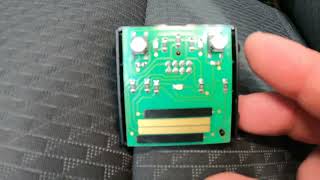
On these GMT900 platform trucks, the cruise control is directly linked to the trailer brake system's logic. A fault in how the trailer brake module sees the brake pedal will disable cruise control, which confuses many owners who don't expect the two systems to be so closely related. 🎬 Watch: Troubleshooting cruise control on 2007-2014 GM trucks. GM issued a specific service bulletin (PIT5144) for this generation, highlighting that fretting corrosion at the brake light switch connector—not a faulty switch—is the most common culprit. Fretting corrosion is an insulating film of oxidized debris caused by microscopic vibrations between electrical contacts, leading to high resistance. 🎬 See how to identify and fix electrical fretting corrosion. This makes cleaning the connection a critical first step before replacing any parts.
Diagnostic Flowchart
Tap your situation to follow the diagnostic path that matches what you're seeing on this vehicle.
Symptoms You May Notice
- Cruise control is inoperative or will not engage.
- "Service Trailer Brake System" message appears on the Driver Information Center (DIC).
- The integrated trailer brake controller does not function.
- Manual trailer brake lever has no output.
- The green trailer icon on the dash may not illuminate when a trailer is connected.
- Replacing the cruise control switch on the steering wheel. The B3894 code specifically points to an issue in the brake signal circuit, not the cruise control input switch.
- Replacing the in-dash trailer brake gain/manual slide switch. This switch is an input to the TBCM, but the B3894 code relates to the brake pedal input, not the manual control.
- Replacing the Body Control Module (BCM). While the BCM is involved in relaying the brake signal, the fault is almost always isolated to the TBCM's direct input circuit or the TBCM itself.
Most Likely Causes
- Fretting Corrosion at Brake Light Switch Connector 🔴 High Probability GM Technical Service Bulletin PIT5144 specifically identifies fretting corrosion (a buildup of insulating oxidized debris from micro-vibrations) at the brake light switch connector as a primary cause for B3894 on this platform. The bulletin notes that many switches were being replaced unnecessarily when the true fault was a poor connection.
How to confirm: Visually inspect the terminals on the brake light switch and its harness connector for dark smudges or discoloration. TSB PIT5144 notes this may require a magnifying glass to see clearly.
Typical fix: Disconnect the connector, gently clean the terminals on both the switch and harness side with a dedicated nylon brush, and apply a small amount of dielectric lubricant (GM P/N 12345579 or equivalent) before reconnecting. Do not use excessive grease, as it can cause the connector to hydro-lock.
Est. part cost: $5-$15 for dielectric grease and a brush. - Faulty Brake Light Switch (Brake Pedal Position Sensor) 🟡 Medium Probability This is a high-use component with multiple internal contacts that can wear out over time, causing intermittent or conflicting signals. While less common than corrosion, it is a frequent failure point.
How to confirm: Use a scan tool to monitor the brake switch data in both the BCM and TBCM data streams. If the switch status doesn't change reliably from 'Inactive' to 'Active' when the pedal is pressed and released, or if the voltage values are erratic, the switch is likely faulty. The brake lights may still function correctly even if the circuit sending a signal to the TBCM has failed.
Typical fix: Replace the brake light switch located above the brake pedal. It is typically held by a clip and a small bolt.
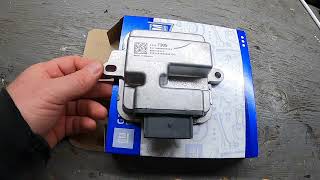
Est. part cost: $20-$40 - Corroded or Damaged Wiring at TBCM ⚪ Low Probability The Trailer Brake Control Module (TBCM) is located on the driver's side frame rail, often above the spare tire. This location exposes it to road salt, water, and debris, which can lead to severe corrosion of the wiring harness and connector pins over time. Owners often find green or white crusty buildup and broken wires at the module's connector.
How to confirm: Lower the spare tire for better access. Unplug the TBCM connector and thoroughly inspect it and the module pins for green or white corrosion, swollen wires, or physical damage. Gently tug on the wires entering the connector to check for internal breaks.
Typical fix: Clean the connector terminals with an electronics cleaner and a small brush. Repair any damaged sections of the wiring harness. In severe cases, the connector pigtail may need to be replaced.
Est. part cost: $10-$50 for cleaning supplies and wiring repair materials.
Rare But Worth Checking
- Faulty Trailer Brake Control Module (TBCM): While less common than wiring or switch issues, the module itself can fail internally. This should be considered only after all wiring, connections, and the brake light switch have been confirmed to be in good working order. Some owners have fixed the issue by replacing the module after all other steps failed.
- Corrosion in 7-Pin Trailer Connector: The 7-pin connector at the rear bumper is exposed to the elements. Moisture and dirt can get into the back of the connector, causing corrosion on the pins and wiring that can lead to various trailer-related faults, including the 'Service Trailer Brake System' message.
Diagnosis Steps
- Confirm the primary symptoms are an inoperative cruise control and/or a 'Service Trailer Brake System' message.
- Scan for DTCs in all modules, specifically noting B3894 in the Trailer Brake Control Module (TBCM). Note any symptom bytes, such as '5A' (Plausibility Failure).
- Following TSB PIT5144, first address the most common and easiest fix: locate the brake light switch above the brake pedal.
- Disconnect the switch's electrical connector. Inspect both the switch pins and the harness terminals for dark smudges indicative of fretting corrosion.
- Regardless of visual evidence, apply a small amount of dielectric lubricant (GM P/N 12345579 or equivalent) to the terminals on both sides and reconnect securely.
- Clear all DTCs and perform a test drive to see if cruise control is restored. If the code does not return, the repair is complete.
- If the problem persists, use a scan tool to observe the 'Brake Pedal Applied' status in the TBCM and BCM data lists to check for inconsistencies. The status should change from 'Inactive' to 'Active' when the pedal is pressed.
- If scan tool data is inconclusive, test the brake switch signal circuit manually. Connect a test lamp between terminal 37 (Light Blue/White wire) of the TBCM harness connector and a known good ground. The lamp should illuminate when the brake pedal is pressed and turn off when released.
- If the switch and its connector are confirmed good, lower the spare tire and inspect the TBCM and its wiring harness on the driver's side frame rail for corrosion or damage. Pay close attention to the wires entering the main connector and check the main ground, G401, located above the spare tire.
- Clean and repair any corroded wiring or terminals found at the TBCM connector. Ensure the connector is fully seated and locked.
- Inspect the rear of the 7-pin trailer connector at the bumper for any signs of corrosion or damaged wires.
- If all wiring and connections are verified to be good, the TBCM itself may be faulty and require replacement.
Parts You'll Likely Need
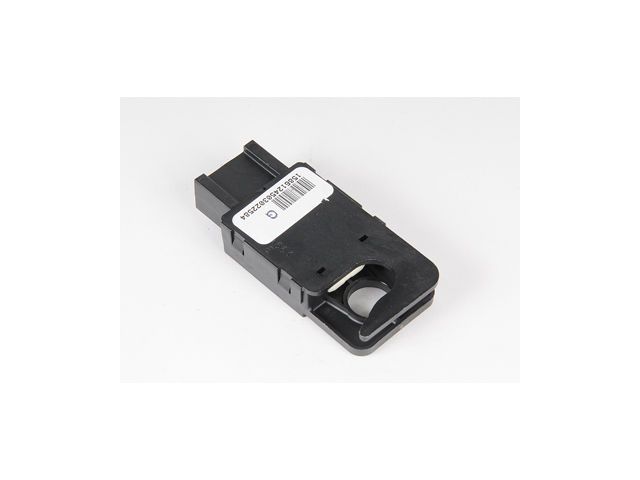
- Brake Light Switch / Brake Pedal Position Sensor
(OEM #25981009 (ACDelco D1539J))— This switch provides the critical brake pedal status to the TBCM and BCM. While often misdiagnosed when the issue is just corrosion, it can fail and is the most likely component to be replaced if cleaning the connector doesn't work.
Trusted brands: ACDelco, Standard Motor Products
OEM price range: $25-$40
Aftermarket price range: $15-$30 - Dielectric Grease
(OEM #GM 12345579)— Recommended by GM TSB PIT5144 to prevent fretting corrosion at the brake light switch connector, which is the most common cause of this code.
Trusted brands: Permatex, CRC, ACDelco
OEM price range: $8-$15
Aftermarket price range: $5-$10
Related Codes That Often Appear With This One
- C0845: This code for 'Device Ignition 1 Circuit Voltage Fault' can sometimes appear alongside B3894 if there is a power supply issue to the TBCM, often caused by a faulty fuse or a poorly-tapped circuit.
Technical Service Bulletins (TSBs) & Recalls
- PIT4508C: Cruise control being inoperative with Diagnostic Trouble Code B3894 set in the Trailer Brake Control Module.
- PIT5144: Service Trailer Brake Message With DTC B3894, identifying fretting corrosion at the brake switch connector as the likely cause and confirming that many switches were replaced unnecessarily.
Platform-Specific Known Issues
- A Technical Service Bulletin (TSB PIT4508C) was issued for inoperative cruise control associated with DTC B3894 set in the Trailer Brake Control Module.
- A more specific TSB (PIT5144) identifies fretting corrosion in the brake light switch electrical connector as the primary cause for B3894 and recommends applying dielectric lubricant as the fix, rather than replacing the switch.
Mechanic-Grade Diagnostic Values
- Brake Pedal Position Sensor Voltage (Scan Tool) — expected: Voltage should increase smoothly as the pedal is pressed. Example: ~1.99V at partial press to ~2.3V at full press.. Failure: No change, erratic jumps, or voltage present with no pedal input.
- Brake Light Switch Continuity (Multimeter) — expected: With the switch unplugged, there should be continuity (audible beep) between the two main terminals only when the plunger is out (simulating a pedal press).. Failure: Continuity when the plunger is pressed in, or no continuity when the plunger is out.
- TBCM Brake Switch Signal Circuit Voltage (Test Lamp) — expected: A test lamp connected between TBCM connector pin 37 (L-BU/WH wire) and ground should illuminate when the brake pedal is pressed and extinguish when released.. Failure: Test lamp is always ON or always OFF regardless of pedal position.
Hidden / Shadow Codes Worth Checking
- B3894 5A: The symptom byte '5A' specifically indicates a 'Stop Lamp Switch Circuit Plausibility Failure'. This confirms the module is seeing a mismatch between the hardwired switch input and the data message from the BCM. (see via A professional scan tool like the GM Tech2 or GDS2 that can read manufacturer-specific symptom codes.)
Scan Tool Commands That Help
- Tech2 / GDS2 or equivalent: Live Data Monitoring: TBCM & BCM Input Data — Use this to simultaneously watch the 'Brake Pedal Applied' status from both the Body Control Module (BCM) and the Trailer Brake Control Module (TBCM). For B3894, you are looking for a state where one module reports 'Active' while the other reports 'Inactive', confirming the plausibility error.
Wiring & Ground Locations
- TBCM Connector Pin 37 — At the main connector for the Trailer Brake Control Module, located on the driver's side frame rail above the spare tire.. This pin carries the hardwired 'TCC Brake Signal' from the brake light switch. It is a Light Blue/White wire. Testing for voltage here is a direct way to confirm if the signal from the switch is reaching the module.
- G401 — On the frame rail above the spare tire, near the rear of the vehicle.. This is a primary ground point for rear-body components, including the Trailer Brake Control Module and the 7-pin trailer connector. A corroded or loose G401 can cause intermittent power and signal issues for the entire trailer brake system.
- G303 — On the lower left 'B' pillar, behind the interior trim panel.. This ground serves various components in the cab. While not the primary ground for the TBCM, a poor connection here could potentially affect modules that communicate with the TBCM, such as the BCM.
Real Owner Repair Stories
- YouTube user @dieseldog1988 (2010 Chevrolet Silverado 5.3L) — Cruise control had not worked for two years.
❌ Tried (didn't work) Lived with the problem for two years without attempting a fix.
✅ What actually fixed it Replaced the brake light switch (ACDelco D1539J) located on the brake pedal support. The cruise control immediately started working correctly after the replacement. - YouTube user Phillip Bailey (2008 GM Truck) — 'Service Trailer Brake' message on the dash with no trailer attached. Codes C1112, C1114, C1115 were present.
❌ Tried (didn't work) Initial visual inspection of wiring and trailer plug showed no issues.
✅ What actually fixed it The trailer brake gain switch on the dash had been pushed in and was physically jammed under the trim. Popping the trim off and repositioning the switch so it could move freely resolved the issue after clearing codes. A blown trailer power fuse was also found and replaced. - YouTube user Do Not Doubt (GM Truck (year not specified, GMT900 platform)) — 'Trailer Brake System Service' message on startup.
✅ What actually fixed it Replaced the entire Trailer Brake Control Module (referred to as the 'relay') located above the spare tire. This resolved the service message.
OEM Part Supersession History
25981009→25981009 (current as of early 2026)— This is the established GM Genuine part number for the brake light switch for this application.
Heads up: The corresponding ACDelco service part is D1539J. While other switches may look similar, using the specified part is critical as it contains multiple internal contacts for different systems.
Model Year Variations Within This Range
- 2007-2011: Fuse locations for the trailer brake system vary between gasoline and diesel engines. For example, in the underhood fuse block, the 'ITBC' fuse is F6 on gasoline models but F19 on diesel models. The main 'STUD 2' power feed is F63 (Gas) vs F58 (Diesel). Always consult the owner's manual or fuse box diagram for your specific vehicle.
Helpful Videos

We Have This Part in Stock



The information in this article is provided for general reference and educational purposes only. Vehicle specifications, procedures, and part compatibility can vary by production date, trim level, and region. Always consult your vehicle's factory service manual and verify part numbers before purchasing or performing repairs. Safety-critical components such as airbags, seat belts, and braking systems should be installed by a qualified professional.
- Gmc SIERRA DENALI:
- 🎬 Helpful Videos
- 🛍️ Shop This Part
- What's Unique About the 2007-2011 Gmc SIERRA DENALI
- Diagnostic Flowchart
- Symptoms You May Notice
- Most Likely Causes
- Rare But Worth Checking
- Diagnosis Steps
- Parts You'll Likely Need
- Related Codes That Often Appear With This One
- Technical Service Bulletins (TSBs) & Recalls
- Platform-Specific Known Issues
- Mechanic-Grade Diagnostic Values
- Hidden / Shadow Codes Worth Checking
- Scan Tool Commands That Help
- Wiring & Ground Locations
- Real Owner Repair Stories
- OEM Part Supersession History
- Model Year Variations Within This Range
- 🎟️ Get 5% Off