

B3894 on 2007-2011 Chevrolet Silverado: Cruise Control & Trailer Brake Fixes
On a 2007-2011 Silverado, code B3894 almost always means the cruise control is disabled because of a fault in the trailer brake system. The most common cause is a poor connection at the brake light switch above the brake pedal. Cleaning the connector and applying dielectric grease is often the first and cheapest fix. If that fails, replacing the brake light switch (ACDelco D1539J) is the next most common solution.
- B3894 means the cruise control is off because of a trailer brake system fault.
- The most likely cause is a bad connection at the brake light switch above the brake pedal.
- Before replacing any parts, try cleaning the brake light switch connector and applying dielectric grease, as recommended by a GM service bulletin.
- If cleaning doesn't work, replacing the brake light switch is an inexpensive and likely next step.
- This issue is a known quirk on 2007-2011 GM trucks and is usually a simple DIY fix.
What's Unique About the 2007-2011 Chevrolet SILVERADO
On these GMT900 platform trucks, the cruise control logic is directly tied to the trailer brake system. This means a fault in how the trailer brake module perceives the brake pedal can disable the cruise control, even if you never tow a trailer. This link confuses many owners who don't expect the two systems to be so closely related. GM has issued service bulletins, like PIT5144, that specifically point to fretting corrosion (a type of oxidation from micro-vibrations) at the brake light switch connector as a primary cause, rather than the switch itself failing.
Diagnostic Flowchart
Tap your situation to follow the diagnostic path that matches what you're seeing on this vehicle.
Generation note: The 2007-2011 year range primarily covers the second generation (GMT900) of the Chevrolet Silverado, which ran until 2014. The 2007 model year was a transition, with both the older 'Classic' (GMT800) and the new GMT900 body styles being sold. This issue and code are specific to the new body style (GMT900) trucks equipped with the integrated trailer brake controller (RPO code JL1).
Symptoms You May Notice
- Cruise control does not work or is inoperative; the cruise indicator on the dash may light up, but it will not set.
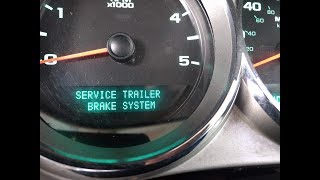
- "Service Trailer Brake System" message on the Driver Information Center (DIC).
- The integrated trailer brake controller is disabled.
- Intermittent operation of cruise control, sometimes working after tapping the brake pedal.
- Replacing the cruise control switch on the steering wheel.
- Replacing the entire Trailer Brake Control Module (TBCM) before checking the brake light switch and wiring.
- Replacing the trailer brake control dash switch assembly.
Most Likely Causes
- Fretting Corrosion at Brake Light Switch Connector 🔴 High Probability GM TSB PIT5144 specifically identifies this as a common issue caused by micro-vibrations and thermal cycling leading to oxidized debris on the connector terminals. This is the most common cause and the first thing that should be checked.
How to confirm: Visually inspect the connector terminals for the brake light switch (located above the brake pedal) for dark smudges or signs of corrosion. The issue may not always be visible to the naked eye. The connector is often gray.
Typical fix: Disconnect the connector, clean both the switch and harness side terminals with a dedicated electronics cleaner or a small nylon brush, and apply a small amount of dielectric lubricant 🎬 Watch: How to clean connectors for a cheap and easy fix. (such as GM P/N 12345579) before reconnecting. TSBs warn not to use excessive grease.
Est. part cost: $5-$10 for dielectric grease and cleaner - Faulty Brake Light Switch / Brake Pedal Position Sensor 🟡 Medium Probability This is a high-use component that can fail internally, causing the same signal mismatch even if the connector is clean. It's the second most common failure after the connector corrosion.
How to confirm: If cleaning the connector doesn't resolve the issue, replacing the switch is the next logical and inexpensive step. A scan tool can monitor the switch data to confirm erratic readings, but many DIYers replace it due to the low cost.
Typical fix: Replace the brake light switch. It is located on the brake pedal support bracket, held by a clip and a 10mm bolt. The switch slides over the brake pedal pushrod pin.
Est. part cost: $15-$40 - Wiring or Connector Corrosion at TBCM ⚪ Low Probability The Trailer Brake Control Module (TBCM) is located on the driver's side frame rail, often near or above the spare tire, exposing it to road salt, water, and debris which can lead to corrosion on the wiring harness connector.
How to confirm: Lower the spare tire for access. Disconnect the TBCM electrical connector and inspect the pins and wiring for green or white corrosion ('blue crusties') or physical damage. Wiggling the harness while monitoring the system can sometimes trigger the message.
Typical fix: Clean the connector terminals if corrosion is minor. If the wiring or terminals are severely damaged, a new connector pigtail may need to be spliced in. Applying dielectric grease after cleaning is recommended.
Est. part cost: $20-$50 for a pigtail connector
Rare But Worth Checking
- Faulty Master Cylinder Pressure Sensor: TSB PIT4508C suggests this as a possibility if other diagnostics fail. The sensor is internal to the Electronic Brake Control Module (EBCM) on models with StabiliTrak. A scan tool is needed to check the pressure reading; if it shows pressure when the pedal is not being pressed, this could be the cause.
- Faulty Trailer Brake Control Module (TBCM): While possible, the module itself is less likely to fail than the wiring or switches connected to it. This should be considered only after all other wiring and sensor issues have been ruled out. GM has noted that many modules are replaced unnecessarily when the fault is in the wiring.
- Pinched Dash Harness: A less common but possible cause is a pinched dash harness between the left instrument panel mounting bracket and the body. This can cause various electrical issues, including communication faults that could potentially trigger a B3894. A related TSB describes inspecting and repairing damaged wires in this area.
Diagnosis Steps
- Verify the primary symptoms: inoperative cruise control and a 'Service Trailer Brake System' message on the DIC.
- As per TSB PIT5144, start with the most common and easiest fix: locate the brake light switch connector above the brake pedal.
- Disconnect the connector. Inspect terminals on both the switch and the harness for dark smudges (fretting corrosion).
- Using a small nylon brush and electronics cleaner, clean the terminals. Apply a small amount of dielectric lubricant to the terminals on both sides of the connector and reconnect it securely.
- Clear the DTCs with a scan tool and test drive the vehicle to see if cruise control is restored and the message is gone.
- If the problem persists, replace the brake light switch. 🎬 Watch: Step-by-step guide to replacing the brake light switch. This is a common DIY fix shown in many online videos. It typically requires removing a 10mm bolt and a retaining clip.
- If the issue is still not resolved, inspect the wiring at the rear of the vehicle. Check the 7-pin trailer connector at the bumper for corrosion or bent pins. Clean and apply dielectric grease.
- Lower the spare tire to access the Trailer Brake Control Module (TBCM) on the driver's side frame rail. Disconnect its electrical harness and inspect thoroughly for corrosion or damaged wires.
- If all wiring and switches appear to be in good condition, advanced diagnostics with a scan tool may be needed to monitor live data from the brake pressure sensor and TBCM as described in TSB PIT4508C.
Parts You'll Likely Need
- Brake Light Switch / Brake Pedal Position Sensor
(OEM #25981009)— This switch provides the critical input for the brake pedal's position. It is a frequent failure point, either internally or at its connector, causing the signal mismatch that triggers code B3894.
Trusted brands: ACDelco (D1539J), Dorman
OEM price range: $25-$40
Aftermarket price range: $15-$30 - Dielectric Grease
(OEM #GM P/N 12345579 (or equivalent))— Recommended by GM TSB PIT5144 to prevent fretting corrosion at the brake light switch connector, which is the most common cause of this code.
Trusted brands: Permatex, CRC
OEM price range: $5-$10
Aftermarket price range: $5-$10
Technical Service Bulletins (TSBs) & Recalls
- PIT4508C: Cruise Control Inoperative, DTC B3894. Advises checking master cylinder pressure sensor data.
- PIT5144: Service Trailer Brake Message With DTC B3894. Identifies fretting corrosion on the brake light switch connector as a common cause and recommends cleaning and applying dielectric grease.
Platform-Specific Known Issues
- TSB PIT5144 notes that fretting corrosion on the brake light switch connector terminals is a very common cause for B3894 on these trucks.
- TSB PIT4508C points to an inoperative cruise control with DTC B3894 and advises checking the 'Master Cylinder Pressure' sensor data if standard diagnostics don't find the cause.
- The location of the TBCM on the driver's side frame rail makes its connector highly susceptible to corrosion from road spray, especially in regions that use road salt.
Mechanic-Grade Diagnostic Values
- TBCM Ignition Circuit Voltage — expected: Greater than 11 V between terminal 15 of the TBCM harness connector and ground with ignition ON.. Failure: Less than 11 V indicates a short to ground or an open/high resistance in the ignition circuit feeding the TBCM.
- Brake Light Switch Signal at TBCM — expected: Connect a test lamp between terminal 37 of the TBCM harness connector and ground. The lamp should turn ON when the brake pedal is pressed and OFF when released.. Failure: If the lamp is always ON, the signal circuit is shorted to voltage. If always OFF, the signal circuit has an open/high resistance.
- Brake Light Switch Resistance — expected: With the switch unplugged, resistance between the two main pins should be infinite (Open Loop) with the pedal released, and collapse to ≤0.5Ω almost instantly when the pedal is depressed.. Failure: Resistance fluctuates erratically or does not change state correctly, indicating internal failure of the switch.
- High Speed GMLAN Bus Resistance — expected: With the battery disconnected, measure resistance across terminals 6 and 14 of the Data Link Connector (DLC). A normal reading is 60 ohms +/- 5 ohms.. Failure: A reading significantly different from 60 ohms (e.g., 120 ohms or 0 ohms) indicates an open or short in the GMLAN bus wiring or a faulty terminating resistor in a module.
Scan Tool Commands That Help
- GDS2 / Tech2: BCM > BPP Sensor Calibration — This calibration procedure must be performed after replacing the brake pedal position sensor (brake light switch) or the Body Control Module (BCM). It sets the sensor's home value so the BCM can correctly interpret brake pedal action.
- GDS2 / Tech2: TBCM > Data Display > 'Master Cylinder Pressure' — As per TSB PIT4508C, use this to check for a faulty master cylinder pressure sensor. If pressure is displayed without the pedal being pressed, it indicates a problem with the sensor, which is internal to the EBCM.
- GDS2 / Tech2: TBCM > Data Display > 'Brake Switch Status' — To verify the hardwired signal from the brake light switch to the TBCM. The status should change from 'Inactive'/'Off' to 'Active'/'On' immediately when the brake pedal is pressed.
Wiring & Ground Locations
- Brake Light Switch Connector — Located above the brake pedal, attached to the pedal support bracket.. This is the primary location for fretting corrosion that causes B3894. The Light Blue/White wire is the brake switch output signal.
- TBCM (Trailer Brake Control Module) — Located on the driver's side frame rail, typically above or near the spare tire.. The module itself and its main harness connector are exposed to road spray, making them highly susceptible to corrosion, which can cause this code and other trailer-related faults.
- TBCM Connector Pin 37 — At the main harness connector for the Trailer Brake Control Module.. This is the terminal for the hardwired brake switch signal circuit. Testing for voltage here when the pedal is pressed is a key diagnostic step to confirm the signal is reaching the module.
- GMLAN Wiring Chafe Point — The Data Link Connector (DLC) wiring harness may rub on the adjustable pedal motor as the brake pedal is applied.. A chafe in this area can short the GMLAN communication wires, causing a loss of communication between modules (like the BCM and TBCM), which can lead to various codes, including plausibility faults like B3894. The issue may only occur when the brake pedal is pressed.
Real Owner Repair Stories
- DuramaxDiesels.com forum user (2008 LMM Duramax with a lift kit) — Service Trailer Brake message and inoperative cruise control.
❌ Tried (didn't work) Changing the tune, Replacing the brake light switch, Disconnecting aftermarket accessories (AirDog fuel pump), Disassembling and cleaning brakes
✅ What actually fixed it A Tech 2 scan tool revealed a bad wheel speed sensor connection on the front passenger side. The lift kit had stretched the wires, causing an internal break inside the insulation that was not visually apparent. Repairing the broken wire resolved the issue. - Reddit user r/Silverado (2014 Sierra 1500 SLT (similar K2XX platform, but relevant experience)) — Intermittent "Service Trailer Brake System" message, more frequent in warm weather.
❌ Tried (didn't work) Replacing the 7-pin trailer connection terminal at the bumper., Replacing the wiring connector under the spare tire (at the TBCM).
✅ What actually fixed it Replacing the trailer brake gain control switch assembly on the dashboard finally fixed the problem.
OEM Part Supersession History
25981009→ACDelco D1539J is the service part number for GM 25981009.— Standard part number transition from OEM production number to service/aftermarket part number.
Heads up: The description for this part sometimes notes 'Exc. Power Adjustable Pedals'. While it is the most commonly cited part, it's critical to verify fitment for trucks with that specific option (RPO code JF4).
Helpful Videos
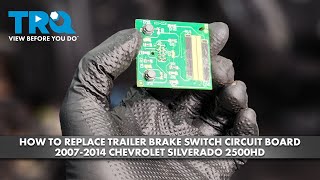
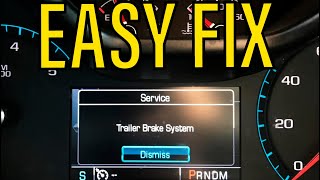
We Have This Part in Stock

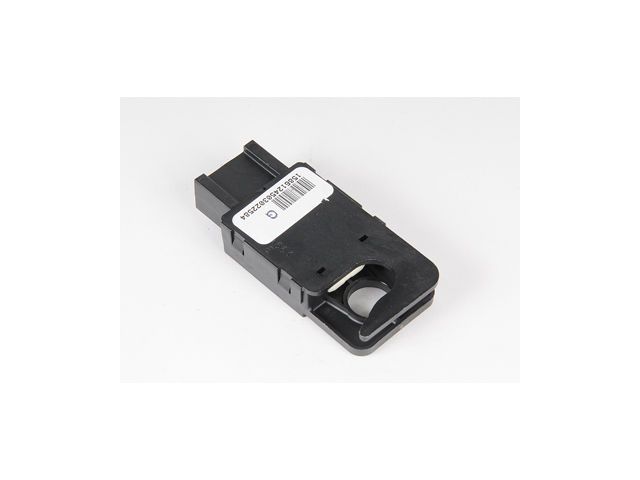

The information in this article is provided for general reference and educational purposes only. Vehicle specifications, procedures, and part compatibility can vary by production date, trim level, and region. Always consult your vehicle's factory service manual and verify part numbers before purchasing or performing repairs. Safety-critical components such as airbags, seat belts, and braking systems should be installed by a qualified professional.
- Chevrolet SILVERADO:
- 🎬 Helpful Videos
- 🛍️ Shop This Part
- What's Unique About the 2007-2011 Chevrolet SILVERADO
- Diagnostic Flowchart
- Symptoms You May Notice
- Most Likely Causes
- Rare But Worth Checking
- Diagnosis Steps
- Parts You'll Likely Need
- Technical Service Bulletins (TSBs) & Recalls
- Platform-Specific Known Issues
- Mechanic-Grade Diagnostic Values
- Scan Tool Commands That Help
- Wiring & Ground Locations
- Real Owner Repair Stories
- OEM Part Supersession History
- 🎟️ Get 5% Off