

B3060 on 2022-2024 Chevrolet Bolt EV: Causes for No Start & Security Light
On a 2022-2024 Bolt EV, code B3060 means the anti-theft system doesn't recognize the key fob, preventing the car from starting. The most likely causes are a faulty key fob, a dead fob battery, or radio frequency interference. Try your spare fob and place the primary fob in the center console pocket before seeking professional repair.
- B3060 means your Bolt EV's anti-theft system has locked the car because it doesn't recognize the key fob.
- Before paying for service, always try your spare key, replace the fob's battery, and try starting the car with the fob in the center console pocket.
- Remove all aftermarket chargers and other fobs from the area to rule out Radio Frequency Interference (RFI), a known cause cited by GM.
- If a new key fob is needed, it must be professionally programmed to the vehicle. Using cheap, incorrect aftermarket fobs can lead to this problem.
What's Unique About the 2022-2024 Chevrolet BOLT EV
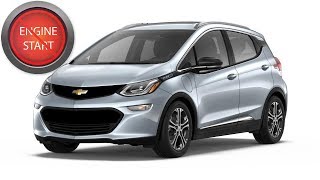
As a fully electric vehicle with a push-to-start system, the 'no-start' symptom of a B3060 code on a Bolt EV manifests as a failure to enter the 'Ready to Drive' state, rather than a traditional engine 'no-crank' issue. The Bolt EV includes a specific key fob pocket in the center console designed to read a fob with a weak or dead battery, which serves as a crucial diagnostic step unique to this platform. 🎬 Watch: How to start your Bolt with a dead fob. The issue is well-documented by GM across many models in TSB #PIC5650M, which explicitly covers intermittent no-start conditions with the security light on and lists B3060 as a primary code. This TSB emphasizes checking for Radio Frequency Interference (RFI) before replacing any components.
Diagnostic Flowchart
Tap your situation to follow the diagnostic path that matches what you're seeing on this vehicle.
Symptoms You May Notice
- Vehicle will not enter 'Ready to Drive' mode
- Security indicator light is illuminated or flashing on the dashboard
- Message on the Driver Information Center (DIC) such as 'Service Anti-Theft System', 'Theft Attempted', or 'Ready for Remote #'
- DIC message 'Conditions not correct to shift'.
- Inability to turn the vehicle off after a failed start attempt.
- Replacing the 12V accessory battery. While a weak 12V battery can cause many electrical issues and DIC error messages, it is not the direct cause of B3060, which is a specific key recognition failure. However, a voltage drop during a battery failure can sometimes trigger the key synchronization loss.
- Assuming a high-voltage battery or drive unit problem. A no-start condition on an EV might point to the main powertrain, but the presence of a security light and code B3060 specifically indicates an anti-theft system fault.
Most Likely Causes
- Faulty, Damaged, or Unprogrammed Key Fob 🔴 High Probability Using an incorrect or defective aftermarket key fob is a common trigger, as the vehicle's security system will reject it. The internal transponder chip can also fail in an otherwise functional fob, sometimes after being dropped or getting wet.
How to confirm: Try starting the vehicle with a known-good spare key fob. If the spare fob works, the primary fob is the issue.
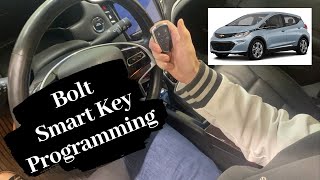
Typical fix: Replace the faulty key fob and have the new one professionally programmed to the vehicle. Some owners have successfully programmed aftermarket fobs themselves if they still have one working original key. 🎬 Watch: How to program a new smart key remote.
Est. part cost: $150-$450 - Radio Frequency Interference (RFI) 🟡 Medium Probability GM TSB #PIC5650M specifically warns that aftermarket electronics (like USB chargers, dash cams) or other RFID-enabled cards on a keychain can disrupt the low-frequency (125 kHz) or high-frequency (433 MHz) signals between the fob and the car. This is a well-documented issue across many GM models.
How to confirm: Remove all other keys, fobs, and access cards from the keychain. Unplug all aftermarket 12V accessories. Try to start the vehicle with only the Bolt EV fob present. If the car starts, RFI was the cause.
Typical fix: Isolate the Bolt EV key fob from other electronic devices. Avoid using noisy aftermarket chargers or LED lights.
Est. part cost: $0 - Dead or Weak Key Fob Battery 🟡 Medium Probability The key fob requires battery power to transmit its code. If the battery is dead, the car cannot receive the signal to authorize starting.
How to confirm: First, try placing the key fob in the designated transmitter pocket inside the center console; this is designed to work with a dead battery. If this allows the car to start, the fob battery is the culprit. You can also replace the CR2032 battery in the fob and try again.
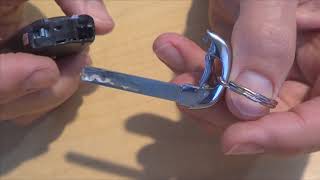
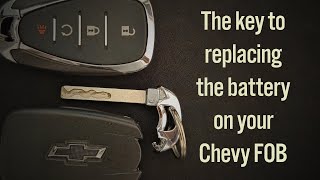
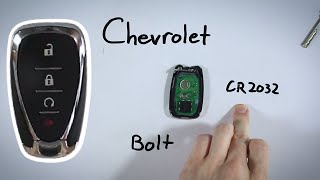
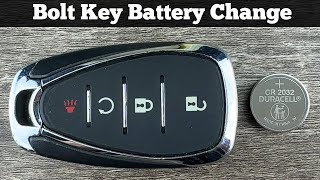
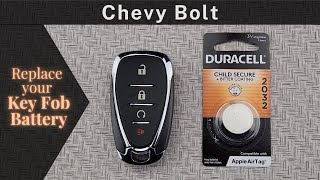
Typical fix: Replace the CR2032 coin battery inside the key fob. 🎬 See this quick guide on replacing the fob battery.
Est. part cost: $2-$10 - Loss of Key Synchronization ⚪ Low Probability A significant voltage drop, such as from a failing 12V accessory battery or after disconnecting it for service, can sometimes cause the Body Control Module (BCM) to lose its memory of programmed keys. While some owners replace the 12V battery without issue, others report lingering electrical warnings that may take several drive cycles to clear.
How to confirm: This is a diagnosis of exclusion. If the key fobs have good batteries, there is no RFI, and they still don't work, loss of synchronization is a possibility. A scan tool is needed to confirm if the BCM recognizes any learned keys.
Typical fix: The key fobs must be re-programmed to the vehicle using a compatible diagnostic scan tool and the proper procedure. In some cases, a 30-minute relearn procedure may work.
Est. part cost: $0
Rare But Worth Checking
- Faulty Body Control Module (BCM): While rare, the BCM itself can fail. If new, correctly programmed keys do not solve the issue, the BCM should be professionally diagnosed. This is an expensive last resort.
Diagnosis Steps
- Verify the security light is illuminated or flashing on the dashboard when trying to start the vehicle.
- Try your spare key fob. If it works, the first fob is faulty.
- If the spare fob also fails, replace the coin battery (CR2032) in your primary key fob.
- Place the key fob into the transmitter pocket located in the center console storage area and attempt to start the vehicle. This is the backup method for a weak fob battery and is a key diagnostic step mentioned in TSB PIC5650C.
- Remove all other electronic devices, key fobs, and RFID cards from your keychain and from inside the vehicle to eliminate Radio Frequency Interference (RFI). This is the primary recommendation of GM TSB #PIC5650M.
- Unplug any aftermarket accessories from the 12V power outlets (e.g., phone chargers, dash cams, aftermarket LED lights).
- If the vehicle still won't start, use an OBD-II scanner capable of reading B-codes to confirm B3060 is present along with any other codes like B3055 or B3935.
- If all DIY steps fail, contact a Chevrolet dealership or a qualified automotive locksmith for professional diagnosis and key programming.
Parts You'll Likely Need
- Key Fob
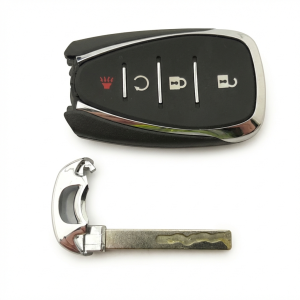
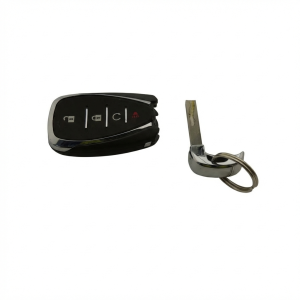
(OEM #13535663 (5-Button for Bolt EV), 13535664 (3-Button for Bolt EUV), 13535665 (5-Button))— This is the most common cause of the fault, either due to internal failure of the transponder chip or because an incorrect aftermarket fob was used.
Trusted brands: ACDelco, GM Genuine Parts
OEM price range: $110-$250
Aftermarket price range: $40-$100 - Key Fob Battery (CR2032) — A dead or weak battery is a simple and common reason the vehicle cannot detect the key fob's signal.
Trusted brands: Energizer, Duracell, Panasonic
OEM price range: $5-$10
Aftermarket price range: $2-$8
Related Codes That Often Appear With This One
- B3055 — This code means 'No Transponder Modulation,' indicating the car can't detect a signal from the key fob at all. It often appears with B3060 and points to a dead fob battery, RFI, or a faulty fob. It is explicitly mentioned in TSB PIC5650M alongside B3060.
- B3935 — This code means 'Transponder Authentication Failed.' It indicates the car received a signal but could not validate it. It is part of the same family of security codes and is mentioned in the same TSBs as B3060.
Technical Service Bulletins (TSBs) & Recalls
- PIC5650M: Addresses intermittent no-start conditions with the security light on, applicable to this code. It advises checking for RFI as a primary diagnostic step before parts replacement.
- PIC5650K / PIC5650C: Earlier revisions of the same TSB which provide a detailed list of potential RFI sources, including other vehicle's fobs, toll passes, building access cards, and even aftermarket USB chargers and LED lighting.
Platform-Specific Known Issues
- A General Motors Technical Service Bulletin, #PIC5650M, directly addresses an intermittent no crank, no start, or start stall concern with the security light coming on, which may set DTCs B3060, B3055, and others. The bulletin advises checking for sources of radio frequency interference before replacing parts.
- Owners on Reddit have successfully programmed their own aftermarket key fobs for as little as $45 for two, using the procedure in the owner's manual, which takes about 30-35 minutes and requires having at least one working key.
Hidden / Shadow Codes Worth Checking
- B3060 00: This is the most common symptom byte for B3060, indicating 'Unprogrammed Transponder Identification Code Received' with no additional subtype information. It confirms the BCM read a key but did not recognize its ID. (see via A professional-grade scan tool that can read manufacturer-specific symptom bytes, such as the GM GDS2 (Global Diagnostic System 2).)
Scan Tool Commands That Help
- GM GDS2 / Techline Connect: Immobilizer Learn — This function is required to program new or existing keys to the Body Control Module (BCM). It is necessary after replacing a key fob or the BCM itself.
- GM GDS2 / Techline Connect: BCM Setup and Programming (SPS) — When replacing the Body Control Module, the new module must be programmed with the vehicle's VIN and specific configuration using the Service Programming System (SPS). This is not optional.
- GM GDS2: Bi-Directional Controls — A technician can use bi-directional controls within GDS2 to command various BCM functions on and off, such as lighting or locks, to verify the BCM is communicating and functioning, helping to isolate the fault to the key recognition circuit.
Wiring & Ground Locations
- K9 Body Control Module (BCM) — The BCM is the central computer for body electronics and is typically located inside the cabin, under the dashboard on the driver's or passenger's side.. The BCM is the module that stores the key fob data and sets code B3060. All keyless entry antenna and security signals are processed here. A bad ground or connector at the BCM can cause this fault.
- Keyless Entry Antennas — The Bolt EV/EUV has multiple low-frequency antennas. One is in the center console for the backup start pocket, one is in the driver's door handle, and others are located around the vehicle for passive entry.. These antennas transmit the low-frequency signal that energizes the key fob's transponder. A failure or wiring issue in the specific antenna used for starting the vehicle can prevent the BCM from seeing the key, leading to B3060.
- BCM Ground Lug — A primary ground connection for the BCM and other interior electronics is typically located under the dash or behind a kick panel, bolted directly to the chassis.. A loose or corroded ground connection for the BCM can cause a variety of unpredictable electrical issues, including a failure to recognize valid key fobs and the setting of communication codes.
- Jump Start Negative Ground Post — Under the hood, there is a specific grounding bolt attached to the accessory power control module designated for jump-starting.. While not directly related to the B3060 fault circuit, knowing this location is critical for safely boosting the 12V system. An improper jump-start procedure can damage sensitive electronics like the BCM, potentially causing a B3060 code.
Real Owner Repair Stories
- Chevy Bolt EV Forum (2017 Chevrolet Bolt EV) — Car unlocked with the door handle button, but the alarm went off upon opening the door. Pressing unlock on the fob stopped the alarm. The car would not start and displayed a 'key fob missing' message.
❌ Tried (didn't work) Unlocking the car normally.
✅ What actually fixed it Placing the key fob in the designated pocket at the bottom of the center console allowed the car to detect the fob and start. The user noted this happened twice in the exact same parking spot, attributing it to strong local Radio Frequency Interference (RFI).
OEM Part Supersession History
13547839→13535663— Part number update or revision for the 5-button smart key for the 2022-2023 Bolt EV.
Heads up: While 13535663 is listed as the replacement, it's critical to verify the correct part number for the specific vehicle's VIN before purchasing, as there can be mid-year changes or differences between EV and EUV models.
Model Year Variations Within This Range
- 2022-2024: The Bolt EV and Bolt EUV, while built on the same platform, have different key fobs. The EUV may use a 3-button fob (PN 13535664) while the EV uses a 5-button fob (PN 13535663 or 13535665). The body shells are also different, with the EUV being about six inches longer, which may affect the placement and part numbers of the various keyless entry antennas.
- 2022-2024: Trim levels (1LT vs. 2LT) offer different standard features like leather seats or surround vision cameras, but the core immobilizer system, BCM, and key fob technology are the same across trims. A B3060 fault would be diagnosed identically on either trim level.
Helpful Videos
We Have This Part in Stock


The information in this article is provided for general reference and educational purposes only. Vehicle specifications, procedures, and part compatibility can vary by production date, trim level, and region. Always consult your vehicle's factory service manual and verify part numbers before purchasing or performing repairs. Safety-critical components such as airbags, seat belts, and braking systems should be installed by a qualified professional.
- Chevrolet BOLT EV:
- 🎬 Helpful Videos
- 🛍️ Shop This Part
- What's Unique About the 2022-2024 Chevrolet BOLT EV
- Diagnostic Flowchart
- Symptoms You May Notice
- Most Likely Causes
- Rare But Worth Checking
- Diagnosis Steps
- Parts You'll Likely Need
- Related Codes That Often Appear With This One
- Technical Service Bulletins (TSBs) & Recalls
- Platform-Specific Known Issues
- Hidden / Shadow Codes Worth Checking
- Scan Tool Commands That Help
- Wiring & Ground Locations
- Real Owner Repair Stories
- OEM Part Supersession History
- Model Year Variations Within This Range
- 🎟️ Get 5% Off