

B3055 on 2007-2011 Saab 9-5: Key Not Detected, Causes and Fixes
This code means your Saab's security system can't recognize the key. The most common causes are a faulty key transponder or a failing Column Integration Module (CIM) on 2007-2009 models or a failing TWICE module on earlier models. Always try your spare key first. If that doesn't work, the CIM/TWICE module is a likely culprit, but its replacement requires professional programming with a Saab-specific Tech 2 tool.
- B3055 means your car doesn't recognize your key, which will prevent it from starting.
- Always try your spare key first; it's the simplest and cheapest potential fix.
- A weak car battery can cause this error, so ensure your battery is healthy before pursuing more expensive repairs.
- If a new key or battery doesn't solve the problem, the Column Integration Module (CIM) is the next likely suspect.
- Fixing this code, especially if it involves the CIM, is not a DIY job. It requires a Saab Tech 2 tool for diagnosis and programming.
What's Unique About the 2007-2011 Saab 9-5
The 2007-2011 Saab 9-5 spans two completely different generations, which affects this issue. The first generation (2007-2010, often called 'OG' 9-5) uses the traditional Saab center console ignition switch. In these models up to around 2009, the immobilizer is managed by either the Theft Warning Integrated Central Electronics (TWICE) module located under the driver's seat or the Column Integration Module (CIM) behind the steering wheel. The second generation (2010-2011, 'NG' 9-5), based on the GM Epsilon II platform, uses a more modern key fob and a dash-mounted slot or start button system, where the Body Control Module (BCM) handles immobilizer functions. While the components differ, the underlying problem of a failed key-to-module security check remains the same. The CIM, in particular, is a known weak point on these cars.
Diagnostic Flowchart
Tap your situation to follow the diagnostic path that matches what you're seeing on this vehicle.
Generation note: This range covers two generations. The first generation (YS3E, 2007-2010) has the ignition in the center console and may use a TWICE or CIM module. The second generation (YS3G, 2010-2011) is a GM Epsilon II platform with a dash-mounted ignition slot or push-button start, using a BCM for security. While causes are similar, the specific part numbers and locations for modules will differ significantly.
Symptoms You May Notice
- Engine will not crank (no-crank, no-start).
- Engine starts but immediately stalls.
- Security warning light (often a key symbol or padlock) is illuminated on the dashboard.
- Message in the Saab Information Display (SID) such as 'Key not accepted' or 'Steering lock malfunction'.
- On Gen 1 models, the radio may stay on after removing the key, indicating the Ignition Switch Module (ISM) is not registering the key's removal.
- Replacing the starter motor when the actual issue is the immobilizer preventing the starter from engaging.
- Replacing the battery without confirming it's the root cause, only to have the problem return.
- Condemning the CIM module when the less expensive Ignition Switch Module (ISM) is the actual point of failure on Gen 1 models.
Most Likely Causes
- Faulty Ignition Key 🔴 High Probability The transponder chip inside the key can fail with age or from being dropped. On Gen 2 models with a flip-key, the mechanism can wear, causing the key blade to be misaligned when inserted, preventing a proper read. Swapping the electronics into a new key shell can also damage the delicate transponder board.
How to confirm: The easiest test is to try starting the car with all available spare keys. If one key works and the other doesn't, the bad key is the problem. For flip keys, ensure the blade is fully locked straight before inserting it.
Typical fix: Replace the faulty key and have the new one programmed to the car by a dealer or a locksmith with Saab-compatible tools. For Gen 1 cars, this often requires a Tech 2.
Est. part cost: $75-$200 - Failing Column Integration Module (CIM) or TWICE Module 🟡 Medium Probability The CIM (Gen 1 post-2005/Gen 2) and TWICE (Gen 1 pre-2005) are central hubs for the immobilizer and are widely documented failure points due to internal electronic faults, such as bad solder joints or component failure. The CIM also contains the clockspring, which can fail and cause related issues.
How to confirm: This requires diagnosis with a Tech 2 scan tool to check for communication errors or internal faults within the CIM/TWICE itself. Codes like B3056 (No Transponders Learned) strongly point to module failure.
Typical fix: The module must be replaced or sent out for repair. A new or used module must be 'married' to the car using a Tech 2. When buying a used module, it's crucial to get the key that was originally paired with it. 🎬 See this guide on replacing lost keys and CIM modules.
Est. part cost: $200-$600 for a used/rebuilt unit with a key - Weak or Dead Car Battery 🟡 Medium Probability The immobilizer system requires a stable voltage to communicate correctly. A low battery can cause a variety of unpredictable electronic faults, including this one. This is a common issue across many GM platforms.
How to confirm: Test the battery voltage with a multimeter. A healthy battery should read approximately 12.6V with the engine off. Attempt to jump-start the vehicle or charge the battery fully.
Typical fix: Replace the car battery.
Est. part cost: $150-$250 - Faulty Ignition Switch Module (ISM) ⚪ Low Probability On Gen 1 models, the physical slot in the center console where the key is inserted can become worn or its internal contacts can get dirty or lose tension. This leads to a poor connection with the key or a failure to recognize the key has been inserted or removed.
How to confirm: Try wiggling the key gently in the ignition while attempting to start. Sometimes cleaning the slot's internal contacts with electronics cleaner and a small brush can restore function. Several owner videos document this cleaning process.
Typical fix: Replace the Ignition Switch Module (ISM). This part is often plug-and-play and doesn't require programming, making it a good DIY step before replacing the CIM. A repair kit (part #32021815) exists which involves transferring parts from the old switch.
Est. part cost: $50-$120 for a used or rebuilt unit
Rare But Worth Checking
- Failing Anti-Theft Alarm Siren: The alarm siren, located in the driver's side wheel well, has internal batteries that can leak over time. This can cause corrosion and electrical noise on the car's network, leading to various security system malfunctions, including the 'Service Theft Alarm' message. While not a direct cause of B3055, its failure can create related problems.
- Radio Frequency Interference (RFI): As detailed in GM TSB PIC5650M, aftermarket electronic devices like phone chargers, LED lights, or even other key fobs on the same keychain can emit radio frequencies (especially around 125 kHz) that 'jam' the signal between the key and the car's antenna, causing an intermittent B3055.
Diagnosis Steps
- Try to start the car with a known-good spare key. If it starts, the other key is faulty.
- Remove all other keys, fobs, and aftermarket electronics from the keychain and from inside the vehicle to rule out Radio Frequency Interference (RFI).
- For Gen 2 models with a flip key, ensure the key is fully extended and locked straight before inserting it. A slightly angled key may not be read correctly.
- Check the main car battery's voltage. Ensure it is fully charged and the terminals are clean and tight. A voltage below 12.4V can cause these issues.
- On Gen 1 models, observe if the radio stays on or if you get a 'key not removed' chime when the key is out. If so, suspect the Ignition Switch Module (ISM). Try cleaning the ISM contacts. 🎬 Watch: How to remove and clean the ignition cylinder.
- Scan the vehicle with a Saab-specific Tech 2 scanner. This is the most critical step to read the specific fault from the CIM/TWICE and other modules.
- Using the Tech 2, check the status of the keys and the CIM/TWICE to see if the module is responsive and if it recognizes key insertion.
- If the CIM/TWICE is unresponsive or shows internal fault codes (like B3056), it is the likely point of failure.
Parts You'll Likely Need
- Ignition Key with Transponder — The transponder chip in the key is often the first component to fail, making it the most common and cheapest part to try replacing first.
Trusted brands: OES, Genuine Saab
OEM price range: $100-$200
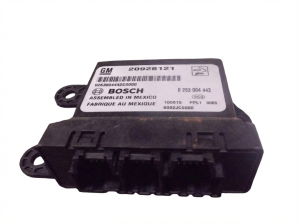
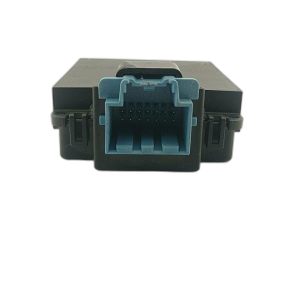
Aftermarket price range: $50-$80 - Column Integration Module (CIM)
(OEM #12769673 (example for 2005-2011 9-3, similar parts used on 9-5))— This module is the brain of the immobilizer system and a known weak point. Internal electronic failure is a common cause for B3055 that a new key won't fix.
Trusted brands: Genuine Saab (used/rebuilt), OES
OEM price range: No longer available new
Aftermarket price range: $200-$600 (Used or Rebuilt, often requires paired key) - Theft Warning Integrated Central Electronics (TWICE) Module — On earli
Related Codes That Often Appear With This One
- B3060 — This code means an 'Unprogrammed Transponder' was detected. It often appears with B3055 when the system sees a key but cannot validate its programming, pointing to a key or CIM/TWICE issue.
- B3056 — This code indicates 'No Transponders Learned to CIM,' meaning the module has lost its memory of all keys. This points strongly to a faulty CIM or TWICE module.
- B2955 — Relates to the 'Security Sensor Data Circuit' and can appear with B3055, indicating a problem in the wiring between the immobilizer antenna and the control module.
Technical Service Bulletins (TSBs) & Recalls
- PIC5650M: Mentions B3055 in the context of a no crank/no start or stall condition with the security light on. Crucially, it advises checking for Radio Frequency Interference (RFI) from aftermarket devices before replacing any components.
- PIT5030E: Though for other GM models, this TSB is highly relevant for the Gen 2 Saab 9-5. It identifies that a flip-key not being fully extended can cause an intermittent no-crank and set a B3055, a simple mechanical issue that is often overlooked.
Platform-Specific Known Issues
- CIM Module Failures: The Column Integration Module (CIM) is a notorious failure point on the Saab 9-3 and first-generation 9-5, leading to a host of electrical and security-related problems. A Reddit user on r/saab described the classic 'steering lock malfunction' and 'immobilizer failure' messages, with a dealer quoting $1600 for a new CIM and keys.
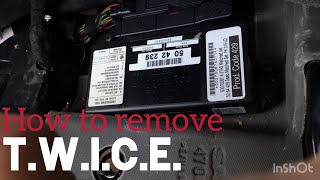
- TWICE Module Failures: On earlier models, the TWICE unit under the driver's seat is the failure point. A detailed guide on a Tech2 Wiki explains that when replacing a TWICE unit, you must obtain a used one that comes with at least one key already 'married' to it from the donor car, otherwise programming is useless.
- Sticky Ignition Switch Module (ISM): The center console ignition switch on the Gen 1 9-5 can get gummed up with dirt or spilled drinks, causing the internal mechanism to stick. This prevents the car from recognizing that the key has been removed, leaving the radio on and preventing the doors from locking. Multiple YouTube videos show owners disassembling and cleaning the cylinder with graphite lube or electronics cleaner to fix the issue.
Scan Tool Commands That Help
- Saab Tech 2: Read All DTC Information (in 'All' systems) — Initial step to see if B3055 is accompanied by other codes in related modules like the MIU or engine control system, which can guide diagnosis.
- Saab Tech 2: Body > TWICE or CIM > Add/Remove Key — Used to program new keys to the vehicle or to remove lost keys. This function is essential after replacing a key or the control module.
- Saab Tech 2: Body > TWICE or CIM > Add/Remove Control Module — This is the 'marrying' procedure required when installing a new or used TWICE or CIM module. The module will not function until it is electronically paired to the car's other systems.
- Saab Tech 2: Live Data: Transponder Fixcode OK / Transponder Encryption ID OK — When diagnosing a B3055, viewing these live data parameters can confirm if the CIM/TWICE is successfully reading and validating the key that is currently in the ignition switch.
Wiring & Ground Locations
- TWICE Module — Located under the driver's (LH) seat for most models.. This is one of the primary control modules for the immobilizer system on earlier Gen 1 models. A poor connection or a bad ground (G14) can cause it to malfunction and set B3055.
- G14 — On the seat member under the LH (driver's) front seat.. This is a primary grounding point for components under the driver's seat, including the TWICE module. Corrosion or a loose connection here can interrupt power to the module, causing immobilizer failure.
- G33 — In the cabin, under the LH A-pillar.. This ground point is near the CIM and other dashboard electronics. A fault at this location could cause communication issues for the CIM on later Gen 1 and Gen 2 models.
- Immobilizer Antenna — A ring-shaped antenna located around the ignition switch assembly. On Gen 1 models, this is in the center console.. This antenna transmits the signal that powers the key's transponder chip. The signal from the chip is received by this antenna and sent to the TWICE/CIM via a wire at pin 39 (on TWICE models). A break in the antenna coil or its wiring will cause B3055.
Real Owner Repair Stories
- Reddit user /u/N_dixon in /r/Justrolledintotheshop (Unknown GM vehicle (likely Chevrolet, as B3055 is a common GM code), behavior is analogous to the Saab issue.) — No-start condition, towed in. Inserting the broken key caused the theft alarm to sound and a 'Theft Attempted' message on the DIC.
❌ Tried (didn't work) Customer assumed it was a faulty starter motor.
✅ What actually fixed it The vehicle had a B3055 code. The fix involved two steps: 1) Replacing the main 12V vehicle battery which had failed testing (only 10.5V). 2) Replacing the physically broken key fob and programming the new key to the vehicle. After both were done, the car started normally.
OEM Part Supersession History
12769673→32021812 (as a repair kit)— The original CIM units were prone to failure. Saab later issued repair kits that contained the internal electronics of the module, which would be installed into the original plastic housing.
Heads up: Part number 12769673 is listed for a Saab 9-3 but is functionally similar to the 9-5 CIM. The repair kit 32021812 also has a long list of alternative part numbers it replaces, including 12761347, 12777263, and 12847563, indicating multiple revisions over the years. It is critical to match the part number or a known compatible supersession when replacing.
Helpful Videos

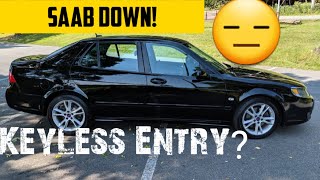
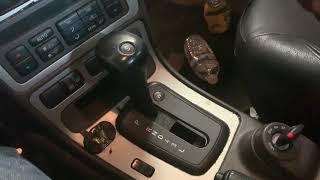
We Have This Part in Stock




The information in this article is provided for general reference and educational purposes only. Vehicle specifications, procedures, and part compatibility can vary by production date, trim level, and region. Always consult your vehicle's factory service manual and verify part numbers before purchasing or performing repairs. Safety-critical components such as airbags, seat belts, and braking systems should be installed by a qualified professional.
- Saab 9-5:
- 🎬 Helpful Videos
- 🛍️ Shop This Part
- What's Unique About the 2007-2011 Saab 9-5
- Diagnostic Flowchart
- Symptoms You May Notice
- Most Likely Causes
- Rare But Worth Checking
- Diagnosis Steps
- Parts You'll Likely Need
- Related Codes That Often Appear With This One
- Technical Service Bulletins (TSBs) & Recalls
- Platform-Specific Known Issues
- Scan Tool Commands That Help
- Wiring & Ground Locations
- Real Owner Repair Stories
- OEM Part Supersession History
- 🎟️ Get 5% Off