

B3055 on 2022-2024 Chevrolet Bolt EV: Key Not Detected, Causes and Fixes
On a 2022-2024 Bolt EV, code B3055 means the car's anti-theft system cannot detect the key fob, causing a no-start condition. The most common causes are a weak key fob battery (CR2032) or radio frequency (RF) interference from devices like phone chargers. Start by replacing the fob battery, which costs only a few dollars, and removing all aftermarket electronics from the vehicle.
- B3055 on your Bolt EV means the anti-theft system can't see your key, which prevents it from starting.
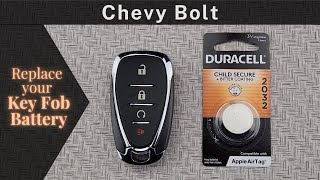
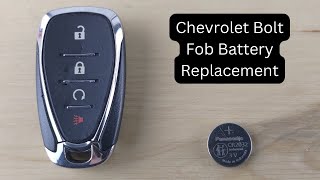
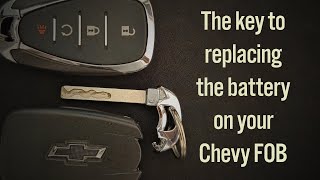
- The easiest and most common fix is to replace the CR2032 battery in your key fob.
- Before seeking expensive repairs, unplug all phone chargers and USB devices to rule out radio frequency interference.
- If the key fob battery is dead, you can still start the car by placing the fob in the transmitter pocket inside the center console.
- If none of the simple fixes work, the issue may be with the vehicle's Body Control Module (BCM) or antennas and will require professional service.
What's Unique About the 2022-2024 Chevrolet BOLT EV
As a fully electric vehicle with a push-button start, the 2022-2024 Bolt EV relies entirely on consistent, error-free communication with its key fob to authorize propulsion. Unlike older cars with a physical key transponder, the Bolt's keyless system is more susceptible to radio frequency (RF) interference from the myriad of modern electronics we carry and use in the car, such as smartphones, aftermarket LED lights, and USB chargers. The electric drive motor itself generates electromagnetic frequencies that can interfere with radio signals, making the vehicle's systems inherently more sensitive to additional RFI. GM acknowledges this sensitivity in TSB PIC5650M, which advises checking for RFI from a long list of aftermarket devices before replacing any parts.
Diagnostic Flowchart
Tap your situation to follow the diagnostic path that matches what you're seeing on this vehicle.
Symptoms You May Notice
- Vehicle will not start or 'crank' (propulsion system won't engage).
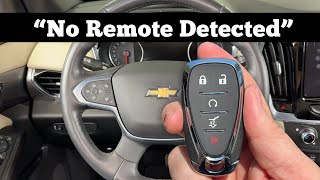
- "No Remote Detected" or "Place Transmitter in Pocket to Start" message on the Driver Information Center (DIC).
- Security or anti-theft light is illuminated or flashing on the dashboard.
- Intermittent failure to start, which may temporarily resolve on its own.
- Key fob buttons (lock/unlock/remote start) may not work or have very poor range.
- Engine starts briefly and then stalls (less common on push-button start models, but possible).
- Replacing the 12V battery without proper testing. While a low 12V battery can be a cause, B3055 more often points to a key fob or interference issue.
- Assuming the vehicle's high-voltage propulsion system has failed. The B3055 code and security light specifically indicate an anti-theft system issue, not a problem with the main EV battery or drive unit.
Most Likely Causes
- Weak or Dead Key Fob Battery 🔴 High Probability Keyless entry systems constantly listen for the fob, and the fob itself has a motion sensor, leading to a battery life of around 2-4 years. This is the most frequent and simplest failure point.
How to confirm: Try using the spare key fob. If the vehicle starts, the issue is with the primary fob. A 'Replace Battery in Remote Key' message may also appear on the dash. A low fob battery may drop below 2.6 volts, triggering a warning.
Typical fix: Replace the CR2032 coin battery inside the key fob.
Est. part cost: $1-$5 - Radio Frequency Interference (RFI) 🟡 Medium Probability The 125 kHz signal used by the key fob is easily disrupted by unshielded electronics. GM TSB PIC5650M specifically lists aftermarket USB chargers, dash cams, LED lights, phone chargers, and even other RFID cards (like building access cards) on the same keychain as potential sources of interference.
How to confirm: Unplug all aftermarket electronic devices from the 12V and USB ports. Remove other keys, RFID cards, and fobs from your keychain. If the car starts, RFI was the cause. The interference can be intermittent, so it may be necessary to identify which device is active when the fault occurs.
Typical fix: Remove the interfering device or replace it with a higher-quality, better-shielded alternative.
Est. part cost: $0-$50 - Faulty Key Fob ⚪ Low Probability Internal circuitry of the key fob can fail from being dropped, water damage, or age. The solder joints on the board can crack, leading to intermittent connection.
How to confirm: Even after replacing the battery, the fob does not work, but the spare fob works perfectly. Placing the faulty fob in the transmitter pocket inside the center console may allow the car to start, but remote functions will still fail.
Typical fix: The key fob must be replaced and programmed to the vehicle by a dealer or qualified automotive locksmith.
Est. part cost: $150-$400 - Body Control Module (BCM) or Software Issue ⚪ Low Probability As noted in TSB #PIC5650M, intermittent no-start conditions can be related to the BCM. Modern vehicle modules can also suffer from software glitches that require updates or reprogramming, which can cost between $150 and $400 at a dealership.
How to confirm: This requires a professional diagnosis using a GM-compatible scan tool to check for communication errors and fault codes within the BCM. All other causes must be ruled out first.
Typical fix: A dealership may need to reprogram or, in rare cases, replace the Body Control Module. A replacement BCM is not plug-and-play and requires programming to the vehicle's VIN.
Est. part cost: $500-$900
Rare But Worth Checking
- Faulty Remote Control Door Lock Receiver (RCDLR) / Antenna: A TSB for older GM models (#16-NA-396) points to this receiver as a cause for 'No Remote Detected' messages. While not specific to 2022-2024 Bolts, a failure of one of the vehicle's keyless antennas could produce the same symptom and code. A temporary fix noted in a similar TSB (PIC6227) is to disconnect and reconnect the 12V battery to reset the RCDLR.
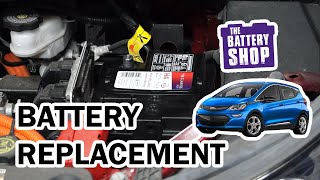
- Low 12V Vehicle Battery: While the Bolt EV has a large high-voltage battery, its electronics (including the BCM and keyless system) run off a conventional 12V battery. For the keyless system to work correctly, the 12V battery must be above 10 volts. A low 12V battery can cause a wide range of unpredictable electronic faults, including B3055.
Diagnosis Steps
- Attempt to start the vehicle with your spare key fob. If it works, the problem is isolated to your primary fob.
- If the primary fob is suspect, replace its CR2032 battery.
- If the battery change doesn't work, unplug ALL aftermarket devices (phone chargers, dash cams, etc.) from the vehicle's power outlets to eliminate Radio Frequency Interference (RFI). Also, remove all other keys, fobs, and RFID cards from the keychain.
- If the car still won't start, try placing the key fob in the designated transmitter pocket. For the Bolt EV, this is located inside the center console armrest. You must remove the upper tray and the rubber mat at the bottom to reveal a fob-shaped indentation. Place the fob in this pocket and try to start the vehicle.
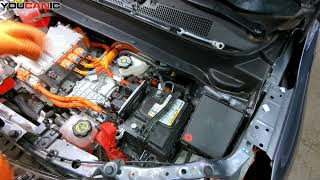
- Check the vehicle's 12V battery to ensure it is fully charged (above 12V) and has clean, tight connections.
- If the problem persists with both key fobs and with no RFI sources, the vehicle requires professional diagnosis with a scan tool to inspect the Body Control Module (BCM) and keyless entry antenna circuits.
Parts You'll Likely Need
- Key Fob Battery
(OEM #CR2032)— This is the most common failure point for a B3055 code, causing a weak signal that the car cannot detect.
Trusted brands: Energizer, Duracell, Panasonic
OEM price range: $1-$5
Aftermarket price range: $1-$5 - Keyless Entry Remote (Key Fob)
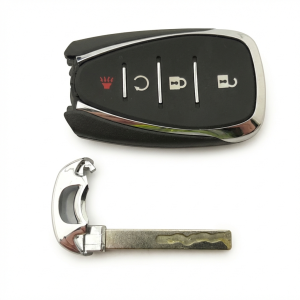
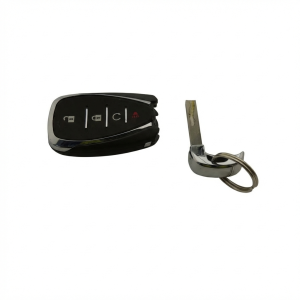
(OEM #13535665)— If the internal electronics of the fob fail, it must be replaced. This part requires professional programming to the vehicle. The FCC ID is HYQ4ES.
Trusted brands: ACDelco, GM Genuine Parts
OEM price range: $150-$300
Aftermarket price range: $70-$150
Related Codes That Often Appear With This One
- B3060 — This code for 'Unprogrammed Transponder Key' can appear with B3055 during a security handshake failure, especially if a new or incorrect key is used.
- B3935 — Indicates a 'Transponder Authentication Error,' meaning the key was detected but its security code was incorrect. It's part of the same diagnostic event as B3055 and is cited in the same TSBs.
- C0750, C0755, C0760, C0765 — These are Tire Pressure Monitor (TPM) sensor codes. TSB 16-NA-396 notes that a failing Remote Control Door Lock Receiver (RCDLR) can cause both key fob issues and TPM warnings simultaneously, as the receiver processes signals from both systems.
Technical Service Bulletins (TSBs) & Recalls
- PIC5650M: Addresses intermittent no crank, no start, or start/stall concerns with security light on, listing B3055 as a potential DTC. Crucially, it advises technicians to investigate and eliminate all possible sources of Radio Frequency Interference (RFI) before replacing any components.
- 16-NA-396: Pertains to older GM models (including the 2017 Bolt EV) and identifies the Remote Control Door Lock Receiver (RCDLR) as a potential cause for "No Remote Detected" messages and associated TPM light issues. The fix is to replace the receiver (P/N 13595511).
Platform-Specific Known Issues
- A General Motors Technical Service Bulletin (TSB #PIC5650M) directly addresses concerns of an intermittent no crank or no start with the security light on, specifically citing DTC B3055 among others for various GM vehicles, including by context the Bolt EV platform.
- The transmitter pocket for emergency starting is located inside the center console, under the removable tray and rubber mat. Some owners have reported difficulty getting this to work with a completely dead fob battery, though it is designed to function in that scenario.
Mechanic-Grade Diagnostic Values
- Low Frequency (LF) Passive Antenna Transmission — expected: The antenna should transmit a 125 kHz signal when a door handle is pulled or the start button is pressed.. Failure: Using an RF tool like the EL-52545, no transmission is detected from the antennas. This points towards a BCM issue rather than a key fob or antenna issue.
- 12V Battery Voltage — expected: Greater than 12.0 Volts.. Failure: Voltage below 12.0V can cause various electronic modules, including the BCM, to malfunction and set false codes.
Hidden / Shadow Codes Worth Checking
- B3055 00: This is a symptom byte indicating 'No Sub Type Information'. It confirms the BCM failed to detect the key's transponder but provides no further detail. Its presence confirms the fault is logged in the BCM's immobilizer function. (see via A dealer-level scan tool like GM's GDS2 or some high-end aftermarket scanners (Autel, Topdon) are required to view symptom bytes.)
Scan Tool Commands That Help
- GM GDS2 / ACDelco TDS: Immobilizer Learn / Programming Theft Deterrent System Components — This function is required after replacing a key fob or the Body Control Module (BCM) to teach the vehicle the new component's security credentials.
- GM GDS2: BCM Data Display > Keyless Entry Antennas — To monitor the status and signal strength received by each of the vehicle's passive entry antennas. This helps isolate a single faulty antenna if one area of the vehicle has poor detection range.
- GM GDS2: BCM Programming/Setup — Used to update the BCM's software to the latest calibration. This can resolve intermittent issues or software glitches that may cause a B3055 code. This is often performed as part of a dealer diagnosis before replacing the module.
Wiring & Ground Locations
- BCM Ground — There is a common ground stud on the vehicle body located near the interior fuse panel in the driver's side footwell, often near a large yellow connector.. The Body Control Module (K9) is the brain of the anti-theft system. A poor or corroded ground connection at this point can cause intermittent power loss to the BCM, leading to a variety of errors, including the B3055 code.
- K9 BCM Connector X1, Pin 21 — On the K9 Body Control Module, which is typically located behind the driver's side of the dashboard.. Pin 21 on the X1 connector is the 'Security Indicator Control' circuit. A technician can probe this circuit (GY wire) to verify if the BCM is commanding the security light on, confirming the BCM is actively seeing a fault.
- Keyless Entry Antenna (Rear) — One of the passive keyless entry antennas is located at the rear center of the vehicle, mounted underneath the car.. A 'No Remote Detected' message can be caused by a failure of one of the vehicle's multiple antennas. If key detection fails specifically when approaching the rear of the vehicle, this antenna or its wiring could be the cause.
Model Year Variations Within This Range
- 2022-2024: The 2022 model year marked a significant refresh for the Bolt EV and the introduction of the EUV. The Body Control Module (BCM) and its software are specific to this generation. Software updates for the BCM and other modules are released periodically by GM to fix bugs and improve performance, and a software issue could be a potential cause for this code.
Helpful Videos


We Have This Part in Stock


The information in this article is provided for general reference and educational purposes only. Vehicle specifications, procedures, and part compatibility can vary by production date, trim level, and region. Always consult your vehicle's factory service manual and verify part numbers before purchasing or performing repairs. Safety-critical components such as airbags, seat belts, and braking systems should be installed by a qualified professional.
- Chevrolet BOLT EV:
- 🎬 Helpful Videos
- 🛍️ Shop This Part
- What's Unique About the 2022-2024 Chevrolet BOLT EV
- Diagnostic Flowchart
- Symptoms You May Notice
- Most Likely Causes
- Rare But Worth Checking
- Diagnosis Steps
- Parts You'll Likely Need
- Related Codes That Often Appear With This One
- Technical Service Bulletins (TSBs) & Recalls
- Platform-Specific Known Issues
- Mechanic-Grade Diagnostic Values
- Hidden / Shadow Codes Worth Checking
- Scan Tool Commands That Help
- Wiring & Ground Locations
- Model Year Variations Within This Range
- 🎟️ Get 5% Off