

B2470 on 2015-2017 GMC Sierra: OnStar, GPS, and Antenna Fault Explained
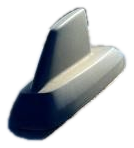
On a 2015-2017 GMC Sierra, code B2470 almost always indicates a failed roof-mounted 'shark fin' antenna, usually due to water intrusion from a bad gasket. This disables OnStar, GPS, and satellite radio. The fix is to replace the antenna assembly and apply seam sealer to the new gasket to prevent a recurrence. The part costs around $80-$160.
- B2470 on a 2015-2017 Sierra almost always means the 'shark fin' antenna on the roof has failed.
- The cause is typically a faulty gasket that lets water in, damaging the antenna's internal electronics. Check your headliner for water stains as confirmation.
- This will disable your OnStar, GPS navigation, and satellite radio.
- The correct fix is to replace the entire antenna assembly and apply automotive seam sealer to the new gasket to prevent it from happening again.
- This is a manageable DIY repair for about $100-$180 in parts, saving hundreds in labor costs.
What's Unique About the 2015-2017 Gmc SIERRA
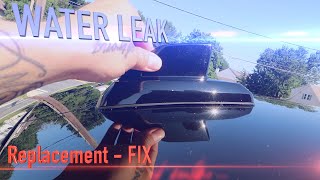
The K2XX platform, which includes the 2015-2017 Sierra, is widely known for issues with its roof-mounted 'shark fin' antenna. The gasket at the base of the antenna is prone to premature failure, allowing water to seep in and corrode the antenna's internal circuit board. This design flaw is so common that General Motors issued Technical Service Bulletin (TSB) #17-NA-214, which directly links B2470 to this water leak and antenna failure, recommending a specific replacement and sealing procedure. Owners on forums like gm-trucks.com frequently document this exact failure mode.
Diagnostic Flowchart
Tap your situation to follow the diagnostic path that matches what you're seeing on this vehicle.
Symptoms You May Notice
- Red indicator light on the OnStar button/rearview mirror.
- Inoperative GPS or a "No GPS" message on the navigation screen.
- Satellite radio (SiriusXM) has no signal or cuts out frequently.
- Unable to connect to OnStar services.
- Visible water stains on the headliner near the overhead console or sun visors.
- A dead battery after sitting for a few days, caused by water migrating down the A-pillar and causing shorts in a junction box (LH I/P BEC).
- Replacing the radio or infotainment head unit. The antenna is a separate component, and replacing the in-dash unit will not fix a B2470 code.
- Assuming a red OnStar light is just a subscription issue. While it can be, when accompanied by code B2470, it almost always indicates a hardware fault.
Most Likely Causes
- Failed Roof 'Shark Fin' Antenna Assembly 🔴 High Probability The antenna's base gasket is a known failure point on this platform, allowing water to enter and destroy the internal electronics. This is documented in GM TSB #17-NA-214. Disassembly of failed units by owners reveals significant corrosion and sometimes burn marks on the internal circuit board.
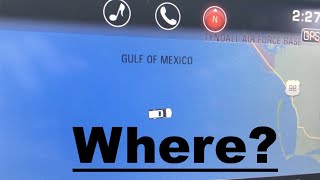
How to confirm: Check for a red OnStar light and non-functional GPS/XM radio. 🎬 Watch: See how these symptoms look and confirm the B2462 code. Inspect the headliner for water stains. The combination of these symptoms makes a failed antenna the overwhelming likely cause.
Typical fix: Replace the entire roof antenna assembly. TSB #17-NA-214 explicitly recommends applying a 4-5mm bead of automotive seam sealer (like Kent High-Tech Seam Sealer P/N P10200) to the new gasket during installation to prevent future leaks.
Est. part cost: $80-$160 - Damaged Antenna Coaxial Cable ⚪ Low Probability The cable runs from the roof, down the passenger A-pillar, and to the VCIM. It can be pinched or damaged during other repairs (like a windshield replacement), but this is far less common than antenna failure.
How to confirm: After accessing the antenna and VCIM, disconnect the coax cable at both ends. Use a multimeter to test for continuity (less than 5 ohms) from end to end, and for infinite resistance (no short) between the center pin and the outer shield.
Typical fix: Replace the damaged coaxial cable section.
Est. part cost: $30-$60 - Faulty Vehicle Communication Interface Module (VCIM) Very Low Probability
How to confirm: This is a last resort diagnosis. If a known-good antenna and cable are connected and the code persists, the VCIM may be at fault. Replacement requires programming by a dealer or qualified shop with GM software.
Typical fix: Replace and program the VCIM.
Est. part cost: $200-$400
Rare But Worth Checking
- Corroded Junction Block from Water Leak:
Diagnosis Steps
- Confirm symptoms: Check for a red OnStar light, loss of GPS signal ('No GPS' on screen), and poor/no satellite radio reception.
- Scan for codes: Use an OBD-II scanner capable of reading Body (B) codes to confirm B2470 is active in the Telematics Communication Interface Control Module (VCIM). Note any suffixes like -02 or -04.
- Inspect for water damage: Carefully check the headliner around the overhead console and down the A-pillars for any water stains or dampness. The presence of stains makes a failed antenna seal almost certain.
- Gain access to the antenna: Partially lower the rear of the headliner. This typically involves removing the rear grab handles (10mm bolts), and possibly loosening the sun visors (T15 Torx screws) and A-pillar trim to allow the headliner to drop.
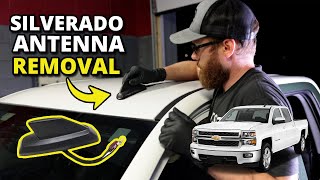
- Inspect antenna and connectors: Unplug the two or three electrical connectors from the antenna pigtail. Use a 22mm wrench or deep socket to remove the retaining nut from the antenna stud. Be careful not to drop the nut into the headliner. 🎬 Watch: Step-by-step guide to removing the shark fin antenna.
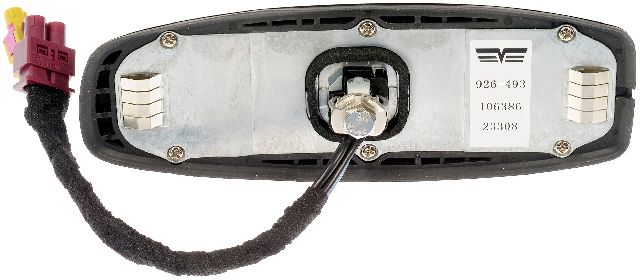
- Remove and inspect antenna: Lift the antenna off the roof. Look for obvious signs of corrosion, water, or a brittle/cracked gasket on the underside of the antenna base.
- Replace the antenna: Given the high failure rate, if symptoms and the code are present (especially with water stains), replacing the antenna assembly is the most direct path to a fix. Apply seam sealer to the new gasket as a preventative measure.
Parts You'll Likely Need
- High Frequency Antenna Assembly
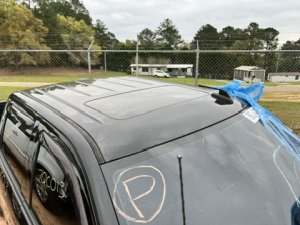
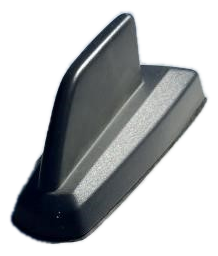
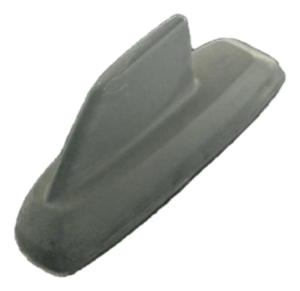
(OEM #84346802)— This is the complete 'shark fin' unit that fails due to internal water damage from a faulty gasket, causing code B2470. Part numbers are color-specific. 84346802 is for Summit White (GAZ). Other common numbers include 84544623 (Black, GBA) and 84346803 (Iridium Metallic, GAN). Always verify with VIN.
Trusted brands: ACDelco, General Motors
OEM price range: $120-$160
Aftermarket price range: $80-$120 - Automotive Seam Sealer
(OEM #Kent Automotive P/N P10200)— TSB #17-NA-214 explicitly recommends applying a 4-5mm bead of clear seam sealer to the new antenna's gasket to create a robust, waterproof seal and prevent the common leak from recurring.
Trusted brands: Kent Automotive, 3M
OEM price range: $25-$40
Aftermarket price range: $15-$25
Related Codes That Often Appear With This One
- B125C — This code for an antenna circuit open/short is often set alongside B2470 due to the same water intrusion issue, as noted in TSB #17-NA-214.
- B2462 — This code indicates a GPS antenna fault. Since the GPS and cellular antennas are in the same housing, this code frequently appears with B2470 when the unit fails from water damage.
Technical Service Bulletins (TSBs) & Recalls
- 17-NA-214: The definitive TSB for this issue. It addresses OnStar, XM, GPS malfunction and water leaks from the antenna, specifically mentioning DTC B2470 and recommending antenna replacement with seam sealer to prevent recurrence.
- PIC6024: An earlier bulletin discussing vehicles that won't connect to OnStar and set DTC B2470-04, pointing towards a diagnostic procedure for the Vehicle Communication Interface Module.
- PIT5362B: Precedes TSB 17-NA-214 and also identifies water intrusion into the antenna as the cause for B2470-02 and B2470-04, recommending replacement on early 2015 models.
Platform-Specific Known Issues
- A known water leak from the base of the 'shark fin' antenna is the primary cause for this code on the 2015-2017 Sierra. GM TSB #17-NA-214 and #PIT5362B directly address this issue, confirming it's a widespread problem.
- In some cases, the water leak can be severe enough to run down the A-pillar and cause corrosion or shorts in the LH I/P BEC (junction block), potentially leading to a dead battery.
Mechanic-Grade Diagnostic Values
- Antenna Coaxial Cable Continuity (End-to-End) — expected: Less than 5 ohms. Failure: A reading greater than 5 ohms indicates excessive resistance or a break in the cable.
- Antenna Coaxial Cable Short to Shield — expected: Infinite resistance. Failure: A reading of less than infinite resistance (e.g., any continuity) between the center pin and the outer shield indicates a short circuit within the cable.
- Antenna Coaxial Cable Shield to Ground — expected: Infinite resistance. Failure: A reading of less than infinite resistance between the outer shield and a known good chassis ground indicates the cable shield is shorted to ground.
Hidden / Shadow Codes Worth Checking
- B2470 02: Cellular Phone Antenna Circuit Malfunction - Short to Ground. The VCIM has detected the antenna circuit is shorted to a ground source. (see via A professional scan tool like the GM GDS2 is required to read these specific symptom codes.)
- B2470 04: Cellular Phone Antenna Circuit Malfunction - Open Circuit. The VCIM does not detect the presence of the cellular antenna, indicating a break in the circuit. This is the most common variant. (see via A professional scan tool like the GM GDS2 is required to read these specific symptom codes.)
Scan Tool Commands That Help
- GM GDS2: Module Diagnostics -> VCIM -> Data Display — This allows a technician to view live data from the Vehicle Communication Interface Module (VCIM) to see the status of the antenna circuit and other related parameters before and after the repair.
Wiring & Ground Locations
- VCIM (Vehicle Communication Interface Module) — Typically located behind the instrument panel/glove box area, often on the driver's or passenger's side. On the 2015-2017 Sierra, it is often found behind the lower glove box.. This is the module that sets code B2470. All antenna circuits terminate here, so checking its connectors (e.g., C3) for a secure fit is a crucial diagnostic step before replacing the module.
- G201 — In the upper left corner of the instrument panel, near the A-pillar, on the metal support structure behind the plastic dash trim.. This is a primary instrument panel ground. While not exclusive to the VCIM, a poor connection at this ground can cause a variety of unpredictable electrical issues with dash-mounted modules, including the VCIM.
- G303 — Located on the left side B-pillar, behind the trim panel.. This is a body ground point. While less likely to be the primary cause, poor body grounds can create floating voltages and communication errors between modules in the vehicle.
Real Owner Repair Stories
- YouTube user Phil Gamboa (2014-2018 Silverado/Sierra) — Vehicle will not start after the Human Machine Interface (HMI) module is removed for programming or replacement.
❌ Tried (didn't work) Attempting to start the truck with the HMI module disconnected.
✅ What actually fixed it The HMI module is part of the GM LAN network. When it's removed, the network loop is broken, preventing the truck from starting. The fix is to create a jumper on the HMI connector to complete the circuit. A jumper wire connects pin 11 (blue wire) to pin 13, and a second jumper connects pin 12 (white wire) to pin 14. This restores the GM LAN network and allows the vehicle to start and run while the HMI is being serviced.
Helpful Videos
Used OEM Parts in Stock

New Aftermarket Parts Available


The information in this article is provided for general reference and educational purposes only. Vehicle specifications, procedures, and part compatibility can vary by production date, trim level, and region. Always consult your vehicle's factory service manual and verify part numbers before purchasing or performing repairs. Safety-critical components such as airbags, seat belts, and braking systems should be installed by a qualified professional.
- Gmc SIERRA:
- 🎬 Helpful Videos
- 🛍️ Shop This Part
- What's Unique About the 2015-2017 Gmc SIERRA
- Diagnostic Flowchart
- Symptoms You May Notice
- Most Likely Causes
- Rare But Worth Checking
- Diagnosis Steps
- Parts You'll Likely Need
- Related Codes That Often Appear With This One
- Technical Service Bulletins (TSBs) & Recalls
- Platform-Specific Known Issues
- Mechanic-Grade Diagnostic Values
- Hidden / Shadow Codes Worth Checking
- Scan Tool Commands That Help
- Wiring & Ground Locations
- Real Owner Repair Stories
- 🎟️ Get 5% Off