

B2462 on 2015-2018 GMC Sierra 3500: GPS Antenna Failure and Water Leak Fixes
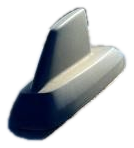
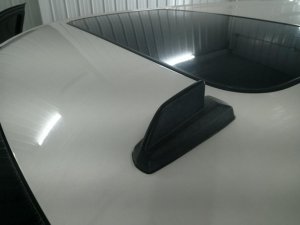
On a 2015-2018 GMC Sierra 3500, code B2462 almost always means the roof-mounted 'shark fin' antenna has failed due to a water leak. The gasket degrades, allowing water to corrode the internal electronics. The fix is to replace the entire antenna assembly with an updated part and apply seam sealer as a preventative measure. The part costs between $80 and $200.
- Code B2462 on your Sierra 3500 almost certainly means the roof antenna is failing due to a water leak, a very common issue on this platform.
- Immediately check your headliner for water stains near the overhead console, as this confirms the diagnosis.
- The correct, permanent fix is to replace the entire 'shark fin' antenna assembly with an updated part. TSB 17-NA-214 recommends adding a bead of seam sealer to the new part for extra protection.
- This is a very common, well-documented problem on the entire 2015-2018 GM full-size truck and SUV (K2XX) platform.
- Ignoring this code can lead to a dead battery, loss of OnStar emergency services, and expensive damage to the headliner and other interior electronics like the fuse box.
What's Unique About the 2015-2018 Gmc SIERRA 3500
On this generation of GM trucks (known as the K2XX platform), the foam gasket for the multi-function 'shark fin' antenna is a well-documented failure point. The gasket degrades and allows water to seep into the antenna housing, where it corrodes the internal circuit board and triggers this code. The original antenna design had a drain hole at the rear (high side) of the base, which could trap water, while updated parts have a relocated drain hole at the front (low side) to allow water to escape.
Diagnostic Flowchart
Tap your situation to follow the diagnostic path that matches what you're seeing on this vehicle.
Symptoms You May Notice
- GPS navigation screen shows 'Map Not Available,' 'No GPS,' or a crossed-out GPS icon.
- OnStar services are inoperative or show a persistent red indicator light.
- XM Satellite Radio has 'No Signal' or poor reception.
- Visible water stains on the headliner, especially near the sun visors or overhead console.
- Water dripping from the overhead console, microphone grilles, or A-pillar grab handles.
- A musty smell inside the cabin from a wet headliner.
- Unexplained dead battery, as noted in TSB 17-NA-214, caused by water migrating down the A-pillar and causing corrosion in the LH I/P BEC (fuse box).
- Replacing the infotainment head unit or radio.
- Replacing the OnStar/VCIM module without first inspecting the antenna for water damage.
- Assuming a sunroof drain is clogged, when the leak is actually from the antenna base. 🎬 See how to identify and fix common roof leak points.
Most Likely Causes
- Failed Roof Antenna Assembly due to Water Intrusion 🔴 High Probability The original foam gasket at the base of the 'shark fin' antenna degrades, breaking its seal and allowing water to enter the antenna housing. The original design also trapped water internally due to a poorly placed drain hole.
How to confirm: Perform a water test on the roof around the antenna base while an assistant watches for leaks inside. The presence of related codes B2470 or B125C strongly points to the antenna assembly being the single point of failure. Upon removal, the old antenna's connectors will often show visible green or white corrosion.
Typical fix: Replace the entire roof antenna assembly with a new, updated OEM part. The gasket is not sold separately. TSB 17-NA-214 explicitly recommends applying a 4-5mm bead of automotive seam sealer (like Kent High-Tech Clear Seam Sealer) to the new antenna's gasket before installation to prevent future leaks.
Est. part cost: $80-$200
Rare But Worth Checking
- Damaged Coaxial Cable: The cable running from the antenna to the radio or telematics module can be pinched or chafed, but this is far less common than the antenna itself failing due to water damage. This should only be considered after the antenna has been replaced and the issue persists.
- Faulty Telematics Communication Interface Control Module (VCIM): While possible, the module itself is rarely the point of failure. Always rule out the antenna and its wiring first, as they are the known weak points for this platform.
Diagnosis Steps
- Scan for all Diagnostic Trouble Codes (DTCs) to see if B2470 or B125C are also present, which is common.
- Carefully inspect the headliner around the overhead console, sun visors, and A-pillar grab handles for water stains or dampness.
- Test the functionality of the GPS navigation, OnStar (press the blue button), and XM radio (tune to the preview channel).
- If a leak is suspected, gently pour water over the roof antenna base and have an assistant inside watch for drips from the overhead console area.
- If a leak is confirmed or multiple antenna-related services are not working, proceed with replacing the antenna assembly.
- The replacement involves removing the A-pillar trim (10mm bolts), sun visors (T15 Torx), and overhead console to partially lower the headliner and access the 10mm nut securing the antenna. A stubby ratcheting wrench is recommended. 🎬 Watch this step-by-step walkthrough of the antenna replacement process.
- Inspect the three electrical connectors at the antenna base for any signs of green or white corrosion from water damage before installing the new part.
- If there are no signs of a leak, and only GPS is failing, a more advanced diagnosis involving testing the coaxial cable may be needed, but this is an unlikely scenario.
Parts You'll Likely Need
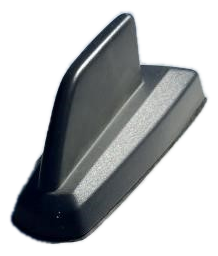
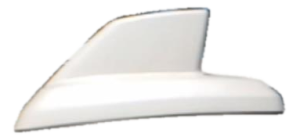
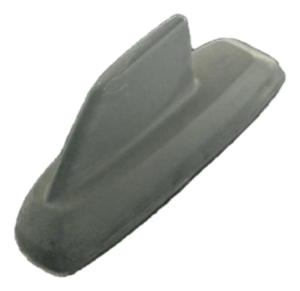
- Roof Antenna Assembly (GPS/XM/OnStar)
(OEM #84546524 (This is one of several part numbers; the correct one is color-specific. Always verify with VIN.))— This is the primary failure point. The internal electronics are damaged by water intrusion from a failed base gasket. The replacement part often has an improved design with a relocated drain hole.
Trusted brands: ACDelco (GM Genuine)
OEM price range: $150-$200
Aftermarket price range: $80-$120 - Automotive Seam Sealer
(OEM #Kent High-Tech Clear Seam Sealer P/N 10200)— TSB 17-NA-214 explicitly recommends applying a 4-5mm bead of sealer to the new antenna's gasket to prevent future leaks. This is considered a critical step for a permanent repair. 🎬 Watch a pro demonstrate the proper way to seal the antenna.
Trusted brands: Kent Automotive, 3M, Permatex
OEM price range: $20-$30
Aftermarket price range: $15-$25
Related Codes That Often Appear With This One
- B2470 — This code relates to the cellular antenna, which is housed in the same 'shark fin' unit as the GPS antenna. A water leak typically damages the electronics for both functions, causing them to fail together.
- B125C — This is another general antenna-related code often triggered by the same water intrusion issue, as documented in TSB 17-NA-214 and PIT5362B. Seeing all three codes together is a very strong confirmation of antenna failure.
Technical Service Bulletins (TSBs) & Recalls
- Bulletin #17-NA-214: The primary TSB for this issue. It addresses OnStar, XM, or GPS malfunction and water leaks on the headliner, linking them to DTCs B2462, B2470, or B125C. It recommends antenna replacement and applying a 4-5mm bead of seam sealer to the new gasket. It also warns that water can migrate down the A-pillar and cause a dead battery from corrosion in the fuse box.
- Bulletin #PIT5362B: An earlier bulletin for 2015 models built before March 2015. It identifies water intrusion into the antenna as the root cause and recommends replacement. Notably, this early bulletin advised *against* using sealant, a recommendation that was superseded by TSB 17-NA-214.
Platform-Specific Known Issues
- The factory-installed gasket on the roof 'shark fin' antenna is known to fail prematurely on the 2015-2018 GM K2XX truck and SUV platform, leading to water leaks that set code B2462 and damage the antenna's internal electronics.
- Some owners on forums report successfully fixing the issue with much cheaper aftermarket antennas found online, though long-term reliability may vary.
Mechanic-Grade Diagnostic Values
- Voltage from Radio/VCIM to GPS Antenna — expected: 4.0-5.5 Volts. Failure: A reading outside this range suggests a fault in the radio or Telematics module, not the antenna or cable.
- GPS Coaxial Cable Center Conductor Resistance (end-to-end) — expected: < 5.0 Ohms. Failure: Resistance greater than 5.0 Ohms indicates an open circuit or high resistance in the cable.
- GPS Coaxial Cable Outer Shield Resistance (end-to-end) — expected: < 5.0 Ohms. Failure: Resistance greater than 5.0 Ohms indicates a break in the cable's shield continuity.
- GPS Coaxial Cable Isolation (Center Conductor to Outer Shield) — expected: Infinite Resistance (OL). Failure: Any resistance reading less than infinite indicates the center conductor is shorted to the outer shield within the cable.
Hidden / Shadow Codes Worth Checking
- B2462 01: Global Positioning System (GPS) Antenna Circuit Short to Battery. (see via Requires a professional scan tool like the GM GDS2 to view the two-digit symptom byte.)
- B2462 02: Global Positioning System (GPS) Antenna Circuit Short to Ground. This is often seen when water intrusion causes a direct short on the internal circuit board. (see via Requires a professional scan tool like the GM GDS2 to view the two-digit symptom byte.)
- B2462 04: Global Positioning System (GPS) Antenna Circuit Open. This is the most common variant, typically caused by corrosion from water damage breaking the circuit inside the antenna. (see via Requires a professional scan tool like the GM GDS2 to view the two-digit symptom byte.)
Scan Tool Commands That Help
- GM GDS2: Module Diagnostics > Telematics Communication Interface Control Module (or Radio) > DTC Information — Use this to read the specific B2462 fault code along with its crucial two-digit symptom byte (e.g., 02 for short, 04 for open), which directs the diagnostic path.
- GM GDS2: Module Diagnostics > Telematics Communication Interface Control Module > Data Display — After installing the new antenna, this function can be used to monitor live data like 'GPS Signal Status' or 'Number of Satellites Tracked' to verify the new part is working correctly before reassembling the interior trim.
- GM Special Tool EL-49903: OnStar Antenna Diagnostic Tool Kit (Known-Good Antenna) — This is a known-good test antenna. If connected directly to the module and the code clears, it definitively proves the fault lies in the vehicle's original antenna or its coaxial cable. If the code persists, the module itself is suspect.
Wiring & Ground Locations
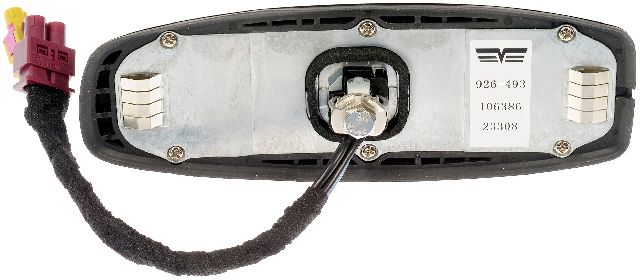
- Antenna Connectors — Directly at the base of the shark fin antenna, accessible after partially lowering the headliner. There are typically two or three connectors.. These connectors are the first place to check for visible green or white corrosion, which is a tell-tale sign of water intrusion from the failed antenna gasket.
- G218 — Located inside the driver's side dash, near the speaker, accessible after removing the A-pillar trim and side dash panel.. While not a direct cause for B2462, G218 is a critical ground for many instrument panel and driver-side electronics. A loose or corroded G218 can cause a wide range of bizarre electrical issues, and it's worth inspecting if other strange symptoms are present alongside the antenna failure.
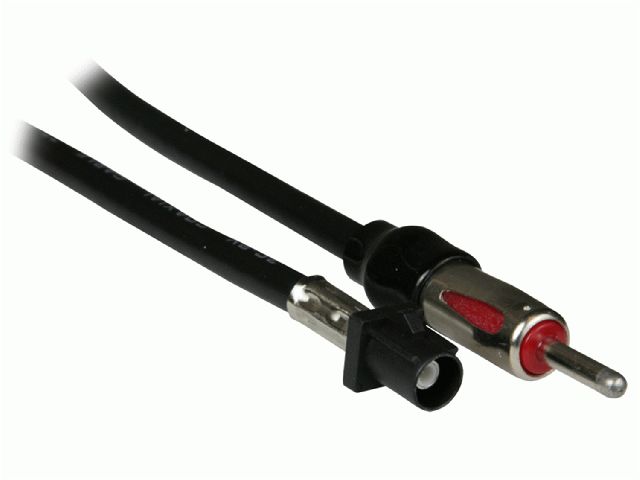
- Radio (A11) / VCIM (K73) Connectors — Behind the center instrument panel/infotainment screen for the Radio, and often behind the glove box or in the center console area for the VCIM.. If a new antenna does not fix the code, the coaxial cable must be tested for continuity and shorts. This requires accessing the connectors at both the antenna and the corresponding module (Radio or VCIM) to perform the tests.
Real Owner Repair Stories
- Carly Community Forum (2015 GMC Sierra Diesel, 247,590 km) — A 'GPS antenna defective' error message stored in memory and the navigation system was not receiving any GPS signal.
❌ Tried (didn't work) Owner checked the antenna cable connection at the antenna itself.
✅ What actually fixed it The owner took the truck to a professional shop, which confirmed the GPS antenna had failed. The antenna was replaced for a cost of 200€, which resolved the problem.
OEM Part Supersession History
23258465, 84081921, 23244659→84346804, 84546524 (and others, color-dependent)— The original antenna design had an ineffective drain hole location that trapped water. The updated parts have a relocated drain hole at the front (low side) of the base to allow water to escape.
Heads up: Part numbers are color-specific. Always verify the correct, color-matched part number using the vehicle's VIN. Using the wrong part may result in a physically compatible but aesthetically incorrect antenna.
Model Year Variations Within This Range
- 2015 models built before March 2015: The initial service advice per TSB PIT5362B was to replace the antenna but explicitly advised *against* using any sealant. This was later superseded by TSB 17-NA-214, which applies to all years in the range and *recommends* applying a 4-5mm bead of seam sealer to the new antenna's gasket for a permanent fix.
Helpful Videos
Used OEM Parts in Stock
New Aftermarket Parts Available


The information in this article is provided for general reference and educational purposes only. Vehicle specifications, procedures, and part compatibility can vary by production date, trim level, and region. Always consult your vehicle's factory service manual and verify part numbers before purchasing or performing repairs. Safety-critical components such as airbags, seat belts, and braking systems should be installed by a qualified professional.
- Gmc SIERRA 3500:
- 🎬 Helpful Videos
- 🛍️ Shop This Part
- What's Unique About the 2015-2018 Gmc SIERRA 3500
- Diagnostic Flowchart
- Symptoms You May Notice
- Most Likely Causes
- Rare But Worth Checking
- Diagnosis Steps
- Parts You'll Likely Need
- Related Codes That Often Appear With This One
- Technical Service Bulletins (TSBs) & Recalls
- Platform-Specific Known Issues
- Mechanic-Grade Diagnostic Values
- Hidden / Shadow Codes Worth Checking
- Scan Tool Commands That Help
- Wiring & Ground Locations
- Real Owner Repair Stories
- OEM Part Supersession History
- Model Year Variations Within This Range
- 🎟️ Get 5% Off