

B2462 on 2015-2018 Cadillac Escalade ESV: GPS Antenna Failure Causes and Fixes
This code almost always indicates a failure of the roof-mounted 'shark fin' antenna, typically caused by water intrusion from a bad seal, a well-documented issue covered by GM TSB #17-NA-214. This disrupts GPS, OnStar, and satellite radio. Replacing the antenna assembly with an updated part is the standard fix, costing around $100-$150 for the part and is a common issue across the entire GM K2XX SUV platform.
- B2462 on a 2015-2018 Escalade ESV points directly to a problem with the roof-mounted 'shark fin' antenna.
- The most common cause is water intrusion from a failed gasket, a known design flaw which damages the antenna's internal electronics.
- Symptoms include non-functional GPS, OnStar errors (red light), poor satellite radio reception, and often, water stains on the headliner.
- The definitive fix is to replace the entire antenna assembly with the updated OEM part (p/n 84346804) and add a bead of seam sealer for extra protection, as outlined in GM TSB 17-NA-214.
What's Unique About the 2015-2018 Cadillac ESCALADE ESV
On this generation of Cadillac Escalade and other related GM K2XX platform SUVs (like the Tahoe, Suburban, and Yukon), the multi-function 'shark fin' antenna is a well-documented failure point. The gasket at the base of the original antenna has a poor design that is prone to failing, which allows water to leak into the headliner. This water not only damages the sensitive electronics inside the antenna housing, causing code B2462, but can also travel down the wiring harness to corrode other electronics or cause visible water stains on the headliner. GM acknowledged this widespread issue in Technical Service Bulletin #17-NA-214.
Diagnostic Flowchart
Tap your situation to follow the diagnostic path that matches what you're seeing on this vehicle.
Symptoms You May Notice
- "No GPS" or "GPS Signal Lost" message on the navigation screen, often with a red slash through the GPS icon.
- Navigation map shows the incorrect vehicle location or is completely unresponsive.
- Red light on the OnStar indicator instead of green.
- OnStar is unable to connect or locate the vehicle when the button is pressed.
- XM satellite radio has "No Signal" or cuts out frequently, especially after a car wash or rain.
- Visible water stains on the headliner near the sun visors or overhead console.
- A potential dead battery due to water causing shorts in related wiring, such as the LH I/P BEC (Left Hand Instrument Panel Body Electrical Center).
- Audible static or poor reception on AM radio bands. 🎬 Watch: See how these symptoms and code B2462 present in real-time.
- Replacing the radio or navigation head unit. While technically possible for the head unit to fail, the antenna is a far more common failure point for this specific code and should be diagnosed first.
- Assuming a software update caused the issue. While software can have glitches, a permanent "No GPS" signal accompanied by code B2462 is almost always a hardware failure of the antenna.
Most Likely Causes
- Failed Roof 'Shark Fin' Antenna 🔴 High Probability As documented in GM TSBs #17-NA-214 and #PIT5362B, the antenna assembly is highly susceptible to internal failure from water intrusion due to a poor seal design on original parts. The electronics for GPS, OnStar, and XM are integrated into this single unit. The updated part features a redesigned drain hole to prevent water from pooling inside.
How to confirm: After confirming no issues with the wiring, replacement is the most effective diagnostic step. The presence of water stains on the headliner is a strong indicator. Visual inspection of the removed antenna often shows obvious signs of internal corrosion.
Typical fix: Replace the entire roof antenna assembly with a new, updated OEM part. It is critical to use the latest part number available.
Est. part cost: $80-$150 - Leaking Antenna Base Gasket 🔴 High Probability The gasket that seals the antenna to the roof can degrade or was poorly designed from the factory, allowing water to seep underneath and into the vehicle. This water can damage the antenna's connector, the antenna itself, or travel down the A-pillar.
How to confirm: Perform a water test around the antenna base while observing the inside of the headliner for drips. Visible water stains below the antenna are a clear sign.
Typical fix: Replacing the antenna assembly includes a new gasket. TSB #17-NA-214 specifically recommends adding a 4-5mm bead of automotive-grade seam sealer (like Kent Automotive High-Tech Clear Seam Sealer) around the gasket for extra protection during installation.
Est. part cost: $0 (if included with new antenna), $20-$30 for optional seam sealer - Damaged or Corroded Coaxial Cable/Connector ⚪ Low Probability If water has been leaking into the headliner for an extended period, the electrical connectors for the antenna can become corroded and fail. The water can also wick down the cable itself.
How to confirm: Partially lower the headliner to visually inspect the antenna connectors for green or white corrosion, or any signs of physical damage to the cable.
Typical fix: Clean the connectors with electronics cleaner if corrosion is minor. If the connector or cable is severely damaged, it may need to be repaired or replaced, though this is less common than antenna failure.
Est. part cost: $10-$50
Diagnosis Steps
- Verify the trouble code B2462 using an OBD-II scanner capable of reading Body Control Module (BCM) codes.
- Check for the presence of related codes like B2470 or B125C, which strongly point to the antenna assembly.
- Test the function of the GPS, OnStar (check for red light), and XM Satellite Radio. Note any error messages.
- Carefully inspect the headliner, especially around the rear of the overhead console and down the A-pillars, for any signs of water staining or dampness.
- If a leak is suspected, perform a controlled water test on the roof around the antenna base while an assistant checks for leaks inside.
- Gain access to the antenna by carefully lowering the rear portion of the headliner. This typically involves removing sun visors, A-pillar trim (held by 10mm bolts under small covers), and the overhead console (often held by T15 Torx screws).
- Disconnect the antenna's electrical connectors and inspect them for any signs of corrosion or damage.
- Unbolt the 10mm nut holding the antenna to the roof. A stubby ratcheting wrench is recommended 🎬 See this replacement walkthrough for a step-by-step antenna installation guide. for the tight space.
- If water damage is evident or all other connections are good, replace the antenna assembly.
- Before installing the new antenna, thoroughly clean the roof surface around the mounting hole with a solvent like isopropyl alcohol.
- For added protection, apply a continuous 4-5mm bead of clear automotive seam sealer around the new antenna's gasket before installation, as recommended by GM.
- Install the new antenna, ensuring not to get sealer on the electrical connectors. Reconnect the wiring, reassemble the headliner and trim, clear the codes, and test all functions to confirm the repair. The GPS may take a few minutes of driving to re-calibrate.
Parts You'll Likely Need
- High Frequency Antenna Assembly
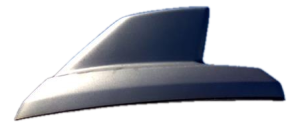
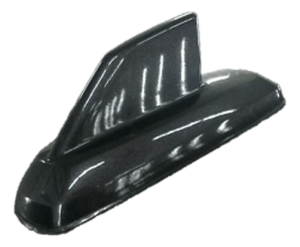
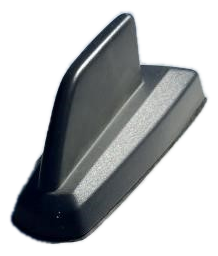
(OEM #84346804)— This is the complete 'shark fin' unit that houses the GPS, OnStar, and XM antenna electronics. It is the component that fails due to internal water damage, causing code B2462. This part number supersedes previous versions like 23258465 and 84081921 and features an improved design.
Trusted brands: ACDelco, General Motors
OEM price range: $100-$150
Aftermarket price range: $70-$120
Related Codes That Often Appear With This One
- B2470 — This code relates to the cellular/OnStar antenna circuit ('Cellular Phone Antenna Circuit Open'), which is housed in the same shark fin assembly and often fails concurrently.
- B125C — This is another code related to antenna circuits ('Digital Radio Antenna Circuit Open'), often appearing with B2462 and B2470 when the shark fin antenna fails due to water intrusion.
Technical Service Bulletins (TSBs) & Recalls
- 17-NA-214: Details customer concerns of OnStar, XM, GPS or antenna malfunction, potential water leaks on the headliner, and battery drain, all linked to DTCs B2462, B2470, or B125C. It provides a detailed repair procedure, including the application of seam sealer. 🎬 Watch: How to apply the TSB-recommended sealant fix correctly.
- PIT5362B: An earlier bulletin that recommends replacing the high efficiency antenna to fix inaccurate GPS location and DTCs including B2462-02 and B2462-04. It explicitly identifies water intrusion into the antenna assembly as the cause.
Platform-Specific Known Issues
- GM issued Technical Service Bulletin #17-NA-214 to address this exact problem. It notes that water can migrate into the antenna and travel down the wiring, or leak from under the antenna base, causing DTCs B2462, B2470, B125C, water leaks, and potential battery drain.
- A related bulletin, #PIT5362B, also points to replacing the high efficiency antenna to resolve inaccurate GPS location and these codes, specifically mentioning water intrusion into the antenna body as the root cause.
- Owner experiences confirm that the replacement antenna has an updated design, with a relocated drain hole to prevent water from being trapped inside, which was the flaw in the original part.
Mechanic-Grade Diagnostic Values
- GPS antenna coaxial cable voltage — expected: 4.0-5.5 volts. Failure: A reading outside this range suggests a fault in the navigation radio module.
- GPS antenna coaxial cable resistance — expected: Less than 5.0 ohms. Failure: Resistance greater than 5.0 ohms indicates an open or high resistance in the cable, requiring its replacement.
- GPS antenna coaxial cable short test — expected: Infinite resistance. Failure: Any reading less than infinite resistance between the center conductor and the outer shield indicates a short circuit within the cable.
Hidden / Shadow Codes Worth Checking
- B2462 02: Global Positioning System (GPS) Short to Ground. This indicates the radio has detected that the signal circuit for the GPS antenna is shorted to ground. (see via A professional scan tool like the GM GDS2 is required to read these manufacturer-specific symptom codes.)
- B2462 04: Global Positioning System (GPS) Open Circuit. This indicates the radio has detected an open or high resistance in the signal circuit for the GPS antenna. (see via A professional scan tool like the GM GDS2 is required to read these manufacturer-specific symptom codes.)
Scan Tool Commands That Help
- GDS2: Clear DTCs — After replacing the antenna or repairing the wiring, this function is used to clear the B2462 code from the module's memory. No special relearn or configuration procedure is typically required for the antenna itself.
- GDS2: HMI Module Data List — This can be used to view data related to the infotainment system. However, a known software issue (PIC6296) can cause the HMI module to temporarily lose communication with the scan tool after 5-60 seconds of viewing this data list, which could be misdiagnosed as a module failure. If this occurs, cycling power to the HMI fuse should restore communication.
Wiring & Ground Locations
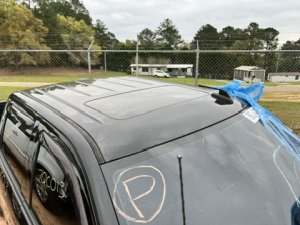
- A11 High-Frequency Antenna — Located on the roof of the vehicle, often referred to as the 'shark fin'.. This is the housing for the GPS, OnStar, and Satellite radio antenna components. It is the primary point of failure for code B2462 due to internal water intrusion.
- A11 Radio / HMI Module — The radio receiver module is typically located behind the instrument panel, while the HMI module is often behind or below the main infotainment screen.. This module receives and processes the signal from the A11 antenna. It provides the 4.0-5.5 volt power to the antenna through the coaxial cable and sets the B2462 code when a fault is detected.
- Coaxial Cable — Runs from the A11 High-Frequency Antenna, above the headliner, often down the passenger-side A-pillar, to the A11 Radio/HMI module behind the dash.. This cable carries both the signal from and power to the antenna. Damage, corrosion at the connectors, or an internal short/open in this cable can cause B2462. GM has specific coaxial cable repair kits (e.g., part number 13581173) if the cable itself is damaged.
- LH I/P BEC — Left Hand Instrument Panel Body Electrical Center (Fuse Box).. TSB #17-NA-214 notes that severe water leaks from the antenna can travel down the wiring and cause corrosion in this fuse block, leading to battery drain and other electrical issues in addition to the antenna codes.
OEM Part Supersession History
23258465→84081921, then 84346804— The original parts were prone to water intrusion. The updated part numbers feature an improved design to prevent water from pooling and damaging the internal electronics.
Heads up: The earliest service strategy for 2015 models involved paint-to-match antennas serviced by color code. This was later changed to a standard part. Always verify the correct part number for the specific VIN, but 84346804 is the most current service part for this issue.
Model Year Variations Within This Range
- 2015 (early production): Bulletin PIT5362B, which applied to vehicles built before March 2015, noted a service strategy change from a single paint-to-match part to specific in-vehicle-color antennas. It also explicitly advised *against* using sealants. The later TSB 17-NA-214, covering all 2015-2018 models, superseded this and *recommends* using seam sealer, indicating a change in the recommended repair procedure.
Helpful Videos
Used OEM Parts in Stock
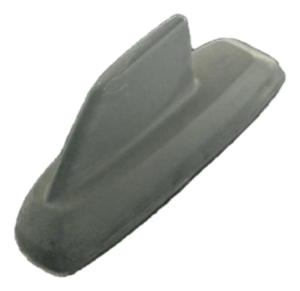
New Aftermarket Parts Available

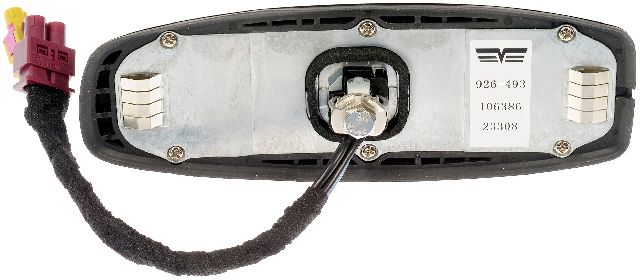
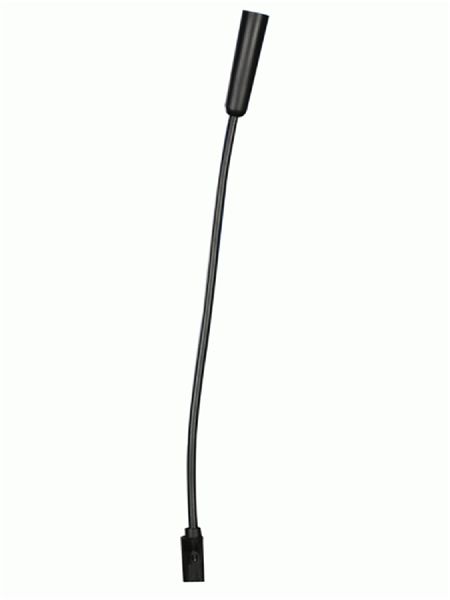

The information in this article is provided for general reference and educational purposes only. Vehicle specifications, procedures, and part compatibility can vary by production date, trim level, and region. Always consult your vehicle's factory service manual and verify part numbers before purchasing or performing repairs. Safety-critical components such as airbags, seat belts, and braking systems should be installed by a qualified professional.
- Cadillac ESCALADE ESV:
- 🎬 Helpful Videos
- 🛍️ Shop This Part
- What's Unique About the 2015-2018 Cadillac ESCALADE ESV
- Diagnostic Flowchart
- Symptoms You May Notice
- Most Likely Causes
- Diagnosis Steps
- Parts You'll Likely Need
- Related Codes That Often Appear With This One
- Technical Service Bulletins (TSBs) & Recalls
- Platform-Specific Known Issues
- Mechanic-Grade Diagnostic Values
- Hidden / Shadow Codes Worth Checking
- Scan Tool Commands That Help
- Wiring & Ground Locations
- OEM Part Supersession History
- Model Year Variations Within This Range
- 🎟️ Get 5% Off