

B2256 on 2022-2023 Subaru WRX: Infotainment Communication Fault Explained
On a 2022-2023 Subaru WRX, code B2256 indicates a communication failure between the infotainment head unit and the car's telematics module. This is a known issue requiring dealer diagnosis; do not replace the head unit without following the specific diagnostic procedure outlined in Subaru TSB #18-224-22R, as the cause is often a software glitch or a fault in another related module.
- B2256 means the infotainment 'brain' (CCU) has lost communication with the STARLINK telematics module (DCM).
- DO NOT replace the expensive infotainment screen/head unit. The problem is almost always a software glitch or a different, primary fault in the Telematics system.
- This is not a DIY repair. The vehicle must be taken to a dealer or a shop with a Subaru-specific scan tool.
- Reference TSB #18-224-22R, which mandates checking for and fixing any other Telematics codes *before* addressing B2256.
What's Unique About the 2022-2023 Subaru WRX
The 2022+ (VB generation) WRX introduced a large, tablet-style infotainment screen that integrates many vehicle functions. This system, known as the CP1 or CP1.5, is shared with other Subarus like the Outback and Legacy. This specific code is a well-documented problem on this new platform, leading Subaru to issue specific diagnostic procedures to prevent technicians from incorrectly replacing the expensive head unit when the actual fault may lie elsewhere. The diagnostic logic mandates that any codes in the Telematics system must be addressed first, as they are often the root cause.
Diagnostic Flowchart
Tap your situation to follow the diagnostic path that matches what you're seeing on this vehicle.
Symptoms You May Notice
- Infotainment screen is completely black or unresponsive. 🎬 Watch this walkthrough for resetting a black infotainment screen.
- Screen is stuck on a loading screen with a spinning wheel.
- Loss of audio functions.
- Inability to use screen-based climate controls.
- STARLINK telematics features (e.g., SOS button, remote start) are inoperative.
- System randomly reboots while driving.
- A simple reset (disconnecting the battery or holding the power/tune knobs for 10-15 seconds) may only provide a temporary fix.
- Parasitic battery drain leading to a dead battery, even on a relatively new car.
- Replacing the Cockpit Control Module (Head Unit) without first checking for underlying Telematics DTCs. The official Subaru TSBs repeatedly warn against this, as it is an expensive and often incorrect repair.
Most Likely Causes
- Underlying Telematics System DTC 🔴 High Probability The diagnostic logic is designed so that any fault in the Telematics module (DCM) can trigger B2256 as a secondary, or 'symptom,' code in the infotainment module (CCU). This is the most common scenario.
How to confirm: A Subaru dealer or qualified shop must use a Subaru Select Monitor to perform a full system scan and specifically check for any DTCs in the [Telematics] system. TSB #18-224-22R explicitly states that Telematics DTCs must be diagnosed and fixed *before* addressing B2256.
Typical fix: Diagnose and repair the primary fault found in the Telematics system. This could range from fixing an antenna fault (e.g., code B2A0C) to simply clearing a code caused by an aftermarket OBD-II device (e.g., B2A15). Once the primary fault is cleared, B2256 can be erased and should not return.
Est. part cost: $0-$500 - Infotainment Software Glitch 🟡 Medium Probability The CP1/CP1.5 infotainment systems in new-generation Subarus are complex and have received multiple software updates to address stability issues like screen freezing and black screens. 🎬 Watch: How to fix your freezing Subaru screen for free.
How to confirm: A dealer must connect a Subaru Select Monitor to check the current software version of the Cockpit Control Module and compare it to the latest available version.
Typical fix: Reprogramming the Cockpit Control Module (CCU) with the latest software version, which can sometimes be done via Firmware-Over-The-Air (FOTA) updates.
Est. part cost: $0 - Internal Failure of the Data Communication Module (DCM) 🟡 Medium Probability The DCM itself can fail, often causing parasitic battery drain as it constantly tries to connect to the cellular network. This internal failure can disrupt communication and trigger a B2256 code in the CCU. Subaru has issued warranty extensions for the DCM on many models due to these known issues.
How to confirm: This is diagnosed after confirming there are no other primary telematics codes. A technician may perform a parasitic draw test and find an excessive draw (e.g., over 70mA) originating from the DCM fuse circuit. 🎬 See how to diagnose and fix a DCM battery drain. The dealer can also check the DCM's communication status using the Subaru Select Monitor.
Typical fix: Replacement of the Data Communication Module (DCM). This is often covered under an extended warranty program from Subaru.
Est. part cost: $400-$700 - Internal Failure of the Cockpit Control Module (Head Unit) ⚪ Low Probability While hardware can fail, Subaru's TSBs were created specifically to prevent unnecessary replacement of this expensive part, indicating it's often not the root cause.
How to confirm: This is a diagnosis of exclusion. The head unit is only condemned if B2256 returns immediately after being cleared, there are zero DTCs in the Telematics system, the software is fully updated, and a wiring inspection reveals no issues.
Typical fix: Replacement of the Cockpit Control Module (CCU) assembly.
Est. part cost: $2000-$3000
Rare But Worth Checking
- Wiring Harness or Connector Issue: The TSB diagnostic procedure includes a step to inspect the harness and connectors between the DCM and CCU if the code returns after software updates and clearing other DTCs. This could be due to a loose pin, corrosion, or physical damage, especially if other dash work has been performed.
Diagnosis Steps
- Connect a Subaru Select Monitor or equivalent high-level scan tool capable of reading all vehicle modules.
- Perform a FULL system scan.
- CRITICAL STEP: Check the [Telematics] system for any DTCs. If any are present (e.g., B2A0C, B2A15), diagnose and resolve them completely before proceeding. Failure to do this will lead to misdiagnosis.
- Once the Telematics system is confirmed to be free of DTCs, access the [Cockpit Control] module.
- Attempt to clear DTC B2256.
- Cycle the ignition OFF, then ON, and re-read the codes.
- If B2256 returns as a 'current' code, check the infotainment software version and update to the latest version if available.
- If the code still persists, perform a parasitic draw test to check for a faulty DCM.
- If all other steps fail, perform a physical inspection of the wiring harness and connectors between the Data Communication Module (DCM) and the Cockpit Control Module (CCU) for damage or loose connections.
Parts You'll Likely Need
- Cockpit Control Module (Infotainment Head Unit) — This part is only replaced as a last resort after all other diagnostic steps outlined in TSB 18-224-22R have been completed. It is the 'brain' of the infotainment system and is the most commonly misdiagnosed part for this code.
Trusted brands: Subaru (OEM), Harman (Original Manufacturer)
OEM price range: $2000-$3000
Aftermarket price range: N/A - Data Communication Module (DCM)
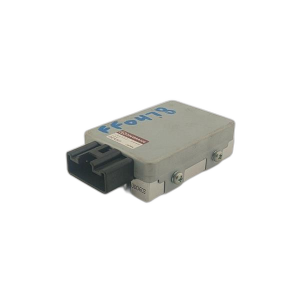
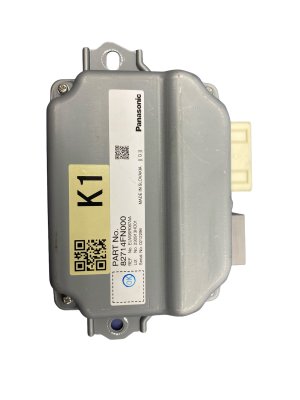
(OEM #86222AN20A (Varies by model))— This module is a common point of failure, often causing parasitic battery drain and triggering communication codes like B2256. Subaru has extended the warranty on this part for many vehicles due to high failure rates. It should only be replaced after proper diagnosis.
Trusted brands: Subaru (OEM)
OEM price range: $400-$700
Aftermarket price range: $200-$400 (used)
Related Codes That Often Appear With This One
- B2A0C, B2A15, etc. — These are examples of primary DTCs that can be stored in the Telematics module. B2A0C often relates to a telematics antenna fault, while B2A15 can be triggered by an OBD-II dongle. Their presence will often trigger the secondary B2256 code in the infotainment module. The diagnostic process requires clearing these codes first.
Technical Service Bulletins (TSBs) & Recalls
- 18-224-22R: 'Diagnostics Procedure Addition: DTC B2256 (CP1)' - The primary document outlining the mandatory diagnostic steps to prevent unnecessary replacement of the Cockpit Control Module.
- 18-224-22: The earlier version of the TSB, also detailing the diagnostic steps for the Harman infotainment system when B2256 is detected.
- 15-195-16R: A related TSB that provides critical information about servicing the DCM, including a warning to never swap modules between vehicles for diagnosis.
Platform-Specific Known Issues
- Subaru has extended the warranty on some infotainment units and Data Communication Modules (DCM) due to known reliability issues like black screens, system freezes, and parasitic battery drain. Owners should check with a dealer to see if their vehicle is covered by programs like the DCM warranty extension to 8 years/100,000 miles.
- This issue is so prevalent on Subaru models with the large CP1/CP1.5 screen (including the WRX, Outback, and Legacy) that it has been the subject of class-action lawsuits. An earlier lawsuit for Harman Gen 3 units in 2017-2018 models was settled, but issues persist with the newer Denso-made units in 2019+ vehicles, leading to further legal action.
Mechanic-Grade Diagnostic Values
- Parasitic Current Draw (Dark Current) — expected: ≤70 mA (Subaru specification). A healthy, typical vehicle will show 30-35 mA after all modules enter sleep mode.. Failure: A steady draw greater than 70 mA. Older failing DCMs could show a constant 120-140 mA. The test must be performed after the vehicle has been locked and left for at least 10 minutes to allow all systems to go to sleep.
- CAN Bus Network Resistance — expected: Approximately 60 Ω when measured between CAN High and CAN Low pins at the OBD-II connector with the battery disconnected.. Failure: A reading of 120 Ω suggests an open circuit or a missing terminating resistor in one of the main modules (like the CCU or DCM). A reading significantly lower than 60 Ω can indicate a shorted module on the bus.
- CAN Bus Voltage — expected: With the ignition on, CAN High and CAN Low wires should both hover around 2.5V in the recessive state (a '1' bit).. Failure: During communication (dominant state, a '0' bit), the CAN High line is pulled towards 5V and the CAN Low line is pulled towards 0V. An oscilloscope is required to properly view this signaling. A stuck voltage or lack of differential indicates a bus or module failure.
Scan Tool Commands That Help
- Subaru Select Monitor (SSM): Each System Check > Telematics — This is the first critical step in diagnosis. The TSB for B2256 mandates performing a full system scan and checking the Telematics module for any primary DTCs before proceeding.
- Subaru Select Monitor (SSM): Work Support > Subscription Status (in Telematics) — Used to confirm if a vehicle has an active STARLINK subscription. This is required before replacing or bypassing the DCM, as different procedures apply.
- Subaru Select Monitor (SSM): Clear Memory — Used to erase DTCs from a specific module, such as clearing B2256 from the Cockpit Control module after resolving any underlying faults in the Telematics system.
Wiring & Ground Locations
- Data Communication Module (DCM) — Located behind the main infotainment head unit/center display. Removal of the center grille, heater control assembly, and audio assembly is required for access.. This is one of the two primary modules involved in the B2256 communication fault. Access is required for replacement or inspection of its connectors.
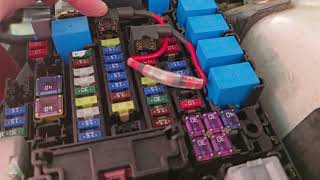
- DCM Fuse (VB WRX) — Unlike older models where the DCM fuse was clearly labeled (e.g., #9 in the cabin fuse box), the 2022+ WRX does not have a single, easily identifiable fuse for the DCM. Disabling it may require creating a custom patch harness or finding the correct power feed wire at the module connector.. Technicians often pull the DCM fuse to confirm if it is the source of a parasitic battery drain. The difficulty in locating this fuse on the VB WRX complicates this common diagnostic step.
- CAN Bus Terminals — Pins 6 (CAN-H) and 14 (CAN-L) on the standard OBD-II diagnostic connector located under the driver's side dashboard.. These pins provide a convenient access point for checking the overall health of the CAN bus network with a multimeter (resistance check) or oscilloscope without having to access individual modules.
Real Owner Repair Stories
- YouTube video by 'Pine Hollow Auto Diagnostics' (paraphrased from similar model) (2015-2019 Subaru Outback (demonstrates a common DCM failure mode also seen on newer platforms)) — Recurring dead battery after the car sits for a few days.
❌ Tried (didn't work) Replacing the battery without diagnosing the root cause.
✅ What actually fixed it A parasitic draw test confirmed the DCM was pulling over 150mA continuously. Instead of replacing the expensive DCM, a DIY bypass was created using an 'add-a-circuit' fuse tap. The DCM's power was moved from a constant-power fuse slot to an ignition-switched fuse slot (like the accessory outlet). This physically cuts power to the DCM when the car is off, preventing the drain. The trade-off is that Starlink remote services do not work when the car is parked.
OEM Part Supersession History
N/A (DCM for affected models)→86229AL400 (DCM Bypass Box)— For vehicles without an active Starlink subscription, Subaru released a 'DCM Bypass Box' as a less expensive repair option to resolve parasitic drain issues caused by failing DCMs, particularly after the 3G network shutdown affected older units.
Heads up: This bypass box is ONLY for vehicles confirmed to have an 'Inactive' or 'Unsubscribed' Starlink status. It cannot be used on vehicles with an active subscription, which require a full DCM replacement.
Helpful Videos
We Have This Part in Stock



The information in this article is provided for general reference and educational purposes only. Vehicle specifications, procedures, and part compatibility can vary by production date, trim level, and region. Always consult your vehicle's factory service manual and verify part numbers before purchasing or performing repairs. Safety-critical components such as airbags, seat belts, and braking systems should be installed by a qualified professional.
- Subaru WRX:
- 🎬 Helpful Videos
- 🛍️ Shop This Part
- What's Unique About the 2022-2023 Subaru WRX
- Diagnostic Flowchart
- Symptoms You May Notice
- Most Likely Causes
- Rare But Worth Checking
- Diagnosis Steps
- Parts You'll Likely Need
- Related Codes That Often Appear With This One
- Technical Service Bulletins (TSBs) & Recalls
- Platform-Specific Known Issues
- Mechanic-Grade Diagnostic Values
- Scan Tool Commands That Help
- Wiring & Ground Locations
- Real Owner Repair Stories
- OEM Part Supersession History
- 🎟️ Get 5% Off