

B2256 on 2020-2024 Subaru Outback: Infotainment Communication Fault Guide
Code B2256 on a 2020-2024 Subaru Outback indicates a communication failure between the main infotainment screen (Cockpit Control Module or CCM) and the Telematics unit (Data Communication Module or DCM). This is most often a software issue or a fault within the Telematics system itself, requiring a dealer diagnosis and update. Per Subaru TSBs, the DCM must be diagnosed and confirmed to be fault-free before any other diagnosis of B2256 occurs. Do not replace the expensive head unit before a full
- B2256 means your Outback's main screen (CCM) and its STARLINK communication module (DCM) aren't talking to each other.
- Do not assume you need a new, expensive head unit. The problem is very often a software glitch or a separate fault in the Telematics (DCM) system, per Subaru's own service bulletins.
- A full system scan by a dealer is mandatory. Any codes in the Telematics system must be fixed *before* diagnosing B2256.
- Check if your vehicle is covered by the DCM warranty extension, especially if you are also experiencing a dead battery.
What's Unique About the 2020-2024 Subaru OUTBACK
The 2020-2024 Subaru Outback (6th Generation) features a large, tablet-style 11.6-inch touchscreen known as the CP1 or CP1.5 system. This unit integrates nearly all vehicle functions, from climate control to navigation. These complex, software-heavy systems are known for having glitches that can lead to communication-related fault codes like B2256. Subaru has issued multiple Technical Service Bulletins (TSBs) to guide technicians in correctly diagnosing this code, emphasizing that software issues or problems in the related Telematics system (DCM) are often the root cause, not necessarily a failure of the expensive head unit itself. The diagnostic procedure explicitly states that the Telematics system must be scanned and confirmed to be free of any DTCs *before* beginning diagnosis for B2256.
Diagnostic Flowchart
Tap your situation to follow the diagnostic path that matches what you're seeing on this vehicle.
Symptoms You May Notice
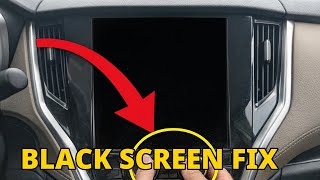
- Infotainment screen is black or unresponsive. 🎬 See this walkthrough for fixing a black infotainment screen
- System freezes and reboots randomly.
- Complete loss of audio from all sources (radio, Bluetooth, Apple CarPlay/Android Auto).
- STARLINK telematics system errors or red 'i' light on the overhead console.
- Inability to use functions integrated into the touchscreen, such as climate controls or heated seats.
- Check Engine Light may be illuminated.
- Parasitic battery drain leading to a dead battery, as the DCM may get stuck in a loop trying to communicate.
- Replacing the infotainment head unit (Cockpit Control Module) without first checking for software updates or diagnosing the Telematics (DCM) system. This is an expensive and often unnecessary repair, explicitly warned against in Subaru's own service bulletins.
Most Likely Causes
- Software Glitch in Infotainment or Telematics Module 🔴 High Probability The complexity of the Gen 6 Outback's CP1/CP1.5 infotainment system makes it susceptible to software bugs. Cold weather can sometimes trigger a memory management bug that causes the screen to go black on startup. Subaru has released multiple software updates and TSBs to address these issues.
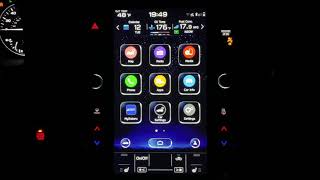
How to confirm: A Subaru dealer must use the Subaru Select Monitor tool to check the current software version against the latest available version and check for any other Telematics-related DTCs. A soft reset (holding the volume and tune knobs for 15-20 seconds) may temporarily restore function, pointing towards a software freeze. 🎬 Watch: How to perform a soft reset on your display
Typical fix: Reprogramming the Cockpit Control Module and/or the Data Communication Module with the latest software version. This is a dealer-only procedure.
Est. part cost: $0 - Fault in the Data Communication Module (DCM) 🟡 Medium Probability The TSBs specifically state that any faults in the Telematics system (DCM) must be resolved before diagnosing the B2256 code further, indicating it's a common source of the problem. DCMs can fail in a way that causes a parasitic draw of 120-140mA, draining the battery. Subaru has extended the warranty on some DCMs for this issue.
How to confirm: A full system scan with a Subaru-specific tool is required to check for any DTCs stored in the Telematics module, such as B2A0C. The diagnostic procedure in TSB 18-224-22R must be followed.
Typical fix: Diagnosing and repairing any separate Telematics DTCs first. This could involve a software update, checking connections, or replacing the DCM. If the vehicle is out of warranty and not subscribed to Starlink, a dealer may install a 'DCM bypass box' to resolve parasitic draw issues. 🎬 Watch: How to diagnose and fix the Starlink battery drain
Est. part cost: $0-$800 - Wiring or Connector Issue ⚪ Low Probability While less common than software issues, a loose connector or damaged wire between the DCM and the Cockpit Control Module can cause a communication loss. The TSB diagnostic procedure includes steps for checking harness and connector integrity.
How to confirm: Physical inspection of the wiring harnesses and connectors for the infotainment head unit and the DCM. This involves disassembling parts of the dashboard and checking for continuity and for any signs of previous repairs.
Typical fix: Reseating a loose connector or repairing the damaged section of the wiring harness.
Est. part cost: $5-$50
Rare But Worth Checking
- Failed Cockpit Control Module (Head Unit): Subaru TSBs explicitly warn against replacing the head unit without first exhaustively checking for software and Telematics faults, as this is a common misdiagnosis. It should be the last resort after all other diagnostic steps have been completed. In some cases, owners have had the unit replaced under warranty after repeated software-related failures.
Diagnosis Steps
- Connect a Subaru-specific scan tool (e.g., Subaru Select Monitor) to the vehicle.
- Perform a full system scan of all modules.
- CRITICAL STEP: Check for any Diagnostic Trouble Codes (DTCs) in the [Telematics] system. If any are present (like B2A0C), stop the B2256 diagnosis and resolve the Telematics codes first by following the appropriate diagnostic tree.
- If no Telematics codes are present, proceed to the [Cockpit Control] module diagnostics.
- Check the current software version of the Cockpit Control Module and compare it to the latest version available from Subaru.
- If an update is available, reprogram the module following the procedure outlined in the relevant TSB. This often requires a stable power supply to the vehicle during the process.
- If the code persists after a software update, follow the TSB diagnostic tree, which includes disconnecting the battery, removing the center ventilation grille and audio assembly to access the modules.
- Thoroughly inspect the connectors and pins at both the DCM and the Cockpit Control Module for damage, corrosion, or loose connections.
- Check power, ground, and communication wiring between the DCM and the Cockpit Control Module for continuity and shorts.
- Only consider replacing the Cockpit Control Module or DCM if all software and wiring checks have been completed without finding a fault.
Parts You'll Likely Need
- Infotainment Software Update — This is the most common fix identified by Subaru's own service bulletins to resolve communication glitches.
Trusted brands: Subaru
OEM price range: $0-$200
Aftermarket price range: N/A - Cockpit Control Module (Infotainment Head Unit)
(OEM #86271AN64A (Example for 2022 model, verify by VIN))— This is the part that gets replaced if it is determined to have an internal hardware failure, but it is often misdiagnosed. It is extremely expensive.
Trusted brands: Harman (OEM supplier), Denso (OEM supplier for some components)
OEM price range: $2000-$3000+
Aftermarket price range: N/A - Data Communication Module (DCM)
(OEM #Varies by year and model, must be verified by VIN.)— Replaced if it is found to be the source of the communication fault or causing a parasitic battery drain.
Trusted brands: Subaru
OEM price range: $500-$800
Aftermarket price range: N/A
Related Codes That Often Appear With This One
- Other Telematics DTCs (e.g., B2A0C) — B2256 is a communication code. TSBs state that if other codes are present in the Telematics system, they are the likely root cause and must be fixed first. B2A0C specifically points to a DCM failure to communicate.
- Codes related to parasitic draw or low battery voltage — A failing DCM can cause a significant parasitic draw on the battery, leading to other electrical faults and a no-start condition.
Technical Service Bulletins (TSBs) & Recalls
- 18-224-22R: Diagnostics Procedure Addition: DTC B2256 (CP1/CP1.5 Infotainment System) - This is the primary document, updated Oct 2023, covering the full diagnostic flow and emphasizing checking the Telematics system first.
- 18-224-22: Diagnostics Procedure Addition: DTC B2256 (CP1 Harman Infotainment System) - The earlier version of the TSB from June 2022.
- November 2021 TechTIPS (NHTSA ID 10204851): Explicitly calls out that technicians overlooking Telematics DTCs is a primary cause of misdiagnosing B2256.
- 15-261-20R: Addresses black screen issues on the CP1 unit, often caused by cold weather, and provides the software update fix.
Platform-Specific Known Issues
- The 6th generation Outback is well-documented in owner forums for having issues with the large 11.6-inch infotainment system (CP1/CP1.5), including black screens, random reboots, and unresponsiveness.
- Subaru has issued multiple TSBs (Technical Service Bulletins) to address diagnostic procedures for these infotainment issues, highlighting that the fix is often software-related.
- A known issue involves the screen going black during cold starts due to a memory management bug, which can be temporarily fixed with a soft reset (holding volume and tune knobs) but requires a dealer software update (per TSB 15-261-20R) for a permanent solution.
- Many owners are unaware of a DCM warranty extension program that covers parasitic battery drain issues, which can be related to this communication fault.
Mechanic-Grade Diagnostic Values
- Continuity check between Cockpit Control Module (CCM) connector and Data Communication Module (DCM) connector. — expected: 1 Ω or less. Failure: Resistance greater than 1 Ω indicates an open circuit in the harness.
- Short to ground check on harness between CCM and DCM. — expected: 1 MΩ or more. Failure: Resistance less than 1 MΩ indicates a short to ground.
- DCM Ground Terminal (A14) to Chassis Ground — expected: Continuity (near 0 Ω). Failure: High resistance or an open circuit indicates a bad ground connection for the DCM.
Scan Tool Commands That Help
- Subaru Select Monitor: Clear Memory for [Cockpit Control] — This is the first step in the official TSB diagnostic procedure after performing a full system scan. It is used to see if the DTC B2256 returns as a current code, confirming it's an active fault.
- Subaru Select Monitor: Read DTC of [Telematics] — This is a critical diagnostic step. Before any diagnosis of B2256, the technician must use this function to ensure the Telematics module has no DTCs of its own. If it does, those must be fixed first.
Wiring & Ground Locations
- Data Communication Module (DCM) — Located directly below or as part of the audio unit stack, behind the main infotainment screen. It is mounted on the same brackets as the head unit.. This is one of the two modules (along with the CCM) that is failing to communicate. Access is required to check its connectors and wiring.
- DCM Ground Terminal A14 — Pin A14 on the DCM's main connector provides the ground for the module. The wire runs from this pin to a chassis ground point.. A poor ground connection at this specific terminal can cause a wide range of communication and operational issues for the DCM, potentially triggering code B2256.
- OBD-II Data Link Connector (DLC) — Located in the lower portion of the instrument panel on the driver's side, typically below the steering column.. This is the port where the Subaru Select Monitor must be connected to begin any diagnosis.
Real Owner Repair Stories
- Reddit user Spiritualoutside3411 (2019 Outback (Note: Gen 5, but demonstrates a related DCM issue)) — Battery dying on a daily basis. AAA confirmed the battery itself was good.
❌ Tried (didn't work) Getting jump starts repeatedly., Dealer wanted to replace the battery without diagnosing the root cause.
✅ What actually fixed it The user identified the DCM as the source of the parasitic drain. Pulling the DCM fuse under the hood solved the battery drain issue completely. However, this resulted in the front speakers and Bluetooth phone connection no longer working, as their functions are routed through the DCM. This confirms the DCM's role in both battery drain and audio/BT functionality.
Model Year Variations Within This Range
- 2020-2022: These model years are equipped with the Denso CP1 infotainment system.
- 2023-2024: These model years use the updated Denso CP1.5 system. The primary hardware change was the addition of support for wireless Apple CarPlay and Android Auto. The CPU, memory, and other core specs are largely identical to the CP1.
Helpful Videos
We Have This Part in Stock



The information in this article is provided for general reference and educational purposes only. Vehicle specifications, procedures, and part compatibility can vary by production date, trim level, and region. Always consult your vehicle's factory service manual and verify part numbers before purchasing or performing repairs. Safety-critical components such as airbags, seat belts, and braking systems should be installed by a qualified professional.
- Subaru OUTBACK:
- 🎬 Helpful Videos
- 🛍️ Shop This Part
- What's Unique About the 2020-2024 Subaru OUTBACK
- Diagnostic Flowchart
- Symptoms You May Notice
- Most Likely Causes
- Rare But Worth Checking
- Diagnosis Steps
- Parts You'll Likely Need
- Related Codes That Often Appear With This One
- Technical Service Bulletins (TSBs) & Recalls
- Platform-Specific Known Issues
- Mechanic-Grade Diagnostic Values
- Scan Tool Commands That Help
- Wiring & Ground Locations
- Real Owner Repair Stories
- Model Year Variations Within This Range
- 🎟️ Get 5% Off