

B2190 on 2009-2015 Nissan TITAN: NATS Antenna Fault Causes and Fixes
This code indicates a fault in the Nissan Anti-Theft System (NATS) antenna, which reads your key. The most common fix is replacing the NATS antenna amplifier module located around the ignition switch. Expect to pay $150-$225 for the OEM part. Before replacing parts, always try a spare key and remove other electronics from the keychain.
- B2190 means your Titan's anti-theft system can't read the key, which will likely prevent it from starting.
- Before buying parts, try your spare key and remove any other electronic fobs from your keychain to rule out simple interference.
- The most common failed part is the NATS Antenna Amplifier, an OEM part (28590-C9968) that costs around $150-$225.
- While you might be able to replace the part yourself, final diagnosis and clearing the code may require a professional-grade scan tool, and the new part may require programming to the vehicle.
What's Unique About the 2009-2015 Nissan TITAN
For the first-generation Nissan Titan, this code is well-documented. Nissan has issued a Technical Service Bulletin that applies to all its vehicles with an Intelligent Key slot, including the Titan. The TSB highlights that simple issues, such as inserting something other than a registered key into the slot, a faulty key, or interference from other keys on the same ring, can trigger this code. This makes checking for user error a critical first step before assuming a part has failed, as the code may not clear until a known-good registered key is used.
Diagnostic Flowchart
Tap your situation to follow the diagnostic path that matches what you're seeing on this vehicle.
Symptoms You May Notice
- Engine will not crank or start
- Security indicator light on the dashboard is on or flashing
- "Key Not Detected" message may appear on the instrument cluster
- Engine cranks but does not start
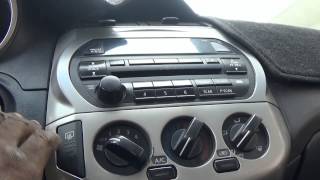
- Vehicle may start only when the key fob is physically touching the ignition button 🎬 Watch: Troubleshooting an intermittent no-start condition on a Titan.
- Replacing the starter without checking for anti-theft codes.
- Replacing the battery when the no-start is caused by the NATS system.
- Replacing the ECM (Engine Control Module) when the fault lies within the BCM/NATS circuit.
- Assuming the key fob is good because the lock/unlock buttons work; the transponder for starting is a separate function.
Most Likely Causes
- Faulty NATS Antenna Amplifier 🔴 High Probability This is the primary component identified by the code itself and is a known failure point across many Nissan models of this era that use the same part.
How to confirm: After ruling out key issues, test the component directly or replace it with a known good part. A professional scan tool like CONSULT-III plus can also help diagnose the module by checking self-diagnostic results.
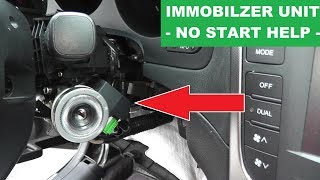
Typical fix: Replace the NATS antenna amplifier module. It is typically located around the ignition lock cylinder, requiring removal of the steering column shrouds. 🎬 See how to test and replace the immobilizer yourself.
Est. part cost: $150-$225 - Incorrect or Faulty Intelligent Key 🟡 Medium Probability As noted in Nissan's TSB, using a non-registered key, a damaged key, or having a weak key fob battery can cause this code. The internal transponder chip can fail independently of the remote lock/unlock functions.
How to confirm: Try using a known-good, registered spare key. If the vehicle starts and the code can be cleared (or moves to "PAST" status), the original key is the problem.
Typical fix: Replace the battery in the key fob or have a new key programmed by a dealer or automotive locksmith.
Est. part cost: $5-$350 - Wiring or Connector Issue ⚪ Low Probability Vibrations and time can cause wiring between the NATS antenna and the Body Control Module (BCM) to become loose, corroded, or damaged.
How to confirm: Visually inspect the wiring harness and connector at the ignition switch for any signs of damage, corrosion, or looseness. A diagnostic manual may call for checking voltage and continuity at specific pins on the connector.
Typical fix: Repair the damaged wire or clean/secure the connector.
Est. part cost: $5-$50 - Interference from Other Devices ⚪ Low Probability Other transponder keys, electronic toll passes, or even certain aftermarket phone chargers on the same keychain can interfere with the signal between the key and the NATS antenna.
How to confirm: Remove all other keys and devices from the Nissan key and try to start the vehicle again. If it starts, interference was the issue.
Typical fix: Keep the Intelligent Key isolated from other electronic devices when starting the vehicle.
Est. part cost: $0
Rare But Worth Checking
- Faulty Body Control Module (BCM): While rare, the BCM is the central computer that processes the key signal from the antenna. If the antenna and key are good, the BCM itself could be the source of the problem, though this would likely be accompanied by other electrical-related trouble codes. A diagnostic procedure may point to BCM replacement if the harness and antenna are confirmed to be good.
Diagnosis Steps
- Verify the complaint. Confirm the no-start condition and check if the security light is illuminated.
- Scan the vehicle for all codes, paying special attention to BCM and engine codes. Note any other NATS or communication codes.
- Check for simple causes: Try a spare key. Remove other keys and electronics from the keychain and try again.
- Following the Nissan TSB, insert a known-good registered key into the slot and attempt to clear the code using a capable scan tool. If the code becomes a "PAST" DTC, the issue was likely the key or temporary interference.
- If the code remains "CURRENT", inspect the wiring and connector at the NATS antenna amplifier around the ignition cylinder for damage or a poor connection.
- If wiring is intact, perform voltage and continuity checks on the NATS antenna amplifier connector (typically M21 or M49). Check for battery voltage at pin 1 and continuity to ground at pin 3.
- If power and ground are good, the NATS antenna amplifier is the most likely culprit. Replace the module.
- After replacement, a key re-learning or initialization procedure is required using a tool like CONSULT-III plus or a capable locksmith tool.
- If the problem persists after replacing the antenna, a more advanced diagnosis of the BCM or a check for network interference by a qualified technician is necessary.
Parts You'll Likely Need
- Ignition Immobilizer Module (NATS Antenna Amp)
(OEM #28590-C9968)— This is the component directly identified by the B2190 code and is the most common failure point for this specific issue across many Nissan/Infiniti models.
Trusted brands: Nissan (OEM)
OEM price range: $153-$223
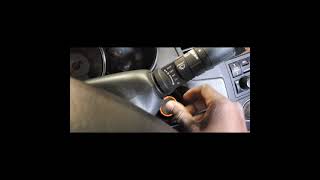
Aftermarket price range: N/A - Aftermarket versions are not common; using a genuine OEM part is highly recommended. 🎬 Watch this walkthrough to diagnose and fix Nissan immobilizer issues.
Related Codes That Often Appear With This One
- P1610 — This code often means 'Lock Mode' and appears when the NATS system has failed to verify the key on multiple attempts, reinforcing the anti-theft issue.
- P1614 — This is another NATS-related code indicating a communication issue between the key and the immobilizer module, often appearing alongside B2190.
- U1000 — This code indicates a general CAN communication network failure. If the NATS antenna or its wiring is failing, it can disrupt communication on the network, triggering a U1000 code.
Technical Service Bulletins (TSBs) & Recalls
- NTB13-015A / NTB13-015B: Outlines the causes and diagnostic procedure for DTC B2190 on Nissan vehicles with an Intelligent Key slot.
- ITB13-002B: An identical TSB for Infiniti vehicles, confirming the widespread nature of this issue and diagnostic procedure across the brand family.
Platform-Specific Known Issues
- Nissan Technical Service Bulletin NTB13-015A (and later revisions like NTB13-015B) explicitly addresses DTC B2190. It lists the primary causes as being an incorrect key, a faulty key, a wiring issue, or a problem with the key slot/antenna itself, providing a clear diagnostic path for technicians.
- Owners on forums like TitanTalk and Reddit have confirmed that replacing the NATS antenna amplifier (part #28590-C9968) is the most common successful repair for a persistent B2190 code after ruling out key issues.
Mechanic-Grade Diagnostic Values
- NATS Antenna Amp Power Supply Voltage — expected: Battery voltage (approx. 12V). Failure: 0V or significantly low voltage
- NATS Antenna Amp Ground Circuit Continuity — expected: Continuity to ground should exist (near 0 ohms). Failure: No continuity (open circuit / high resistance)
- NATS Antenna Amp Communication Signal — expected: A fluctuating voltage signal (pulse wave) should be visible on an oscilloscope when the key is inserted/turned.. Failure: A flat line (no signal) or a constant voltage
Scan Tool Commands That Help
- Nissan CONSULT-II / CONSULT-III plus: Self-diagnostic result — To confirm if the B2190 DTC is current or past after attempting a start with a known-good key.
- Nissan CONSULT-II / CONSULT-III plus: Initialization (NATS) — This is required after replacing the NATS antenna amplifier, BCM, or any registered key to make the new components communicate with the vehicle.
- Nissan CONSULT-III plus: WRITE CONFIGURATION — This function is necessary after replacing the BCM to write the vehicle's specific configuration data to the new module.
Wiring & Ground Locations
- M21 / M49 — The electrical connector on the NATS Antenna Amplifier module itself, located around the ignition key cylinder.. This is the primary connector to test for power (Pin 1), ground (Pin 3), and signal (Pin 2 or 4) to determine if the antenna or the wiring to it is faulty.
- M122 — A harness connector for the Body Control Module (BCM), typically located under the driver's side dashboard.. This connector is checked for continuity back to the NATS antenna connector (M22 in one manual) to verify the integrity of the communication wires between the antenna and the BCM.
- Main Battery Ground Cable — Connects the negative battery terminal to the vehicle's frame and engine block.. A corroded or loose main ground can cause widespread electrical issues, including communication code U1000 which can appear alongside NATS faults. Ensuring a clean, tight ground connection is a fundamental step.
Real Owner Repair Stories
- Reddit user, r/MechanicAdvice (2012 Nissan Titan 5.6L) — Was driving, dash lit up, and lost all power. Subsequently, the truck would crank but not start. The code reader was unable to connect.
❌ Tried (didn't work) Swapping the IPDM (Intelligent Power Distribution Module) with a used part.
✅ What actually fixed it The ECM (Engine Control Module) was faulty. The owner diagnosed it, had the diagnosis confirmed by a Nissan dealership, and the dealer replaced and programmed a new ECM. - YouTube video by 'Fix It Now' (First-generation Nissan Titan with 140,000 miles) — Intermittent no-start. Turning the key only produces a solenoid click under the hood. After 5-10 tries, it would eventually start normally.
❌ Tried (didn't work) Assuming it was a bad starter motor.
✅ What actually fixed it The electrical ignition switch was the cause. The internal copper contacts were burnt and pitted, causing a poor connection for the 'start' signal. Replacing the switch resolved the intermittent no-start.
When the Usual Fixes Don't Work
- While B2190 points directly to the NATS antenna circuit, not all no-start conditions on a 2009-2015 Titan are caused by this. In one documented case, a 2012 Titan exhibited a crank-no-start condition that was ultimately fixed by replacing the Engine Control Module (ECM), not any part of the NATS system. In another instance of an intermittent no-start (with a solenoid click), the cause was a worn-out electrical ignition switch, which failed to send the proper signal to the starter. These cases highlight the importance of not fixating on the B2190 code's most common cause and considering the entire starting system, especially if symptoms don't perfectly align or if initial repairs fail.
OEM Part Supersession History
28590-C9968→N/A— No supersession information found; this part number appears to be stable.
Heads up: This part is for vehicles with a traditional turn-key ignition. It is NOT compatible with push-button start Intelligent Key systems.
Model Year Variations Within This Range
- 2009-2015: The diagnostic procedures in service manuals vary slightly for vehicles 'With Intelligent Key System' versus 'Without Intelligent Key System'. The 2009-2015 Titan uses a traditional key, making the procedures for 'Without Intelligent Key' or for a 'Key Slot' the correct ones to follow.
Helpful Videos

We Have This Part in Stock


The information in this article is provided for general reference and educational purposes only. Vehicle specifications, procedures, and part compatibility can vary by production date, trim level, and region. Always consult your vehicle's factory service manual and verify part numbers before purchasing or performing repairs. Safety-critical components such as airbags, seat belts, and braking systems should be installed by a qualified professional.
- Nissan TITAN:
- 🎬 Helpful Videos
- 🛍️ Shop This Part
- What's Unique About the 2009-2015 Nissan TITAN
- Diagnostic Flowchart
- Symptoms You May Notice
- Most Likely Causes
- Rare But Worth Checking
- Diagnosis Steps
- Parts You'll Likely Need
- Related Codes That Often Appear With This One
- Technical Service Bulletins (TSBs) & Recalls
- Platform-Specific Known Issues
- Mechanic-Grade Diagnostic Values
- Scan Tool Commands That Help
- Wiring & Ground Locations
- Real Owner Repair Stories
- When the Usual Fixes Don't Work
- OEM Part Supersession History
- Model Year Variations Within This Range
- 🎟️ Get 5% Off