

B2190 on 2008-2015 Nissan Armada: NATS Immobilizer Causes and Fixes
This code means your Armada's anti-theft system (NATS) can't read your key, likely causing a no-start. The most common fix is replacing the NATS Antenna Amplifier around the ignition, which costs about $70-$90 for the part. Before replacing parts, always try a spare key.
- B2190 means your Armada's anti-theft system can't start the car because it doesn't recognize the key.
- Before buying parts, try a different registered key and remove any other electronics from your keychain to rule out simple issues.
- The most common failed part is the NATS Antenna Amplifier, an inexpensive ring around the ignition that is relatively easy to replace.
- The code will not clear from the system until the BCM successfully recognizes a valid, registered key.
What's Unique About the 2008-2015 Nissan ARMADA
For the first-generation (TA60) Armada, the NATS system is a critical component for starting the vehicle. Unlike some other manufacturers, Nissan has issued specific technical service bulletins (TSBs) that detail the common causes for this code, which often relate to simple issues like using the wrong key or interference, not just a failed part. The diagnostic process is well-documented and often requires a Nissan-specific scan tool (CONSULT) to properly diagnose and clear the code once the issue is resolved. The TSB explicitly states the code will not erase until a known good registered key is inserted and recognized.
Diagnostic Flowchart
Tap your situation to follow the diagnostic path that matches what you're seeing on this vehicle.
Symptoms You May Notice
- Engine will not start (cranks but does not fire)
- Engine will not crank at all (no click, no start)
- Security indicator light on the dashboard is illuminated solid or flashing 🎬 Watch: Diagnosing a no-start with the security light flashing.
- "Key not detected" message on the instrument cluster (for models with Intelligent Key)
- Vehicle may start intermittently
- Replacing the starter motor (vehicle cranks but won't start, or doesn't crank at all, leading to misdiagnosis)
- Replacing the battery or alternator (if intermittent no-start is the only symptom 🎬 See how to troubleshoot an intermittent Nissan no-start problem., though a bad battery can be a root cause)
- Replacing the ECM (Engine Control Module) when the issue is with the BCM/NATS system
Most Likely Causes
- Faulty NATS Antenna Amplifier 🔴 High Probability This is the primary electronic component responsible for reading the key chip, and like any electronic part, it can fail with age and thermal cycling. It is a plastic ring around the ignition lock cylinder that becomes brittle over time.
How to confirm: After ruling out key and interference issues, test the power and ground at the amplifier connector per the service manual. If power and ground are present but the code persists with a known-good key, the amplifier is faulty.
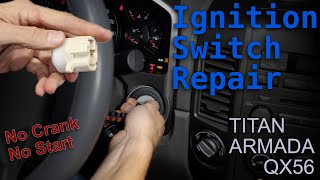
Typical fix: Replace the NATS antenna amplifier. This part is a ring around the ignition lock cylinder, accessed by removing the steering column shrouds. 🎬 Watch this walkthrough on accessing and repairing the ignition assembly.
Est. part cost: $70-$90 - Intelligent Key Issue (Damaged, Dead Battery, Unregistered) 🟡 Medium Probability The TSB specifically calls this out. A damaged key (from being dropped), a dead key battery, or an unregistered aftermarket key can all fail to communicate properly.
How to confirm: Try starting the vehicle with a different, known-good registered key. If the vehicle starts, the first key is the problem. For Intelligent Keys, try inserting the key into the key slot if the battery is suspected to be dead.
Typical fix: Replace the battery in the key fob. If that fails, the faulty key must be replaced and programmed to the vehicle by a dealer or qualified locksmith.
Est. part cost: $5 for battery, $150-$400 for new key and programming - Using a Non-Intelligent Key or Foreign Object ⚪ Low Probability Per Nissan TSB NTB13-015B, inserting an object or a key without a transponder chip into the ignition or key slot can trigger this code. This is a common scenario outlined by the manufacturer.
How to confirm: Remove the incorrect object/key and insert a known-good registered Intelligent Key. The code may not clear until this is done.
Typical fix: Use the correct, registered key for the vehicle.
Est. part cost: $0 - Wiring Harness or Connector Issue ⚪ Low Probability Vibrations and time can cause wires to break or connectors between the BCM and the NATS antenna amp to become loose or corroded. The connector is located under the steering column shroud.
How to confirm: Visually inspect the wiring and connector at the NATS antenna amp. Perform a continuity and voltage check on the harness according to the factory service manual.
Typical fix: Repair the damaged wire or clean/replace the connector.
Est. part cost: $5-$50
Rare But Worth Checking
- Faulty Body Control Module (BCM): This is the last resort after all other components (key, antenna, wiring) have been confirmed to be good. The BCM is the control center for the NATS, but it is expensive to replace and rarely the cause of this specific code.
- Radio Frequency (RF) Interference: Strong RF interference from aftermarket devices like phone chargers, dash cams, or even other RFID cards on the keychain can sometimes disrupt the signal between the key and the antenna. This is less common but easy to check by removing all other electronics from the vehicle and key ring.
- Low Battery Voltage: A weak vehicle battery can cause a multitude of communication errors between modules. Before diagnosing NATS components, ensure the vehicle battery is fully charged and passes a load test. A battery can seem fine but drop voltage significantly during a start attempt, triggering NATS faults.
Diagnosis Steps
- Verify the complaint: Confirm the no-start condition and check if the security light is on solid or flashing.
- Scan for codes: Use an OBD-II scanner compatible with Nissan to confirm B2190 is present. Note any other NATS-related codes like P1610 or P1614.
- Check Vehicle Battery: Ensure the main vehicle battery has a full charge (12.6V+) and can pass a load test. Low voltage can cause communication errors.
- Isolate the key: Remove all other keys, fobs, and electronic devices from the keychain to eliminate RF interference.
- Try a spare key: Attempt to start the vehicle with a different registered key. If it starts, the first key is faulty.
- Follow TSB NTB13-015B: Insert a known-good key into the ignition/key slot. According to the TSB, the code will not clear until a valid key is recognized.
- Inspect the NATS Antenna Amplifier: Remove the steering column covers (typically held by a few Phillips head screws). Visually check the installation and look for any damage to the wiring or the connector at the antenna ring around the ignition lock cylinder.
- Test the circuit: Using a multimeter and the factory service manual, check for proper voltage (battery voltage) and ground at the NATS antenna amplifier connector (M21).
- Replace the NATS Antenna Amplifier: If the wiring is good and the key is not the issue, the antenna amplifier is the most likely failed component. It is typically held in place by clips or small screws.
- Final Diagnosis: If all the above steps fail, the issue may lie with the Body Control Module (BCM), which requires advanced diagnostics with a tool like Nissan CONSULT.
Parts You'll Likely Need
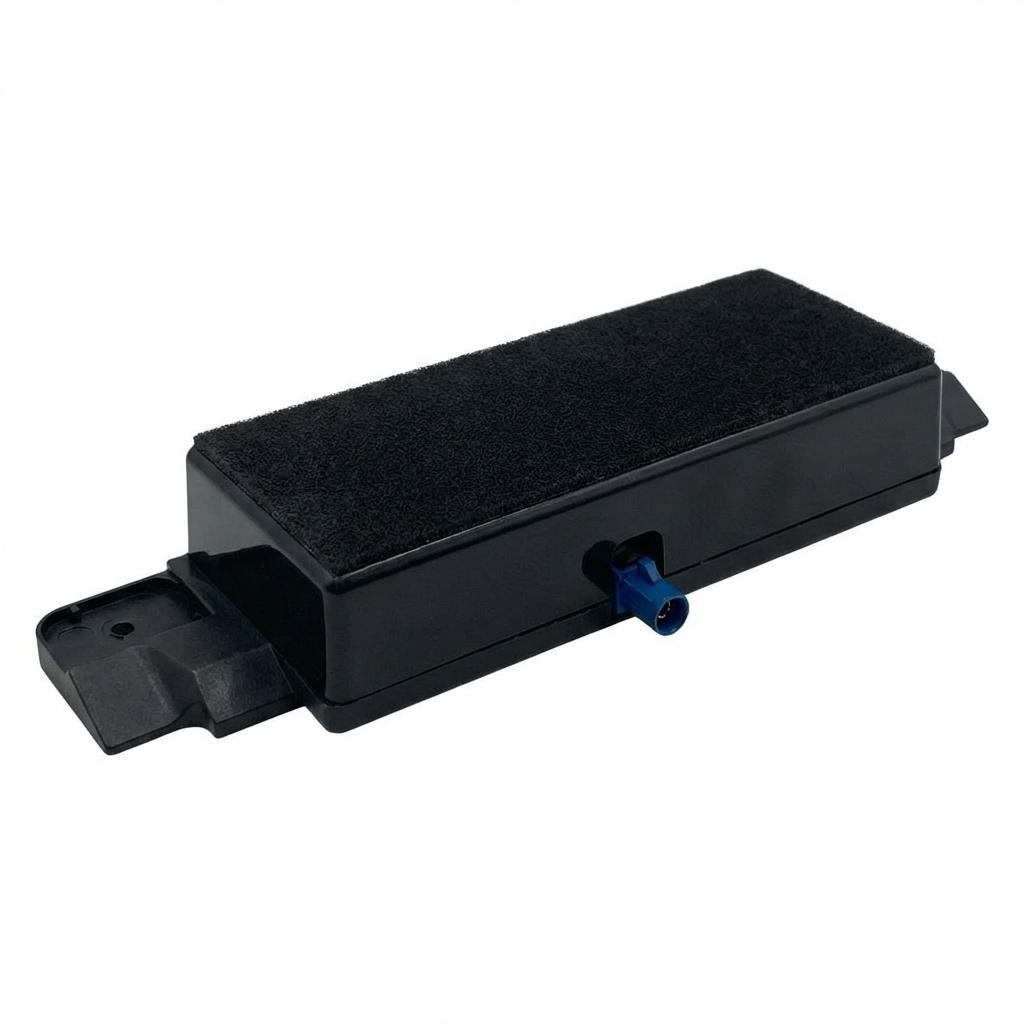
- NATS Antenna Amplifier (Immobilizer Control Unit)
(OEM #28590-C9902)— This is the component that reads the key chip. It is the most common hardware failure point for code B2190 after ruling out key issues.
Trusted brands: Nissan (OEM)
OEM price range: $70-$90
Aftermarket price range: $50-$80
Related Codes That Often Appear With This One
- P1610, P1614 — These are also NATS-related codes. P1610 often means 'Lock Mode' where the BCM has locked out the engine due to repeated failed start attempts. P1614 indicates a communication issue in the IMMU chain. They often appear together with B2190, indicating a comprehensive failure in the key authentication process.
Technical Service Bulletins (TSBs) & Recalls
- NTB13-015B: Intelligent Key Warning Lamp On, With DTC B2190. This TSB is the primary source for understanding the causes and diagnostic procedure for this code on Nissan vehicles. It clarifies that the code will not erase until a valid key is recognized by the system.
Platform-Specific Known Issues
- Nissan Technical Service Bulletin NTB13-015A and its revision NTB13-015B directly address this code, providing a clear diagnostic path and listing common causes like using a non-registered key or having a faulty key.
- Owner forums for the Armada and its platform-mate, the Nissan Titan, frequently discuss this B2190 code. The consensus repair, after trying a spare key, is the replacement of the NATS antenna amplifier ring, which is considered a straightforward DIY job for many.
Mechanic-Grade Diagnostic Values
- Voltage at NATS Antenna Amp Connector M21, Pin 1 to Ground — expected: Battery Voltage (approx. 12V). Failure: No voltage indicates a problem with the power supply fuse or wiring.
- Continuity at NATS Antenna Amp Connector M21, Pin 3 to Ground — expected: Continuity should exist.. Failure: No continuity indicates an open in the ground circuit.
- Voltage at NATS Antenna Amp Connector M21, Pin 2 to Ground (Ignition ON) — expected: Pulsating voltage (requires analog tester to observe). Failure: No signal suggests a faulty BCM or an open/short in the signal wire.
- Voltage at NATS Antenna Amp Connector M21, Pin 4 to Ground (Ignition ON) — expected: Pulsating voltage (requires analog tester to observe). Failure: No signal suggests a faulty BCM or an open/short in the signal wire.
Scan Tool Commands That Help
- Nissan CONSULT-II / CONSULT-III plus: Self-diagnostic result — Used to read NATS-specific DTCs like B2190 and related codes (P1610, P1614, etc.) from the BCM.
- Nissan CONSULT-II / CONSULT-III plus: C/U INITIALIZATION — This function is required after replacing the BCM or ignition keys. It erases all previously registered key IDs and allows for re-registration of all keys.
- Nissan CONSULT-II / CONSULT-III plus: PIN READ — Used to retrieve the BCM-specific 5-digit code from the vehicle, which is then decoded using the ASIST system to get the 4-digit PIN required for key registration and initialization.
Wiring & Ground Locations
- M21 — Under the steering column shroud, connecting to the NATS antenna amplifier ring around the ignition cylinder.. This is the primary connector for the NATS antenna amplifier. All power, ground, and communication signals for the amplifier pass through this connector.
- Body Control Module (BCM) — Located on the driver's side, behind the lower dashboard panel to the right of the steering column.. The BCM is the control unit for the NATS. It receives the key ID signal from the antenna amplifier and communicates with the ECM to allow the engine to start. A faulty BCM or poor connection at the BCM can cause NATS-related codes.
Real Owner Repair Stories
- YouTube video by Peter L. (First-generation Nissan Titan (platform mate)) — Intermittent no-start. Turning the key would only produce a solenoid click. After 5-10 tries, it would eventually start.
❌ Tried (didn't work) Initially suspected the starter motor., Confirmed battery was good.
✅ What actually fixed it The problem was a worn-out electrical portion of the ignition switch. The high-amperage contacts inside were dirty and pitted, causing an intermittent connection. Replacing the ignition switch resolved the no-start issue.
OEM Part Supersession History
28590-C9900→28590-C9902— Part update/revision by Nissan.
Heads up: 28590-C9902 is the correct part for the specified vehicle range. While older part numbers like 28590-C9900 exist, using the latest revision is recommended.
Model Year Variations Within This Range
- 2008-2015: The NATS system was optional on some trims early in this range and became more standard later. However, the diagnostic process for code B2190 remains consistent for all Armadas in this generation equipped with NATS.
Helpful Videos


Used OEM Parts in Stock

New Aftermarket Parts Available


The information in this article is provided for general reference and educational purposes only. Vehicle specifications, procedures, and part compatibility can vary by production date, trim level, and region. Always consult your vehicle's factory service manual and verify part numbers before purchasing or performing repairs. Safety-critical components such as airbags, seat belts, and braking systems should be installed by a qualified professional.
- Nissan ARMADA:
- 🎬 Helpful Videos
- 🛍️ Shop This Part
- What's Unique About the 2008-2015 Nissan ARMADA
- Diagnostic Flowchart
- Symptoms You May Notice
- Most Likely Causes
- Rare But Worth Checking
- Diagnosis Steps
- Parts You'll Likely Need
- Related Codes That Often Appear With This One
- Technical Service Bulletins (TSBs) & Recalls
- Platform-Specific Known Issues
- Mechanic-Grade Diagnostic Values
- Scan Tool Commands That Help
- Wiring & Ground Locations
- Real Owner Repair Stories
- OEM Part Supersession History
- Model Year Variations Within This Range
- 🎟️ Get 5% Off