

OBD-II Code B2000: Control Module Defective - The Ultimate 2026 Guide
What B2000 means, why it triggers, and how to fix it for good
- Code B2000 flags a fatal internal hardware or software failure inside one of your vehicle's control modules, not an external sensor issue.
- Because B2000 is manufacturer-specific, you must use an advanced bidirectional scan tool to read the exact module and 2-digit suffix (like B2000-49) to diagnose it.
- Always test the battery (must be >12.4V resting) and check for Technical Service Bulletins (TSBs) before spending $500+ on a replacement module.
- Replacing the module costs between $500 and $2,000+, but utilizing a mail-in board-level repair service often fixes the issue for under $400.
What Does B2000 Mean?

Code B2000 indicates a critical internal hardware or software failure within one of your vehicle's control modules. This code does not point to a faulty external sensor or broken wire; it means the computer itself has failed its internal self-test. Because B2000 is a 'manufacturer-controlled' code, its precise meaning and the affected system (airbags, power steering, body controls) vary entirely by the car's make and model.
Technical definition: Manufacturer Controlled DTC. Indicates an internal control module hardware failure, a software/firmware checksum failure, or corrupted memory within a specific control module.
Can I Drive With B2000?
Yes, But With Caution. You can physically drive, but do not drive if the code affects a critical safety system. A failed airbag module disables the entire SRS system, offering zero collision protection. A failed power steering module makes steering extremely heavy at low speeds, preventing emergency maneuvers. Stop driving immediately until you identify the specific failing module.
Common Causes

- Internal Hardware Failure (Very Common) — Electronic components inside the module (like the Body Control Module or Airbag Module) fail from age, thermal stress, vibration, or internal short circuits. This is the most frequent root cause.
- Corrupted Software or Firmware (Common) — The module's operating software becomes corrupted due to a failed over-the-air update, a sudden battery disconnect, or inherent software bugs requiring a manufacturer patch.
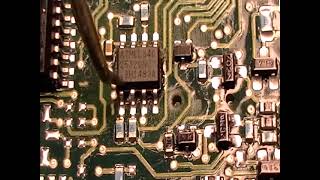
- Water Damage or Corrosion (Common) — Moisture intrusion from leaking sunroof drains or windshield seals corrodes the module's circuit board, causing fatal short circuits. This is highly common for modules mounted under seats or in footwells. 🎬 Watch: How to identify and repair BCM water damage.
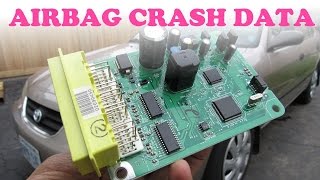
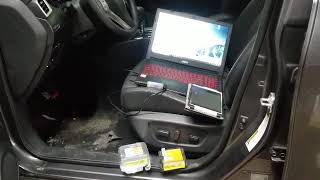
- Stored Crash Data (Airbag/SRS) (Common) — After an accident, the Airbag control module permanently stores crash data. This locks the module and triggers a B2000 code that requires a specialized reset service or full replacement. 🎬 See how to reset crash data from your SRS module.
- Low Battery Voltage or Voltage Spikes (Less Common) — A weak battery (below 12.4V) starves modules during startup, causing them to initialize incorrectly. Conversely, improper jump-starting sends voltage spikes that fry sensitive internal electronics.
- Communication Network (CAN Bus) Error (Less Common) — Frayed wires or corroded connectors prevent modules from communicating. A module misinterprets this network isolation as an internal fatal error.
- Improper Programming or Calibration (Uncommon) — Using cheap third-party tools to program new keys or failing to calibrate a newly installed module corrupts the firmware, forcing the module to log a B2000 fault.
- Aftermarket Accessory Interference (Uncommon) — Poorly spliced aftermarket remote starters or alarms interfere with the CAN bus network, causing data collisions that trigger module faults.
Symptoms

- Dashboard Warning Lights — An airbag light, power steering warning, or Check Engine Light illuminates permanently.
- Total Loss of a Specific Function — You lose power steering assist, power windows stop working, or the airbag system disables entirely.
- Erratic Electrical Operation — Systems work intermittently. Doors lock and unlock randomly, or lights flicker, indicating a failing Body Control Module.
- Parasitic Battery Drain — The vehicle battery dies overnight because a faulty module fails to enter 'sleep' mode when the ignition turns off.
- Vehicle Fails to Start — If the B2000 code affects the immobilizer or main engine computer, the vehicle cranks but refuses to start.
Diagnostic Flowchart

Tap your situation to follow the diagnostic path that matches what you're seeing on this code.
Common Fixes & Costs
- Replacing the Faulty Control Module — Parts: $300-$1500, Labor: $200-$500, ~2.0 hr book time (Professional)
- Repairing the Faulty Control Module (Mail-in Service) — Parts: $150-$400, Labor: $100-$200, ~1.5 hr book time (Intermediate)
- Reprogramming or Updating Module Software — Parts: $0, Labor: $150-$300, ~1.0 hr book time (Professional)
- Repairing Damaged Wiring or Connectors — Parts: $20-$100, Labor: $150-$400, ~2.0 hr book time (Intermediate)
- Removing Aftermarket Accessories — Parts: $0, Labor: $100-$200, ~1.0 hr book time (Intermediate)
Used vs. New Parts: Buying Guide
When a used part is worth it: Only for non-safety modules (like a basic BCM) on older vehicles where budget is the strict priority. You must match part numbers exactly and verify the used module is not permanently VIN-locked.
Donor-vehicle mileage cap: roughly under 80000 miles for the part to have meaningful remaining life.
Donor quality checklist:
- Verify the exact hardware and software version numbers match your original part.
- Reject any parts from flood-damaged vehicles.
- Confirm with the seller that the module is 'unlocked' and ready for reprogramming.
- Demand a minimum 30-day return policy.
Decision logic:
- If The faulty module controls a safety system (Airbags, ABS, Power Steering) → Buy new OEM or use a professional mail-in repair service. Used safety modules carry unacceptable liability risks.
- If The vehicle is under 8 years old and parts are readily available → Buy new or certified remanufactured to secure a warranty and guarantee software compatibility.
- If The vehicle is over 15 years old and the module controls non-critical body functions → A used module is viable, provided you have a shop willing to attempt the reprogramming.
Warranty tradeoff: Used parts offer 30 days at best. Remanufactured parts (like Dorman) offer 1-year to lifetime warranties. New OEM parts carry standard 1-2 year manufacturer warranties.
Worst-case if a used part fails: $500-$1000 if a used module is VIN-locked or fails immediately, requiring you to pay labor and programming fees twice.
What Happens If You Wait — Timeline
- Immediate (Safety Modules): For Airbag or Power Steering modules, failure is instant. The airbag system disables, or power steering assist drops out. The vehicle is unsafe to drive. (MPG impact: 0%% · Added cost: $0 (Safety risk is the primary cost))
- 0-2 Months (BCM/Body Modules): Intermittent electrical glitches begin. Power locks fail occasionally, or a dome light stays on. A parasitic battery drain causes slow engine cranking. (MPG impact: 0%% · Added cost: $150-$250 (Cost of a new battery if the drain kills the old one))
- 2-6 Months (BCM/Body Modules): Intermittent issues become permanent. The battery dies overnight. Critical functions like wipers or exterior lights fail, creating a safety hazard. (MPG impact: 0-2%% · Added cost: $200-$500 (Towing fees and diagnostic charges))
- 6+ Months (BCM/Body Modules): The failing module disrupts the entire CAN bus network, causing healthy modules to log communication faults (U-codes). The vehicle refuses to start. (MPG impact: 2-5%% · Added cost: $1000-$2500 (Cost of complex multi-module diagnostics and misdiagnosed part replacements))
Cost of Not Fixing It
- Immediate: If the fault is in the Airbag (SRS) module, the system disables entirely. Airbags will not deploy in a collision, posing a severe safety risk. (Added cost: N/A (Safety Risk))
- Immediate: If the fault is in the Power Steering Control Module, power assist drops out. The vehicle becomes extremely difficult to steer, increasing accident risk. (Added cost: N/A (Safety Risk))
- Weeks: A faulty Body Control Module (BCM) fails to enter sleep mode, causing a severe parasitic draw that permanently damages the vehicle's battery. (Added cost: $150-$250 (Cost of a replacement battery))
- Months: A failing module spams the CAN bus network with errors, disrupting communication to healthy modules and causing cascading electrical failures. (Added cost: $500-$1500 (Complex multi-module diagnostic fees))
Diagnosis Steps
- Read the Full Code Description
Use an advanced bidirectional scan tool. A basic reader only shows 'B2000', but a pro tool specifies the exact module (e.g., 'Airbag Control Module') and critical 2-digit suffixes (e.g., B2000-49).
Tools: Advanced OBD-II Scan Tool (Intermediate) - Check the Battery and Charging System
Test the battery with a multimeter. It must read above 12.4V at rest. Low voltage is the leading cause of false module codes. Charge or replace the battery before proceeding.
Tools: Multimeter (Beginner) - Check for Accompanying U-Codes
Scan all vehicle modules. If you see U-codes (Loss of Communication) alongside B2000, you likely have a wiring or network issue, not a dead module.
Tools: Advanced OBD-II Scan Tool (Intermediate) - Search for Technical Service Bulletins (TSBs)
Check manufacturer databases for TSBs related to your specific vehicle and code. Manufacturers frequently release software patches to fix overly sensitive diagnostics triggering false B2000 codes.
Tools: Online TSB Database, Vehicle Information (Beginner) - Inspect Wiring and Connectors
Visually inspect the harness connecting to the flagged module. Look for green corrosion, pushed-out pins, or water damage in the footwells or under seats.
Tools: Flashlight, Inspection Mirror (Beginner) - Test Module Power and Ground
Using a wiring diagram, probe the module's connector to verify it receives full battery voltage on its power pins and has less than 0.1 Ω resistance to chassis ground.
Tools: Multimeter, Vehicle-specific wiring diagram (Advanced) - Check CAN Bus Resistance and Voltage
Disconnect the battery and measure resistance between OBD-II Pins 6 and 14 (should be 60 Ω). Reconnect the battery, turn the ignition on, and verify Pin 6 has ~2.6V and Pin 14 has ~2.4V.
Tools: Multimeter (Advanced) - Attempt a Software Update
If power, ground, and network integrity are verified, use OEM software to reflash the module. This fixes corrupted firmware without requiring hardware replacement.
Tools: Manufacturer-specific scan tool and software (Professional) - Monitor Live Data PIDs
View live data from the suspect module. Look for 'Module Internal Temperature' or 'ECU Status'. An offline status or impossible temperature reading confirms internal hardware failure.
Tools: Advanced Bidirectional Scan Tool (Advanced) - Analyze CAN Bus Waveform
Use an oscilloscope on CAN High and CAN Low. A noisy or flat-lined square wave indicates network interference causing the module to fault.
Tools: 2-Channel Automotive Oscilloscope (Professional)
When This Code Triggers (Freeze-Frame Conditions)
- Ignition Status: ON (The fault is detected and logged the moment the key turns to the 'ON' position as the module performs its power-on self-test (POST).)
- Module Supply Voltage: 11.8V - 14.5V (Captures the exact voltage at the instant of the self-test. A voltage drop below 12V here often indicates a battery issue causing a false code.)
- Vehicle Speed: 0 mph (Because the fault triggers during startup self-tests, the vehicle is almost always stationary when the code logs.)
- Fault Status: Active / Confirmed (Shows the fault as a confirmed hard fault present at the time of the self-test, rather than an intermittent historical issue.)
Related Codes
- U-codes (e.g., U0100, U0140) — Indicates a 'Loss of Communication' with a module. Seeing U-codes alongside B2000 proves you have a network wiring problem, not necessarily a dead module.
- B1000 — Means 'ECU Not Programmed'. Appears if you install a new module but fail to program it to the vehicle's VIN.
- B2000-49 — A critical suffix used by Ford, Audi, and VW indicating 'Internal Electronic Failure'. This confirms a fatal, non-recoverable hardware problem on the circuit board.
- B2000-87 — Used by VW/Audi to indicate 'Missing Message' or 'Software Incompatible'. Points to a software bug fixable via a dealership reflash rather than hardware replacement.
- 65535 — The older VAG (VW/Audi) equivalent to B2000. Indicates a fatal internal memory or processor error in the module.
Climate & Environmental Factors
- High Humidity and Moisture: The leading environmental killer of modules. Clogged sunroof drains or failing seals allow water to pool in footwells, corroding circuit boards and causing fatal short circuits.
- Extreme Heat: High ambient temperatures accelerate the degradation of internal capacitors and processors. Repeated thermal cycling causes microscopic cracks in solder joints, leading to intermittent failures.
- Road Salt (Winter Climates): Saline mist penetrates engine bays and undercarriages. When combined with moisture, salt rapidly corrodes wiring harnesses and module connector pins, destroying network integrity.
- Extreme Cold: Causes plastic module housings and wire insulation to become brittle and crack under vibration. Cold also contracts marginal solder joints, creating open circuits that disappear once the car warms up.
How to Talk to a Mechanic About This Code
Say this: "I have a B2000 code and need a diagnostic appointment. My scan tool indicates the fault is in the [Airbag/BCM/etc.] module. I need you to verify module power, ground, and check for any related TSBs or software updates before quoting a replacement."
Directs the technician to perform a methodical electrical diagnosis rather than immediately firing the parts cannon at the most expensive computer.
Avoid saying:
- 'My airbag light is on, can you fix it?' (Too vague, invites unnecessary part swapping)
- 'Just replace the computer.' (Guarantees an expensive and potentially unnecessary repair)
- 'Do whatever you think is best.' (Surrenders all control over the diagnostic process and final bill)
Questions to ask before authorizing the repair:
- Did you pull the specific manufacturer sub-code, like B2000-49?
- Have you confirmed the module is receiving 12V power and has a solid ground?
- Is there a manufacturer software update (TSB) that addresses this specific code?
- Does the replacement quote include the mandatory VIN-coding and immobilizer programming?
- What is the warranty on the new module and the programming labor?
Where to Take It: Dealer vs Independent vs Chain
- Dealer:
Recommended. Dealers possess the proprietary programming tools (ODIS, FJDS) and software patches critical for resolving B2000 codes correctly.
Best for: Vehicles under warranty, Complex European brands (Audi, VW, BMW) requiring intricate module programming, When a manufacturer software update (TSB) is the required fix
Downsides: Highest labor rates, Will always default to expensive module replacement over board-level repair (Typical cost: +50% vs. baseline) - Independent Shop:
Viable with caution. Only use an independent shop if they explicitly confirm they have OEM-level tools (Autel MaxiSys, Launch X431) and can perform module VIN-coding.
Best for: Out-of-warranty vehicles where budget is a strict concern, Shops specializing exclusively in your vehicle's brand
Downsides: May lack the expensive OEM software subscriptions required to program new modules, High risk of misdiagnosis if they lack advanced bidirectional scanners (Typical cost: +0% vs. baseline) - Chain Shop:
AVOID. Chain shops cannot diagnose or repair a B2000 code. They will misdiagnose the issue or be unable to program the replacement part.
Best for: Tires, brakes, and basic fluid changes
Downsides: Technicians lack training in advanced network diagnostics, Zero capability to perform module programming or software updates (Typical cost: -10% vs. baseline)
When to Walk Away From the Repair
If the estimated repair cost for the B2000 fault exceeds 50% of your car's current private-party value, do not fix it.
- Car worth $5000, fix is $2800: Walk away. The repair cost is 56% of the car's value. Sell the car as a 'mechanic special' or to a junk buyer.
- Car worth $15000, fix is $2200: Fix it. The repair is well under the 50% threshold and restores a critical function to a valuable vehicle.
- Car worth $3000, fix is $1600: Borderline. At 53% of the car's value, explore mail-in repair services to bring the cost under $500 before walking away.
What Scan Tool You Need for This Code

Minimum: A scanner capable of reading manufacturer-specific codes across ALL systems (ABS, SRS, BCM), not just generic OBD-II engine codes.
A $20 generic reader will show a vague 'B2000' without identifying WHICH of the 20+ modules failed. You need a tool that specifies the exact module and reads the critical 2-digit sub-codes.
Budget: BlueDriver Pro (~$100) — Reads enhanced codes from ABS, SRS, and BCM systems to identify the specific failing module. Cannot perform programming or bidirectional tests.
Mid-range: Foxwell NT510 Elite (~$200) — Provides full-system diagnostics and bidirectional controls to verify module responsiveness. Excellent for confirming the fault before paying a shop for programming.
Professional: Autel MaxiCOM MK808 (~$500) — Professional-level tool with full bidirectional control and the ability to perform module programming and VIN-coding on many vehicle brands.
Rent vs buy: Buy a mid-range tool like the Foxwell NT510. It costs less than a single dealership diagnostic fee and provides the exact module data needed to authorize a repair.
How to Clear the Code After You Fix It
- Perform the physical repair or module replacement.
- Reconnect the battery and ensure voltage is stable above 12.4V.
- Use an advanced scan tool to perform required VIN-coding, calibration, or immobilizer pairing for the new module.
- Clear the B2000 code from the specific module's memory.
- Perform a complete drive cycle to reset emissions readiness monitors.
Drive cycle (~30 minutes): Start the engine cold and idle for 3 minutes. Drive in mixed city traffic (25-45 mph) for 15 minutes with several complete stops. Transition to steady highway speeds (55-60 mph) for 10-15 minutes.
Readiness monitors affected: Disconnecting the battery or clearing codes resets ALL emissions monitors to 'Not Ready', including Catalyst, EVAP, and O2 Sensors.
Before emissions retest: drive at least 50 miles to fully set monitors.
Watch out for:
- Clearing the code without fixing the hardware fault causes the B2000 to return instantly on the next key cycle.
- Airbag modules with stored crash data cannot be cleared with a scanner; they require specialized bench-resetting or replacement.
- Failing to program a new module to the vehicle's VIN results in a permanent B1000 configuration error and a non-starting vehicle.
Will This Fail Emissions / State Inspection?
Yes — this code typically fails an OBD-II emissions inspection.
- California: If B2000 triggers the Check Engine Light, it is an automatic failure. If it only triggers an airbag light, it passes emissions but remains a critical safety hazard. Battery disconnection during repair resets all monitors, requiring a drive cycle before testing.
- New York: An active Check Engine Light guarantees failure. Additionally, an illuminated airbag warning light is grounds for a safety inspection failure.
- Texas: Vehicles fail the OBD-II emissions test if the Check Engine Light is active. Airbag lights do not fail the emissions test but are flagged on the safety inspection report.
Most Commonly Affected Vehicles
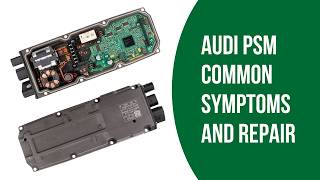
- Audi A4, A5, Q5, A6 (2012-2018) — Frequently logs B2000-49 (Internal Electronic Failure) in the power steering module, triggering a 'Steering defective! Do not drive' warning. Often requires a mail-in module repair or full steering rack replacement.
- Volkswagen T-Roc, Jetta, Golf, Passat (2016-2022) — Commonly logs B2000 in the airbag control module due to water ingress under the center console. B2000-87 in infotainment units indicates a software mismatch fixable via updates.
- Ford F-150, F-250, Edge, Explorer (2015-2023) — Appears as B2000:49 in various modules. Often resolved by manufacturer software updates (TSBs) rather than hardware replacement. Water leaking onto the passenger footwell BCM is also common.
- Chevrolet / GMC Silverado, Sierra (2007-2014) — Appears in the Body Control Module (BCM) or passenger presence module, frequently traced to damaged wiring connectors under the passenger seat.
- Hyundai / Kia Various models (2010-2024) — Triggers in the Airbag Control Module (SRS) after a collision. The module locks due to stored crash data and requires a specialized reset service.
- Toyota Models with Pre-Crash Safety (2010-2024) — Indicates a fault in the Pre-Crash Safety System ECU, often related to a short in the seat belt pretensioner circuit.
- Chrysler/Dodge/Jeep 200, Town & Country, Grand Cherokee (2011-2016) — Airbag system codes accompanying a B2000 are routinely caused by loose or corroded yellow connectors under the front seats.
- Mazda 3, 6, CX-5 (2013-2024) — Indicates the SRS (airbag) module has stored hard crash data after an impact and requires professional resetting or replacement.
Manufacturer-Specific Notes
- Audi/Volkswagen: B2000 is notorious in power steering and airbag modules. Power steering faults often require expensive rack replacements, while airbag faults stem from water damage. Never install used airbag modules in VAG vehicles.
- Ford: Ford relies on 2-digit suffixes (like :49 or :89) to specify the fault type. Many newer Ford B2000 codes are false alarms fixed entirely by dealership software updates (Customer Satisfaction Programs).
- General Motors (GM): BCM faults are frequently tied to the passenger presence system. Always check the seat sensor mat and under-seat wiring before condemning the BCM.
- Chrysler/Dodge/Jeep: Airbag-related B2000 codes are highly sensitive to physical disturbances. Items shoved under the front seats easily dislodge the yellow SRS connectors, triggering the code.
Real Owner Stories
2014 Audi A4 with 'Steering Defective' warning
After idling with the A/C on for an hour, the 'Steering Defective! Do not drive' message appeared. Power steering was completely lost. The dealer scanned the car and found code B200000.
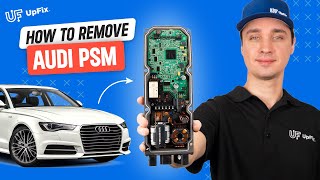
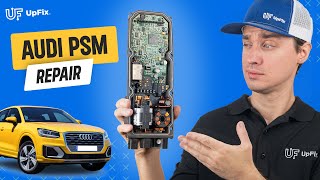
Outcome: The owner had a local shop remove the power steering control module and sent it for repair, costing $350. After reinstallation, the code cleared and power steering was restored without needing dealer programming.
Lesson: For expensive modules like the Audi power steering controller, a mail-in board-level repair service saves thousands of dollars and bypasses complex dealer programming.
2018 VW T-Roc with Airbag Light after heavy rain
The owner discovered 3 inches of water in the driver's footwell after a storm. After drying the carpet, the airbag warning light illuminated permanently. A VCDS scan showed B2000 in the airbag module.
Outcome: The specialist confirmed the circuit board was destroyed by water and unrepairable. The owner had to purchase a brand new OEM module and pay a dealer for VIN-coding.
Lesson: Water intrusion is an immediate death sentence for electronics. If a B2000 code appears after a leak, the module is almost certainly destroyed. Keep sunroof drains clear.
2016 Ford F-150 with random electrical issues and corrosion
The truck's horn honked randomly and lights strobed. The owner found water dripping onto the Body Control Module (BCM) in the passenger footwell, causing visible green corrosion on the pins.
Outcome: The owner had to purchase a 2-day license for Ford's official FJDS software to perform the mandatory PATS (Passive Anti-Theft System) parameter reset, finally allowing the truck to start.
Lesson: Physical installation is only half the job. Security programming is mandatory for modern modules. Without OEM-level software, you will brick the vehicle.
Frequently Asked Questions
Can I fix a B2000 code myself?
No, this is rarely a DIY repair. While you can test battery voltage and inspect wiring, the most common fixes—module replacement and programming—require professional bidirectional scan tools and OEM software. Take the vehicle to a qualified shop for module-level diagnostics.
Will clearing the code make it go away?
No. If the code stems from a hard internal fault or stored crash data, it returns immediately upon the next key cycle. You must repair or replace the module to permanently clear the code.
How much does it cost to fix a B2000 code?
Costs range from $150 for a simple software update to over $2,000 for a complex module replacement like an Audi steering rack. Utilizing a mail-in module repair service often costs $200 to $400 and avoids expensive dealer programming fees.
What's the biggest misdiagnosis for a B2000 code?
The biggest mistake is replacing the module without testing the battery and power/ground circuits first. Low voltage causes modules to fail their self-tests, triggering a false B2000 code.
Can I install a used (second-hand) control module?
Avoid used modules for safety systems like airbags, as they often contain locked crash data. Many modern modules are VIN-locked to the original vehicle and cannot be reprogrammed. Buy new OEM parts or use a professional mail-in repair service.
What do the numbers after B2000 (like -49 or -87) mean?
These manufacturer-specific suffixes pinpoint the exact failure type. For example, '-49' indicates a fatal internal hardware failure, while '-87' points to a software incompatibility or missing message. You need an advanced scan tool to read these critical sub-codes.
Can a bad battery cause a B2000 code?
Yes. A weak battery dropping below 12.4V during startup starves the modules of power, causing them to initialize incorrectly and log false internal faults. Always test and charge the battery before diagnosing module codes.
Key Takeaways
- Code B2000 flags a fatal internal hardware or software failure inside one of your vehicle's control modules, not an external sensor issue.
- Because B2000 is manufacturer-specific, you must use an advanced bidirectional scan tool to read the exact module and 2-digit suffix (like B2000-49) to diagnose it.
- Always test the battery (must be >12.4V resting) and check for Technical Service Bulletins (TSBs) before spending $500+ on a replacement module.
- Replacing the module costs between $500 and $2,000+, but utilizing a mail-in board-level repair service often fixes the issue for under $400.
Helpful Videos

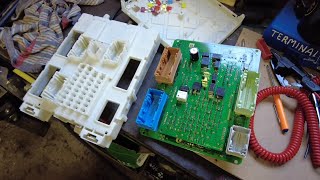

The information in this article is provided for general reference and educational purposes only. Vehicle specifications, procedures, and part compatibility can vary by production date, trim level, and region. Always consult your vehicle's factory service manual and verify part numbers before purchasing or performing repairs. Safety-critical components such as airbags, seat belts, and braking systems should be installed by a qualified professional.
- 🎬 Helpful Videos
- What Does B2000 Mean?
- Can I Drive With B2000?
- Common Causes
- Symptoms
- Diagnostic Flowchart
- Common Fixes & Costs
- Used vs. New Parts: Buying Guide
- What Happens If You Wait — Timeline
- Cost of Not Fixing It
- Diagnosis Steps
- When This Code Triggers (Freeze-Frame Conditions)
- Related Codes
- Climate & Environmental Factors
- How to Talk to a Mechanic About This Code
- Where to Take It: Dealer vs Independent vs Chain
- When to Walk Away From the Repair
- What Scan Tool You Need for This Code
- How to Clear the Code After You Fix It
- Will This Fail Emissions / State Inspection?
- Most Commonly Affected Vehicles
- Manufacturer-Specific Notes
- Real Owner Stories
- 2014 Audi A4 with 'Steering Defective' warning
- 2018 VW T-Roc with Airbag Light after heavy rain
- 2016 Ford F-150 with random electrical issues and corrosion
- Frequently Asked Questions
- Can I fix a B2000 code myself?
- Will clearing the code make it go away?
- How much does it cost to fix a B2000 code?
- What's the biggest misdiagnosis for a B2000 code?
- Can I install a used (second-hand) control module?
- What do the numbers after B2000 (like -49 or -87) mean?
- Can a bad battery cause a B2000 code?
- Key Takeaways
- 🎟️ Get 5% Off