

B1562 on 2022-2026 Ram 3500: GPS Antenna Fault Causes and Fixes
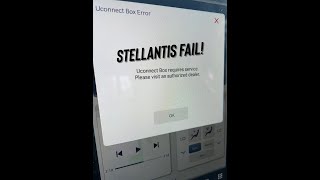
Code B1562 on a 2022-2026 Ram 3500 almost always indicates a loose GPS antenna connection at the Telematics Box Module (TBM), causing a 'Uconnect Box Requires Service' message. Checking and reseating this blue Fakra connector, located behind the glove box, is the most common fix and costs nothing. This is a widespread issue across many 2021+ Stellantis vehicles with the Uconnect 5 system.
- B1562 on a 2022-2026 Ram 3500 means there's a problem with the GPS antenna circuit.
- The most common symptom is a "Uconnect Box Requires Service" message on your screen.
- Before buying any parts, check for a loose GPS antenna connector at the Telematics Box Module (TBM), which is usually behind the glove box.
- This is a known issue documented by Ram, and the fix is often as simple as reconnecting a wire.
- This code does not affect the truck's safety or drivability, only navigation and connected features.
What's Unique About the 2022-2026 Ram 3500

On this generation of Ram trucks featuring the Uconnect 5 system, this code is an extremely common and well-documented issue. Ram's parent company, Stellantis, has released multiple Technical Service Bulletins (TSBs) acknowledging the problem across a wide range of its vehicles, including Ram, Jeep, and Chrysler models. The issue is almost always traced back to a simple loose antenna connection at the Telematics Box Module (TBM), a separate computer that handles GPS, cellular, and other connected services, rather than a fault in the main radio head unit itself. This problem is so prevalent that it has led to class-action lawsuits against Stellantis regarding the reliability of the Uconnect 5 system.
🎬 Watch: An owner's experience with these common Uconnect 5 failures.Diagnostic Flowchart

Tap your situation to follow the diagnostic path that matches what you're seeing on this vehicle.
Symptoms You May Notice

- "Uconnect Box Requires Service" or "Uconnect Box Error" message on the infotainment screen.
- GPS navigation map is frozen, shows an incorrect vehicle location, or fails to load.
- SOS and Assist buttons on the overhead console are non-functional (often showing a red light).
- Ram Connected Services app fails to update vehicle status, location, or execute remote commands.
- In-vehicle Wi-Fi hotspot does not work.
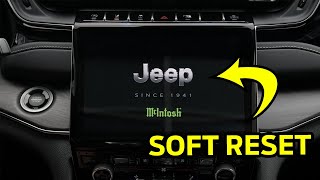
- The clock time on the Uconnect display is incorrect and does not update automatically. 🎬 See how to reboot your system if the screen goes blank.
- Replacing the entire Uconnect radio head unit. The TBM is a separate module, and replacing the expensive radio screen will not fix a fault related to the TBM or its antenna. This is a common point of frustration for owners in forums.
- Replacing the GPS antenna without first checking the connection at the TBM. The loose connector is far more common than a failed antenna.
Most Likely Causes

- Loose GPS Antenna Connector at the TBM 🔴 High Probability Multiple TSBs specifically call out a loose antenna connection as the primary cause for this code and the associated "Uconnect Box Requires Service" message. Forum posts from hundreds of owners confirm this is the most common failure point, likely due to insufficient retention clips on the connector or vibration.
How to confirm: Access the Telematics Box Module (TBM), located behind the glove box assembly. Visually inspect the GPS antenna cable, which is the blue Fakra connector. Physically check if it is securely clicked into place. Often, it will feel loose or will click when pushed in.
Typical fix: Disconnect and firmly reconnect the blue GPS antenna connector until it clicks. Some owners recommend adding a zip tie or a small piece of foam to keep pressure on the connector and prevent it from vibrating loose again. Clear the codes and verify the fault does not return.
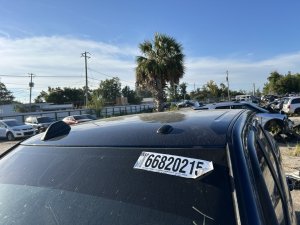
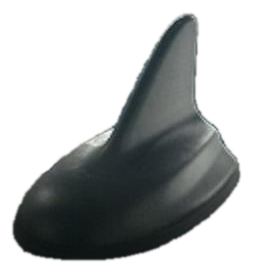
Est. part cost: $0 - Damaged GPS Antenna Cable 🟡 Medium Probability The antenna cable runs from the roof-mounted 'shark fin' antenna down the passenger-side A-pillar to the TBM. It can be pinched, chafed, or damaged during prior repairs (like a windshield replacement) or from vehicle vibration.
How to confirm: After confirming the connection is tight, visually inspect the visible portions of the cable for damage. A multimeter can be used to check for continuity (no open circuit) and to ensure there is no short to ground. A diagnostic procedure from a service manual for an older model suggests checking for resistance below 47.5 Ohms to detect a short.
Typical fix: Replace the GPS antenna and cable assembly. The cable is often integrated with the antenna.
Est. part cost: $50-$150 - Faulty Telematics Box Module (TBM) ⚪ Low Probability While less common than a loose wire, the TBM itself can fail internally. This is often indicated by the presence of additional trouble code B22A9 (ECU internal performance). In some cases, a software update performed by the dealer is required to fix internal logic flaws, rather than a full hardware replacement.
How to confirm: This is a process-of-elimination diagnosis. If the antenna connector is secure and the cable tests good for continuity and is not shorted, the TBM is the likely culprit. A dealership scan tool (wiTECH) is needed for a definitive diagnosis and to check for required software updates.
Typical fix: First, attempt a software update at the dealership. If the code returns immediately, replace the Telematics Box Module. This part typically requires programming by a dealership to the vehicle's VIN.
Est. part cost: $300-$800
Rare But Worth Checking
- Corrupted TBM Software:
Diagnosis Steps
- Scan for all Diagnostic Trouble Codes (DTCs). Note if B1560, B1561, or B22A9 are also present, as this can help pinpoint the cause.
- Gain access to the Telematics Box Module (TBM). On 5th Gen Ram trucks, this requires opening the glove box, depressing the side tabs to let it drop down fully, and then removing the glove box assembly (typically held by several screws) to reveal the modules behind it.
- Disconnect the vehicle's negative battery terminal as a safety precaution.
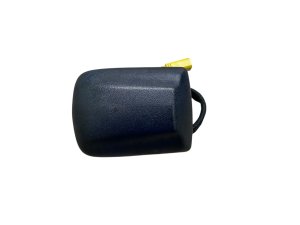
- Locate the TBM. It is a black box with several multi-colored connectors. Locate the GPS antenna connector, which is a blue-colored Fakra-style connector.
- Firmly press on the blue connector to ensure it is seated. If it clicks, it was loose. For good measure, release the locking tab, unplug the connector, inspect the pins for any visible damage or corrosion, and plug it back in securely.
- While access is available, check that the other connectors (for cellular antennas, etc.) are also secure.
- Inspect the antenna wire for any visible signs of pinching, chafing, or damage near the module.
- Reconnect the battery, start the truck, and clear the DTCs using a scan tool. A simple OBD-II reader can clear the code.
- Check if the 'Uconnect Box Requires Service' message disappears and if the GPS/navigation is functioning. It may take a few minutes of driving in an open area for the GPS to acquire a signal and update the location.
- If the problem persists, the next step is to test the antenna cable for continuity or replace the antenna assembly. If that does not resolve the issue, the TBM is likely faulty and requires a trip to the dealership for software diagnostics or replacement.
Parts You'll Likely Need
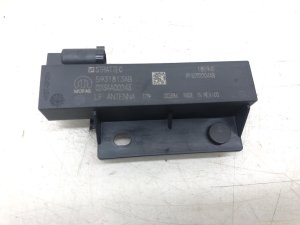
- GPS Antenna
(OEM #68442233AD (example, verify by VIN))— If the antenna cable is found to be damaged (shorted or open circuit), the entire antenna assembly must be replaced. The cable is often integrated into the roof-mounted 'shark fin' unit.
Trusted brands: Mopar
OEM price range: $70-$150
Aftermarket price range: $40-$100 - Telematics Box Module (TBM)
(OEM #68423484AC, 68353128AC (examples, part is VIN-specific and has many revisions))— If the antenna and its wiring are confirmed to be good, and a software flash does not fix the issue, the TBM itself has likely failed. This is often the case when code B22A9 is also present.
Trusted brands: Mopar
OEM price range: $400-$1000
Related Codes That Often Appear With This One
- B1560 — This code indicates a fault with Cellular Antenna 1. Since the cellular and GPS antennas both connect to the TBM, a loose main harness or faulty module can trigger both codes.
- B1561 — This code indicates a fault with Cellular Antenna 2. Like B1560, it points to a problem in the same area as the GPS antenna—the TBM.
- B22A9 — This code indicates an internal performance failure within an ECU. When seen with B1562, it strongly suggests the Telematics Box Module (TBM) itself has failed and requires replacement.
Technical Service Bulletins (TSBs) & Recalls
- 08-071-26: Defines B1562 as 'GPS Antenna short to ground or open' and lists it with other antenna-related codes.
- OTHERDOC_148: Links B1562 to an 'Antenna loose connection' and the 'Uconnect Box Requires Service' pop-up.
- S2508000100: Mentions B1562 as a stored or pending DTC related to the 'Uconnect Box Requires Service' message.
- OTHERDOC_132: Connects B1562 with a loose antenna connection.
- OTHERDOC_134: Also identifies B1562 as being caused by a loose antenna connection.
- 08-130-23: Details an Over-The-Air (FOTA) software update for the TBM to address the 'Uconnect Box Requires Service' message, confirming a software-related cause in some cases.
Platform-Specific Known Issues
- A series of Technical Service Bulletins (TSBs) have been issued for the Uconnect 5 system in these trucks, frequently citing loose antenna connections at the TBM as the cause for various connectivity-related DTCs, including B1562.
- Owner forums are filled with identical stories: the 'Uconnect Box Requires Service' message appears, and the fix is almost always reseating the blue connector behind the glove box.
- TSB 08-130-23 specifically addresses the 'U
Mechanic-Grade Diagnostic Values
- GPS Antenna Cable Resistance (Short to Ground Test) — expected: Greater than 47.5 Ohms. Failure: A resistance reading below 47.5 Ohms indicates the antenna cable is shorted to ground.
- GPS Antenna Cable Resistance (Open Circuit Test) — expected: Less than 52.5 Ohms. Failure: Resistance above 52.5 Ohms indicates an open circuit (a break) in the antenna cable.
Hidden / Shadow Codes Worth Checking
- B1562-14: The '-14' is a Failure Type Byte (FTB) indicating 'Circuit Short To Ground or Open'. This confirms the generic definition and points directly to a wiring or connection issue rather than a software glitch. The module cannot distinguish between a complete disconnection (open) and a short, so it flags both possibilities. (see via A professional scan tool like the dealership's wiTECH or advanced aftermarket scanners (JScan, AlfaOBD) will display the full DTC with its failure type byte.)
- B1562-13: On some older or related platforms, this code appears as B1562-13, which specifically means 'GPS Antenna - Circuit Open'. This is a more precise fault pointing only to a disconnection, which is the most common cause on the 2022-2026 Ram 3500. (see via Dealer-level scan tools on specific vehicle platforms.)
Scan Tool Commands That Help
- wiTECH: Module, Global Telematics Box (TBM) - Reprogram — This function is used to flash the TBM with updated software to resolve known bugs or logic issues that can cause the 'Uconnect Box Requires Service' message, sometimes even without setting a specific DTC. TSBs often call for this procedure.
- wiTECH: Clear All DTCs — After performing a software update or any physical repair (like reseating the connector), all DTCs in all modules should be cleared. The wiTECH application automatically prompts this after a flash procedure.
- wiTECH: TRANSMISSION VERIFICATION TEST — While not directly related to the GPS antenna, service procedures that involve disconnecting the battery or modules, such as TBM replacement, may require a verification test to ensure other critical systems like the transmission are communicating correctly after power is restored.
Wiring & Ground Locations
- TBM Connector C1 (Blue Fakra) — On the Telematics Box Module, located behind the glove box assembly. The blue connector is specifically for the GPS antenna.. This is the single most common failure point. The connector vibrates loose, creating an open circuit and triggering B1562.
- Main Body Ground — On the driver's side of the frame, visible just in front of the front wheel. Additional grounds are located in the driver's side wheel well, forward of the upper control arm.. While not a primary cause, a poor main body or frame ground can introduce electrical noise and intermittent issues across multiple modules, including the TBM. Verifying grounds are clean and tight is a good practice when chasing electrical faults.
Real Owner Repair Stories
- Reddit user in r/DodgeDurango (2021+ Dodge Durango (shares Uconnect 5 architecture with Ram)) — 'Uconnect Box Requires Service' message appeared 3 hours after driving the new vehicle off the lot.
❌ Tried (didn't work) Dealer replaced the GPS antenna, but the message returned on the drive home.
✅ What actually fixed it The dealer replaced the Telematics Box Module (TBM) itself. The service technician noted that his own personal Durango had the same issue. - HD Rams Forum user (5th Generation Ram Heavy Duty) — 'Uconnect Box Requires Service' message, non-functional SOS button.
❌ Tried (didn't work) Dealer visits where software was flashed multiple times without success.
✅ What actually fixed it The owner accessed the TBM behind the glovebox, found the blue GPS connector was loose, and secured it firmly. To prevent recurrence, they added a zip tie to hold the connector in place. This permanently resolved the issue.
OEM Part Supersession History
68423484AC→Unknown, but multiple revisions exist.— Part revisions are common to fix hardware flaws or improve manufacturing. Given the widespread issues with the TBM, it's likely that newer part numbers have improved internal components or software.
Heads up: The Telematics Box Module is VIN-specific. Using a part from another vehicle, even if it physically fits, will not work as it needs to be programmed to the specific options and security of the truck. Always verify the correct part number with a dealer using the vehicle's VIN.
Model Year Variations Within This Range
- 2022-2023: Vehicles built on or before May 20, 2023, may have older TBM software (version 5.25). A specific TSB directs dealers to update this to version 5.39.1 to resolve various connectivity issues.
Helpful Videos
We Have This Part in Stock


The information in this article is provided for general reference and educational purposes only. Vehicle specifications, procedures, and part compatibility can vary by production date, trim level, and region. Always consult your vehicle's factory service manual and verify part numbers before purchasing or performing repairs. Safety-critical components such as airbags, seat belts, and braking systems should be installed by a qualified professional.
- Ram 3500:
- 🎬 Helpful Videos
- 🛍️ Shop This Part
- What's Unique About the 2022-2026 Ram 3500
- Diagnostic Flowchart
- Symptoms You May Notice
- Most Likely Causes
- Rare But Worth Checking
- Diagnosis Steps
- Parts You'll Likely Need
- Related Codes That Often Appear With This One
- Technical Service Bulletins (TSBs) & Recalls
- Platform-Specific Known Issues
- Mechanic-Grade Diagnostic Values
- Hidden / Shadow Codes Worth Checking
- Scan Tool Commands That Help
- Wiring & Ground Locations
- Real Owner Repair Stories
- OEM Part Supersession History
- Model Year Variations Within This Range
- 🎟️ Get 5% Off