

B1562 on 2013-2020 Ram 1500: GPS Antenna Circuit Open Causes and Fixes
This code indicates a problem with the GPS antenna circuit, causing your navigation to fail. On 2013 models, it's often a software bug that requires a dealer update per a TSB. On other years, the most common fix is replacing the roof-mounted 'shark fin' antenna or checking for a loose cable behind the radio.
- For a 2013 Ram 1500, your first step should be to check with a dealer about a software update (TSB #9002925 / SB 08-077-13), as this is a known bug.
- For all other model years in this range, the problem is most likely a failed roof antenna or a loose blue Fakra cable connection behind the radio.
- This is a DIY-friendly fix with a difficulty of 2/5; it typically involves removing some interior trim to access the radio or headliner.
- You can continue to drive the truck without any safety issues, but your GPS navigation and potentially some connected services will not work until the fault is corrected.
What's Unique About the 2013-2020 Ram 1500

What makes this code unique on this platform is a well-documented software issue affecting 2013 models. Per TSB #9002925, many early 4th generation trucks would set this code falsely without any real hardware problem. For these specific trucks, the fix is a software update (Service Bulletin 08-077-13) from a dealer, not a part replacement. For later 4th-gen (2014-2018) and early 5th-gen (2019-2020) trucks, the code is more likely to indicate a genuine physical fault with the antenna or its wiring, a common issue across many Stellantis vehicles.
Diagnostic Flowchart

Tap your situation to follow the diagnostic path that matches what you're seeing on this vehicle.
Generation note: This range covers the 4th generation (2013-2018) and the start of the 5th generation (2019-2020). The software glitch mentioned in TSB #9002925 is specific to early 4th-gen models (around 2013). Later models are more likely to have a physical fault with the antenna or wiring. The antenna replacement procedure involves dropping the rear of the headliner to access the retaining nut and connectors.
Symptoms You May Notice
- GPS navigation not working or stuck on "Acquiring Signal"
- Incorrect vehicle location displayed on the navigation map, sometimes showing a location in a different state.
- Satellite radio may also have issues if the fault is in a shared antenna unit
- No GPS signal error message on the Uconnect screen
- The clock may display the incorrect time, as it cannot sync with the GPS signal.
- Compass heading may be missing or incorrect.
- Replacing the entire Uconnect head unit before checking the much cheaper and more common failure points: the antenna and its connections.
- On 2013 models, replacing the antenna hardware when only a software update (TSB 08-077-13) was needed.
Most Likely Causes

- Software Glitch (2013 Models) 🔴 High Probability A specific software anomaly was identified by the manufacturer for this model year, causing the radio to falsely report an open antenna circuit.
How to confirm: Contact a Ram dealership with your VIN and ask if TSB #9002925 or Service Bulletin 08-077-13 has been performed. If it has not, this is the most likely cause. This TSB applies to vehicles built on or before April 17, 2013.
Typical fix: A dealer-installed software update for the radio/infotainment module. The dealer uses a scan tool (wiTECH) to apply the update.
Est. part cost: $0 - Failed GPS Antenna 🟡 Medium Probability The roof-mounted 'shark fin' antenna is exposed to the elements, including sun, moisture, and physical damage from car washes or low-clearance garages. Over time, the internal electronics can fail or the seal can degrade, causing an open circuit.
How to confirm: After confirming connections are secure, the easiest way to test is to plug a known-good temporary GPS antenna directly into the back of the radio. If the signal returns, the roof antenna is bad. A visual inspection may also reveal cracks or damage to the antenna housing.
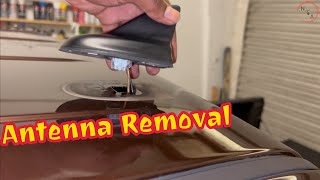
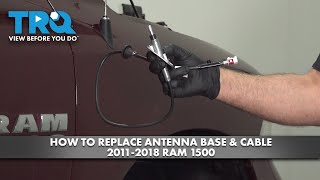
Typical fix: Replace the roof-mounted antenna base assembly. This requires partially dropping the headliner to access the 10mm retaining nut and cable connectors.
Est. part cost: $50-$150 - Loose or Corroded Antenna Cable Connection 🟡 Medium Probability
How to confirm: Remove the dash trim around the Uconnect radio to access the back of the unit. Inspect the GPS antenna cable, which is a blue Fakra connector, for a loose connection or any signs of damage. Reseat it firmly and ensure it 'clicks' into place.
Typical fix: Clean the connector terminals if corroded and ensure the connector is fully seated and locked. Some owners add a zip tie to prevent it from vibrating loose again.
Est. part cost: $0
Rare But Worth Checking
- Damaged Antenna Coaxial Cable: The cable running from the antenna to the radio can get pinched or chafed in the headliner or A-pillar, though this is less common than a failure at either end. An inline connector may also be present behind the passenger side kick panel, which could be another point of failure.
- Internal Radio/Head Unit Fault: While possible, it is rare for the GPS receiver inside the radio to fail. This should be considered the last resort after the antenna and wiring have been thoroughly checked. In some forum cases, a full radio replacement was the only solution after other steps failed.
Diagnosis Steps

- For 2013 models: Before any other steps, contact a Ram dealer with your VIN to check if software update SB 08-077-13 (related to TSB #9002925) is needed. If it hasn't been done, this is your most probable fix.
- Scan for other codes. The presence of B156B strongly points to a fault with the shared antenna unit or its main cable.
- Visually inspect the roof antenna for cracks, damage, or a degraded seal at the base.
- Perform a soft reset of the Uconnect system. With the vehicle in ACC or RUN mode, press and hold the volume and tuner knobs simultaneously for 10-20 seconds until the screen reboots. 🎬 Watch: Troubleshooting navigation and signal issues on 4th Gen trucks. This can sometimes clear temporary glitches.
- Carefully remove the dash trim to access the Uconnect radio. Locate the GPS antenna cable (a blue Fakra connector) on the back. Disconnect, inspect for damage or corrosion, and reconnect it firmly, listening for a click.
- If the connection is good, the next step is to test the antenna itself. A simple method is to use an inexpensive universal GPS antenna with a Fakra connector, plug it directly into the radio, and see if a signal is acquired. If it works, the original roof antenna or its cable is faulty.
- If a new antenna doesn't fix the issue, inspect the coaxial cable for any visible damage where it runs through the headliner and down the pillar. Check for an inline connector behind the passenger kick panel which could be loose.
- If the antenna and all wiring are confirmed to be good, the fault may be internal to the radio head unit, which would then require replacement.
Parts You'll Likely Need
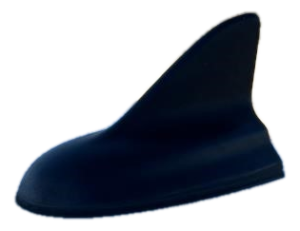
- GPS/Satellite Radio Antenna Base
(OEM #68362762AD (example for 2020 model, verify by VIN))— This is the most common hardware failure for this code. The unit is exposed to the elements, and its internal circuitry can fail, creating an open circuit.
Trusted brands: Mopar
OEM price range: $70-$150
Aftermarket price range: $50-$80
Related Codes That Often Appear With This One
- B156B — This code indicates a Satellite Radio Antenna Circuit Open. Since the GPS and satellite radio antennas are often integrated into the same 'shark fin' housing, a fault in the unit or its wiring can trigger both codes simultaneously, as noted in TSB #9002925.
Technical Service Bulletins (TSBs) & Recalls
- #9002925: Notes that a software update is available for 2013 models that falsely set B1562-13 (GPS Antenna-Circuit Open) and B156B-13 (Satellite Radio Antenna-Circuit Open).
- 08-077-13: The actual service bulletin that contains the software update procedure for the RA1 radio to fix the false codes on 2013 Ram trucks.
Platform-Specific Known Issues
- A software bug in 2013 models was a primary cause for this code being set incorrectly. TSB #9002925 was issued, referencing Service Bulletin 08-077-13 to update the radio software and prevent the false code.
- Owners on forums report dealers often quoting over $1,000 to replace the entire radio unit for this issue, when the problem was simply the antenna or a software update.
- Physical damage to the 'shark fin' antenna from garage doors or car washes is a frequently cited cause of failure by owners.
Mechanic-Grade Diagnostic Values
- GPS Antenna Power Supply Voltage — expected: 3.0V to 5.0V DC (measured at the antenna connector). Failure: Voltage below 3.0V or above 5.0V points to a wiring or radio/TBM fault.
- GPS Antenna Power Supply Current — expected: Up to 10mA. Failure: Current draw significantly higher than 10mA suggests a short circuit in the antenna or its cable.
- Antenna Coaxial Cable Resistance (Open Test) — expected: Less than 52.5 Ohms. Failure: Resistance significantly higher than 52.5 Ohms indicates an open circuit (a break) in the cable.
- Antenna Coaxial Cable Resistance (Short to Ground Test) — expected: Greater than 47.5 Ohms. Failure: Resistance below 47.5 Ohms indicates a short between the cable's center pin and the outer shield/ground.
Hidden / Shadow Codes Worth Checking
- B1562-13: GPS Antenna - Circuit Open. This is the most common variant, indicating a break in the circuit. (see via Professional scan tool like wiTECH.)
- B1562-14: GPS Antenna - Circuit Short to Ground or Open. A more general fault that can be either a short or an open. (see via Professional scan tool like wiTECH.)
- B1562-11: GPS Antenna - Circuit to Ground. This specifically indicates the signal wire is shorted to the vehicle chassis. (see via Professional scan tool like wiTECH.)
- B1562-12: GPS Antenna - Circuit Short to Battery. This indicates the signal wire is shorted to a power source. (see via Professional scan tool like wiTECH.)
Scan Tool Commands That Help
- Uconnect Engineering Menu: Factory Reset / Dealer Mode — Can be accessed without a scan tool to perform a system reset, which may clear software glitches. Also provides detailed radio part and software version information. Access method varies by year (e.g., holding Temp Up/Down buttons).
- wiTECH: Flash ECU / Read DTCs — Used by dealers to apply software updates like TSB 08-077-13 for 2013 models. Also used to read specific sub-codes (e.g., B1562-13) and to clear codes after a repair is performed.
Wiring & Ground Locations
- Radio Connector C1 — The main 52-pin connector that plugs into the back of the radio head unit.. The radio's primary ground is integrated into this harness, not a separate chassis ground strap. A loose C1 connector can cause various issues, including this code.
- GPS Antenna Connector (Fakra C) — The blue connector on the back of the radio (or Telematics Box Module on 5th Gen) and at the base of the roof antenna.. This is the direct connection for the GPS signal. It is the most common point of failure due to becoming loose or corroded.
- Inline Antenna Connector — Behind the passenger side A-pillar trim or kick panel.. The antenna cable is not a single piece. It has an inline connection that can become loose or corroded, creating an open circuit. This is an often-overlooked failure point.
When the Usual Fixes Don't Work
- In one case reported by an owner of a 2014 Ram, the radio would intermittently shut off, particularly in cold weather. Suspecting a faulty radio, they replaced the Uconnect 5.0 head unit with a new OEM one, but the problem persisted with the new radio under the same cold conditions. This strongly indicates the root cause was not the radio itself, but rather a fault in the vehicle's wiring or a ground connection that was sensitive to thermal contraction, creating an intermittent open circuit. This serves as a caution against immediately replacing the head unit for intermittent electrical symptoms.
OEM Part Supersession History
68362762AD→N/A— Part number for 4th Gen (DT 'Classic') 2019-2020 models.
Heads up: This part is likely for the 4th generation platform. Verify by VIN.68483937AA→N/A— Part number listed for 5th Gen (DT) 2021+ models.
Heads up: This part is for the newer 5th generation platform and is not backward compatible with 4th gen trucks. Always verify any antenna part number with the vehicle's VIN.
Model Year Variations Within This Range
- 2013: Highly prone to a software glitch causing false B1562 codes. The primary fix is a dealer-installed software update per TSB #9002925, not hardware replacement.
- 2019-2020: This period includes two different platforms: the 4th Gen 'Ram 1500 Classic' and the new 5th Gen 'Ram 1500 (DT)'. The 5th Gen uses a different infotainment architecture with a Telematics Box Module (TBM) managing connectivity, whereas the 4th Gen integrates it into the radio. Parts are not interchangeable.
- 2013-2020: The button combination to access the hidden Uconnect Engineering/Dealer menu changes depending on the radio version and year. For example, older systems use Temp Up + Temp Down, while newer ones may use Temp + Defrost or other combinations.
Helpful Videos
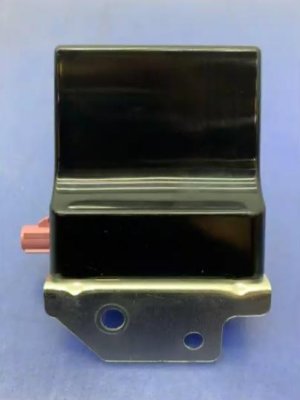
Used OEM Parts in Stock

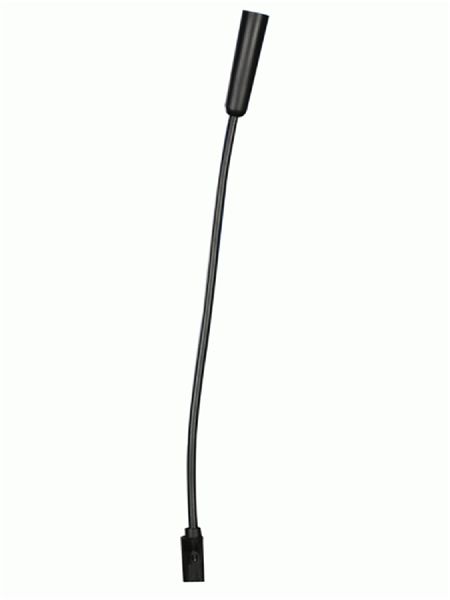
New Aftermarket Parts Available


The information in this article is provided for general reference and educational purposes only. Vehicle specifications, procedures, and part compatibility can vary by production date, trim level, and region. Always consult your vehicle's factory service manual and verify part numbers before purchasing or performing repairs. Safety-critical components such as airbags, seat belts, and braking systems should be installed by a qualified professional.
- Ram 1500:
- 🎬 Helpful Videos
- 🛍️ Shop This Part
- What's Unique About the 2013-2020 Ram 1500
- Diagnostic Flowchart
- Symptoms You May Notice
- Most Likely Causes
- Rare But Worth Checking
- Diagnosis Steps
- Parts You'll Likely Need
- Related Codes That Often Appear With This One
- Technical Service Bulletins (TSBs) & Recalls
- Platform-Specific Known Issues
- Mechanic-Grade Diagnostic Values
- Hidden / Shadow Codes Worth Checking
- Scan Tool Commands That Help
- Wiring & Ground Locations
- When the Usual Fixes Don't Work
- OEM Part Supersession History
- Model Year Variations Within This Range
- 🎟️ Get 5% Off