

B1560 on 2022-2026 Ram 1500: "Uconnect Box Requires Service" Causes and Fixes
This code almost always points to a problem with the cellular antenna circuit for the Uconnect system, often just a loose connection. Expect to see a 'Uconnect Box Requires Service' message. The fix is usually checking connections at the TBM behind the glove box and at the roof antenna, but could require a new antenna or a dealer-installed software update.
- B1560 on your Ram 1500 means there is a fault with the Cellular Antenna 1 circuit, which will disable Uconnect services.
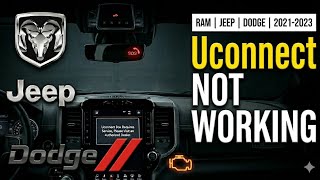
- The most common symptom is a 'Uconnect Box Requires Service' pop-up on your radio screen.
- Before buying any parts, perform a system reset and thoroughly check the antenna connections at the TBM (behind the glove box) and at the roof antenna base.
- Contact a dealer with your VIN to check for open TSBs or recalls, as a simple software update may be the only fix required.
- Avoid replacing the expensive Telematics Box Module (TBM) unless all other possibilities—wiring, connections, software, and the antenna itself—have been professionally ruled out.
What's Unique About the 2022-2026 Ram 1500

On the 5th generation (DT) Ram 1500, this code is very frequently addressed by manufacturer-issued Technical Service Bulletins (TSBs). Unlike a simple part failure, Ram has documented common issues with these trucks ranging from software glitches requiring a dealer reprogram to simple loose antenna connections behind the glove box or at the headliner. Some 2022 models were even shipped with the wrong TBM from the factory, prompting Customer Satisfaction Notification Z91, which requires a dealer to replace the module. This means diagnosis should always begin with checking for TSBs and ensuring the antenna connections are secure before assuming parts need to be replaced.
Diagnostic Flowchart

Tap your situation to follow the diagnostic path that matches what you're seeing on this vehicle.
Symptoms You May Notice

- "Uconnect Box Requires Service" message on the radio display.
- Malfunction Indicator Lamp (Check Engine Light) may be illuminated.
- In-vehicle Wi-Fi is unavailable or does not work.
- Uconnect remote services (e.g., remote start via app, vehicle locator) do not work.
- SOS button and related emergency features may be inoperative; the SOS light may be off.
- GPS or Navigation system may show errors or not locate the vehicle.
- SXM (SiriusXM) radio may be inoperative or have issues.
- Replacing the Telematics Box Module (TBM) first. TSBs S228A000005 and others strongly advise against this, as the issue is far more likely to be a simple loose connection, a software glitch, or a wiring problem.
- Replacing the head unit/radio. The TBM is a separate module that handles telematics functions; the radio is just the display and interface. The fault code points specifically to the TBM and its antenna circuits.
Most Likely Causes

- Loose or Damaged Antenna Connections 🔴 High Probability Multiple TSBs and owner forums point to intermittent harness connections as a primary cause, suggesting connectors can work loose over time or were not fully seated during assembly. The most common culprits are the FAKRA connectors at the TBM and the base of the antenna.
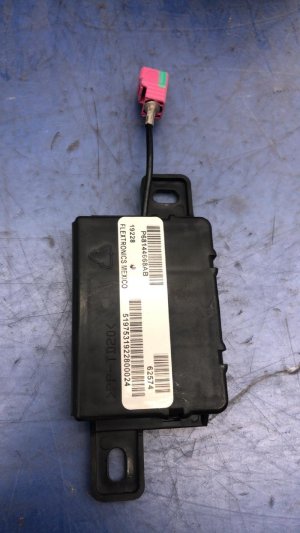
How to confirm: Inspect the coaxial cable connections at the Telematics Box Module (TBM), located behind the upper glove box. Ensure they are clean and securely clicked into place. Then, inspect the connections at the base of the roof antenna, which is accessed by partially lowering the rear of the headliner. The cellular antenna connector is often a claret violet color.
Typical fix: Reseat the connectors firmly. If the connector lock is broken, the connector or harness may need replacement. Some owners have reported success simply unplugging and replugging the connectors.
Est. part cost: $0-$20 - Telematics Box Module (TBM) Software Glitch 🔴 High Probability TSB 08-070-26 explicitly identifies a TBM software reprogram as the fix for B1560-11 on 2025 models. [pass 1 TSBs] Similar software updates (like TSB 08-076-23 and RSU 21-143) have been issued for other model years to address a wide range of Uconnect connectivity issues. An incorrect date/time setting can also prevent Over-The-Air (OTA) updates, requiring a manual setting adjustment as per CSN 70A.
How to confirm: A dealership or a professional shop with a wiTECH scan tool can check the current software version of the TBM and compare it against the latest available version. They can also check for pending OTA or RSU updates tied to the VIN.
Typical fix: Reprogramming the TBM with the latest software. This must be done by a dealer or qualified shop.
Est. part cost: $0 - Damaged Antenna Coaxial Cable 🟡 Medium Probability The cable runs from the TBM, up the A-pillar, and across the headliner to the roof antenna. It can be pinched or damaged during assembly or if other repairs (like a windshield replacement or third brake light service) have been performed.
How to confirm: Visually inspect the cable for pinches, cuts, or sharp bends. Check for continuity from end to end using a multimeter after disconnecting both ends. A diagnostic procedure for a short to ground involves checking for resistance below 47.5 Ohms.
Typical fix: Replace the damaged antenna cable.
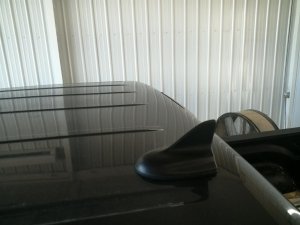
Est. part cost: $50-$100 - Faulty Roof "Shark Fin" Antenna ⚪ Low Probability The internal components of the antenna assembly can fail due to moisture intrusion or vibration, creating an open or shorted circuit. Previous owners damaging it in a car wash or low-clearance garage is also a possibility.
How to confirm: After confirming the wiring and connections are good, the antenna is the next logical point of failure. A special test antenna (like Mopar tool 9977-6-CELL) can confirm this, or you can substitute a known-good antenna.
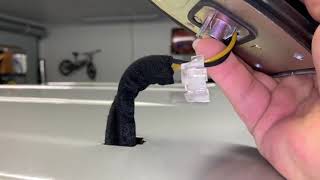
Typical fix: Replace the roof antenna assembly. This involves lowering the headliner to access the mounting nut and connectors. 🎬 Watch this walkthrough on how to remove the shark fin antenna
Est. part cost: $100-$250 - Faulty Telematics Box Module (TBM) ⚪ Low Probability While less common than software or wiring issues, the module's internal circuitry can fail. This is especially true for 2022 models affected by Customer Satisfaction Notification Z91.
How to confirm: This is typically diagnosed by exclusion. If the wiring, connections, software, and antenna are all confirmed to be good, the TBM is the likely culprit. A dealer scan tool can run internal diagnostics on the module.
Typical fix: Replace the Telematics Box Module and program it to the vehicle using a wiTECH scan tool.
Est. part cost: $400-$800
Rare But Worth Checking
- Incorrect TBM Installed at Factory: Customer Satisfaction Notification Z91 was issued for some 2022 models that were built with the wrong TBM. This causes connectivity issues and error messages. A dealer can check if your VIN is affected and will replace the module free of charge.
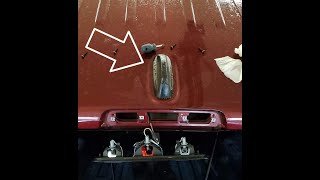
- Water Intrusion from Third Brake Light or Roof Antenna Seal: A well-documented issue on Ram 1500s is a leaking third brake light gasket or a faulty seal at the base of the shark fin antenna. 🎬 See how to fix a leaking shark fin roof antenna This water can drip onto the headliner and potentially travel along the antenna wiring, causing shorts or corrosion at the connector.
Diagnosis Steps
- Scan for Diagnostic Trouble Codes (DTCs) to confirm B1560 is present and check for any suffixes (-11 or -13) or other related codes.
- Check for any open recalls, TSBs, or Customer Satisfaction Notifications (like Z91 for 2022 models) for your vehicle's VIN. A software update or module replacement may be the required fix.
- Try a system reset. Disconnect the negative battery cable for at least 30 minutes to reset the vehicle's modules. Reconnect and check if the error message disappears. Some owners report this as a temporary fix.
- Inspect the TBM connections. Open the upper and lower glove boxes. The TBM is mounted to a bracket next to the passenger airbag. Carefully disconnect and reconnect all antenna cables (they are often color-coded FAKRA connectors), checking for bent pins or damage. Ensure they click into place securely.
- Inspect the antenna base connection. Carefully lower the rear of the headliner to access the nuts and connectors for the roof 'shark fin' antenna. Ensure the connections here are also secure. Some owners access this through the third brake light opening, but it is very tight.
- Visually inspect the antenna cable for obvious signs of damage, pinching, or kinking along its path from the TBM to the roof.
- If all connections and wiring appear intact and the issue persists, the problem likely requires professional diagnosis to test the antenna and TBM or to perform a software update with a wiTECH scan tool.
Parts You'll Likely Need
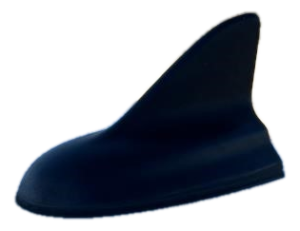
- Roof Mount Antenna Assembly
(OEM #68475114AA (replaces 68366538AA), 68487209AA)— If the wiring and connections are confirmed to be good, the internal components of the 'shark fin' antenna are the next most likely hardware failure point. Part number can vary by vehicle options.
Trusted brands: Mopar
OEM price range: $110-$250
Aftermarket price range: $80-$150 - Telematics Box Module (TBM)
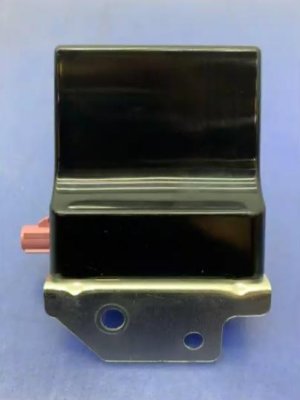
(OEM #68604980AA (replaces multiple previous part numbers like 68541933AB/AC/AD/AF, 68571285AA/AB))— This is the final component to replace if all other diagnostic steps (wiring, connections, software, antenna) fail to resolve the code. It is the control unit for the entire system and requires dealer programming.
Trusted brands: Mopar
OEM price range: $400-$800
Related Codes That Often Appear With This One
- B1561 — This code is for a 'Cellular Antenna 2' circuit fault. The antennas are part of the same system and are often diagnosed together.
- B1562 — This code is for a 'GPS Antenna' circuit fault. The GPS and cellular antennas are housed in the same 'shark fin' unit and share similar wiring paths, so a problem affecting one can affect the other.
- B22A9 — This code indicates an 'ECU Internal Performance Failure' within the TBM. It often appears alongside antenna codes when the issue is related to TBM software or an internal module fault.
Technical Service Bulletins (TSBs) & Recalls
- 08-070-26: Addresses MIL illumination with B1560-11 on 2025 models, recommending a TBM software reprogram as the fix.
- S2508000100: Notes the link between an intermittent 'Uconnect Box Requires Service' Message and DTCs B1560, B1561, B1562, and B22A9.
- S228A000005 (Rev A): Details the diagnostic process for B1560-11/13, emphasizing checking TBM/Radio software versions and inspecting harness connections at both the TBM and antenna ends before replacing any parts.
- Customer Satisfaction Notification Z91: For certain 2022 Ram 1500s built with an incorrect TBM from the factory. The fix is a no-charge replacement of the TBM by a dealer.
- Customer Satisfaction Notification 70A: For 2022-2023 models where an incorrect date/time setting prevents Over-The-Air (OTA) updates, which can lead to various Uconnect issues.
Platform-Specific Known Issues
- A recurring 'Uconnect Box Requires Service' message is a widely documented issue for this platform, with multiple TSBs issued to address it.
- The root cause is frequently traced back to intermittent harness connections or software that needs updating, rather than outright component failure.
- Customer Satisfaction Notification Z91 for some 2022 models addresses incorrect TBMs installed from the factory.
Mechanic-Grade Diagnostic Values
- Cellular Antenna Cable Resistance (Short to Ground Test) — expected: Greater than 47.5 Ohms. Failure: A resistance reading below 47.5 Ohms indicates a short to ground in the antenna cable.
Hidden / Shadow Codes Worth Checking
- B1560-11: Cellular Antenna 1 - Circuit Short To Ground. This is a specific sub-code indicating the nature of the fault. (see via A professional scan tool like wiTECH is needed to read these suffix codes.)
- B1560-13: Cellular Antenna 1 - Circuit Open or Short to Battery. This specific sub-code points to an open circuit or a short to power, rather than ground. (see via A professional scan tool like wiTECH is needed to read these suffix codes.)
Scan Tool Commands That Help
- wiTECH: Read Active/Stored DTCs — Used to confirm the B1560 code and identify specific suffixes (-11, -13) which are critical for diagnosis.
- wiTECH: ECU Reset / Clear DTCs — After checking connections or performing a repair, this function is used to clear the fault and see if it returns. TSBs recommend this step after reseating connectors.
- wiTECH: View TBM/Radio Software Version — Used to check if the Telematics Box Module (TBM) or Radio software is outdated, as multiple TSBs point to software updates as a fix.
Wiring & Ground Locations
- Cellular Antenna FAKRA Connector — On the back of the Telematics Box Module (TBM) behind the glove box, and at the base of the roof 'shark fin' antenna.. This is the primary connection point for the antenna circuit. It is often color-coded Claret Violet. A loose connection here is a very common cause of B1560.
- Main Body Ground — On the driver's side frame, forward of the upper control arm in the wheel well. Another is located above the driver's side headlight.. While not directly for the TBM, a poor main body or engine ground can cause a cascade of seemingly unrelated electrical issues and data communication errors across various modules.
Real Owner Repair Stories
- 5thGenRams Forum User (2022 Ram 1500) — "Uconnect Box Requires Service" message on every startup.
❌ Tried (didn't work) Dealer initially claimed it was a loose connector behind the radio, but the message returned immediately.
✅ What actually fixed it The error message disappeared on its own after a few weeks. The user believes the system performed an over-the-air (OTA) update in the background that resolved the issue, which aligns with TSBs pointing to software fixes. - 5thGenRams Forum User (2022 Ram 1500) — "Uconnect Box Error" message, Wi-Fi and other connected services not working, no OTA updates being received.
❌ Tried (didn't work) Multiple dealer visits where they attempted software updates that failed to install.
✅ What actually fixed it The dealer performed warranty diagnostics, confirmed a hardware issue, and replaced the Telematics Box Module (TBM). After the new TBM was installed and programmed, all features worked correctly and the truck began receiving OTA updates again. - Reddit user r/ram_trucks (2022 Ram Rebel) — "Uconnect Box Requires Service" message.
✅ What actually fixed it The user predicted the fault was B1560-13 (Circuit Open). The recommended fix, if not taking it to a dealer, was to start by replacing the shark fin antenna, as it's a common failure point and can be accessed (tightly) by removing the third brake light.
OEM Part Supersession History
68541933AB, 68541933AC, 68541933AD, 68541933AF, 68571285AA, 68571285AB→68604980AA— Standard part evolution for bug fixes, hardware revisions, and component changes.
Heads up: Using an older part number may re-introduce previously solved software or hardware issues. Always use the latest superseded part number for replacement. Programming by a dealer is required.68366538AA→68475114AA— Part revision for the roof antenna assembly.
Heads up: Part numbers can vary based on vehicle options (SXM, GPS, etc.). Always verify the correct part number for the vehicle's specific VIN.
Model Year Variations Within This Range
- 2025: TSB 08-070-26 specifically calls for a TBM software update to fix B1560-11, indicating a known software issue for this model year.
- 2022: Some 2022 models were subject to Customer Satisfaction Notification Z91 for having the incorrect TBM installed at the factory, requiring a dealer replacement.
Helpful Videos
We Have This Part in Stock

The information in this article is provided for general reference and educational purposes only. Vehicle specifications, procedures, and part compatibility can vary by production date, trim level, and region. Always consult your vehicle's factory service manual and verify part numbers before purchasing or performing repairs. Safety-critical components such as airbags, seat belts, and braking systems should be installed by a qualified professional.
- Ram 1500:
- 🎬 Helpful Videos
- 🛍️ Shop This Part
- What's Unique About the 2022-2026 Ram 1500
- Diagnostic Flowchart
- Symptoms You May Notice
- Most Likely Causes
- Rare But Worth Checking
- Diagnosis Steps
- Parts You'll Likely Need
- Related Codes That Often Appear With This One
- Technical Service Bulletins (TSBs) & Recalls
- Platform-Specific Known Issues
- Mechanic-Grade Diagnostic Values
- Hidden / Shadow Codes Worth Checking
- Scan Tool Commands That Help
- Wiring & Ground Locations
- Real Owner Repair Stories
- OEM Part Supersession History
- Model Year Variations Within This Range
- 🎟️ Get 5% Off