

B1560 on 2017-2023 Dodge Charger: Cellular Antenna Fault Causes and Fixes
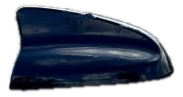
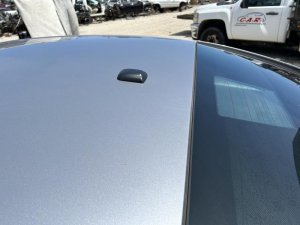
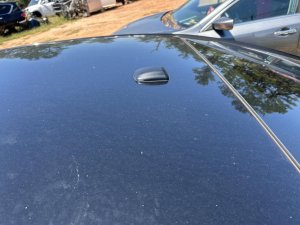
Code B1560 on a 2017-2023 Dodge Charger indicates a fault with the Uconnect system's cellular antenna, most often a 'Circuit Open' condition. The most common fix is replacing the 'shark fin' antenna on the roof, which can cost between $120 and $250 for an OEM part. This is a very common issue across multiple Stellantis platforms, including the Chrysler 300, Dodge Durango, and Jeep Grand Cherokee.
- B1560 on your Charger almost always points to an issue with the cellular 'shark fin' antenna or its wiring.
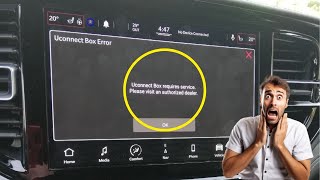
- The primary symptom is the "Uconnect Box requires service" message on the screen.
- Before replacing expensive parts, always check the cable connections at the antenna base (under the headliner) and at the TBM (behind the glove box).
- Replacing the shark fin antenna is the most common confirmed fix and can be done by a skilled DIYer in a few hours.
- This is a shared problem across many Chrysler, Dodge, Jeep, and Ram vehicles from the same era.
What's Unique About the 2017-2023 Dodge CHARGER
On this generation of Dodge Charger and its platform mates (Chrysler 300, Dodge Durango, Jeep Grand Cherokee), the B1560 code is a well-documented and frequent issue. Stellantis (formerly FCA) has issued multiple Technical Service Bulletins (TSBs) that point directly to faults with the cellular antenna or its wiring. The problem is common enough that technicians are specifically advised in TSB S228A000005 to thoroughly check antenna harness connections for pushed-out terminals, damage, or poor seating before replacing the more expensive Telematics Box Module (TBM). This suggests a higher-than-average failure rate for the antenna assembly or its connections on these vehicles.
Diagnostic Flowchart
Tap your situation to follow the diagnostic path that matches what you're seeing on this vehicle.
Symptoms You May Notice
- "Uconnect Box requires service" message on the radio dis 🎬 Watch: Understanding the Uconnect box requires service warningplay.
- SOS and Assist buttons are inoperative or red.
- In-car Wi-Fi hotspot not working.
- Remote vehicle functions via the Uconnect/SiriusXM Guardian app (e.g., remote start, lock/unlock) fail.
- GPS may show inaccurate location or lose signal, though this is less common.
- Red lightning bolt symbol may appear on the radio display.
- Replacing the entire radio head unit. The radio is usually not the cause of a B1560 code; the fault lies within the separate telematics antenna circuit which is managed by the TBM.
- Replacing the TBM module before thoroughly inspecting the antenna and its wiring. TSBs strongly advise checking the simpler components first.
Most Likely Causes
- Faulty Cellular 'Shark Fin' Antenna 🔴 High Probability The antenna assembly is exposed to the elements, and the internal circuitry or the gasket can fail over time, leading to internal corrosion or an open circuit. This is the most cited failure point in TSBs and numerous owner forums, where replacement is the confirmed fix.
How to confirm: After confirming the code, the most definitive test is to substitute a known-good antenna. A technician may use a special test antenna (like the 9977-6-CELL-LTE Test Kit) to bypass the vehicle's antenna and see if the code clears. A DIY approach involves replacing the antenna as the most probable cause after checking connections.
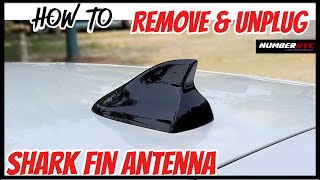
Typical fix: Replace the entire roof-mounted 'shark fin' antenna assembly. This involves partially dropping the rear headliner to access the 10mm nut and connectors.
Est. part cost: $120-$250 - Damaged or Disconnected Antenna Cable/Connector 🟡 Medium Probability The coaxial cable runs from the Telematics Box Module (TBM), often located behind the glove box, to the roof antenna. Connectors can become loose at the TBM or the antenna base, and the cable itself can be pinched or damaged. TSB S228A000005 specifically calls out checking for bent terminals or terminal push-out.
How to confirm: Visually inspect the connectors at both the TBM and the antenna base for damage, corrosion, or pushed-out pins. The connectors are often color-coded. Perform a continuity test on the cable using a multimeter to check for opens or shorts.
Typical fix: Repair the damaged section of the cable or replace the entire antenna cable assembly. Secure any loose connectors. In some cases, owners have found the connectors themselves to be of poor quality and have replaced them.
Est. part cost: $40-$80 - Telematics Box Module (TBM) Software Issue ⚪ Low Probability
How to confirm: A dealership or properly equipped independent shop can check the current software version of the TBM and compare it against the latest available version from Stellantis using a tool like wiTECH. TSB S228A000005 (Rev A) advises checking that TBM and Radio software are up to date before replacing parts.
Typical fix: Update the TBM and/or radio software to the latest version. This must be done with a dealer-level diagnostic tool and a stable power supply to prevent bricking the module.
Est. part cost: $0 (if under warranty) - $250 (dealer labor)
Rare But Worth Checking
- Faulty Telematics Box Module (TBM): While possible, TSBs specifically advise against replacing the TBM until all other possibilities (antenna, wiring, software) have been exhausted, as it is an uncommon and expensive failure point for this specific code. A forum user reported the dealer replaced the TBM to fix the issue after an antenna replacement failed, but this is an outlier case.
- Dead TBM Internal Battery: The TBM contains a small internal lithium-ion battery for emergency functions. Over 5-6 years, this battery can fail and potentially cause communication issues. While less directly linked to a 'Circuit Open' fault, it's a known issue within the Uconnect system.
- Water Intrusion at BCM/Connectors: Though less common for this specific code, water intrusion in the cabin, often from a poorly sealed windshield replacement or clogged sunroof drains, can cause a wide range of electrical issues. A forum user with a 2019 RAM 1500 experienced major electrical faults, including flashing lights and multiple warning codes, after a windshield tint job introduced water to the BCM area. This highlights the sensitivity of cabin electronics to moisture.
Diagnosis Steps
- Read the Diagnostic Trouble Codes (DTCs) with a scanner that can read Body (B) codes to confirm B1560 and note the specific failure type (e.g., -13 for Circuit Open).
- Check for any applicable TSBs related to Uconnect or antenna faults. TSBs S2508000102, 08-007-17, and S228A000005 are directly relevant.
- Attempt a soft reset of the Uconnect system. With the vehicle in 'Run', press and hold the volume and tuner knobs for 10-20 seconds until the screen reboots.
- Visually inspect the 'shark fin' antenna on the roof for any signs of physical damage, cracking at the base, or a loose fit.
- Access the Telematics Box Module (TBM), typically located behind the glove box, and inspect the antenna cable connectors for being loose, damaged, or having pushed-out pins.
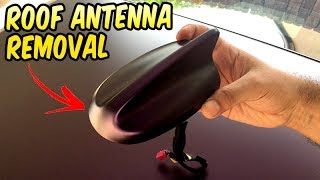
- Carefully lower the rear of the headliner to access the antenna base. This usually requires removing the C-pillar trim and rear grab handles. 🎬 See this walkthrough on how to remove the roof antenna Inspect the connectors at the antenna base.
- If a 'Circuit Open' code is present, perform a continuity test on the antenna cable with a multimeter to confirm it is not broken internally.
- If wiring and connections are confirmed good, the most likely cause is a failed antenna assembly. Replace the antenna.
- If the issue persists after replacing the antenna, have a dealer check for and apply any available software updates for the Telematics Box Module (TBM) and radio.
- As a last resort, if all other steps fail, diagnose the TBM itself.
Parts You'll Likely Need
- Cellular Phone Antenna
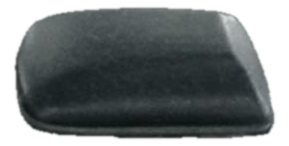
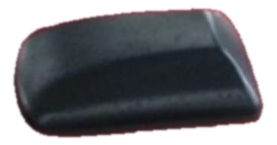
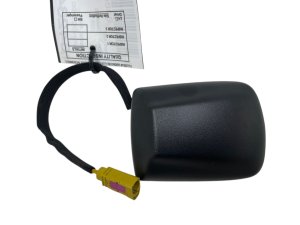
(OEM #68297936AE (or superseding part numbers like 68297936AF). Part number may vary by color and specific options, always verify with VIN.)— This is the most common failure point for the B1560 code, as documented in TSBs and countless owner forums. The internal electronics of the antenna fail, causing an open circuit.
Trusted brands: Mopar
OEM price range: $120-$250
Aftermarket price range: $50-$100
Related Codes That Often Appear With This One
- B1561 — This code relates to 'Cellular Antenna 2 - Circuit Open/Short'. Some vehicles have a primary (roof) and secondary (often in-dash) cellular antenna. A wiring issue or module fault could potentially trigger codes for both.
- B22A9 — This code is for 'Uconnect Market Communication'. It can appear alongside antenna codes when the TBM has general communication failures, as noted in TSB #S2508000102.
- B1560-11 — This is a related code for 'Cellular Antenna 1: Circuit Short to Ground'. The diagnostic path is similar, focusing on the same components but looking for a short instead of an open.
Technical Service Bulletins (TSBs) & Recalls
- S2508000102: Intermittent Uconnect Box Requires Service Message. TBM Setting Stored Or Pending DTCs B22A9, B1560, B1561, B1562
- 08-007-17 REV. H: MIL illumination with DTC B1560-13 - Cellular Antenna
- 08-007-17 REV. G: MIL illumination with DTC B1560-13- Cellular Antenna-1 Circuit Open
- S228A000005 (Rev A): Uconnect Box Error Message, With Active or Stored Cellular Antenna Open or Short DTC B1560-11, B1560-13, B1561-11 or B1561-13
Platform-Specific Known Issues
- TSB #S2508000102 notes intermittent 'Uconnect Box Requires Service' messages associated with DTC B1560.
- TSB #08-007-17 REV. H directly links DTC B1560-13 to a 'Cellular Antenna' fault.
- NHTSA communication S228A000005 (Rev A) is a critical document, advising technicians to thoroughly check antenna harness connections at both the TBM and antenna for damage or poor connection before replacing any modules. It explicitly states not to replace the TBM if the DTC is stored and not active, as it's likely an intermittent connection issue.
Mechanic-Grade Diagnostic Values
- Antenna Cable Resistance (for short-to-ground) — expected: Above 47.5 Ohms. Failure: A resistance reading below 47.5 Ohms indicates a short in the antenna cable.
Scan Tool Commands That Help
- wiTECH 2.0: Loss of Comm Test — This function is used to diagnose intermittent communication issues. It pings all ECUs on the network every 100 milliseconds. If the B1560 code is intermittent, a technician can run this test while performing a wiggle test on the TBM and antenna harness to see if moving the wiring causes the module to drop communication in real-time.
- wiTECH: ECU Reset / Erase DTCs — After physically inspecting and reconnecting all related harnesses (TBM, antenna, inline connectors), an ECU reset should be performed and codes cleared. If the code returns as 'Active', it indicates a hard fault. If it returns as 'Stored', it points towards an intermittent connection issue that was likely the root cause.
Wiring & Ground Locations
- Telematics Box Module (TBM) — Typically located behind the glove box.. This module is the control center for the telematics system. The cellular antenna coaxial cable connects directly to it. TSB S228A000005 advises checking the harness connections here first for pushed-out pins or damage.
- Fuse F37 — Located in the trunk fuse box, behind the battery on the passenger side.. This 20 amp fuse is identified as the power source for the Telematics/Uconnect module. While a blown fuse would likely cause more codes than just B1560, checking it is a fundamental step in any electrical diagnosis.
- G304 — A ground point located in the trunk, next to the deck lid latch.. While service manuals for the exact model year were not found, documentation for a similar platform shows G304 as a key ground distribution point for rear-body electronics. Since the trunk fuse box and TBM battery are nearby, a poor connection at this ground could contribute to intermittent electrical issues for modules in the rear of the vehicle.
- Security Gateway (SGW) Module — For 2018+ models, it is located behind the radio/instrument panel cluster.. The SGW prevents aftermarket scan tools from performing bidirectional commands or clearing codes. To diagnose properly with a non-dealer tool, a bypass cable (like a 12+8 FCA cable) must be used to connect directly to the modules, bypassing the SGW.
Real Owner Repair Stories
- RAM TRX Forum user (2022 Ram TRX Level 2) — "Uconnect Box requires service" message, in-truck Wi-Fi and Weather button not working.
❌ Tried (didn't work) Dealer replaced the telematics unit (TBM)., Driving the vehicle over 100 miles to try and force an ATT security certificate update.
✅ What actually fixed it The user's first post indicated the dealer replaced the Telematics Box, which resolved the issue. Another user in the same thread had the TBM replaced, but the issue persisted until the next morning, suggesting a combination of hardware and a delayed software/network handshake.
OEM Part Supersession History
68297936AE→68297936AF, 68297936AG, etc.— Part revisions are common to improve reliability, change suppliers, or make minor manufacturing improvements. There are no specific notes found indicating incompatibility between these revisions for this application.
Heads up: Always verify the correct part number with the vehicle's VIN at a dealership or through a trusted Mopar parts supplier, as antenna options can vary based on vehicle features and color.
Model Year Variations Within This Range
- 2018-2023: Vehicles from 2018 onward are equipped with a Security Gateway (SGW) module. This requires a bypass cable for any aftermarket scan tool to perform active diagnostics, resets, or programming.
- Approx. 2022+: Later models in the range may be equipped with Uconnect 5. Upgrading an older Uconnect 4 system to Uconnect 5 is not a simple module swap. It requires a new, incompatible screen, a new module, and potentially different wiring harnesses. A Uconnect 5 module will not work with a Uconnect 4 screen.
Helpful Videos
We Have This Part in Stock

The information in this article is provided for general reference and educational purposes only. Vehicle specifications, procedures, and part compatibility can vary by production date, trim level, and region. Always consult your vehicle's factory service manual and verify part numbers before purchasing or performing repairs. Safety-critical components such as airbags, seat belts, and braking systems should be installed by a qualified professional.
- Dodge CHARGER:
- 🎬 Helpful Videos
- 🛍️ Shop This Part
- What's Unique About the 2017-2023 Dodge CHARGER
- Diagnostic Flowchart
- Symptoms You May Notice
- Most Likely Causes
- Rare But Worth Checking
- Diagnosis Steps
- Parts You'll Likely Need
- Related Codes That Often Appear With This One
- Technical Service Bulletins (TSBs) & Recalls
- Platform-Specific Known Issues
- Mechanic-Grade Diagnostic Values
- Scan Tool Commands That Help
- Wiring & Ground Locations
- Real Owner Repair Stories
- OEM Part Supersession History
- Model Year Variations Within This Range
- 🎟️ Get 5% Off