

B1560 on 2017-2023 Dodge Challenger: Cellular Antenna Fault Causes and Fixes
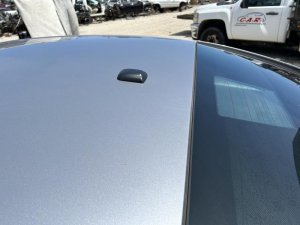
This code indicates an open circuit in the cellular antenna for the Uconnect system. It commonly triggers a 'Uconnect Box Requires Service' message. The most frequent fix is replacing the 'shark fin' antenna on the roof or checking its cable connection, a repair costing between $30 and $65 for the part.
- B1560 on a 2017-2023 Challenger almost always points to a problem with the cellular 'shark fin' antenna or its wiring.
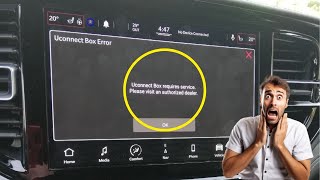
- The primary symptom is a "Uconnect Box Requires Service" message on your screen.
- Before buying parts, check the cable connections under the headliner (at the antenna) and at the Telematics Box Module (TBM).
- If the code is not active and only appears intermittently, it could be a known software glitch that a dealer may need to update.
- Do not replace the expensive radio head unit or TBM unless all antenna and wiring issues have been ruled out.
What's Unique About the 2017-2023 Dodge CHALLENGER

The 2017-2023 Dodge Challenger is part of a wide range of Stellantis (formerly FCA) vehicles known for Uconnect system issues. This specific code is well-documented in multiple Technical Service Bulletins (TSBs) and STAR cases issued by the manufacturer. These bulletins point towards issues with the antenna, its wiring, or sometimes a software glitch in the Telematics Box Module (TBM) that incorrectly sets the code, indicating a known pattern of failure rather than a random, isolated problem.
Diagnostic Flowchart
Tap your situation to follow the diagnostic path that matches what you're seeing on this vehicle.
Symptoms You May Notice
- "Uconnect Box Requires Service" message on the infotainment screen.
- Check Engine Light (Malfunction Indicator Lamp or MIL) may be illuminated. [pass 1]
- SOS/Assist buttons on the rearview mirror may not function or have a red light.
- In-vehicle Wi-Fi hotspot will not work.
- Loss of remote services via the Uconnect app (e.g., remote start, lock/unlock).
- GPS navigation may show "acquiring signal" for an extended period or be inaccurate.
- Replacing the entire Uconnect radio head unit when the fault lies with the separate antenna system.
- Replacing the Telematics Box Module (TBM) for an intermittent code when a software update or wiring check was the correct fix.
- Ignoring a simple loose connection at the back of the antenna or TBM and proceeding directly to part replacement.
Most Likely Causes

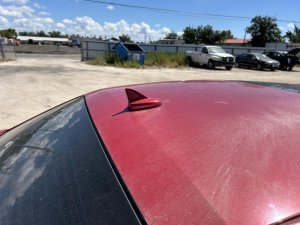
- Faulty or Damaged Cellular Antenna 🔴 High Probability The roof-mounted 'shark fin' antenna is exposed to the elements, car washes, and potential physical damage, which can degrade its internal components or connections over time. This is the most cited failure point in owner forums.
How to confirm: Inspect the antenna for visible cracks or damage. The definitive test is to replace it with a known-good part and see if the code clears. A technician might also use a special test antenna (like Mopar tool 9977-6-CELL) to bypass the vehicle's antenna and isolate the fault to the antenna itself.
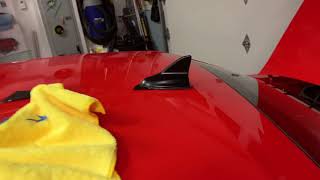
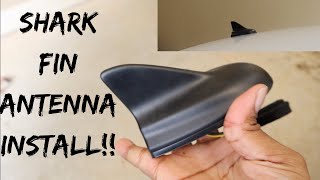
Typical fix: Replace the roof-mounted cellular antenna assembly. This involves partially lowering the rear of the headliner to access the single mounting nut and electrical connectors. 🎬 See this walkthrough on how to remove the shark fin antenna.
Est. part cost: $30-$65 - Loose or Damaged Antenna Cable/Connector 🟡 Medium Probability Vibrations or previous repairs involving the headliner or C-pillar can lead to the antenna's coaxial cable becoming loose from either the antenna base or the Telematics Box Module (TBM). STAR Case S228A000005 specifically calls out checking for damaged connector locks, bent terminals, or terminal push-out.
How to confirm: Access the antenna connection point under the headliner and the TBM (often located behind the glove box) to visually inspect and reseat the connectors. Check the cable for any pinches or damage along its path. A YouTube video by TopicMotor highlights a poor quality blue connector as a common failure point.
Typical fix: Securely reconnect the cable. If the cable itself is damaged, it will need to be replaced.
Est. part cost: $30-$50 - Telematics Box Module (TBM) Software Issue ⚪ Low Probability A specific TSB (S2508000102) notes that intermittent setting of this code can be caused by a software issue where the fault detection is too sensitive, especially for 'Stored' or 'Pending' codes.
How to confirm: This is difficult for a DIYer to confirm. If the code is 'Stored' or 'Pending' and not 'Active', and the antenna/wiring check out, a software issue is likely. A dealer uses a wiTECH scan tool to check software versions and perform updates.
Typical fix: A dealer needs to update the TBM software. The TSB explicitly states NOT to replace the TBM for this condition if the codes are not active. Some owners attempt a 'soft reset' by holding the volume and tune knobs or a 'hard reset' by disconnecting the battery for 15+ minutes, which sometimes clears the message temporarily.
Est. part cost: $0
Rare But Worth Checking
- Failed Telematics Box Module (TBM): While TSBs advise against replacing the TBM for intermittent or software-related issues, a hardware failure within the module itself is still possible, especially if the code is 'Active' and all wiring/antenna checks have passed. This can be a costly repair, with module replacement estimates ranging from $800 to $1,500.
- Backup Battery in TBM Failure: Some YouTube repair guides suggest that the TBM contains a small, replaceable backup battery. When this battery fails, it can cause various Uconnect errors, including the 'Requires Service' message. If the TBM is already being accessed, inspecting and replacing this battery can be a preventative measure.
Diagnosis Steps
- Read the Diagnostic Trouble Codes (DTCs) with an OBD-II scanner to confirm B1560-13 is present and note if it is Active, Stored, or Pending. An 'Active' code points to a current, hard fault, while 'Stored' or 'Pending' may indicate an intermittent issue or a software glitch.
- Visually inspect the 'shark fin' antenna on the roof for any signs of physical damage, cracks, or looseness.
- Attempt a system reset. A 'soft reset' can be done by holding the volume and tune knobs for 10-15 seconds until the screen reboots. A 'hard reset' involves disconnecting the negative battery terminal for at least 15 minutes. This may temporarily clear the message.
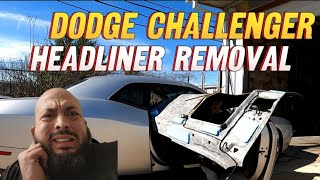
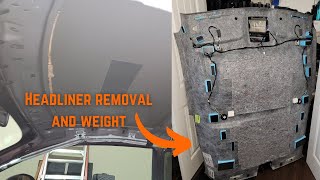
- Gain access to the underside of the antenna. On a Challenger, this requires carefully lowering the rear of the headliner. This involves removing C-pillar trim, coat hanger hooks, and rear grab handles. 🎬 Watch: Step-by-step guide to safely lowering your Challenger's headliner.
- Check that the antenna's coaxial cable connectors are securely fastened to the antenna base. Inspect for bent pins or damaged connector locks.
- Trace the cable to the Telematics Box Module (TBM), typically located behind the glove box, and ensure the connections there are also secure.
- If connections and wiring appear good, the most likely cause is a failed antenna. Replacing the antenna is the next logical step. A user on a Ram truck forum with the same issue confirmed this was their fix.
- If the code persists after replacing the antenna, the issue may be with the TBM itself or its software, which typically requires a visit to the dealer for advanced diagnostics (using a 9977-6-CELL test antenna) and potential reprogramming.
Parts You'll Likely Need

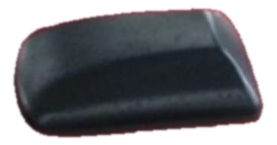
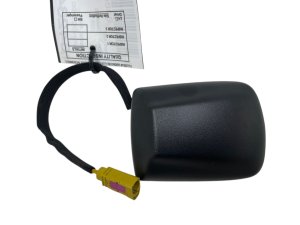
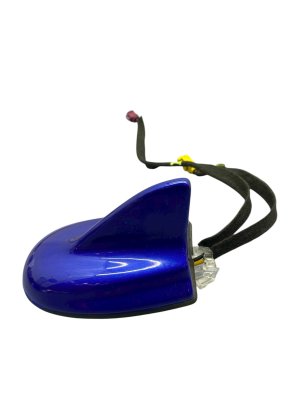
- Cellular Phone Antenna
(OEM #68305307AA)— This is the most common failure point for a B1560 code, as it contains the sensitive electronic components and is exposed to the elements. This part is often referred to as the 'shark fin' antenna.
Trusted brands: Mopar
OEM price range: $30-$45
Aftermarket price range: $25-$40 - Cellular Phone Antenna Cable
(OEM #68369404AA)— If the cable is found to be pinched or damaged during diagnosis, it will need to be replaced. This is less common than the antenna itself failing.
Trusted brands: Mopar
OEM price range: $30-$50
Aftermarket price range: $20-$40
Related Codes That Often Appear With This One
- B1561 — This code relates to 'Cellular Antenna 2', indicating a fault in the secondary antenna circuit, often triggered by the same root causes as B1560.
- B1562 — This code is for the 'GPS Antenna Circuit'. Since the GPS and cellular antennas are often housed in the same 'shark fin' unit and connect to the same TBM, a problem with the unit or its main harness can trigger these codes together.
- B22A9 — This code indicates an 'ECU Internal Performance' failure, often logged in the TBM. TSB S2508000102 specifically groups this with the antenna codes as being potentially caused by a software issue that is too sensitive to intermittent connection problems.
Technical Service Bulletins (TSBs) & Recalls
- S2508000102: Intermittent Uconnect Box Requires Service Message, TBM Setting Stored Or Pending DTCs B22A9, B1560, B1561, B1562.
- 08-007-17 REV. H: MIL illumination due to DTC B1560-13 - Cellular Antenna.
- 08-007-17 REV. G: MIL illumination due to DTC B1560-13- Cellular Antenna-1 Circuit Open.
- 0800717: MIL illumination due to DTC B1560-13 - Cellular Antenna-1.
- S228A000005: Uconnect Box Error Message, With Active or Stored Cellular Antenna Open or Short DTC B1560-13.
Platform-Specific Known Issues
- Multiple Technical Service Bulletins (TSBs) exist for this issue, including #08-007-17 (multiple revisions) and #S2508000102, indicating a known problem with the cellular antenna circuit on these vehicles.
- A STAR Case document (S228A000005) specifically advises technicians to check harness connections at both the TBM and antenna for damage or poor connection before replacing parts.
- TSB #S2508000102 notes that a software update is in development to correct overly sensitive fault detection in the TBM, which can cause intermittent 'Uconnect Box Requires Service' messages with stored B1560 codes.
- Accessing the antenna requires lowering the headliner, which can be intimidating for DIYers. Several YouTube guides demonstrate the process, which involves removing the A, B, and C pillar trim panels, sun visors, and overhead console.
Mechanic-Grade Diagnostic Values
- Antenna Cable Resistance (for B1560-11 Short to Ground) — expected: Above 47.5 Ohms. Failure: A resistance measurement below 47.5 Ohms indicates a short in the antenna cable that needs to be located and repaired.
Hidden / Shadow Codes Worth Checking
- B1560-13: Cellular Antenna 1: Circuit Open or Short to Battery. This is the most common variant, indicating the TBM is not detecting the antenna. (see via wiTECH Scan Tool)
- B1560-11: Cellular Antenna 1: Circuit Short to Ground. This indicates the antenna cable is likely shorted somewhere along its path. (see via wiTECH Scan Tool)
Scan Tool Commands That Help
- wiTECH: Read Active/Stored Radio DTCs — Used to determine if the B1560 code is currently active (a hard fault) or stored (an intermittent issue). STAR case S228A000005 advises against replacing the TBM if the code is only stored, pointing instead to an intermittent harness connection.
- wiTECH: ECU Reset / Erase DTCs — After inspecting connectors or replacing a part, this function is used to clear the fault codes and reset the module to see if the error message returns.
- Mopar Special Tool 9977-6-CELL: Test Antenna Substitution — This special tool is a known-good test antenna. It is connected directly to the TBM in place of the vehicle's shark fin. If the code clears with the test antenna connected, it definitively proves the fault is in the vehicle's original antenna or its cabling. If the code remains, the fault is likely in the TBM.
Wiring & Ground Locations

- Telematics/Uconnect Fuse — In the trunk fuse box (behind the carpet liner on the passenger side), fuse F37 is designated for the Telematics/Uconnect module.. While a blown fuse is not a common cause for this specific code (which indicates an open/short rather than total power loss), checking and reseating this fuse is a simple preliminary step. Pulling the fuse for 10 minutes can also act as a hard reset for the TBM.
- Telematics Box Module (TBM) — Typically located behind the glove box. Access requires removing the glove box assembly.. This is the control module that sets the B1560 code. All diagnostic paths lead here. STAR Case S228A000005 emphasizes checking the harness connections at the TBM for bent pins, damage, or push-out before replacing any parts.
- Antenna Connectors — There is a connector at the base of the shark fin antenna (under the headliner) and another at the TBM module. The cable between them may also have inline connectors.. These connectors are a primary point of failure due to vibration or improper seating. A poor connection here is the direct cause of an 'open circuit' fault.
Real Owner Repair Stories
- RAM TRX Forum user 'Billet P' (2022 Ram 1500 TRX (similar Uconnect system)) — 'Uconnect Box Requires Service' message, in-truck Wi-Fi and Weather button not working.
❌ Tried (didn't work) Initial dealer diagnosis did not find a cause. The user was told to drive the vehicle to allow for a satellite update of the ATT security certificate, which did not work.
✅ What actually fixed it The Telematics box module (TBM) had to be replaced. This resolved the issue.
Model Year Variations Within This Range
- 2017-2023: The Dodge Challenger in this range primarily used the Uconnect 4 system. Newer vehicles in the Stellantis family began using Uconnect 5 around 2022. While the B1560 code's meaning remains the same, owners considering an upgrade from Uconnect 4 to 5 should be aware that it requires replacing the screen, the module, and a new wiring harness; it is not a simple plug-and-play swap as the touchscreen from the Uconnect 4 system is incompatible with the Uconnect 5 module.
Helpful Videos

We Have This Part in Stock


The information in this article is provided for general reference and educational purposes only. Vehicle specifications, procedures, and part compatibility can vary by production date, trim level, and region. Always consult your vehicle's factory service manual and verify part numbers before purchasing or performing repairs. Safety-critical components such as airbags, seat belts, and braking systems should be installed by a qualified professional.
- Dodge CHALLENGER:
- 🎬 Helpful Videos
- 🛍️ Shop This Part
- What's Unique About the 2017-2023 Dodge CHALLENGER
- Diagnostic Flowchart
- Symptoms You May Notice
- Most Likely Causes
- Rare But Worth Checking
- Diagnosis Steps
- Parts You'll Likely Need
- Related Codes That Often Appear With This One
- Technical Service Bulletins (TSBs) & Recalls
- Platform-Specific Known Issues
- Mechanic-Grade Diagnostic Values
- Hidden / Shadow Codes Worth Checking
- Scan Tool Commands That Help
- Wiring & Ground Locations
- Real Owner Repair Stories
- Model Year Variations Within This Range
- 🎟️ Get 5% Off