

B1321 on 2020 Toyota Prius: Causes and Fixes for Infotainment Glitches
On a 2020 Prius, code B1321 almost always indicates a software glitch in the Denso-Ten manufactured audio head unit, especially when using Apple CarPlay. The fix is a software update from a Toyota dealer per TSB T-SB-0051-21, not an expensive part replacement. Expect to pay for about one hour of labor if not covered by warranty.
- B1321 on a 2020 Prius is a known software bug in the Denso-Ten head unit, not a hardware failure.
- Do NOT replace the expensive audio head unit. The first and most likely fix is a software update.
- Contact a Toyota dealer and reference TSB #T-SB-0051-21.
- This is not a DIY repair as it requires proprietary dealer software.
- The vehicle is safe to drive with this code present; only infotainment functions are affected.
What's Unique About the 2020-2020 Toyota PRIUS
The 2020 Toyota Prius is part of the fourth generation that heavily integrated systems like Apple CarPlay into its Entune 3.0 infotainment platform. Early software versions for this system were prone to bugs that caused communication errors between the head unit and other vehicle modules, particularly related to phone projection. This would log the B1321 code even when no physical part had failed, making it a platform-specific software issue rather than a hardware problem. This issue is common across other Toyota models of the era using the same Entune 3.0 system, such as the RAV4 and Sienna.
Diagnostic Flowchart
Tap your situation to follow the diagnostic path that matches what you're seeing on this vehicle.
Symptoms You May Notice
- Check Engine Light will likely not be on
- Incoming calls display incorrectly on the multi-information display (MID) when using Apple CarPlay® [TSB #T-SB-0051-21]
- Audio volume becomes inoperative, particularly after using Siri® [TSB #T-SB-0051-21]
- Unable to adjust treble audio settings [TSB #T-SB-0051-21]
- Song information flickers on the display [TSB #T-SB-0051-21]
- Unable to select Sirius XM® music genres [TSB #T-SB-0051-21]
- Intermittent black screen or system rebooting
- Bluetooth® is unable to automatically connect after key cycle
- No outgoing voice during phone calls when using Apple CarPlay®
- Intermittent phone ringing with no incoming phone call
- Replacing the audio head unit before performing a software update. The software update is the first and most likely fix.
- Searching for a complex wiring fault when the symptoms perfectly match the known software TSBs.
- Blaming the user's phone or USB cable, although these can cause connectivity issues, they typically do not log a B1321 CAN communication fault code.
Most Likely Causes
- Outdated Audio Head Unit Software 🔴 High Probability The 2020 model year had early versions of the Entune 3.0 infotainment software that contained bugs, particularly related to Apple CarPlay integration. Toyota has since released multiple TSBs to address these glitches with software updates, with T-SB-0051-21 being the most current.
How to confirm: A Toyota dealership can check the current software version on the head unit (e.g., Audio Plus version 1195 or earlier) and compare it against the latest versions specified in TSBs like T-SB-0051-21. An owner can also check by navigating to Menu -> Setup -> General -> Software Update.
Typical fix: Perform a software update on the audio/multimedia head unit. This is a non-parts fix performed by the dealer using a specific update file on a USB drive.
Est. part cost: $0
Rare But Worth Checking
- Failing Audio Head Unit: If a software update does not resolve the issue, or if the unit is completely unresponsive and exhibits other electrical problems, the internal hardware of the head unit may have failed. This is an expensive last resort, as highlighted by a Reddit user with a 2023 Corolla who was quoted over $2,000 for a new radio for this same code.
- Low 12V Battery Voltage: A weak or failing 12V auxiliary battery can cause widespread, intermittent electronic glitches and communication codes across various modules. Before expensive diagnostics, ensure the 12V battery is healthy. Prius owners on forums frequently report that the first sign of a failing 12V battery is bizarre electronic behavior, not a failure to start.
- CAN Bus Wiring Issue: In very rare cases, a damaged wire or loose connector in the CAN bus circuit leading to the radio could cause a communication loss and trigger this code. This would require manual circuit tracing to diagnose and is highly unlikely compared to the software bug.
Diagnosis Steps
- Verify the code B1321 is present using an OBD-II scanner capable of reading Body (B) codes.
- Check and confirm the health of the 12V auxiliary battery. Low voltage is a common cause of random electronic faults in a Prius.
- Document all symptoms, noting if they are related to Apple CarPlay, audio controls, or screen behavior.
- Contact a Toyota dealership and reference TSB #T-SB-0051-21, which supersedes T-SB-0047-20 and T-SB-0039-19.
- Request the dealer to check the current multimedia software version against the versions listed in the TSB.
- If the software is outdated, authorize the dealer to perform the software update as prescribed by the TSB.
- After the update, clear all DTCs and thoroughly test all infotainment functions (CarPlay, Siri, volume, etc.) to confirm the fix.
- Only if the software update fails to resolve the issue should further diagnosis of the head unit hardware or wiring be considered.
Parts You'll Likely Need
- Audio Head Unit Software Update
(OEM #T-SB-0051-21)— This is not a physical part, but a software flash performed by a dealer. It is the primary fix documented by Toyota to resolve the communication glitches that cause code B1321.
Trusted brands: Toyota
OEM price range: $0-$250
Aftermarket price range: N/A - Audio Head Unit (Radio & Display Assembly)
(OEM #86140-47271, 86140-47620)— Only needed in the rare case that the software update fails and the unit is confirmed to have an internal hardware failure. Part numbers vary by trim and screen size; always confirm with VIN.
Trusted brands: Toyota (Denso-Ten)
OEM price range: $1500-$2500
Aftermarket price range: $500-$1000
Related Codes That Often Appear With This One
- B15FE (Sirius XM® antenna disconnection history)
- U0140, U0155, U0163 (Other communication loss codes that may appear in a cluster if a module is failing or battery voltage is low)
Technical Service Bulletins (TSBs) & Recalls
- T-SB-0051-21: Mentions CAN networking DTC B1321 and a list of Apple CarPlay® and audio issues resolved by a software update. This is the most current and relevant bulletin.
- T-SB-0047-20 Rev: Also lists B1321 with infotainment glitches related to Apple CarPlay®. Now considered obsolete and replaced by T-SB-0051-21.
- T-SB-0047-20: An earlier version of the bulletin with the same information, linking B1321 to software issues. Also obsolete.
- T-SB-0039-19_Rev: Another bulletin connecting B1321 with volume, display, and Siri® problems, also superseded.
Platform-Specific Known Issues
- Toyota has issued multiple Technical Service Bulletins (TSBs) for the 2020 Prius addressing this exact code and its associated symptoms. TSB #T-SB-0051-21 explicitly lists 'CAN networking DTC B1321' as a condition that is resolved by a software update for the head unit to fix various Apple CarPlay® and audio glitches. [TSB #T-SB-0051-21, 1, 2]
- Similar bulletins like T-SB-0047-20 and T-SB-0039-19 confirm this is a well-documented issue with a software-based solution. These older bulletins are now superseded by T-SB-0051-21.
- PriusChat forums contain extensive discussions about general electronic issues, with many owners noting that the first step in any strange electrical diagnosis should be to verify the health of the 12V battery, as it is a frequent culprit for seemingly unrelated problems.
Mechanic-Grade Diagnostic Values
- CAN Bus Resistance — expected: 54 to 69 Ω. Failure: A reading of ~120 Ω indicates an open in the bus. A reading significantly below 54 Ω indicates a short circuit.
- CAN Bus Voltage (Live Data) — expected: Approximately 2.5V on both CAN High and CAN Low when the network is idle. During communication, CAN High should toggle to ~3.5V and CAN Low should toggle to ~1.5V, creating a mirror image pattern on an oscilloscope.. Failure: Significant deviation from these voltages or a loss of the mirror-image pattern indicates a circuit integrity problem.
- Head Unit Power (ACC) — expected: 11 to 14 V. Failure: No voltage indicates a blown fuse or wiring issue.
- Head Unit Power (+B1) — expected: 11 to 14 V. Failure: No voltage indicates a blown fuse or wiring issue.
- Head Unit Ground — expected: Below 1 Ω. Failure: High resistance indicates a poor ground connection.
Scan Tool Commands That Help
- Toyota Techstream: Health Check — To perform a comprehensive scan of all vehicle ECUs. This confirms if B1321 is the only code present, checks for other communication faults, and identifies available software calibration updates for the audio unit.
- Toyota Techstream: ECU Reprogramming — This is the dealer-level function required to apply the specific software update file referenced in TSB T-SB-0051-21. It requires an active professional subscription to Toyota's Technical Information System (TIS) to access the calibration files.
- On-Screen Display: Soft Reset — As a first, simple troubleshooting step for a frozen or glitchy screen. Press and hold the power/volume knob for about 10-15 seconds until the system reboots. This can temporarily resolve minor software hangs.
- On-Screen Display: Initialize Personal Data (Factory Reset) — As a last-ditch software effort before assuming a hardware failure. This can be accessed through the hidden service menu or the standard settings menu, but it will erase all user data.
Wiring & Ground Locations
- Head Unit Ground — The main ground for the head unit is Pin 12 (GND1) on the 10-pin connector (N164), which is a White/Black wire. A secondary ground reference is Pin 7 (Brown wire) on the same connector.. A poor or loose ground connection can cause a wide range of erratic electronic behavior, including communication faults like B1321. Verifying this ground has less than 1 Ω of resistance to the chassis is a key step if a software update doesn't fix the problem.
- CAN Bus Wires at Head Unit — At the rear of the radio, the CAN bus signals are on Pin 3 (CNH1) and Pin 4 (CNL1) of the N164 connector.. These are the specific pins to test for CAN bus resistance (54-69 Ω) directly at the module if you suspect a wiring issue between the head unit and the rest of the network.
- Instrument Panel Junction Block — Located under the dashboard on the driver's side.. This block contains several fuses critical to the audio system, including the 'RADIO' and 'ECU-DCC NO. 2' fuses. A factory ground bolt is also typically located near this fuse panel, providing a reliable grounding point for testing or repairs.
Real Owner Repair Stories
- Reddit r/rav4club user (2019 RAV4 Hybrid (platform mate with same Entune 3.0 system)) — Navigation screen was frozen, only showing the backup camera view even while driving forward.
❌ Tried (didn't work) Restarting the car.
✅ What actually fixed it Disconnecting the 12V battery for 20 minutes performed a hard reset of the infotainment system and resolved the frozen screen. This reinforces the 'battery reset' as a valid troubleshooting step for various infotainment glitches, not just B1321. - Reddit user (2023 Toyota Corolla (used)) — Previous owner's information was still in the multimedia system and a PIN was required to delete it. The 'Reset settings' button was greyed out.
❌ Tried (didn't work) Calling the Toyota support hotline.
✅ What actually fixed it The issue was that the vehicle's VIN was still tied to the previous owner's Toyota subscription account. The fix required the dealership to use their 'DealerDaily' or 'Engage' portal to free up the VIN, which then allowed the new owner to perform a system reset.
OEM Part Supersession History
86190-F4010→86190-42040— Part update/revision for the Media Interface USB Port.
Heads up: While not directly causing B1321, a worn or faulty USB port is a common cause of Apple CarPlay connection symptoms that mimic the TSB. If CarPlay is the main complaint, replacing this port is a potential fix.
Helpful Videos
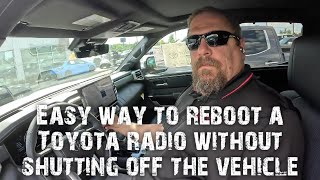

We Have This Part in Stock



The information in this article is provided for general reference and educational purposes only. Vehicle specifications, procedures, and part compatibility can vary by production date, trim level, and region. Always consult your vehicle's factory service manual and verify part numbers before purchasing or performing repairs. Safety-critical components such as airbags, seat belts, and braking systems should be installed by a qualified professional.
- Toyota PRIUS:
- 🎬 Helpful Videos
- 🛍️ Shop This Part
- What's Unique About the 2020-2020 Toyota PRIUS
- Diagnostic Flowchart
- Symptoms You May Notice
- Most Likely Causes
- Rare But Worth Checking
- Diagnosis Steps
- Parts You'll Likely Need
- Related Codes That Often Appear With This One
- Technical Service Bulletins (TSBs) & Recalls
- Platform-Specific Known Issues
- Mechanic-Grade Diagnostic Values
- Scan Tool Commands That Help
- Wiring & Ground Locations
- Real Owner Repair Stories
- OEM Part Supersession History
- 🎟️ Get 5% Off