

B1311 on 2018-2022 Nissan KICKS: Rear Left Speaker Open Load Explained
On a 2018-2022 Nissan Kicks, code B1311 for the rear left speaker almost always appears with codes for the other speakers. This indicates a central problem, typically with the infotainment head unit or its wiring, not the speaker itself. A software update or head unit replacement is the most common fix.
- Code B1311 on a Nissan Kicks is rarely a problem with the rear left speaker itself.
- Check for companion codes B130D and B130F. If they are all present, the problem is central—likely the head unit.
- Before replacing the expensive head unit, ask a dealer about any available software updates, which can sometimes fix these issues.
- If only B1311 is stored, then and only then should you diagnose the individual speaker and its wiring.
- This is an audio system fault and does not affect the safety or drivability of the vehicle.
What's Unique About the 2018-2022 Nissan KICKS
The Nissan Kicks is unique regarding this code because of a known issue documented in Nissan's Technical Service Bulletin (TSB) NTB22-034. This bulletin highlights that B1311 will almost always be stored along with B130D (Front Right Speaker Open) and B130F (Front Left Speaker Open). When all these codes appear together and cannot be erased, it points away from individual speaker failures and strongly suggests a fault with the central infotainment head unit or a related accessory like an add-on audio kit.
Diagnostic Flowchart
Tap your situation to follow the diagnostic path that matches what you're seeing on this vehicle.
Symptoms You May Notice
- No sound from any speakers.
- Intermittent audio cut-outs.
- Infotainment system freezes, reboots, or is generally glitchy.
- Volume knob adjusts randomly or doesn't work.
- Inability to connect to Bluetooth or CarPlay.
- Crackling or static-like sound, especially when playing audio from external sources like Bluetooth or USB.
- Replacing the rear left speaker when all speaker codes (B1311, B130D, B130F) are present. The TSB clearly indicates this is a central system fault, not an individual speaker issue.
Most Likely Causes
- Infotainment Head Unit Internal Failure 🔴 High Probability As documented in TSB NTB22-034, when multiple 'speaker open load' codes are present simultaneously, the fault is often within the head unit itself. Forum discussions confirm this is a common failure point, with some owners reporting the internal amplifier fails, causing crackling and then total silence. These head units are also known for software glitches across the Nissan lineup.
How to confirm: Scan the vehicle for codes. If B1311, B130D, and B130F are all present and cannot be cleared, the head unit is the primary suspect. A dealer-level software update should be attempted first. If that fails, the unit requires replacement. A Reddit user confirmed their dealer diagnosed a faulty internal amplifier and replaced the entire radio, which solved the problem.
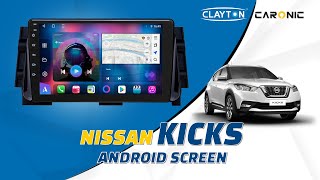
Typical fix: First, attempt a software update at a Nissan dealership, as some issues can be software-related. If the problem persists, the entire infotainment head unit must be replaced. Owners report OEM replacements can be extremely expensive, while aftermarket units installed by audio shops can be a more affordable and feature-rich alternative. 🎬 Watch: How to install an aftermarket Android head unit.
Est. part cost: $1000-$4000 (OEM), $400-$800 (Aftermarket) - Faulty Rockford Premium Audio Kit 🟡 Medium Probability TSB NTB22-034 specifically mentions that these codes may be stored in vehicles where a dealer or port-installed Rockford Premium Audio Kit is present. This system uses a dedicated amplifier and low-impedance speakers (approx. 1.8-2.0 ohms), adding a point of failure not present in the base audio system.
How to confirm: Visually confirm if the vehicle is equipped with the Rockford Fosgate audio system (often identified by branding on the speakers or head unit). If so, the diagnostic process in the TSB should be followed, which may involve checking the kit's specific wiring and amplifier, located under the front passenger seat.
Typical fix: Repair or replacement of the Rockford audio kit's components or wiring harness, as per the TSB's diagnostic procedure. If replacing speakers, ensure they are low-impedance (2-ohm) models to maintain proper volume levels with the factory amplifier.
Est. part cost: $100-$500 - Damaged or Loose Wiring Harness Connector ⚪ Low Probability While less common than a head unit failure, a loose main connector at the back of the radio could disconnect all speakers at once, triggering this group of codes.
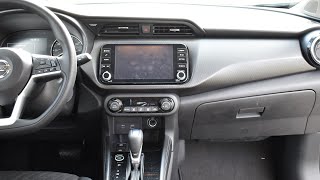
How to confirm: Remove the infotainment unit from the dashboard and inspect the main wiring harness connector. Check for 🎬 See this walkthrough on how to remove the factory stereo. pushed-out pins, corrosion, or a loose connection.
Typical fix: Securely reseat the connector. If pins are damaged, the connector or terminal pins may need to be repaired or replaced.
Est. part cost: $10-$50 - Faulty Rear Left Speaker ⚪ Low Probability This is only a likely cause if B1311 appears by itself, without the other speaker codes. An individual speaker can fail due to a blown voice coil.
How to confirm: If B1311 is the only code, test the speaker. Swap it with the known-good right rear speaker. If the code changes to B1310 (Rear Right Speaker), the speaker is bad. Alternatively, test the speaker's resistance with a multimeter (typically 2-8 ohms; base models may be 4-ohm while premium audio uses low-impedance ~2-ohm speakers).
Typical fix: Replace the faulty rear left speaker. One owner on the Carly Community forum reported a total audio failure was traced to a single faulty bass speaker, with a repair cost of 280€ (~$300).
Est. part cost: $40-$120
Diagnosis Steps
- Use an OBD-II scanner to read codes from the Body Control Module (BCM) or Audio/IT unit.
- Confirm if B1311 is present alone or with B130D and B130F.
- If all three codes are present: Suspect a central fault per TSB NTB22-034. Do not replace the speaker.
- Attempt a Software Update First: Contact a Nissan dealer to check for available infotainment software updates. Many Nissan audio glitches are software-based and this is the prescribed first step before hardware replacement.
- Check if the vehicle has the accessory Rockford Premium Audio Kit. If so, this may be the source of the issue and requires specific diagnostics.
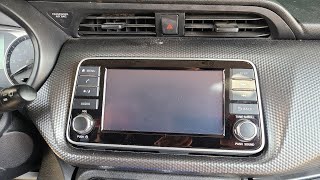
- Attempt a hard reset of the infotainment system by holding the power button down for 10-15 seconds 🎬 Watch: How to perform a hard reset and reboot your system. until it reboots. Check if codes clear.
- If a software update does not resolve the issue, the infotainment head unit is likely faulty and requires replacement.
- If ONLY B1311 is present: The fault is likely isolated to the rear left speaker circuit. Proceed to check the speaker wiring for damage and test the speaker itself for functionality or resistance.
Parts You'll Likely Need
- Infotainment Head Unit
(OEM #2591A-5RL0A, 2591A-5RL0B, 2591A-5RL1A, 2591A-5RL1B, 28021-5R00A, 28021-5RW1A (Varies by trim and year, always verify with VIN))— This is the most probable cause when B1311 is found with other speaker 'open load' codes, as indicated by Nissan's own service bulletin and numerous owner accounts.
Trusted brands: Nissan Genuine Parts, Pioneer, Dasaita
OEM price range: $1300-$4000
Aftermarket price range: $300-$800 - Rear Door Speaker — Only needed in the rare case that B1311 appears as a standalone code, indicating a failure of just that one speaker.
Trusted brands: Nissan Genuine Parts, Rockford Fosgate (for premium audio)
OEM price range: $70-$120
Aftermarket price range: $40-$80
Related Codes That Often Appear With This One
- B130D-13 — Front Right Speaker Open Load. Per TSB NTB22-034, these codes appear together, indicating a central audio unit or wiring fault.
- B130F-13 — Front Left Speaker Open Load. Per TSB NTB22-034, these codes appear together, indicating a central audio unit or wiring fault.
Technical Service Bulletins (TSBs) & Recalls
- NTB22-034: States that DTCs B1311, B130D, and B130F appearing together indicates a fault related to the infotainment head unit or a Rockford Premium Audio Kit, and that the codes cannot be permanently erased without fixing the root cause.
Platform-Specific Known Issues
- A known issue documented in TSB NTB22-034 causes DTCs B1311, B130D, and B130F to be stored simultaneously, pointing to a central audio system fault, often related to the head unit or an accessory audio kit.
- Nissan infotainment systems of this era are known to suffer from software glitches that can cause freezing, rebooting, and audio issues, often fixed by a dealer-installed software update.
Mechanic-Grade Diagnostic Values
- Speaker Resistance (Impedance) — expected: Standard Audio: ~4 ohms. Rockford Fosgate / Bose Premium Audio: 1.8 to 2.0 ohms.. Failure: A reading of infinite resistance (OL) indicates an open circuit in the speaker's voice coil. A reading of zero indicates a short.
- Rear Left Speaker Circuit Voltage/Continuity at Head Unit Connector — expected: Continuity (near 0 ohms) between the speaker terminals and the corresponding pins on the disconnected head unit harness. Pins are 11 (LR+) and 12 (LR-) on the 20-pin main connector.. Failure: Infinite resistance (OL) indicates a break in the wiring between the head unit and the speaker.
Hidden / Shadow Codes Worth Checking
- B1311-13: The '-13' suffix, as noted in TSB NTB22-034, specifies the fault type as an 'open circuit'. This is a manufacturer-specific detail that confirms the nature of the fault detected by the AV control unit. (see via A professional scan tool like the Nissan CONSULT or an advanced aftermarket scanner capable of reading manufacturer-specific DTCs.)
Scan Tool Commands That Help
- Infotainment System Self-Diagnosis: Self-Diagnosis Mode — To check the communication status between the head unit and other vehicle modules (like the BCM) and to perform a speaker test that cycles audio through each speaker individually, helping to confirm if the head unit can output a signal. Access by turning the audio off, then holding the 'Settings' button while turning the volume knob ~30 clicks.
- Nissan CONSULT-III Plus: AV > Self Diagnosis — This is the dealer-level tool used to perform a comprehensive check of the entire Audio/Visual system. It can confirm the presence of the B1311-13, B130D-13, and B130F-13 codes simultaneously, which is the primary indicator for this issue per TSB NTB22-034.
Wiring & Ground Locations
- M78 Connector (Main Audio Unit Connector) — At the back of the infotainment head unit in the center dashboard.. This is the primary connector carrying all speaker outputs. For B1311, a technician would test for continuity and voltage at pins 11 (Rear Speaker LH +) and 12 (Rear Speaker LH -) to differentiate between a wiring fault and an internal head unit failure.
OEM Part Supersession History
2591A-5RL0A→2591A-5RL1D— Part revision by the manufacturer, likely to address internal component failures or software issues.
Heads up: While later part numbers like 2591A-5RM0B are listed as compatible interchanges, swapping between different trim levels (e.g., S trim to SV/SR trim) may result in loss of features like steering wheel controls or the backup camera if the vehicle harness is not identical.
Model Year Variations Within This Range
- 2021-2022: The 2021 model year received a significant facelift which included updated infotainment systems. The base screen remained 7 inches, but SV and SR trims received a new, larger 8-inch touchscreen. These newer units also added standard Apple CarPlay/Android Auto and USB-C ports. While the underlying B1311 issue can still occur, the specific head unit part numbers may differ from the 2018-2020 models.
- 2018-2020: Early models are more likely to have the original failing part numbers (e.g., 2591A-5RL0A) before supersession. The infotainment units in S trims are made by Panasonic, while SV/SR units are made by Bosch, leading to wiring and feature differences when attempting to swap between trims.
Helpful Videos

We Have This Part in Stock


The information in this article is provided for general reference and educational purposes only. Vehicle specifications, procedures, and part compatibility can vary by production date, trim level, and region. Always consult your vehicle's factory service manual and verify part numbers before purchasing or performing repairs. Safety-critical components such as airbags, seat belts, and braking systems should be installed by a qualified professional.
- Nissan KICKS:
- 🎬 Helpful Videos
- 🛍️ Shop This Part
- What's Unique About the 2018-2022 Nissan KICKS
- Diagnostic Flowchart
- Symptoms You May Notice
- Most Likely Causes
- Diagnosis Steps
- Parts You'll Likely Need
- Related Codes That Often Appear With This One
- Technical Service Bulletins (TSBs) & Recalls
- Platform-Specific Known Issues
- Mechanic-Grade Diagnostic Values
- Hidden / Shadow Codes Worth Checking
- Scan Tool Commands That Help
- Wiring & Ground Locations
- OEM Part Supersession History
- Model Year Variations Within This Range
- 🎟️ Get 5% Off