

B1011 on 2017 GMC Sierra: Network Fault Causes and Fixes
On a 2017 GMC Sierra, code B1011 indicates a network communication failure, not a specific broken part. The most common cause is a software glitch in the Serial Data Gateway Module (SDGM). A simple 'hard reset' by pulling the SDGM fuse (often F26DL or F28DL) for 60 seconds often resolves the issue for free.
- B1011 on a 2017 Sierra means there is a network communication problem, not that a specific part has failed.
- Before attempting any repairs, try the simplest fix: pull the fuse for the Serial Data Gateway Module (SDGM) for 60 seconds to perform a hard reset.
- Do not replace parts like the HVAC controller or radio; they are almost always symptoms of the network failure, not the cause.
- If a module like the SDGM or BCM needs to be replaced, it is not a plug-and-play part and will require professional programming to function.
What's Unique About the 2017-2017 Gmc SIERRA
The 2017 Sierra is part of GM's K2XX platform, which relies heavily on a central computer called the Serial Data Gateway Module (SDGM) to manage all network traffic. This module is a known weak point and can suffer from software 'lock-ups' or poor electrical connections, causing a cascade of communication failures. As a result, B1011 on this truck is almost always accompanied by widespread, bizarre electrical symptoms and a flood of other 'U' (network) codes, a scenario confirmed by multiple GM Technical Service Bulletins, including PIT5586 and 20-NA-212.
Diagnostic Flowchart
Tap your situation to follow the diagnostic path that matches what you're seeing on this vehicle.
Symptoms You May Notice
- HVAC controls are inoperative or unresponsive.
- No audible click or chime when using turn signals.
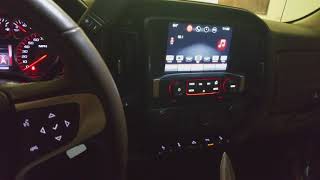
- Blank instrument panel or radio/infotainment screen.
- Multiple warning lights on the dashboard, such as 'Service StabiliTrak'.
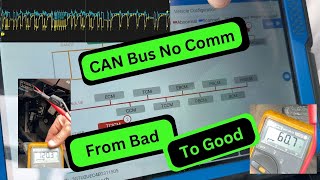
- Intermittent no-start or crank-no-start condition. 🎬 See how a bad CAN bus signal causes no-crank issues
- A long list of other communication codes (U-codes) stored in various modules.
- Service Airbag Message on display.
- Replacing the HVAC control module because it is inoperative. The module is usually fine; it is simply not receiving data from the SDGM/BCM.
- Replacing the instrument panel cluster (IPC) or radio because the screens are blank. These are symptoms of the network failure, not the root cause.
- Replacing individual sensors or switches without first verifying battery health and network integrity.
Most Likely Causes
- Serial Data Gateway Module (SDGM) Logic Lock-Up 🔴 High Probability This is a known software/firmware glitch in the module's microcontroller, as documented in GM TSBs #PIT5586G and #20-NA-212. The module essentially freezes like a home internet router, halting all network traffic.
How to confirm: The issue is intermittent and temporarily resolves after disconnecting the battery or pulling the SDGM fuse. A scan tool will show numerous communication codes, particularly U-codes.
Typical fix: Perform a 'hard reset' by locating the SDGM fuse in the driver-side dash fuse panel (often F26DL for trucks), removing it for at least 60 seconds, and reinstalling it. For a permanent fix, a dealer may need to reprogram the module with updated software as specified in TSB #20-NA-212.
Est. part cost: $0 - $200 - Poor Connection at SDGM Connectors 🟡 Medium Probability Vibrations can lead to fretting corrosion or backed-out terminals in the main X1 (gray) or X2 (black) connectors at the SDGM, causing high resistance. This is explicitly cited as a primary cause in TSB #PIT5586.
How to confirm: Visually inspect the pins and terminals in the SDGM connectors for looseness, damage, or corrosion. The SDGM is located high in the driver's side dash, near the steering column. A 'wiggle test' on the harness with the ignition on may trigger the symptoms.
Typical fix: Disconnect, inspect, and firmly reseat the connectors. If a terminal is damaged, it can be replaced with a terminated lead (GM P/N 84619127) without replacing the whole harness.
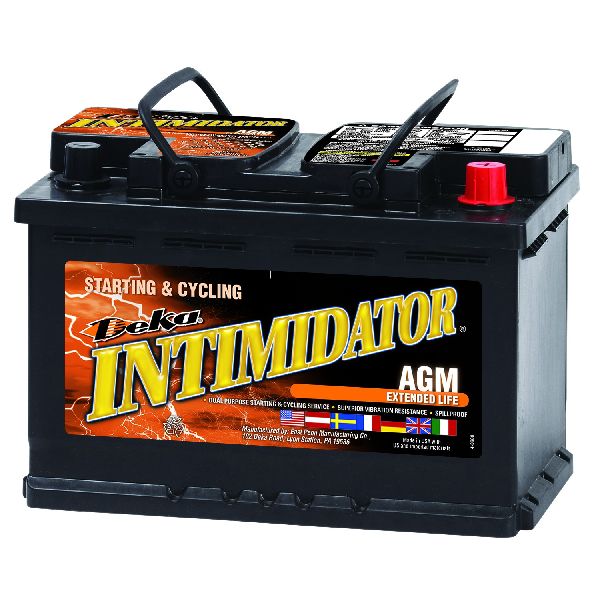
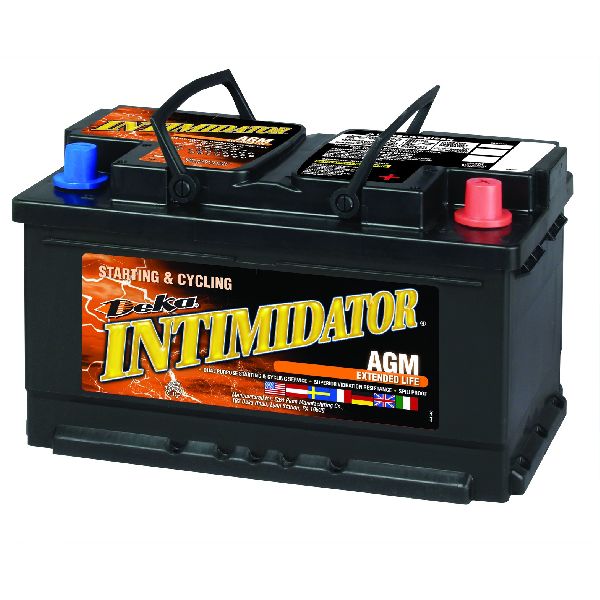
Est. part cost: $10-$50 - Weak or Failing Battery 🟡 Medium Probability Modern trucks with dozens of control modules are highly sensitive to system voltage. A weak battery can cause modules to fail to communicate properly during startup, triggering a flood of network codes. This is noted as a potential cause in TSB #PIT5405C.
How to confirm: Perform a load test on the battery using a professional tester like a GR8. A simple voltage check is not sufficient.
Typical fix: Replace the vehicle's battery.
Est. part cost: $150-$350 - Loose or Corroded BCM Ground (G218) ⚪ Low Probability GM TSB #PIT5405C identifies a poor ground connection for the Body Control Module (BCM) at location G218 as a cause for widespread electrical issues and communication codes. The dash insulator mat can get trapped between the ground eyelet and the body stud from the factory.
How to confirm: Inspect the G218 ground, located on the passenger-side A-pillar, for looseness or corrosion. Check if the dash insulation is interfering with the connection.
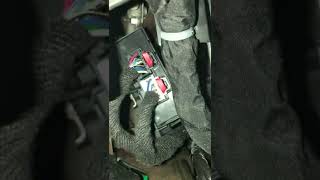
Typical fix: Remove the ground nut, cut away the interfering dash insulator mat, clean the contact surfaces to bare metal, and securely re-fasten the nut. 🎬 Watch: Step-by-step guide to fixing the G218 ground connection
Est. part cost: $0
Rare But Worth Checking
- Failing Body Control Module (BCM): While the SDGM is the more common culprit, the BCM is the central hub for many body functions. If it fails internally, it can cause similar widespread communication issues.
- Improperly Installed Aftermarket Electronics: A remote start, alarm, or stereo system that is improperly tapped into the GMLAN communication bus can corrupt data signals and cause a flood of codes.
Diagnosis Steps
- Scan all vehicle modules for DTCs. Note the presence of B1011 and a large number of U-prefix codes, as this is a key indicator of a network-wide fault.
- Perform a 'hard reset' of the Serial Data Gateway Module (SDGM). Locate the SDGM fuse in the driver-side interior fuse panel (often marked F26DL), remove it for at least 60 seconds, and reinstall. Clear all codes and see if symptoms return.
- If the reset does not provide a lasting fix, perform a professional load test on the battery and verify the charging system is operating correctly. Low voltage is a common cause of network errors.
- Disconnect the battery. Locate the SDGM high in the driver's dash area, near the steering column. Carefully inspect its X1 and X2 connectors for any signs of loose pins, corrosion, or damage. Perform a 'wiggle test' on the harness.
- Inspect major ground connections, particularly the BCM ground G218 on the passenger A-pillar. Ensure it is clean, tight, and not obstructed by the dash insulation mat as described in TSB PIT5405C.
- If wiring, grounds, and the battery test good, the issue is likely the SDGM software. The vehicle should be taken to a dealer or qualified shop for SDGM reprogramming per TSB 20-NA-212.
- If a new, programmed SDGM does not fix the issue, a deeper diagnosis of the CAN bus wiring for shorts or opens is required by a specialist.
Parts You'll Likely Need
- Serial Data Gateway Module (SDGM)
(OEM #84524423)— This module is the central router for network communications and is the most common point of failure, either due to a software glitch or internal hardware fault. Replacement is only needed if reprogramming and connector repair fail.
Trusted brands: ACDelco, GM Genuine Parts
OEM price range: $60-$150
Aftermarket price range: N/A - Terminated Lead
(OEM #84619127)— This specific GM part is used to repair a single damaged or corroded terminal pin in the SDGM connector (X1 or X2), which is a much cheaper alternative to replacing the entire wiring harness. Its use is documented in GM service bulletins.
Trusted brands: GM Genuine Parts
OEM price range: $10-$25
Aftermarket price range: N/A - Battery — A weak battery can cause low-voltage conditions that lead to widespread communication errors across the vehicle's network, as noted in TSB PIT5405C.
Trusted brands: ACDelco, Interstate
OEM price range: $200-$350
Aftermarket price range: $150-$250
Related Codes That Often Appear With This One
- U0140 — This code means 'Lost Communication With Body Control Module' and directly points to the network issues that also cause B1011. It is frequently listed alongside B1011 in relevant TSBs.
- U0073 — Stands for 'Control Module Communication Bus A Off'. This is a general network code indicating a major communication breakdown on the main CAN bus, which is consistent with an SDGM or BCM fault.
- U0100, U0101, U0155, etc. — A large number of 'U' (communication) codes appearing with B1011 strongly suggests a systemic power or network failure, as documented in TSB #PIT5586B, rather than a single faulty part.
Technical Service Bulletins (TSBs) & Recalls
- PIT5586B: Documents widespread electrical issues (no turn signal audio, HVAC inoperative) and a long list of DTCs, including B1011, related to network communication faults.
Platform-Specific Known Issues
- Per TSB #PIT5586B, 2017 Sierra models can experience a range of electrical issues including inoperative HVAC controls and no turn signal audio, accompanied by code B1011 and numerous other communication DTCs. The cause is often related to terminal issues in the SDGM X1 or X2 connectors or a software lock-up.
- TSB #20-NA-212 provides a software update for the SDGM to correct the 'logic lock-up' condition that causes these widespread faults.
- TSB #PIT5405C points to the G218 ground on the passenger A-pillar as a potential cause for similar network-wide electrical problems, instructing technicians to cut away interfering dash insulation.
Mechanic-Grade Diagnostic Values
- High-Speed GMLAN Bus Resistance — expected: 60 Ohms (± 5 Ohms). Failure: A reading of ~120 Ohms indicates an open circuit or an offline terminating resistor. A reading significantly less than 60 Ohms indicates a short between the CAN High and Low wires.
- High-Speed GMLAN Bus Voltage (Key On, Engine Off) — expected: CAN High (Pin 6 to ground): ~2.6V. CAN Low (Pin 14 to ground): ~2.4V.. Failure: During active communication, CAN High should toggle to ~3.5V and CAN Low to ~1.5V. Voltages stuck high, low, or at 0V indicate a circuit fault.
Hidden / Shadow Codes Worth Checking
- B1011 71: System Disabled Information Stored - Invalid Serial Data Received. This specific symptom byte indicates the module setting the code received invalid or missing data from the network, sometimes specifically related to the Vehicle Speed Signal (VSS). (see via A professional GM-specific scan tool, such as the GDS2 (Global Diagnostic System 2), is required to view symptom bytes.)
Scan Tool Commands That Help
- GDS2 (Global Diagnostic System 2): K56 Serial Data Gateway Module > Programming/Setup — This is the primary function used to perform the software update specified in TSB 20-NA-212 to fix the 'logic lock-up' glitch. It is also required to configure a new SDGM after replacement.
- GDS2 (Global Diagnostic System 2): Data Bus Diagnostic Tool — This tool actively polls the network to identify which modules are online and communicating. It can help pinpoint a non-responsive module and graph bus voltage to find signal integrity issues like shorts or opens.
Wiring & Ground Locations
- G218 — On the passenger-side A-pillar, behind the kick panel/trim.. This is the primary ground for the Body Control Module (BCM). TSB PIT5405C notes that dash insulation can get trapped under the ground lug from the factory, causing high resistance and widespread network communication faults.
- SDGM Connectors X1 & X2 — Located on the Serial Data Gateway Module, which is high in the driver's side dash, often near the steering column.. These are the main data and power connectors for the network's central router. TSB 20-NA-212 identifies loose, bent, or corroded terminals in these connectors as a primary cause of network failure. X1 is often a gray connector, and X2 is black.
- DLC (Data Link Connector) Pins 6 & 14 — The diagnostic port under the driver's side dashboard.. Pin 6 is the GMLAN High Speed CAN+ wire and Pin 14 is the GMLAN High Speed CAN- wire. These are the primary access points for testing the resistance and voltage of the entire high-speed network.
Real Owner Repair Stories
- Go-Parts research article citing forum repairs (2017-2019 GMC Sierra 1500 (K2XX Platform)) — Radio screen blank, random 'Service Stabilitrak' messages, occasional engine stall when turning.
❌ Tried (didn't work) Replacing the battery, Replacing the alternator, Checking fuses
✅ What actually fixed it The issue was a poor connection at ground G218. Factory sound-deadening foam was trapped between the ground wire's eyelet and the metal body stud. The fix was to remove the ground, cut away the foam, and re-secure the connection. - YouTube channel 'Auto Aide' (2017 GMC Savana (related GM platform with similar network architecture)) — Instrument panel flickering, no gear selection displayed, occasional no-start, multiple warning lights, no communication on the high-speed CAN bus.
❌ Tried (didn't work) Initial scan showed no communication with most modules; diagnosis was halted by the previous shop.
✅ What actually fixed it The technician found the Electronic Brake Control Module (EBCM/ABS module) connector was full of dirt and water, causing a short on the CAN bus that took the entire network down. Replacing the melted connector and damaged module restored communication. - Reddit user in r/gmcsierra (2017 GMC Sierra) — Radio screen went black.
✅ What actually fixed it Unplugging a blue electrical plug located behind the glovebox, next to the cabin air filter, and plugging it back in. This action resets the infotainment system.
"I Checked Everything" — The Actual Cause
- In the context of network diagnostics, the equivalent of a 'smoke test clean' scenario is when all primary suspects (Battery, SDGM fuse pull, G218 ground) check out. In one documented case on a similar GM truck, the root cause was a melted connector at the Electronic Brake Control Module (EBCM) which was shorting the CAN bus. Technicians often focus on the SDGM/BCM, but a fault in any module on the bus can bring the whole network down. The fix was found by systematically unplugging modules until communication was restored.
OEM Part Supersession History
84524423→N/A— This is a common part number for the Serial Data Gateway Module (SDGM) on this platform.
Heads up: Another part number, 13599318, is also listed for the SDGM on K2XX platform vehicles. The correct part number may vary based on the vehicle's specific options (e.g., OnStar, etc.). Always verify the correct part number using the vehicle's VIN.
Model Year Variations Within This Range
- 2014-2019 (K2XX Platform): While the article focuses on the 2017 model year, the B1011 code related to SDGM logic lock-up, connector issues, and the associated TSBs (PIT5586, 20-NA-212) apply to the entire GM K2XX platform generation, including other model years of the Sierra, Silverado, Tahoe, and Yukon.
Helpful Videos


Used OEM Parts in Stock

New Aftermarket Parts Available


The information in this article is provided for general reference and educational purposes only. Vehicle specifications, procedures, and part compatibility can vary by production date, trim level, and region. Always consult your vehicle's factory service manual and verify part numbers before purchasing or performing repairs. Safety-critical components such as airbags, seat belts, and braking systems should be installed by a qualified professional.
- Gmc SIERRA:
- 🎬 Helpful Videos
- 🛍️ Shop This Part
- What's Unique About the 2017-2017 Gmc SIERRA
- Diagnostic Flowchart
- Symptoms You May Notice
- Most Likely Causes
- Rare But Worth Checking
- Diagnosis Steps
- Parts You'll Likely Need
- Related Codes That Often Appear With This One
- Technical Service Bulletins (TSBs) & Recalls
- Platform-Specific Known Issues
- Mechanic-Grade Diagnostic Values
- Hidden / Shadow Codes Worth Checking
- Scan Tool Commands That Help
- Wiring & Ground Locations
- Real Owner Repair Stories
- "I Checked Everything" — The Actual Cause
- OEM Part Supersession History
- Model Year Variations Within This Range
- 🎟️ Get 5% Off