

B1008 on 2015-2018 GMC Yukon: Service Front Camera & Lane Assist Fixes
On a 2015-2018 GMC Yukon, code B1008 almost always means the front camera for the driver-assist systems cannot calibrate. The most common cause is a recently replaced aftermarket windshield, not a faulty camera. The fix requires installing a genuine GM windshield and professional ADAS recalibration, which can cost between $250 and $600 for the calibration alone.
- B1008 on a 2015-2018 Yukon almost always points to a front camera calibration failure, not necessarily a bad camera.
- Before any other diagnosis, check if the windshield has been replaced. A non-GM windshield is the number one cause of this code.
- Do NOT replace the front camera module if B1008 is the only code present, as per GM's own service bulletins.
- This is not a DIY-friendly repair. Any fix, whether it's a windshield or camera replacement, requires professional ADAS calibration with specialized tools.
What's Unique About the 2015-2018 Gmc YUKON
The K2XX platform, which includes the 2015-2018 Yukon, features a driver-assist system that is extremely sensitive to the optical quality and bracket placement of the windshield. GM has issued multiple Technical Service Bulletins (TSBs) warning that B1008 is frequently caused by non-OEM (aftermarket) windshields that prevent the camera from calibrating correctly. TSBs explain that the mounting brackets on some aftermarket windshields are misaligned, causing the camera to see the vehicle's hood, which makes a successful calibration impossible. This issue is so prevalent that TSBs explicitly instruct technicians not to replace the camera module if B1008 Sym 4B is the only code present.
Diagnostic Flowchart
Tap your situation to follow the diagnostic path that matches what you're seeing on this vehicle.
Symptoms You May Notice
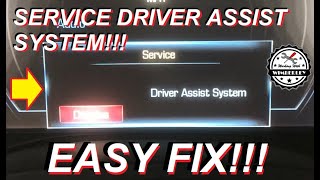
- "Service Front Camera" message on the instrument cluster
- "Service Lane Departure Warning" message
- "Service Lane Keep Assist" message
- Forward Collision Alert, Lane Departure Warning, and Lane Keep Assist systems are inoperative
- Indicator lights for ADAS features may turn amber or white to show they are unavailable
- Adaptive Cruise Control (ACC) may be inoperative
- In some cases, a dead battery or no-crank condition if the fault is related to the software issue described in TSB 23-NA-095.
- Replacing the Front Camera Module when the actual problem is an aftermarket windshield. TSBs explicitly warn technicians NOT to replace the camera if B1008 Sym 4B is the only code present until the windshield has been verified as OEM.
Most Likely Causes
- Aftermarket or Improperly Installed Windshield 🔴 High Probability As documented in TSBs like PIT5535C, the camera mounting bracket on many aftermarket windshields is not positioned to the exact OEM specification. This slight misalignment can cause the camera's view to be partially blocked by the hood, preventing calibration. Owners on forums confirm that using non-OEM glass is a primary cause of these issues, with some even experiencing blurry Heads-Up Display (HUD) projections.
How to confirm: Inspect the lower corner of the windshield for a 'GM' logo. If the logo is missing, the windshield is aftermarket. Also, check for an improper gap between the top of the windshield and the roof, which should be 3.6 mm (+/- 1 mm). A forum user noted that after an aftermarket install, the glass sat too high, creating a visible gap.
Typical fix: Replace the aftermarket windshield with a genuine GM OEM part and have the front camera system professionally recalibrated. One owner on a forum paid over $750 for an OEM windshield to resolve the issue, even though it ultimately turned out to be other components in their specific case.
Est. part cost: $500-$1200 - Obstructed Camera View 🟡 Medium Probability The camera requires a perfectly clear view. Any obstruction can trigger a fault.
How to confirm: Visually inspect the area of the windshield directly in front of the camera module (near the rearview mirror) for dirt, debris, stickers, window tint, or damage like cracks and chips. Also ensure the camera module itself is fully clicked into its mounting bracket.
Typical fix: Clean the windshield thoroughly. Remove any stickers or other obstructions. Ensure the camera is securely mounted in its bracket.
Est. part cost: $0 - Failed Front Camera Module (FCM) ⚪ Low Probability While less common than windshield issues, the electronic module itself can fail internally. This is especially true if the windshield and obstructions have been ruled out.
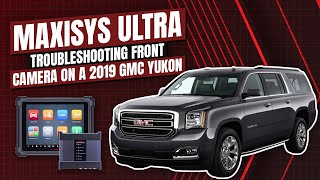
How to confirm: If an OEM windshield is installed correctly, the view is clear, and the calibration procedure still fails with a professional scan tool, the module itself is suspect. A case study on a 2019 Yukon showed that even with OEM tools, a 'conditions not met' error during calibration pointed to a faulty module 🎬 Watch: Troubleshooting B1008 4B on a Yukon with a scan tool. that required replacement.
Typical fix: Replace the Front Camera Module and perform the SPS programming and calibration procedure with a GM GDS2 scan tool or equivalent. The new module must be programmed *before* the calibration is performed.
Est. part cost: $170-$250 - Front Camera Module Software Issue ⚪ Low Probability A specific software glitch can cause the camera module to stay awake, leading to a parasitic battery drain and potentially other faults, including B1008 or U3000.
How to confirm: If the B1008 code is present along with a dead battery or other electrical gremlins, check for TSB 23-NA-095. This TSB addresses a parasitic drain and various related symptoms. A dealer or qualified shop can check if this software update is applicable and has been performed.
Typical fix: Update the Front Camera Module software using a GM scan tool. In some cases, the procedure may involve pulling a fuse to reset the module before attempting a relearn.
Est. part cost: $0 (if under warranty) or ~$150 for labor
Rare But Worth Checking
- Yaw Rate Sensor Issue: TSB PIT5535B suggests that if no other cause is found, a problem with the yaw rate sensor could indirectly affect the camera system. Performing a yaw sensor relearn with a GDS2 scan tool is a recommended diagnostic step.
- Wiring Harness or Connector Issue: Though rare, damage to the wiring or connector for the Front Camera Module can cause a loss of communication or power, leading to faults. A user on a Reddit forum mentioned a potential issue with a coax cable for a similar camera problem on a 2023 Yukon. Diagnosis would involve checking for power, ground, and signal integrity at the camera connector.
Diagnosis Steps
- Scan the vehicle with a professional scan tool to confirm DTC B1008 and identify the symptom byte (e.g., '4B').
- Thoroughly clean the windshield area in front of the camera, both inside and out.
- Inspect for any obstructions like stickers, tint, or damage impairing the camera's view.
- Verify the windshield is a genuine GM part by looking for the 'GM' logo in the lower corner. If it's aftermarket, this is the most likely cause.
- If the windshield is OEM, check that it is mounted correctly, with a 3.6 mm (+/- 1 mm) gap to the roofline.
- Ensure the camera module is securely clipped into its bracket on the windshield.
- Check for related TSBs, especially 23-NA-095 if a battery drain is also a symptom, to see if a software update is required.
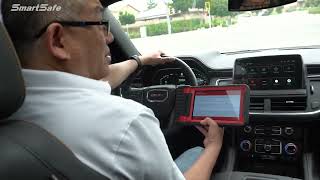
- If all physical checks pass, attempt a 'Front View Camera Module Calibration' using a professional scan tool like the GM GDS2. This may be a static or dynamic (on-road) procedure. 🎬 See how a dynamic camera calibration is performed on the road.
- If calibration fails with a 'conditions not met' error and all other causes are ruled out, suspect a faulty Front Camera Module.
- As a final step before replacing parts, TSB PIT5535B suggests performing a yaw sensor relearn.
Parts You'll Likely Need
- OEM Windshield — This is the most common cause of calibration failure. The precise optical quality and bracket placement of the GM windshield are required for the camera to function correctly. Aftermarket glass is known to cause issues.
Trusted brands: GM Genuine Parts
OEM price range: $750-$1200
Aftermarket price range: $300-$700 - Front View Camera Module
(OEM #84690427)— If the module itself has failed electronically or cannot be calibrated despite having a correct OEM windshield, it must be replaced. Note that this part requires programming *before* calibration.
Trusted brands: ACDelco, GM Genuine Parts
OEM price range: $120-$250
Aftermarket price range: $100-$180
Related Codes That Often Appear With This One
- U3000 — This code, with various symptom bytes (44, 49, 54, 57), may appear alongside B1008 if there is a software issue or parasitic battery drain related to the Front Camera Module, as described in TSB 23-NA-095.
Technical Service Bulletins (TSBs) & Recalls
- PIT5535C: Service Front Camera, Service Lane Departure Warning, and Service Lane Keep Assist Message with DTC B1008 Sym 4B. Warns against replacing the camera and points to aftermarket windshields or obstructions as the likely cause.
- PIT5535B: An earlier version of the TSB that also explicitly warns not to replace the front view camera if B1008 Sym 4B is the only code present and adds checking the yaw rate sensor as a diagnostic step.
- 23-NA-095: Addresses a parasitic battery drain caused by a software flaw in the front camera module, which may be seen with code B1008 or U3000. The fix is a software reprogram.
Platform-Specific Known Issues
- GM Technical Service Bulletin PIT5535C (and earlier versions) directly addresses B1008 Sym 4B, instructing technicians to verify the windshield is not aftermarket and that
Mechanic-Grade Diagnostic Values
- Windshield-to-roof gap — expected: 3.6 mm (+/- 1 mm). Failure: A gap outside this range indicates an improperly installed windshield, which can misalign the camera even if it is an OEM part.
Hidden / Shadow Codes Worth Checking
- B1008 Sym 4B: Calibration Not Learned. This is the most common symptom and confirms the issue is a failure of the camera's learn procedure, not a simple circuit fault. (see via GM GDS2 or equivalent professional-grade scan tool.)
- U3000 (Sym 44, 49, 54, 57): Control Module Internal Malfunction. These may be set in the Front View Camera Module, often in conjunction with a parasitic battery drain, as described in TSB 23-NA-095. (see via GM GDS2 or equivalent professional-grade scan tool.)
Scan Tool Commands That Help
- GM GDS2: Front View Camera Module Calibration / Camera Learn — This is the standard procedure required after replacing the windshield or the camera module itself. It's a dynamic calibration that requires driving the vehicle under specific conditions.
- GM GDS2: Yaw Sensor Relearn — TSB PIT5535B recommends performing this as a diagnostic step if the cause for B1008 is not immediately obvious, as yaw rate data can influence the ADAS system.
- GM GDS2: Cancel Camera Learn — This function attempts to reset the learning status. In one documented case, receiving a 'Conditions Not Met' error when using this function was a strong indicator that the camera module itself had a hardware fault and needed replacement.
- GM GDS2: Extended Camera Relearn Procedure — Use when a standard calibration fails to complete. This specific multi-step procedure, detailed in TSB 23-NA-095, involves covering the camera, letting the vehicle sleep for 30+ minutes, and then re-attempting the learn. It is designed to overcome certain software glitches.
Wiring & Ground Locations
- B174W — The Front View Camera Module mounted to the windshield.. This is the official system designator for the camera module in GM service literature.
- GM LAN (Low-Speed CAN) — A single wire that runs from Pin 1 of the Data Link Connector (DLC) to the Front View Camera Module.. This wire provides essential communication. In a documented case, this single wire was broken, causing the camera module to be completely offline, even though the main high-speed CAN bus wires at the module tested fine. This wire is often not shown on CAN bus topology diagrams, making it a commonly missed point of failure.
- Main Chassis Grounds — On the frame below the driver's side A-pillar and on the firewall.. The Front Camera Module requires a clean ground to function. While less common, a corroded or loose ground at these locations can cause intermittent communication issues or module failure.
Real Owner Repair Stories
- Tahoe Yukon Forum user 'Burby' (2016 Chevrolet Suburban) — "Service Front Camera" message on the dash.
❌ Tried (didn't work) Checking windshield for dirt or obstructions.
✅ What actually fixed it The user inspected the plastic cover around the camera on the inside of the windshield and noticed it wasn't completely seated. Pushing the cover firmly back into place until it clicked resolved the error message, suggesting a loose physical connection or mounting. - Automotive Test Solutions diagnostic video (2017 GMC Yukon) — Front View Camera communication failure, multiple ADAS features inoperative.
❌ Tried (didn't work) Initial scan showed the module was offline., Checking the high and low speed CAN bus wires at the camera module showed they were physically intact.
✅ What actually fixed it A deep-dive diagnostic revealed a break in the single GM LAN wire that runs from Pin 1 of the DLC to the camera module. This wire is separate from the main CAN bus pairs. Bridging the broken wire with a temporary connection brought the module back online immediately, confirming the wire break was the root cause.
"I Checked Everything" — The Actual Cause
- In a documented diagnostic case on a 2017 Yukon, the Front Camera Module was completely unresponsive to the scan tool. A technician might assume the module itself failed. However, testing the main high-speed CAN bus wires at the module connector showed no obvious faults. The actual cause was a break in a separate, single GM LAN wire that also connects to the module but is not shown on some high-level communication diagrams. The standard check (CAN bus integrity) was clean, but the actual cause was a different, less obvious communication wire.
OEM Part Supersession History
23264148, 23335318, 84090467, 84092151→84400584, 84690427— Standard part evolution and updates by the manufacturer.
Heads up: While multiple part numbers exist for this generation, always verify the correct part number for your specific vehicle using the VIN, as there can be subtle differences based on other vehicle options.
Model Year Variations Within This Range
- 2015-2018: No significant variations related to the B1008 code have been identified within this specific model year range. The K2XX platform architecture and the ADAS system design are consistent, making the causes and fixes (especially the sensitivity to aftermarket windshields) applicable across all these years.
Helpful Videos
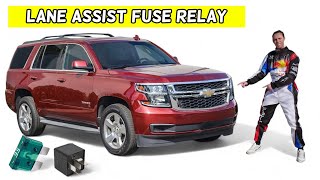
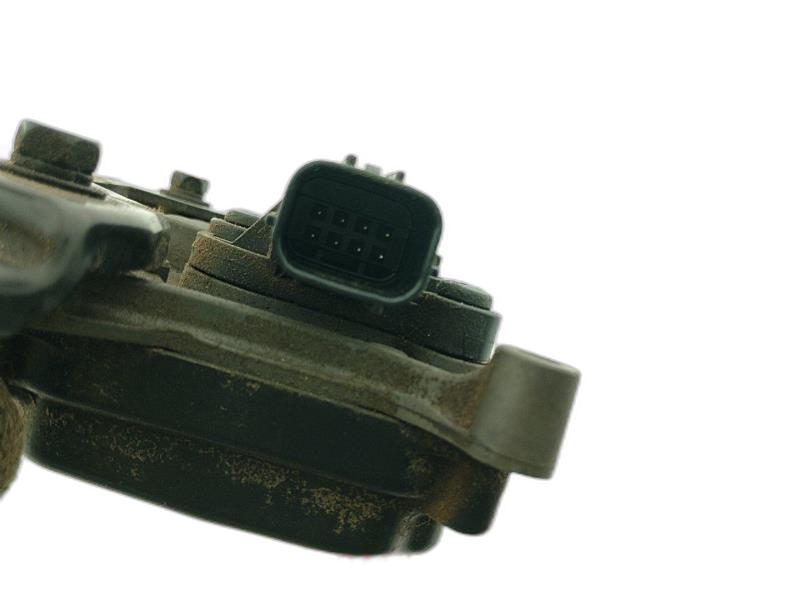
Used OEM Parts in Stock



New Aftermarket Parts Available



The information in this article is provided for general reference and educational purposes only. Vehicle specifications, procedures, and part compatibility can vary by production date, trim level, and region. Always consult your vehicle's factory service manual and verify part numbers before purchasing or performing repairs. Safety-critical components such as airbags, seat belts, and braking systems should be installed by a qualified professional.
- Gmc YUKON:
- 🎬 Helpful Videos
- 🛍️ Shop This Part
- What's Unique About the 2015-2018 Gmc YUKON
- Diagnostic Flowchart
- Symptoms You May Notice
- Most Likely Causes
- Rare But Worth Checking
- Diagnosis Steps
- Parts You'll Likely Need
- Related Codes That Often Appear With This One
- Technical Service Bulletins (TSBs) & Recalls
- Platform-Specific Known Issues
- Mechanic-Grade Diagnostic Values
- Hidden / Shadow Codes Worth Checking
- Scan Tool Commands That Help
- Wiring & Ground Locations
- Real Owner Repair Stories
- "I Checked Everything" — The Actual Cause
- OEM Part Supersession History
- Model Year Variations Within This Range
- 🎟️ Get 5% Off