

B1008 on 2017-2020 GMC Acadia: Service Front Camera and Lane Assist Faults Explained
On a 2017-2020 GMC Acadia, code B1008 almost always points to an issue with the front-facing camera used for driver-assist systems. The most common cause is an aftermarket or improperly installed windshield that prevents the camera from calibrating. The fix typically involves inspecting the windshield and camera mounting, and may require a new OEM windshield and professional ADAS calibration.
- B1008 on a 2017-2020 Acadia means the front camera for your safety systems has a fault, disabling features like Lane Keep Assist.
- Before suspecting expensive parts, check the simple things: Is the windshield clean and free of obstructions?
- The most common cause is an aftermarket windshield; check for the 'GM' logo on the glass before proceeding with any other repair.
- This repair is not DIY-friendly as it requires professional ADAS calibration tools that can cost upwards of $25,000.
What's Unique About the 2017-2020 Gmc ACADIA

On this generation of the GMC Acadia and its C1XX platform mates, the front camera system is highly sensitive to the type and installation of the windshield. General Motors has issued multiple Technical Service Bulletins (TSBs) warning technicians that this code is frequently caused by non-OEM (aftermarket) windshields. The camera mounting brackets on these aftermarket windshields can be slightly misaligned or improperly positioned, which is enough to prevent the camera from completing its required calibration procedure. TSBs note that with aftermarket glass, the camera may see the edge of the hood, which prevents the learn procedure from completing successfully. Factory GM windshields use specific alignment/locating pins in the upper corners to ensure proper positioning, a feature often missing on aftermarket glass.
Diagnostic Flowchart
Tap your situation to follow the diagnostic path that matches what you're seeing on this vehicle.
Symptoms You May Notice
- "Service Front Camera" message on the driver information center
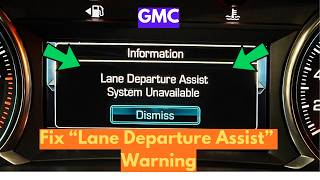
- "Service Lane Departure Warning" message
- "Service Lane Keep Assist" message
- "Service Driver Assist" message on the DIC
- IntelliBeam (auto high-beam) headlights may not function
- Lane Keep Assist and Lane Departure Warning systems are disabled
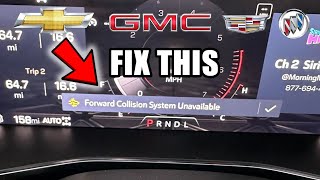
- Forward Collision Alert system is disabled 🎬 Watch: How to fix forward collision system unavailable messages.
- Replacing the Front View Camera Module without first inspecting the windshield. TSBs specifically advise against this, as the windshield is the most common culprit.
Most Likely Causes

- Aftermarket or Improperly Installed Windshield 🔴 High Probability GM TSBs PIT5535E and PIT5535C directly state that aftermarket windshields often have misaligned camera brackets, preventing calibration. Improper installation, even with an OEM windshield, can cause misalignment. A gap between the top of the windshield and the roof sheet metal that is not 3.6 mm (+/- 1 mm) can indicate a problem.
How to confirm: Check the lower corner of the windshield for a 'GM' logo; its absence indicates an aftermarket part. Inspect the gap between the top of the windshield and the roof; it should be 3.6 mm (+/- 1 mm). Also, check if the windshield is sub-flush to the roof sheet metal; if it sits proud, it may be improperly installed.
Typical fix: Replace the aftermarket or improperly installed windshield with a genuine GM OEM part, followed by a professional ADAS camera calibration 🎬 See why calibration is essential after replacing your windshield glass. using a GDS2 scan tool.
Est. part cost: $500-$1200 - Obstructed Camera View 🟡 Medium Probability The camera requires a perfectly clear view. Any external or internal obstruction can trigger the fault during its self-calibration check.
How to confirm: Visually inspect the area in front of the camera on both sides of the windshield. Look for dirt, mud, snow, stickers, banners, or heavy tint strips. Even bug deflectors on the hood can interfere.
Typical fix: Clean the windshield thoroughly. Remove any objects, stickers, or tint that may be blocking the camera's line of sight.
Est. part cost: $0 - Improperly Mounted Front View Camera Module ⚪ Low Probability
How to confirm: Visually inspect the camera module behind the rearview mirror. Ensure it is fully seated and secured in its mounting bracket on the windshield. The TSBs provide diagrams showing the camera (5) and bracket pins (6) that must be properly engaged.
Typical fix: Reseat the camera module correctly in its bracket. This may still require a calibration procedure to be performed.
Est. part cost: $0 - Failed Front View Camera Module ⚪ Low Probability
How to confirm: If all other causes are ruled out (OEM windshield, clean, properly mounted), a diagnostic scan tool must be used to attempt calibration. If the calibration fails repeatedly with a 'conditions not met' error even after a reset function is attempted with OEM software, the module itself may be faulty. TSBs specifically advise NOT to replace the module if B1008 Sym 4B is the only code.
Typical fix: Replace the front view camera module and perform the SPS programming and calibration procedure with a GM-compliant scan tool.
Est. part cost: $150-$250
Rare But Worth Checking
- Software Glitch / Communication Failure:
Diagnosis Steps
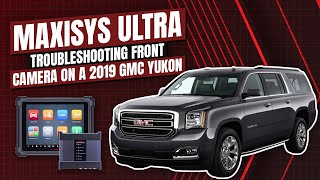
- Read the code with an OBD-II scanner to confirm B1008 and check for any symptom bytes (e.g., 4B). A professional GDS2 scanner is recommended. 🎬 Watch: Troubleshooting B1008 4B on a GM vehicle using professional tools.
- Note the specific warning messages displayed on the dashboard.
- Thoroughly clean the exterior and interior of the windshield in front of the camera module.
- Inspect for any obstructions like decals, aftermarket tint, or bug deflectors.
- Check for the 'GM' logo on the windshield to determine if it is OEM or aftermarket.
- Inspect the camera module to ensure it is securely clipped into its bracket on the windshield.
- Inspect the windshield installation quality. Check for a uniform gap of 3.6 mm (+/- 1 mm) between the top of the glass and the roof.
- If an aftermarket windshield is present, it is the most likely cause. The recommended fix is replacement with an OEM windshield.
- If the windshield is OEM and no obstructions are found, a professional shop must perform a camera calibration/learn procedure using a high-level scan tool (like GM's GDS2).
- If calibration fails, a module reset function may be attempted with OEM software before condemning the part.
- If the calibration fails and all mounting is correct, the Front View Camera Module may need to be replaced, programmed, and calibrated.
Parts You'll Likely Need

- OEM Windshield — This is the most common cause of code B1008. Aftermarket windshields often have improperly positioned camera brackets that prevent successful calibration.
Trusted brands: GM Genuine Parts
OEM price range: $500-$1200
Aftermarket price range: $300-$700 - Front View Camera Module
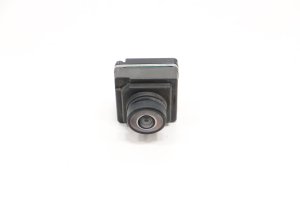
(OEM #84197153 (2017-2019), 84735467 (2020+))— If the windshield is confirmed to be OEM and correctly installed, and calibration still fails, the camera module itself may have failed. Part numbers can supersede; always verify with VIN.
Trusted brands: ACDelco, GM Genuine Parts
OEM price range: $150-$250
Aftermarket price range: $100-$180
Related Codes That Often Appear With This One
- U3000 (Control Module - with various symptom bytes like 44, 49, 54, 57)
Technical Service Bulletins (TSBs) & Recalls
- PIT5535E: Service Front Camera, Service Lane Departure Warning, and Service Lane Keep Assist Message. Notes that DTC B1008 Sym 4B may be set and instructs to check for aftermarket windshields or obstructions.
- PIT5535C: An earlier version of the same bulletin with nearly identical information and instructions.
- PIT5535B: A 2017 version of the bulletin which also points to aftermarket windshields, improper mounting, and obstructions as the primary cause for the camera failing to calibrate.
- 23-NA-095: Addresses a parasitic battery drain and inoperative camera caused by a software glitch, often triggered by an OnStar task. The fix is a software update. While not specific to B1008, it's a related camera issue on similar platforms.
Platform-Specific Known Issues
- GM Technical Service Bulletin PIT5535E explicitly warns technicians not to replace the Front View Camera Module if B1008 Sym 4B is the only code set. Instead, they are directed to check for aftermarket windshields or anything impairing the camera's view.
- A recall (23V-68) was issued for some 2023 models for improperly bonded windshields from the factory, which could cause leaks or wind noise and potentially affect camera alignment.
Mechanic-Grade Diagnostic Values
- Windshield-to-roof gap — expected: 3.6 mm (+/- 1 mm). Failure: A gap outside this range indicates improper windshield installation, which can cause camera misalignment.
Hidden / Shadow Codes Worth Checking
- B1008 Sym 4B: The symptom byte '4B' specifically means 'Calibration Not Learned'. It indicates the Front View Camera Module has failed its dynamic calibration process, often due to a blocked view or improper mounting. (see via A professional scan tool like the GM GDS2 will display the two-character symptom byte after the primary DTC.)
Scan Tool Commands That Help

- GDS2: Front View Camera Module Calibration / B174W Forward Camera learn procedure — This dynamic, on-road calibration is required after replacing the windshield or the camera module, or any time DTC B1008 Sym 4B is set and the root cause (obstruction, mounting) has been corrected.
- GDS2: Cancel Camera Learn / Reset Function — If the standard calibration procedure repeatedly fails, this function can be attempted to reset the module before condemning it as faulty.
- GDS2: Extended Camera Relearn Procedure — A specific, multi-step process to be used if the standard learn procedure fails to complete. It involves covering the camera, letting the vehicle sleep, power cycling the camera, and then re-attempting the learn.
Real Owner Repair Stories
- YouTube Case Study by Autel Consultant (2019 GMC Yukon (K2XX Platform, same family as Acadia)) — DTC B1008:4B was present and ADAS systems were inoperative after a minor accident where the rearview mirror was dislocated.
❌ Tried (didn't work) Attempting to calibrate the front camera using an Autel Maxisys Ultra scan tool; the procedure failed with a 'conditions not met' error., Attempting to perform the calibration/reset function using the official GM GDS2 diagnostic software; this also failed.
✅ What actually fixed it The Front View Camera Module itself had an internal hardware failure and had to be replaced. After replacement, programming and calibration were successful.
OEM Part Supersession History
84008646→84197153— Standard part revision/update.
Heads up: Applies to 2017-2019 models.
Model Year Variations Within This Range
- 2017-2019: Uses Front View Camera Module part number 84197153 (or its predecessor 84008646).
- 2020: Following a model refresh, the 2020 Acadia uses a different Front View Camera Module, part number 84735467. The front-end styling and other technologies were also updated, so parts are likely not interchangeable with earlier years.
Helpful Videos
Used OEM Parts in Stock



New Aftermarket Parts Available


The information in this article is provided for general reference and educational purposes only. Vehicle specifications, procedures, and part compatibility can vary by production date, trim level, and region. Always consult your vehicle's factory service manual and verify part numbers before purchasing or performing repairs. Safety-critical components such as airbags, seat belts, and braking systems should be installed by a qualified professional.
- Gmc ACADIA:
- 🎬 Helpful Videos
- 🛍️ Shop This Part
- What's Unique About the 2017-2020 Gmc ACADIA
- Diagnostic Flowchart
- Symptoms You May Notice
- Most Likely Causes
- Rare But Worth Checking
- Diagnosis Steps
- Parts You'll Likely Need
- Related Codes That Often Appear With This One
- Technical Service Bulletins (TSBs) & Recalls
- Platform-Specific Known Issues
- Mechanic-Grade Diagnostic Values
- Hidden / Shadow Codes Worth Checking
- Scan Tool Commands That Help
- Real Owner Repair Stories
- OEM Part Supersession History
- Model Year Variations Within This Range
- 🎟️ Get 5% Off