

B1008 on 2015-2020 Chevrolet Suburban: Front Camera & Lane Assist Faults Explained
On a 2015-2020 Suburban, code B1008 almost always points to a problem with the front-facing camera used for driver-assist systems. The most common cause is a recent windshield replacement with non-OEM glass, which prevents the camera from calibrating. Do not replace the camera until the windshield and camera mounting have been verified.
- B1008 on a 2015-2020 Suburban means the front camera for your safety systems isn't working, usually because it can't calibrate.
- Before you suspect a bad camera, check the windshield. If it's not a genuine GM part, it's the most likely cause of the problem.
- Do not replace the camera module unless you have ruled out obstructions, an aftermarket windshield, and software issues.
- This is not a DIY repair. The fix requires a professional scan tool to perform a specific on-road calibration procedure.
- Your vehicle is safe to drive, but be aware that safety features like Lane Keep Assist and Forward Collision Alert will be disabled.
What's Unique About the 2015-2020 Chevrolet SUBURBAN

The 2015-2020 Suburban belongs to the K2XX generation, which broadly integrated ADAS features that rely on a windshield-mounted camera. GM issued multiple Technical Service Bulletins (TSBs) for these vehicles, warning technicians that B1008 is frequently caused by improper windshield installation or the use of aftermarket glass, not a faulty camera. The precise alignment of the camera bracket on the windshield is critical for calibration, and many aftermarket windshields do not meet the required specifications, leading directly to this code. TSBs note that some aftermarket windshields cause the camera's view to be partially blocked by the hood, making a successful learn procedure impossible.
Diagnostic Flowchart

Tap your situation to follow the diagnostic path that matches what you're seeing on this vehicle.
Symptoms You May Notice

- "Service Front Camera" message on the driver information center.
- "Service Lane Departure Warning" or "Service Lane Keep Assist" message.
- "Service Driver Assist" message.
- Lane Departure Warning (LDW) and Lane Keep Assist (LKA) systems are inoperative; the LKA icon on the dash will not turn green.
- Forward Collision Alert (FCA) is disabled.
- Automatic High Beams inoperative.
- In some cases, a faulty camera module can cause a parasitic battery drain, leading to a dead battery. This is a known software flaw addressed by TSB 23-NA-095.
- Replacing the Front Camera Module. Technicians are explicitly warned by GM TSBs NOT to replace the camera module if B1008 Sym 4B is the only code present, as the root cause is almost always the windshield or calibration.
Most Likely Causes

- Aftermarket or Improperly Installed Windshield 🔴 High Probability As documented in TSBs PIT5535E and PIT5535C, the camera mounting bracket on many aftermarket windshields is not positioned to the exact OEM specification. This slight misalignment can cause the camera's view to be partially blocked by the hood, making successful calibration impossible.
How to confirm: Check the lower corner of the windshield for a "GM" logo; its absence indicates an aftermarket part. Also, inspect the gap between the top of the windshield and the roof; TSB PIT5535B specifies it should be 3.6 mm (+/- 1 mm). A windshield sitting too high ('proud of the roof') is another sign of improper installation.
Typical fix: Replace the aftermarket windshield with a genuine GM OEM part and perform dynamic calibration.
Est. part cost: $500-$1200 - Front Camera View Obstruction 🟡 Medium Probability The camera requires a perfectly clear view. External or internal factors can easily block its vision. TSBs specifically mention bug deflectors, banners, tint, and even residue from cleaning wipes as potential causes.
How to confirm: Visually inspect the area of the windshield directly in front of the camera module (near the rearview mirror) for any obstructions. TSB PIT6473C recommends a detailed cleaning procedure using 70% isopropyl alcohol and lint-free wipes on both the lens and glass, followed by inspection with a flashlight.
Typical fix: Clean the inside and outside of the windshield. Remove any stickers, tint strips, or debris. Check for windshield damage like cracks or delamination in the camera's line of sight.
Est. part cost: $0 - Lost or Required Camera Calibration 🟡 Medium Probability
How to confirm: This is the default state after a windshield replacement, camera replacement, or sometimes after a battery disconnect. A professional scan tool is needed to confirm the calibration status (B1008-4B) and initiate the learn procedure.
Typical fix: Perform the Front View Camera Module dynamic calibration procedure using a compatible scan tool (like the GM GDS2). This involves driving the vehicle on a well-marked road, ideally straight, at speeds typically above 37 mph (60 km/h) until the learn process completes.
Est. part cost: $0 (Labor cost only) - Faulty Front Camera Module (FCM) ⚪ Low Probability While less common than calibration or windshield issues, the module itself can fail electronically. Some failures are due to software glitches that can be fixed with an update.
How to confirm: If calibration repeatedly fails with a known-good OEM windshield and no obstructions, and all wiring is intact, the module itself is suspect. A scan tool may show a "conditions not met" error during calibration attempts, suggesting a hardware issue. Before replacement, always check for software updates per TSBs.
Typical fix: Replace the Front Camera Module, perform SPS programming, and then complete the dynamic calibration procedure.
Est. part cost: $250-$450
Rare But Worth Checking
- Software Glitch Requiring Module Reprogramming: Before replacing the camera, check for available software updates. TSB 23-NA-095 specifically addresses a software flaw where the camera module stays awake after an OnStar task, causing a parasitic battery drain. The fix is a software update, not a new part.
- Wiring or Connector Issue: A loss of communication to the module can also set this code. TSB PIT5700C points to checking for an open or damaged wire in the circuit before condemning the camera module.
Diagnosis Steps
- Scan the vehicle for codes, paying close attention to the symptom byte (e.g., 4B) for B1008, which indicates a calibration failure.
- Thoroughly clean and inspect the windshield area in front of the camera for any obstructions like dirt, stickers, tint, or damage.
- Verify the windshield is a genuine GM part by looking for the 'GM' logo in the corner.
- If an aftermarket windshield is present, this is the most likely cause. Advise replacement with an OEM part before proceeding.
- If the windshield is OEM, verify it is mounted correctly. Check that the gap between the top of the windshield and the roof is 3.6 mm (+/- 1 mm). Ensure the windshield is not sitting 'proud of the roof'.
- Check for any related TSBs regarding software updates for the FCM, especially TSB 23-NA-095 if a battery drain is also a symptom.
- Using a professional-grade scan tool (GDS2), attempt the 'Front View Camera Module Learn' procedure.
- Follow the on-screen instructions, which typically require driving on a well-marked road at a speed above 37 mph for several minutes until the calibration status reaches 100%.
- If calibration fails repeatedly with a known-good OEM windshield, attempt the 'Extended Camera Relearn Procedure' as detailed in TSB 23-NA-095.
- If calibration still fails, inspect the wiring and connectors between the main body harness and the camera module for any damage or loose connections.
- If all other steps fail, the Front Camera Module is likely faulty and requires replacement, followed by SPS programming and the dynamic calibration procedure.
Parts You'll Likely Need
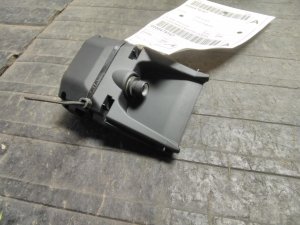
- Front View Camera Module
(OEM #84529539 (verify by VIN, other numbers include 84304790, 84304792, 84421057))— This part is only needed if it has been confirmed to have an internal hardware failure after all other diagnostic steps (windshield, obstruction, calibration) have been exhausted.
Trusted brands: ACDelco, GM Genuine
OEM price range: $300-$450
Aftermarket price range: $200-$350 - OEM Windshield — This is the most common actual fix. An aftermarket windshield often has an improperly placed camera bracket that prevents successful calibration, triggering code B1008.
Trusted brands: GM Genuine
OEM price range: $500-$1200
Aftermarket price range: $300-$600
Related Codes That Often Appear With This One
- U026A: Lost Communication With Front View Camera Module
- U3000: Control Module Malfunction (often with symptom bytes 44, 49, 54, or 57 if a battery drain is present)
Technical Service Bulletins (TSBs) & Recalls
- PIT5535E: Service Front Camera, Service Lane Departure Warning, and Service Lane Keep Assist Message with DTC B1008 Sym 4B.
- PIT5535C: Service Front Camera, Service Lane Departure Warning, and Service Lane Keep Assist Message with DTC B1008 Sym 4B.
- PIT5535B: Explicitly warns not to replace the front view camera if B1008 Sym 4B is the only code. Details how aftermarket windshields can cause the camera to see the hood.
- 23-NA-095: Addresses a software flaw where the camera module stays awake, causing a parasitic battery drain. The fix is a software update.
Platform-Specific Known Issues
- TSB #PIT5535E & #PIT5535C: These bulletins directly address code B1008 Sym 4B. They instruct technicians to check for aftermarket windshields or anything impairing the camera's view before replacing any parts. They note that some aftermarket windshields cause the camera to see the vehicle's hood, which prevents the calibration from completing.
- TSB #23-NA-095: This bulletin is critical if the vehicle also has a dead battery. It explains that a software glitch, sometimes triggered by OnStar, can prevent the camera module from going to sleep, causing a parasitic drain. The fix is a software update, not a hardware replacement.
Mechanic-Grade Diagnostic Values
- Windshield-to-Roof Gap — expected: 3.6 mm (+/- 1 mm). Failure: A gap outside this range, or the windshield sitting 'proud of the roof,' indicates improper installation which can misalign the camera and prevent calibration.
Hidden / Shadow Codes Worth Checking
- B1008 Sym 4B: This is the most common variant. The symptom byte '4B' specifically means 'Calibration Not Learned,' indicating the module has failed its dynamic calibration process. (see via A professional scan tool like the GM GDS2 will display the two-character symptom byte after the primary DTC.)
- U3000 (Sym 44, 49, 54, 57): These codes may appear in the Front View Camera Module alongside B1008, especially if a parasitic battery drain is also a symptom. They point to a control module software issue addressed by TSB 23-NA-095. (see via GM GDS2 or equivalent professional scan tool.)
Scan Tool Commands That Help
- GDS2: Cancel Camera Learn — This function can be attempted if the standard 'Learn' procedure fails. If the tool displays a 'Conditions Not Met' error when running this command, it strongly suggests an internal hardware fault in the camera module itself.
- GDS2: Extended Camera Relearn Procedure — Use this when the standard dynamic calibration fails (e.g., gets stuck at 94%) even with a confirmed OEM windshield. The procedure involves covering the camera, forcing the vehicle to sleep for 30+ minutes, disconnecting and reconnecting the camera, and then re-attempting the learn procedure on a different route.
- GDS2: Yaw Sensor Relearn — As an edge-case diagnostic step, TSBs suggest performing a yaw sensor relearn if no other cause for the B1008 code can be found, as yaw rate data can influence the ADAS system.
Wiring & Ground Locations
- B174W (Front View Camera Module) — Mounted to a bracket adhered to the top-center of the windshield, near the rearview mirror.. This is the official component identifier for the camera module that sets code B1008. Physical access is required for replacement and to check its connector and mounting security.
Real Owner Repair Stories
- Case study on a 2019 GMC Yukon (same K2XX platform) (2019 GMC Yukon) — Code B1008:4B was present, and ADAS calibration would not complete after a component was removed/reinstalled.
❌ Tried (didn't work) Attempting calibration with an Autel MaxiSys Ultra scan tool., Attempting a 'cancel camera learn' function with the OEM GDS2 software, which resulted in a 'conditions not met' error.
✅ What actually fixed it The front camera module (FCM) was determined to be faulty. The module was replaced, followed by SPS programming and a successful dynamic calibration.
"I Checked Everything" — The Actual Cause
- The equivalent for this code is 'Calibration fails even with a verified OEM windshield.' In this case, the cause is often a software glitch requiring the 'Extended Camera Relearn Procedure' detailed in TSB 23-NA-095, or an internal hardware failure of the camera module itself, which can be indicated by a 'conditions not met' error during a scan tool service function.
Helpful Videos
![[EN] Performing a dynamic ADAS calibration | Masters of Motion](https://img.youtube.com/vi/zt-RyvMZV4g/mqdefault.jpg)
Used OEM Parts in Stock


New Aftermarket Parts Available



The information in this article is provided for general reference and educational purposes only. Vehicle specifications, procedures, and part compatibility can vary by production date, trim level, and region. Always consult your vehicle's factory service manual and verify part numbers before purchasing or performing repairs. Safety-critical components such as airbags, seat belts, and braking systems should be installed by a qualified professional.
- Chevrolet SUBURBAN:
- 🎬 Helpful Videos
- 🛍️ Shop This Part
- What's Unique About the 2015-2020 Chevrolet SUBURBAN
- Diagnostic Flowchart
- Symptoms You May Notice
- Most Likely Causes
- Rare But Worth Checking
- Diagnosis Steps
- Parts You'll Likely Need
- Related Codes That Often Appear With This One
- Technical Service Bulletins (TSBs) & Recalls
- Platform-Specific Known Issues
- Mechanic-Grade Diagnostic Values
- Hidden / Shadow Codes Worth Checking
- Scan Tool Commands That Help
- Wiring & Ground Locations
- Real Owner Repair Stories
- "I Checked Everything" — The Actual Cause
- 🎟️ Get 5% Off